Daniel D.
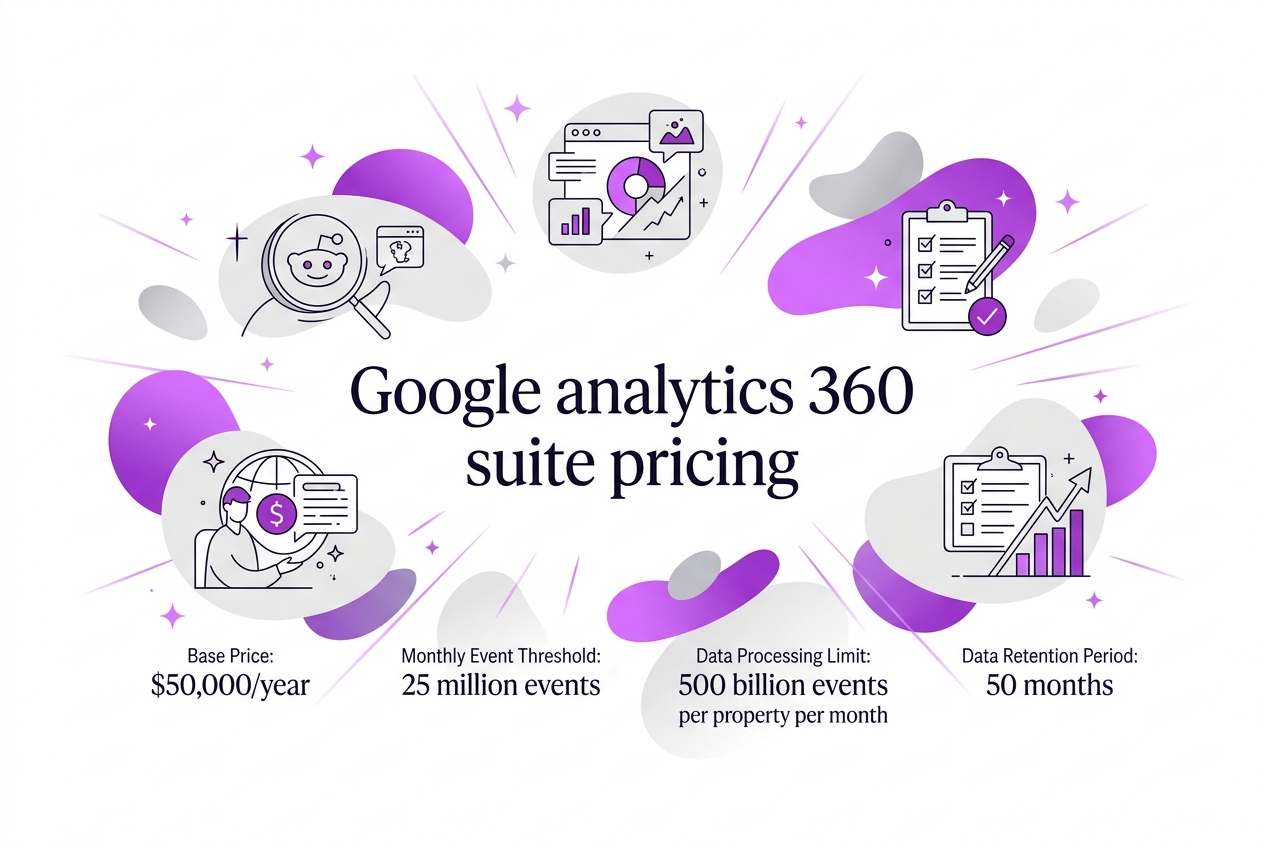 > TL;DR: Google Analytics 360 Suite starts at $50,000 per year, covering up to 25 million monthly hits. Beyond that limit, you’re looking at additional costs that can quickly add up. Onboarding fees for implementation, training, and ongoing support vary a lot depending on contract terms and location, which is something many underestimate.
Written by Daniel Dimov.
When I first explored Google Analytics 360 Suite's pricing, the complexity caught me off guard. The base price starts at $50,000 per year for up to 25 million monthly events, but costs rise quickly depending on how much data you process. According to industry insights, pricing is largely custom and usage-based, with extra charges kicking in above that 25 million event threshold. What’s more, you have to factor in implementation, training, and support costs—not to mention regional price differences and integration needs. This guide lays out the key pricing factors you need to understand before committing, so you can plan your budget without nasty surprises.
Written by Daniel Dimov.
| Point | Details |
|---|---|
| Base Cost | Pricing starts at $50,000 annually for up to 25 million monthly events; that’s the entry point. |
| Data Volume Impact | Beyond 25 million events, additional fees kick in, with potential to negotiate up to 500 billion events. |
| Contract Terms | Contracts typically run one year, but committing to multi-year deals can secure better pricing. |
| Additional Costs | Expect extra charges for setup, training, integration, and ongoing support beyond just the license. |
| Regional Pricing | In some regions, pricing begins lower than $50,000, but it depends heavily on local market conditions. |
Written by Daniel Dimov.
Breaking Down Google Analytics 360 Suite Pricing
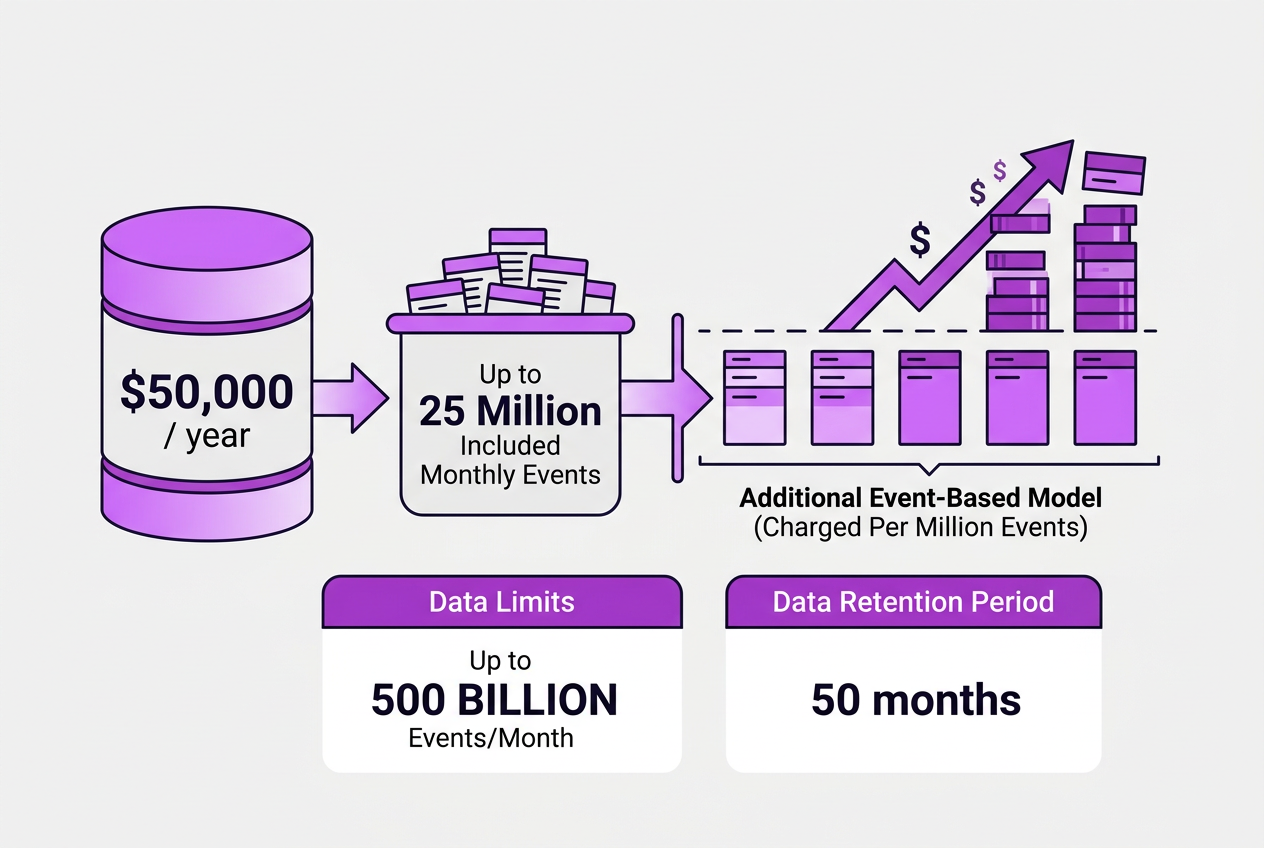
Understanding the pricing of Google Analytics 360 Suite requires a few key figures upfront. The base price starts at $50,000 per year, and this includes processing up to 25 million hits or events per month. Once you exceed this threshold, pricing shifts into an event-based model—you pay for the additional events processed beyond those initial 25 million.
Here’s a quick breakdown:
| Pricing Element | Details |
|---|---|
| Base Price | $50,000/year |
| Included Monthly Events | Up to 25 million |
| Additional Event Pricing | Charged per million events over the included threshold |
| Data Limits | Up to 500 billion events/month, negotiable for more |
| Contract Length | Typically annual; longer contracts may lower rates |
Because this pricing depends heavily on event volume, monitoring your usage is essential. A company that collects 30 million events a month will face costs quite different from one sticking near 25 million. If you don’t properly estimate your expected data volume, you might be surprised when the extra event charges appear.
Regional considerations also come into play. In the Asia-Pacific region, for example, base pricing advertised by Google was around $30,000 a year recently. That’s a meaningful difference compared to the U.S. market and showcases how location can affect cost structures.
Another angle is data limits and negotiation. While Google Analytics 360 can handle over 500 billion events monthly per property, if your company breaks those ceilings, it’s time to talk directly with Google or their partners. This is where contracts and custom pricing get interesting — every enterprise deal can look quite different.
Pro Tip: Consider negotiating contracts directly with Google or partners for volume discounts and tailored service levels.
Let’s not forget the hidden costs that often trip teams up: setup, integration with other Google Marketing Platform products, training your analysts on new workflows, and securing dedicated support come at additional expense. Knowing about these can prevent sticker shock down the road.
Familiarizing yourself with these core pricing components builds the foundation for smarter budgeting. Moving forward, we’ll explore practical strategies to optimize your investment and avoid unexpectedly high fees.
Written by Daniel Dimov.
Understanding Contract Terms and Billing Cycles
Enterprise contracts for Google Analytics 360 Suite usually run on an annual basis. This isn’t a surprise if you’ve handled enterprise software deals before. Monthly billing options simply don’t fit here because of the extensive onboarding, configuration, and ongoing support involved. You can’t just flick a switch and start; it requires a serious commitment both from you and from the Google side.
Here’s the straightforward reality:
| Contract Term | Billing Frequency | Notes |
|---|---|---|
| 1 year (standard) | Annual | Most common; covers baseline needs |
| Multi-year (2+ years) | Annual | Often gains pricing leverage |
Longer contracts can bring price advantages, but that usually means you’re buying into a longer commitment before you know if the tool fits perfectly. I’ve seen negotiations make or break deals here — pushing for flexible terms or trial periods can be tough but is worth the effort.
Keep in mind:
- The annual contract requires upfront budgeting for the full year.
- Unexpected scale-ups in data volume can increase costs beyond the initial agreement.
- You’ll want to incorporate implementation and training costs into your forecast.
Budgeting for Google Analytics 360 isn’t only about the sticker price. Negotiating contract terms impacts your cash flow and operational agility. I recommend factoring in some wiggle room for unforeseen spikes in events, especially since additional events beyond the initial 25 million monthly cap will cost extra.
Understanding these terms helped me align internal stakeholders and avoid nasty surprises in billing cycles. If you’re ready for a pricing deep-dive, check out more about Pricing and how it fits your needs.
Next, I’ll walk you through the key features and trade-offs within the suite itself to help you decide if that price tag matches your expectations.
Written by Daniel Dimov.
Added Costs: Implementation, Training, and Support
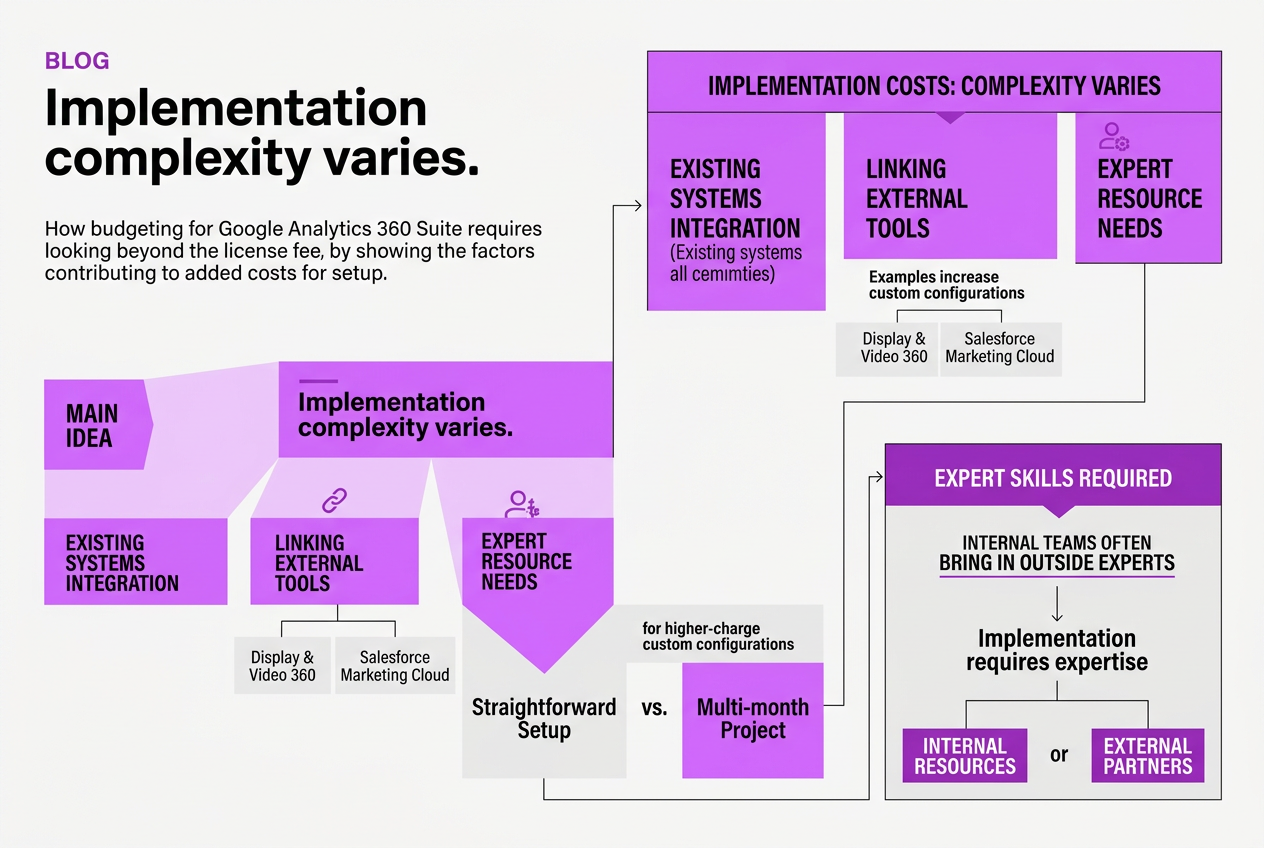
Budgeting for Google Analytics 360 Suite means looking beyond the license fee. The added costs for setup, training, and support can surprise companies who aren’t prepared. These aren’t just optional extras; they directly affect how well your analytics investment pays off.
-
Implementation complexity varies. Depending on your existing systems, integrating Analytics 360 can range from straightforward to a multi-month project. If you’re linking it with tools like Display & Video 360 or Salesforce Marketing Cloud, expect higher charges for custom configurations. Internal teams often need to bring in outside experts because specialized skills are required — this adds to your cost. Implementation requires expertise, whether from internal resources or external partners.
-
Training shouldn’t be overlooked. GA4’s differences from Universal Analytics are significant. Teams used to Universal might struggle initially without proper enablement. This usually means investing in formal training sessions or external consultants to avoid costly misconfigurations. Training matters more than people think; GA4 is different enough that enablement is essential.
-
Support options vary and impact your budget. Google provides dedicated account management and 24/7 critical support, but these come at extra cost, which changes with the level of service you need. For some businesses, a quick response in a crisis is worth the extra spend. For others with smaller teams, self-service options might suffice. Dedicated account management, 24/7 critical support offered with variable pricing.
Pro Tip: Invest in comprehensive training early to maximize platform value and reduce costly errors later.
-
Calculate your total cost of ownership. License fees start at $50,000/year for 25 million monthly events, but implementation, training, and support easily add 20%–50% more to your budget depending on scale and service levels. Ignoring these leads to underestimated budgets and frustrated teams.
-
Evaluate and select service levels carefully. Assess your team’s expertise honestly before signing up. If you have a strong internal analytics team, you might minimize support costs. If not, investing in higher-tier support and training upfront can save headaches. Also, consider your expected growth in event volume because added events beyond the threshold carry usage charges.
If you want to get a clearer handle on the baseline licensing costs, check out TryRoki.com’s Pricing page for detailed breakdowns.
Understanding these elements helps you build a realistic budget that accounts for real-world challenges and avoids surprises. Next, we'll explore strategies to optimize your contract terms and billing cycles to suit your financial planning.
Integrations and Their Influence on Pricing
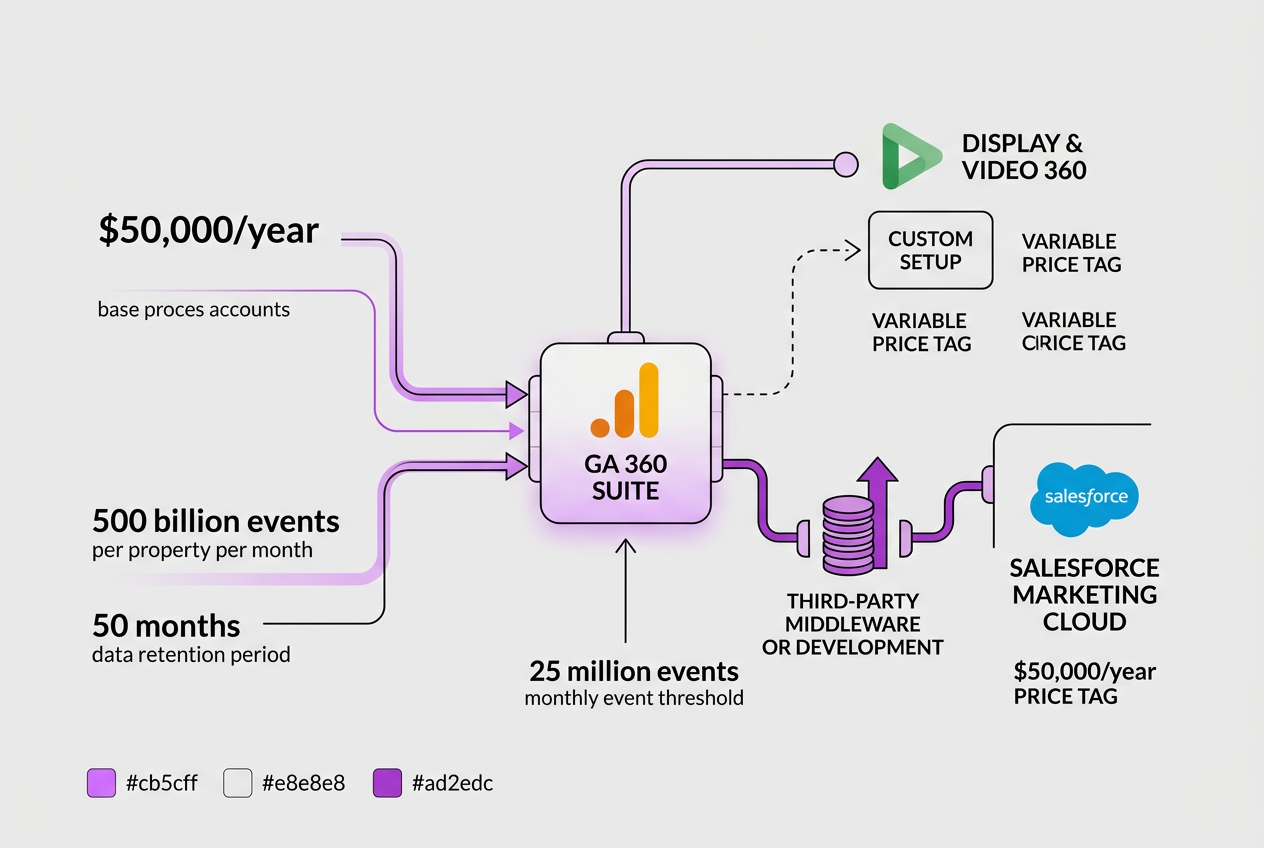
Integrating Google Analytics 360 Suite with other platforms can quickly turn a simple pricing structure into a complex puzzle. Since the base price starts around $50,000 per year for up to 25 million events, adding connectors to tools like Display & Video 360 or Search Ads 360 impacts both implementation effort and overall cost. These Google Marketing Platform tools share native integration paths, but maximizing their joint potential often requires custom setup, which comes with a variable price tag.
Salesforce Marketing Cloud integration is a different beast. Unlike Google’s native ecosystem, connecting Salesforce can be trickier due to differing data models and API limits. This often means engaging third-party middleware or custom development, pushing your integration costs higher. The more complex the connection, the longer deployment takes, adding both direct fees and indirect delays.
Scaling integration options means you’re balancing the depth of insights against the cost. Simple data sharing has minimal impact, while real-time, bidirectional connections or extensive customization spike expenses. You might find that a mid-level integration gives sufficient value without blowing your budget.
Here’s a rough comparison, based on typical market experience and integration scenarios:
| Integration Type | Setup Complexity | Pricing Impact | Typical Use Case |
|---|---|---|---|
| Native Google Marketing Platform | Low to Medium | Moderate | Cross-channel attribution and streamlined reporting |
| Salesforce Marketing Cloud | Medium to High | High | Combined CRM and web analytics workflows |
| Custom Middleware or APIs | High | Very High to Custom Pricing | Highly tailored enterprise workflows |
Balancing benefits against expenses requires a clear look at what insights you really need. Sometimes, deep integration fuels smarter campaigns and justifies the extra spend. Other times, the incremental cost isn't worth the diminishing returns. This is particularly true if your team lacks the bandwidth for ongoing support or development.
Decisions around integrations affect multiple budget line items—from base license increases to hosting more complex data flows and providing training. For practical guidance tailored to your volume and setup, exploring detailed Pricing resources can help firm up expectations.
Keeping a close eye on integration complexity will pay off, avoiding surprises while still unlocking the platform’s power. Next, we’ll dig into the additional implementation, training, and support costs that often come with these integrations.
Written by Daniel Dimov.
My Honest Take on Google Analytics 360 Suite Pricing
I’ve been hands-on with Google Analytics 360 Suite in various enterprise rollouts, and here’s a reality check: the headline price tag isn’t the whole story. Sure, $150,000 a year sounds intimidating next to free or lower-tier tools, but you’re paying for much more than raw event tracking. It’s about integrating massive data flows across platforms in a way that’s actually manageable.
That said, many teams falter because they underestimate how much time and budget training and setup gobble up. You don’t just plug it in; you need skilled staff who can wrangle the interface and APIs, plus ongoing tuning to keep things optimized. That overhead often doubles the total cost.
And here’s a contrarian take—just because you can track billions of hits or link every possible data source doesn’t mean you should. Overkill on volume or features adds complexity without proportional gain. For some businesses, a leaner, more targeted analytics setup yields clearer insights and costs a fraction of the 360 Suite.
The key is to get very deliberate about what you actually need from your analytics. Don’t let the pricing structure blindside you or push you into buying muscle you won’t flex. When I help clients through this decision, we map out use cases and scale carefully.
If you’re serious about enterprise marketing analytics, GA 360 Suite offers capabilities you won’t find elsewhere—but it’s far from a plug-and-play bargain.
— Daniel Dimov
Optimize Your Analytics Investment with TryRoki AI
Getting a handle on Google Analytics 360 Suite pricing is a start, but raw data won’t move the needle alone. When I first looked at pricing tiers, I realized how quickly costs add up without clear ways to turn insights into action. That’s where using complementary tools like TryRoki.com pays off. Its AI-driven content automation helped me free up hours spent on blog updates and social posts, which made SEO less of a guessing game. The site also surfaces engagement points you might miss, letting you put Google Analytics data to work faster — no steep learning curve or huge extra spend needed. You can check out TryRoki’s pricing plans to see if the value matches your budget and skim their features list to get a real sense of what the AI does behind the scenes. I’ve found this kind of tool bridges the execution gap that analytics platforms alone can leave wide open.
Written by Daniel Dimov.
Frequently Asked Questions
From my experience managing client budgets, the entry point for Google Analytics 360 Suite is around $50,000 per year. This fee covers up to 25 million events monthly, which can be enough for mid-sized businesses but feels steep if your data volume spikes unpredictably.
Yes, going over the 25 million events per month included in your package usually triggers extra fees. These can climb quickly, sometimes adding thousands to your bill, so it’s worth monitoring event volumes closely to avoid surprises.
Contracts generally lock you in for a year. I’ve noticed that longer commitments sometimes lead to better deals, but they also reduce flexibility if your strategy or budget changes, which can be a hassle.
It does. For instance, in the Asia-Pacific region, the starting price can drop to about $30,000 annually, noticeably cheaper than the U.S. This variation impacts global teams who need to budget differently across regions.
Beyond the base license, expect charges for implementation, training, and integrations, which can add tens of thousands depending on your setup. Also, 24/7 support isn’t always included and might cost extra, so plan accordingly.
Written by Daniel Dimov.