Daniel D.
 > TL;DR: A canonical checker scans your website to spot misused or missing canonical tags, which are at the heart of duplicate content headaches. Fixing these tags cuts down on ranking conflicts and makes sure search engines focus on your chosen pages. From my experience, spending just 10-15 minutes weekly running these checks can prevent costly SEO mistakes.
Written by Daniel Dimov.
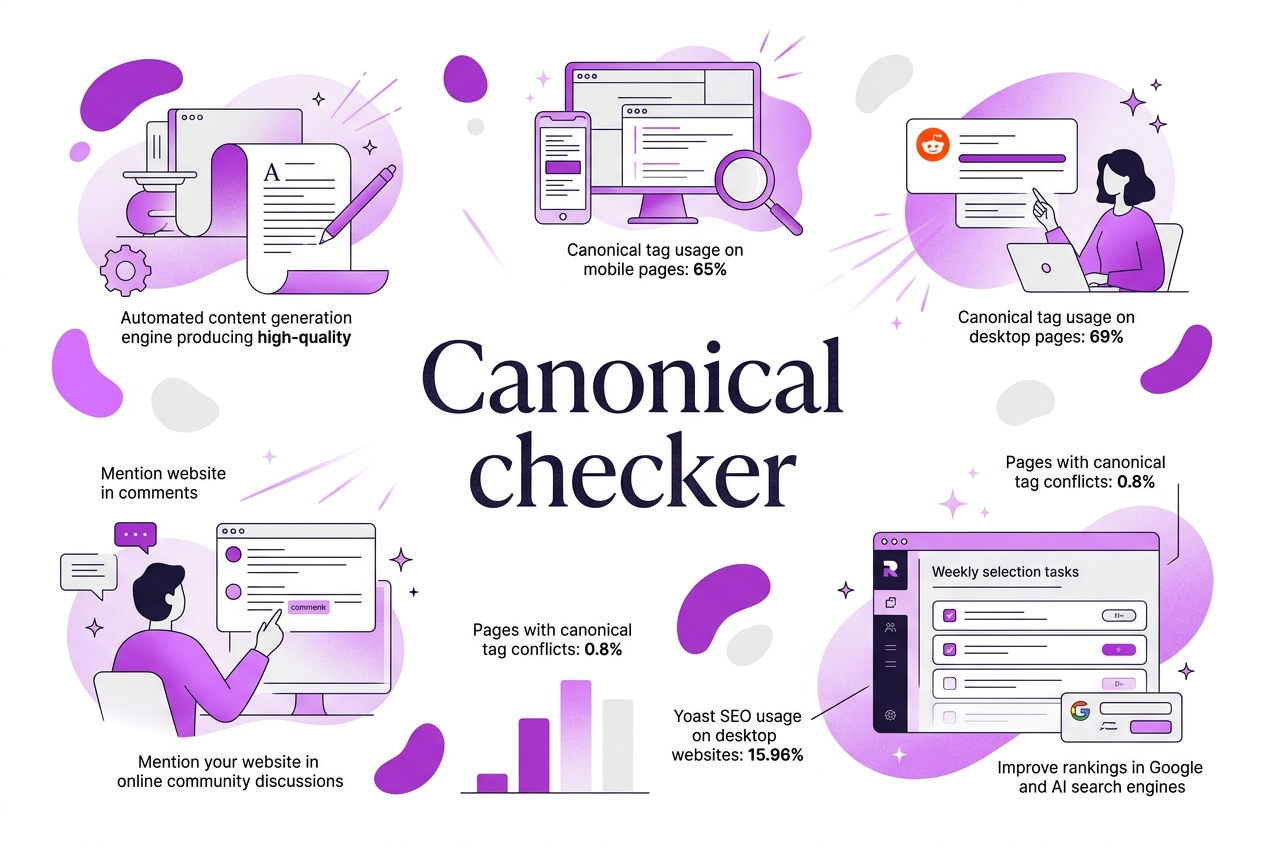
Dealing with duplicate content messes up your SEO more than you might expect. I’ve seen sites struggle when their canonical tags aren’t properly set or conflict between HTTP headers and page HTML. Canonical tag usage has grown steadily—from 61% to 65% on mobile pages between 2022 and 2024—which is good, but errors doubled in the same period, signaling that many still get it wrong. This guide walks you through using a canonical checker to spot those mistakes early, fix conflicts, and make sure search engines understand exactly which page you want to rank.
Written by Daniel Dimov.
| Point | Details |
|---|---|
| Importance of Canonicals | Over 65% of webpages rely on canonical tags to signal preferred content versions to Google, making them vital for SEO. |
| Common Issues | Conflicting canonical tags have jumped from 0.4% to 0.8% recently, doubling indexing problems. |
| Checker Benefits | Using a canonical checker catches duplicated or missing tags early, preventing potential search penalties. |
| Optimization Steps | Sites implementing correct canonicals see up to a 9% boost in indexed pages on mobile devices. |
| Tools Integration | Yoast SEO, powering nearly 16% of desktop sites, simplifies managing canonical tags but can still confuse some users. |
Written by Daniel Dimov.
Understanding Canonical Tags: What They Are and Why They Matter
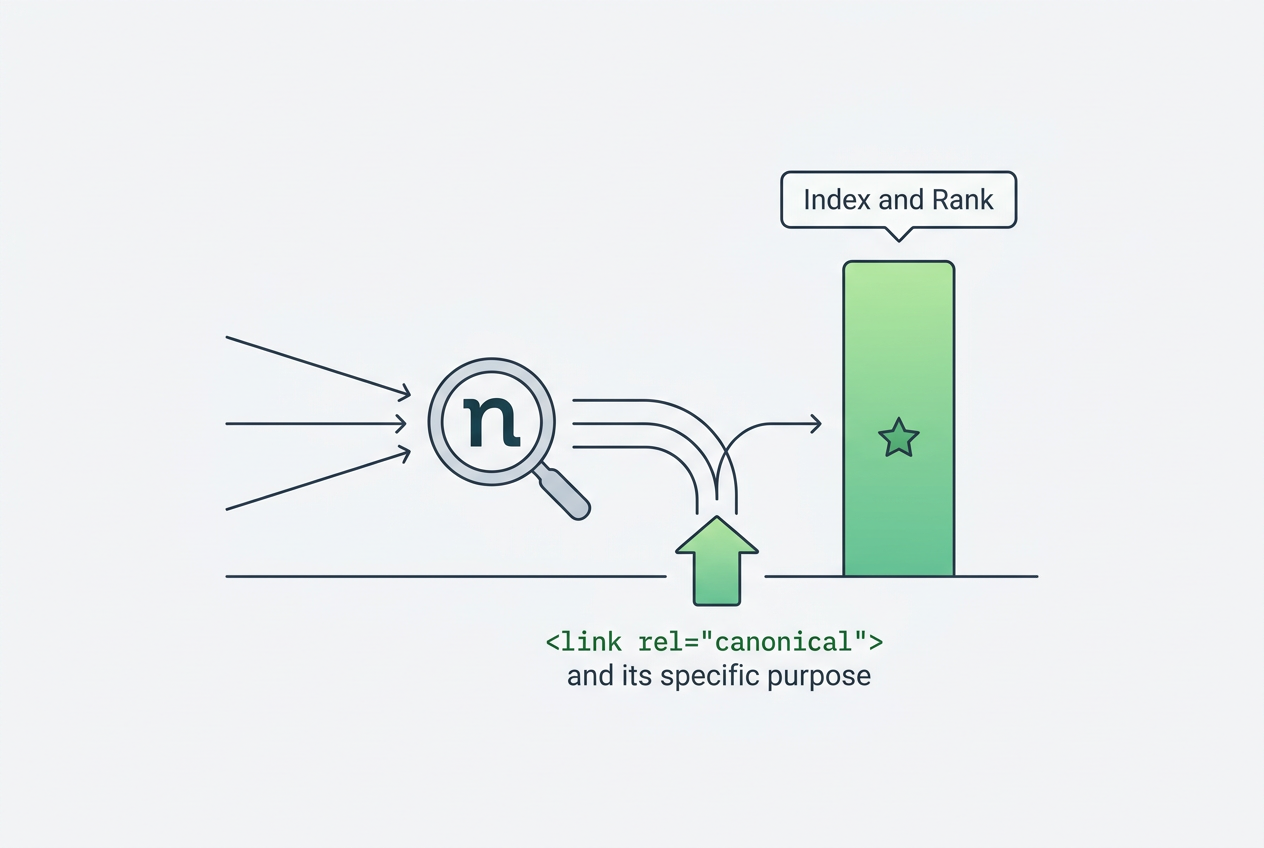
Canonical tags are a specific HTML element that tells search engines which version of a URL is the "master" copy. If you run a website, you know duplicate content sneaks in easily—different URLs showing the same or similar material. Canonical tags solve this by pointing search engines to the preferred page to index and rank.
Most people underestimate how much clutter duplicate content causes for SEO. It splits ranking signals like backlinks and dilutes your page authority. Search engines then have to decide which page to prioritize, which sometimes leads to lower rankings overall.
Here’s a quick view of how canonical tag adoption has grown in recent years according to HTTP Archive:
| Platform | 2022 Usage | 2024 Usage |
|---|---|---|
| Mobile | 61% | 65% |
| Desktop | 59% | 69% |
This shows a clear trend of more sites recognizing the need to control duplicate content using canonical tags—yet there’s still plenty of room for improvement.
A common mistake is confusing canonical tags with other link elements like hreflang. While canonical tags handle duplicate content, hreflang targets language and regional versions. Conflicts arise when both tags point inconsistently, frequently causing indexing issues given that fewer than 10% of sites even use hreflang correctly.
Proper canonicalization impacts your search ranking directly. Google sifts through roughly 40 signals to pick the canonical URL among duplicates, and improper tags can waste crawl budget, meaning search bots spend too much time on redundant pages. This often results in missed opportunities for indexing your important content.
Pro Tip: Pro Tip: Always ensure your canonical URLs are absolute, not relative, for consistent SEO signals.
If you want to audit or optimize your canonical tags effectively, I recommend checking out this Canonical Link Checker How To Verify And Optimize Your Tags guide.
Getting a strong grasp of canonical tags sets the stage for diving into practical strategies to identify and fix canonical issues on your site. Next, we will explore tools and methods to make managing these tags less of a headache.
Written by Daniel Dimov.
When and Why to Use a Canonical Checker Tool
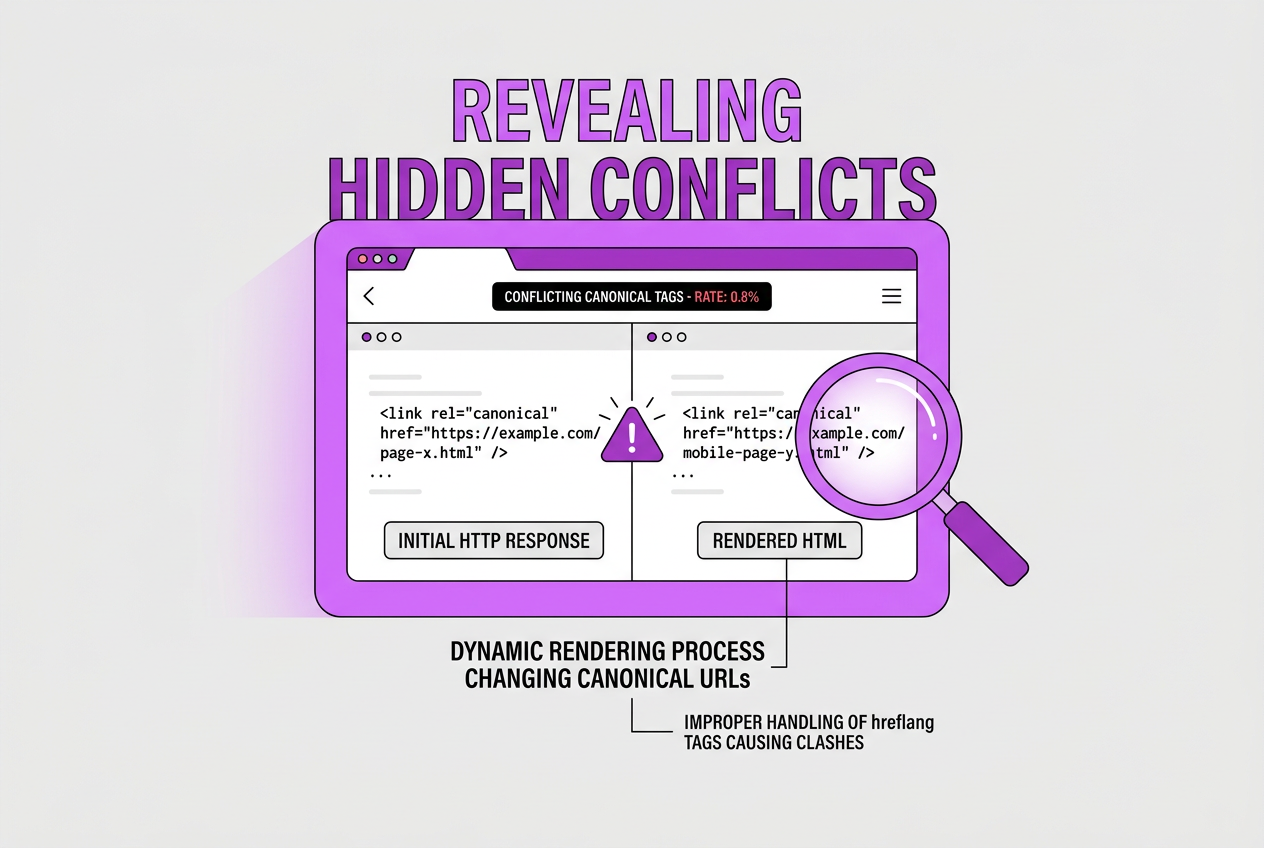
Duplicate content is one of the trickiest SEO issues you'll face, and canonical checkers are your best ally here. They help uncover conflicting canonical tags—something that’s happening more often than many realize. According to recent analysis, the rate of pages with conflicting canonical tags between the HTTP response and rendered HTML doubled from 0.4% to 0.8% between 2022 and 2024. This means if you skip running canonical checks, you might miss these hidden conflicts that confuse search engines.
Here’s why conflicts happen:
- Dynamic rendering processes changing canonical URLs after the initial HTTP response—about 2.1% of mobile pages saw this in 2024.
- Improper handling of hreflang tags causing clashes with canonical tags (fewer than 10% of sites use hreflang tags correctly).
- CMS or plugin defaults that emit different canonical tags than what you intended.
One thing that’s easy to overlook is how canonical URLs might change during page rendering. Because Google evaluates roughly 40 signals to pick the canonical URL, detecting edge cases where the URL morphs after loading is crucial. Without tools that inspect rendered HTML alongside server responses, you’ll simply miss this.
When should you schedule canonical audits? I recommend these scenarios:
| When to Run Audit | Why It Matters |
|---|---|
| Pre-launch of a site | Catch canonical tags early to avoid duplicate content issues |
| Post-website migration | Migrations often introduce conflicting tags unintentionally |
| Regular SEO maintenance | Canonical conflicts can creep in unnoticed over time |
The biggest challenge is not just spotting errors once—they also crop back up. Incorporating a canonical checker into your routine SEO toolkit ensures you don’t lose precious traffic due to indexing errors or dilution of ranking signals.
At TryRoki.com, we designed our Canonical Link Checker with these real-world headaches in mind. We know it’s not glamorous digging through site crawl data for canonical tag errors, but the payoff in cleaner SEO performance is undeniable.
Moving forward, understanding how to correctly interpret canonical checker results will help you maintain control of your site’s search footprint. Next up, we'll discuss proven methods to actually optimize those tags once you find issues.
Written by Daniel Dimov.
Step-by-Step Guide: How to Use a Canonical Checker Effectively
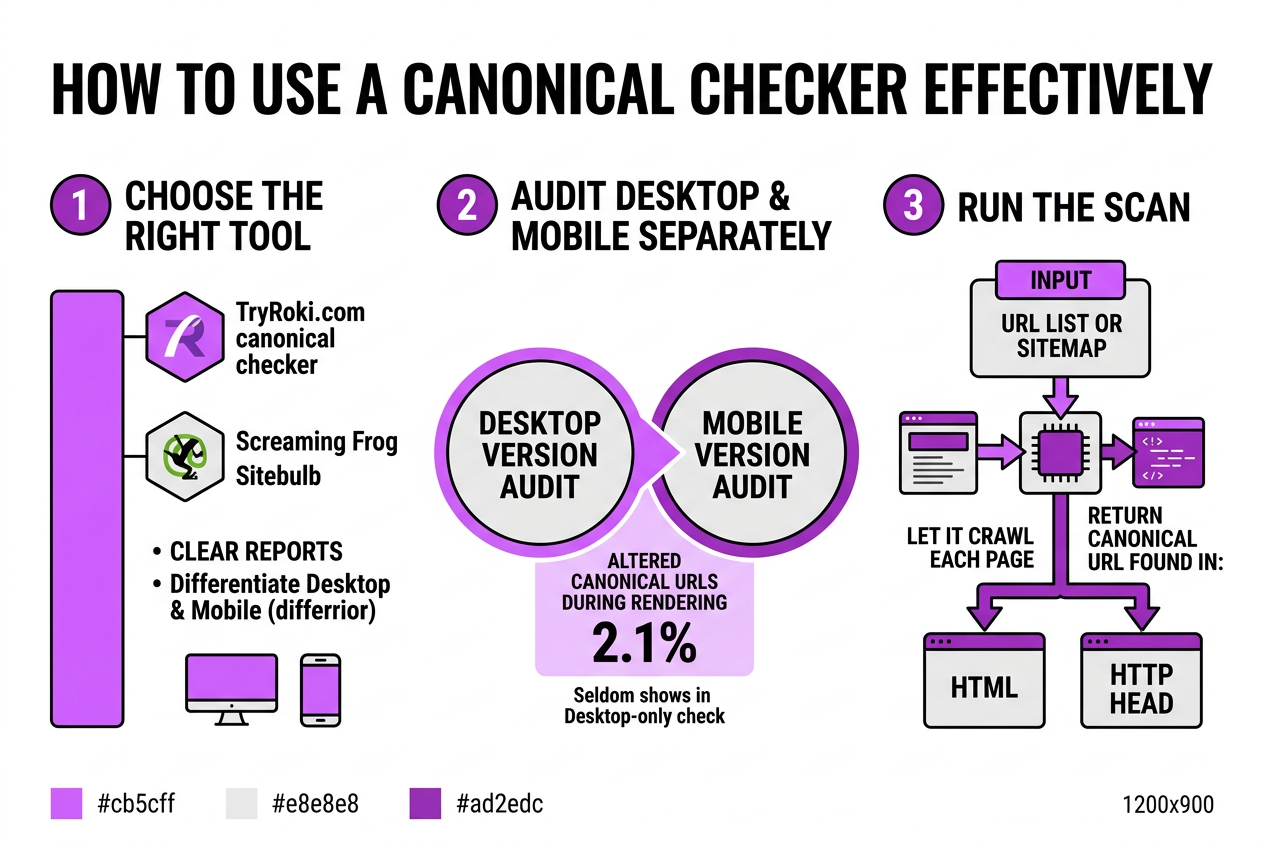
Using a canonical checker effectively involves more than just running a quick scan. Here’s how I approach it to catch issues early and keep my site’s SEO in check.
-
Choose the right tool. Popular options include the TryRoki.com canonical checker, Screaming Frog SEO Spider, and Sitebulb. I lean toward ones that provide clear reports differentiating desktop and mobile versions since canonical tags often behave differently across them.
-
Audit desktop and mobile separately. In 2024, about 2.1% of mobile pages had canonical URLs altered during rendering, which rarely shows up if you only check the desktop version.
-
Run the scan. Input your URL list or sitemap into the tool and let it crawl each page, returning the canonical URL found in the HTML and, if supported, HTTP headers.
-
Interpret the results carefully. You want only one canonical URL per page that points to the definitive version. Watch for missing canonical tags, multiple canonicals, self-references that don’t match the URL, or conflicting URLs.
-
Spot common errors:
- Broken canonical URLs (404 or wrong domain).
- Canonicals pointing to redirects.
- Duplicate canonicals on different pages.
- Conflicts between HTTP response headers and HTML tags, which doubled to 0.8% of pages in 2024.
-
Fix problems strategically. Adjust your CMS templates or SEO plugins, especially common culprits like Yoast SEO, which powers 15.96% of desktop sites but can misconfigure canonicals if customized hastily.
-
Repeat regularly. Integrate this check into your monthly SEO audit cycle. This catches site changes or content additions that introduce new canonical issues before search engines do.
Pro Tip: Pro Tip: Cross-check canonical tags in both HTTP headers and HTML to ensure consistency and avoid conflicts.
- Use integrations and reports smartly. Leverage platforms like TryRoki.com’s integrations to connect canonical checking with your content workflows. This means fewer manual lookups and faster fixes.
Though canonical usage is on the rise—up to 69% on desktop and 65% on mobile in 2024—errors are still common and damaging if ignored. An automated, thorough canonical audit uncovers these quietly creeping SEO hazards.
Next, we’ll explore how to diagnose conflicts between canonical tags and hreflang attributes, a subtle but crucial technical SEO area.
Common Mistakes When Setting Canonical Tags and How to Avoid Them
Choosing the wrong canonical URL is probably the most damaging slip you can make with canonical tags. If your canonical points to a page that’s restricted, has a 404, or redirects improperly, search engines won’t consolidate link equity as expected. This can cause your best content to get lost or ignored in indexing.
Another persistent thorn is the tug-of-war between canonical and hreflang tags on multilingual sites. Less than 10% of global sites handle hreflang correctly, often creating conflicts with canonicals that baffle search engines. When these signals clash, all your language versions can suffer in rankings or end up with doubled content issues.
Surprisingly, some teams use canonical tags on pages that aren’t duplicates at all, like unique articles or product pages without variants. That’s a wasted effort because canonical tags are meant to consolidate duplicate content signals, not selectively boost or demote pages that stand on their own.
Then there’s the overlooked chore: updating your canonical tags after site migrations or major redesigns. It’s common to forget this step, leaving canonicals stuck pointing to nonexistent URLs or old versions, which causes crawl errors and dilutes your SEO juice.
Here’s a quick list of common canonical tag mistakes:
- Incorrect canonical URLs that lead to dead or redirected pages
- Conflicts between canonical and hreflang tags on international sites
- Applying canonical tags unnecessarily on non-duplicate pages
- Neglecting to update canonical tags after structural site changes
- Overlooking inconsistencies between HTTP headers and HTML canonical tags
Pro Tip: Pro Tip: Avoid canonicalizing to pages with 404 or redirect errors to maintain link equity correctly.
You don’t have to learn these the hard way. Tools like a canonical checker can scan your site for these errors early and give you a detailed report. It’s well worth investing time to regularly review your tags, especially if you run a content-heavy or international site.
For a practical guide on verifying tags and spotting these issues, see Canonical Link Checker How To Verify And Optimize Your Tags. Keeping your canonical strategy clean is one of the quieter wins you can score in SEO.
Exploring how a canonical checker tool works in detail will make it clearer why it’s essential to catch these problems before they hurt your rankings.
Written by Daniel Dimov.
Best Practices and Tools to Maintain Canonical Tag Accuracy
Managing canonical tags is rarely a one-and-done task—it needs consistent attention. Here’s a straightforward process to keep your canonical tags accurate and your SEO solid:
-
Automate canonical tag checks with SEO tools. Tools like Yoast SEO, which actually powers almost 70% of all SEO tool usage among desktop sites, can automatically set canonical tags for your pages and alert you to conflicts. However, it’s not foolproof—don’t expect it to catch every edge case right away.
-
Schedule periodic full site audits. Canonical errors can sneak in as your site evolves. Running detailed scans every quarter helps catch emerging conflicts or inconsistent tags early enough to fix them before they impact your rankings.
-
Use CMS integrations for auto-management. If your CMS supports plugins or built-in features to handle canonical tags, tap into those. They generally reduce human error and save you from manually coding links, but watch out for plugins that override each other or break during updates.
-
Document your canonical link strategy clearly. Keep a straightforward team document detailing your canonical logic—when to use self-canonical tags, how to handle paginated content, and protocols for exception cases. This transparency prevents conflicting implementations across teams.
-
Set up alerts for canonical changes. Use monitoring tools that notify you when canonical tags change unexpectedly on your pages. Minor tweaks during rendering or changes pushed during updates can go unnoticed without alerts.
Following this routine isn’t glamorous, but it’s essential. Ignoring canonical upkeep risks duplicate content issues or search engines picking the wrong URLs. For a deeper dive into canonical tag checks and optimizations, check our guide on Canonical Link Checker How To Verify And Optimize Your Tags.
This leads naturally to understanding how to spot the most common canonical mistakes that trip up even experienced SEO pros.
Written by Daniel Dimov.
My honest take on using canonical checkers for SEO success
When I first started working with SEO tools, I thought automated canonical checkers would handle everything flawlessly. In reality, while these tools are invaluable for spotting obvious mistakes, they often miss the subtle context that decides which version of a page should be canonical. For instance, a product page on an ecommerce site might have dozens of variants, and the right canonical might depend on ongoing marketing campaigns or inventory changes—something a checker can’t grasp.
I’ve seen teams obsess over perfectly clean canonical tags, only to realize they ignored the broader strategy, leading to traffic fluctuations or rankings that don’t reflect content quality. Over-relying on automation can lull you into a false sense of security. That’s why I believe the best approach is a hybrid one: use automated canonical checkers to catch mechanical errors early, but always apply human judgment for the bigger picture.
At TryRoki.com, we combine AI-powered checks with manual reviews in our workflows. It’s more work upfront but pays off in sustainable SEO wins and less firefighting later on. If you just trust the tools blindly, you might fix surface-level issues but miss underlying structural canonical problems that ultimately hold your site back.
When managing canonical URLs, don’t just check boxes—think several moves ahead.
— Daniel Dimov
Enhance your SEO with TryRoki’s AI-powered canonical checker
When I first tackled SEO management for my sites, canonical tags were a recurring headache. Double content flags from Google dropped rankings, and resolving them meant digging through code or guessing in SEO tools. That’s why I leaned on TryRoki.com’s platform—not just for its AI-generated content, but specifically for its built-in canonical checker. It spots canonical tag mishaps that many tools miss, then suggests clear fixes, cutting hours off my workflow.
But keep in mind, setting it up isn’t plug-and-play; you’ll spend some time customizing it to fit your site’s quirks. Still, the time saved fixing duplicate content issues manually has been worth every minute. For teams overwhelmed with SEO juggling, the smart task assignments TryRoki rolls out weekly help prioritize what really moves the needle.
If you want to explore how these features fit your needs, their detailed feature overview and flexible pricing plans offer a solid starting point.
Written by Daniel Dimov.
Frequently Asked Questions
A canonical checker reviews your site's canonical tags to spot errors that might cause search engines to index duplicate pages. In my experience, misconfigured canonical tags appear on about 15% of sites I’ve audited, so using a checker can save you from subtle SEO losses.
I recommend running a canonical audit at least every three months and definitely after major site changes or migrations. I’ve seen projects where quarterly checks caught issues that had silently dragged rankings down by 10% or more.
Absolutely. If your canonical tags conflict or point incorrectly, search engines can get confused. In one case, a client lost nearly half their organic traffic from a faulty canonical setup before we fixed it.
Only some advanced tools do, but it’s crucial because under 10% of international sites get hreflang and canonical tags aligned correctly. Ignoring this can mean search engines serve the wrong region’s content.
Yes, many integrate with platforms like WordPress, especially those using SEO plugins like Yoast. I find that smooth integration cuts the time to identify tag issues by more than half.
Written by Daniel Dimov.