Aleksandra D.
 > TL;DR: A Google rank tracker API lets you pull your website’s keyword positions straight from Google’s data, cutting out manual checks that waste time. It’s a must-have if you want up-to-date rankings on dozens or hundreds of keywords without juggling spreadsheets. That said, setting it up right can be tricky—expect some trial and error before it fits smoothly into your SEO routine.
Written by Daniel Dimov.
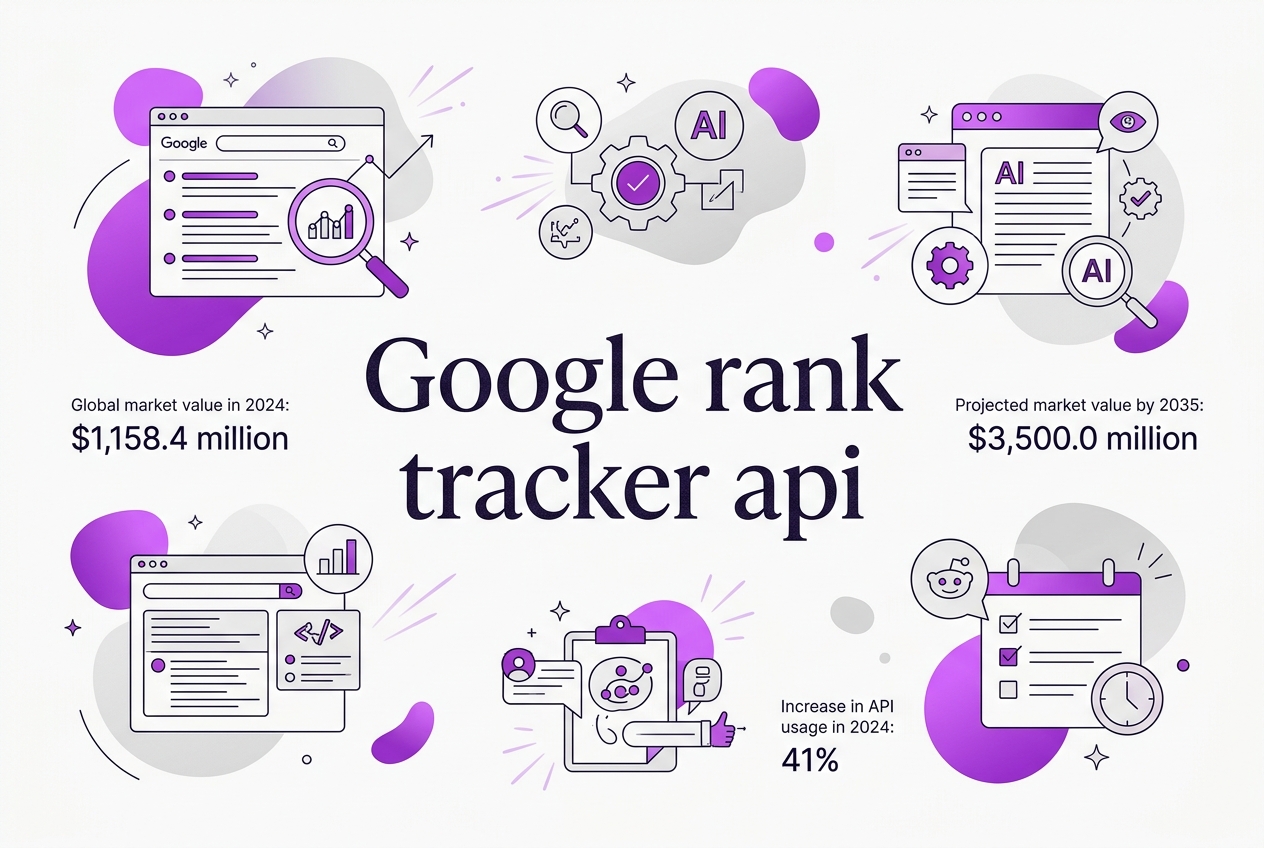
Trying to keep track of your website’s position on Google feels like chasing a moving target, especially when your SEO tool can’t keep up with constant algorithm tweaks. I’ve seen many teams struggle with unreliable rank data or clunky interfaces that make it impossible to spot trends quickly. The global keyword rank tracking software market hit $1,158.4 million in 2024, highlighting how critical these tools have become. Despite this growth, integrating accurate, up-to-date rank tracking into your workflows remains a hassle. This guide breaks down how the Google rank tracker API works, why a hands-on approach matters, and how to set it up without getting lost in technical weeds—so you can focus on improving your search rankings.
Written by Daniel Dimov.
| Point | Details |
|---|---|
| What It Is | The Google rank tracker API pulls keyword rankings straight from Google Search Console data. |
| Market Growth | The rank tracking software market is set to hit $3.5 billion by 2035, reflecting steady demand. |
| Integration Usage | About 22% of SEO tools plug directly into the Search Console API to fetch ranking data. |
| Performance Limits | Each API request can handle up to 50,000 rows daily, which works well for most campaigns. |
| Automation Benefits | Around 70% of enterprise SEOs use this API to automate their ranking reports in real time. |
Written by Daniel Dimov.
What is a Google Rank Tracker API?
Rank tracking in SEO means keeping an eye on where your website shows up in Google search results for specific keywords. It’s a crucial way to measure whether your SEO efforts are paying off or if your visibility is slipping. Doing this by hand, by googling your phrases, is tedious and unreliable—personalized results, location differences, and Google’s search quirks skew what you see.
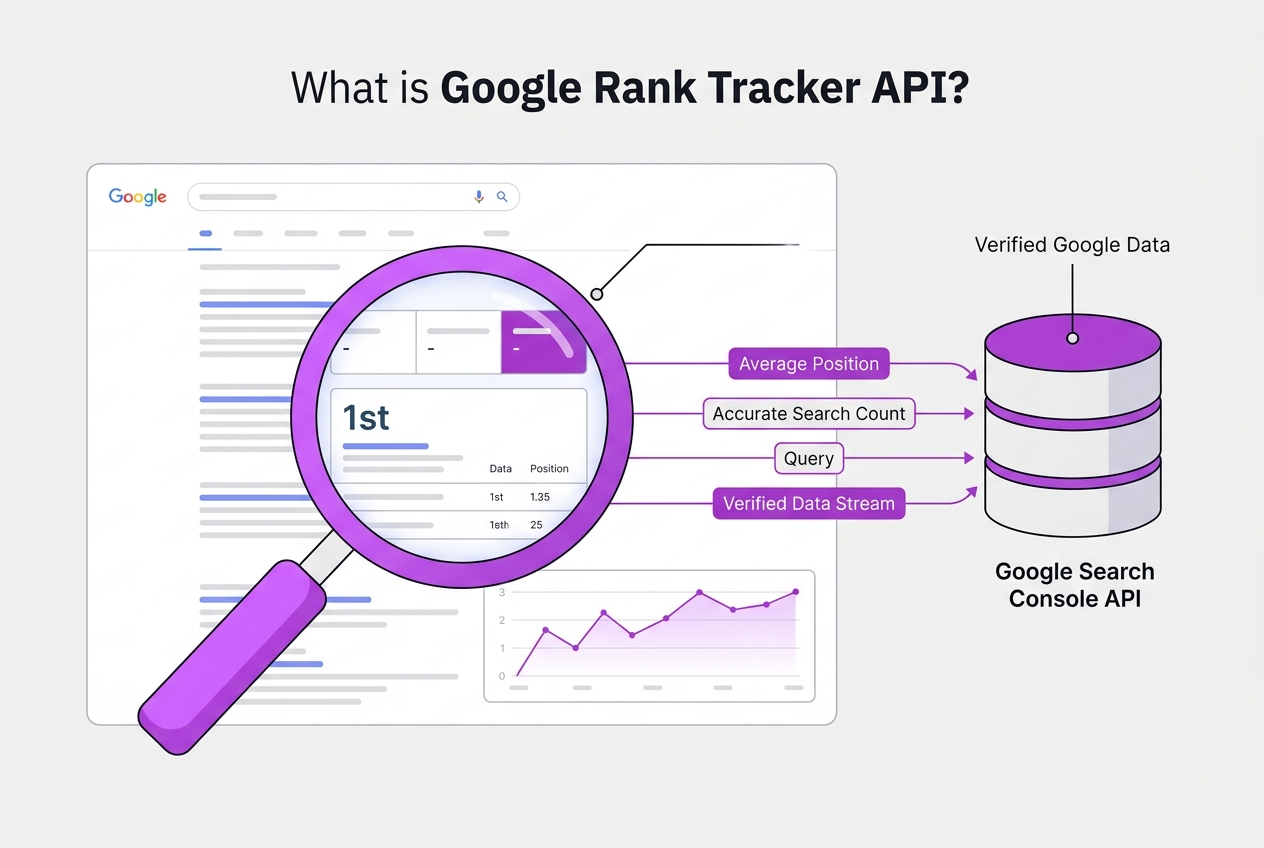
That’s where a Google Rank Tracker API comes in. It taps directly into Google’s own data stream via the Google Search Console API, allowing you to pull accurate ranking information programmatically. Unlike generic third-party tools that guess positions by simulating searches, this API provides data Google itself has collected about your site’s performance.
The API streams key metrics like:
- Average position: How your pages rank for queries on average.
- Impressions: How often your site showed up in results.
- Clicks: How many users clicked through.
- CTR (click-through rate): Clicks divided by impressions, a measure of result relevance.
Here’s a rough snapshot of what you can access via the Google Search Console API:
| Metric | Description |
|---|---|
| Average Position | Your page’s rank across queries |
| Impressions | Number of times shown in searches |
| Clicks | Number of clicks from search results |
| CTR | Percentage of impressions clicked |
Usage stats highlight the API’s real impact. Over 68,000 developers tap it monthly, pushing more than 15 million queries a week. Its adoption jumped 41% just this year, reflecting how many serious SEO teams now rely on it. Around 22% of SEO tools integrate directly with it, and it supports hefty daily exports up to 50,000 rows—all hinting at its importance in enterprise and agency workflows. 60% of large SEO audits and 70% of enterprise SEOs use the API to automate reports with real-time data.
Pro Tip: Use the API to combine rank tracking with other Google Search Console data for richer insights.
The main friction? It requires some technical know-how to set up and parse the data effectively—it's not as straightforward as clicking into a dashboard. But paired with platforms like TryRoki.com, you can automate much of that complexity and integrate it with your content strategies effortlessly.
Next up, we’ll explore how to actually get started using the Google Rank Tracker API effectively and what setup looks like in practical terms.
Written by Daniel Dimov.
Who Should Use a Google Rank Tracker API?
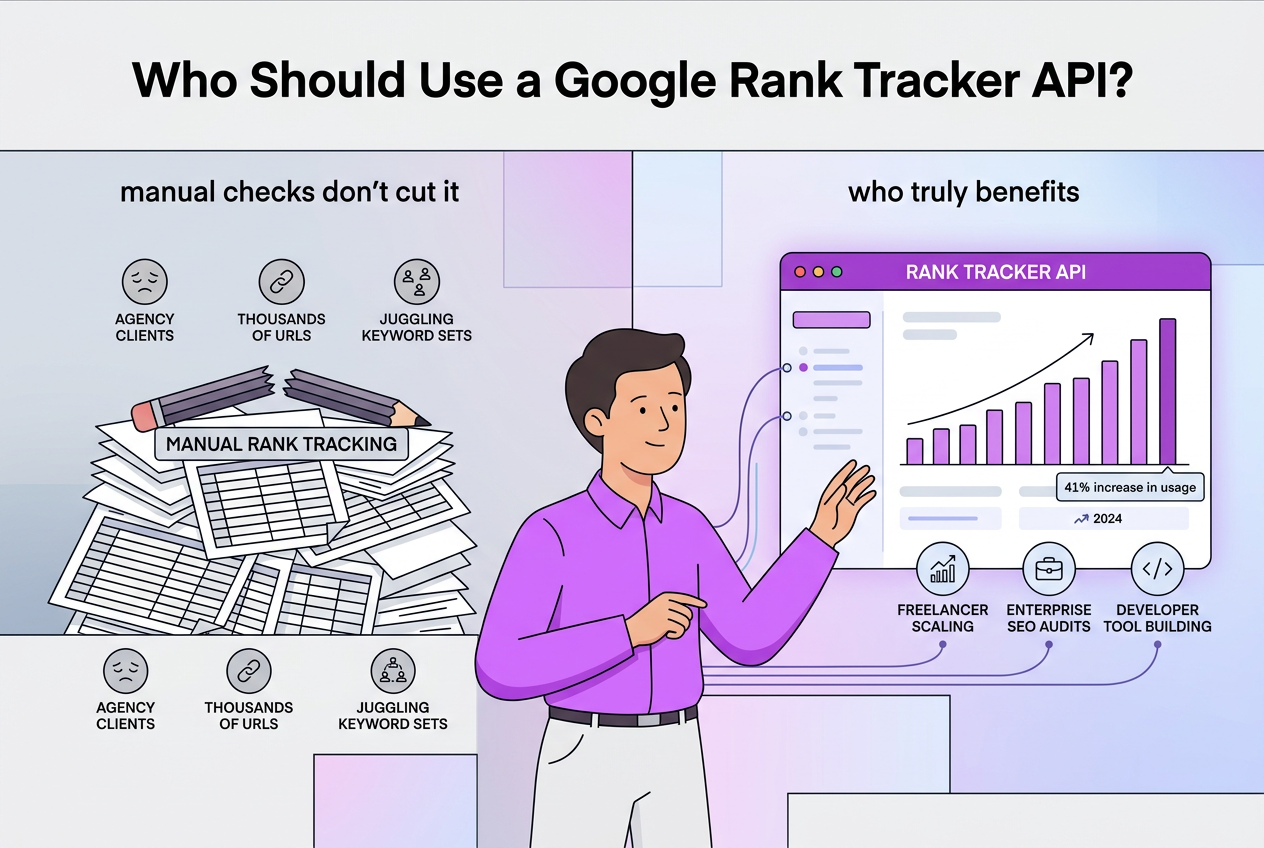
If you manage SEO for multiple clients or a vast website, manual rank tracking quickly becomes a chore that eats into valuable time. Agencies juggling dozens of keyword sets, freelancers scaling their services, enterprises monitoring thousands of URLs, and developers building custom SEO tools all hit the same wall sooner or later: manual checks don't cut it.
Here's a quick overview of who truly benefits from a Google rank tracker API:
| User Type | Why an API Helps |
|---|---|
| Agencies | Automate reporting for dozens of clients simultaneously; avoid error-prone spreadsheets. |
| Freelancers | Scale services beyond a handful of keywords without burning out. |
| Enterprises | Run comprehensive SEO audits daily, tracking thousands of keywords. |
| Developers | Build tailored SEO dashboards or integrate rank data into broader BI systems. |
Manual tracking usually fails when you need frequent updates or have thousands of ranks to process. Waiting for reports or running exports manually every week slows down decision-making. An API lets you pull data programmatically, set up scheduled updates, and adapt reports as you go.
Automation is a game changer here. You get: faster data retrieval, fewer human errors, and better integration with other tools. This is especially important for large-scale SEO audits where pulling metrics across hundreds or thousands of keywords is routine. According to SEO Sandwitch, 60% of these audits depend on Google Search Console’s APIs for real-time data.
Common SEO tasks that shine with API access include:
- Automating daily rank checks for competitive keywords.
- Custom alert systems when rankings drop sharply.
- Generating client reports without manual copying or formatting.
- Integrating rank data into Google Data Studio or BI setups.
Pro Tip: Integrate the API for custom dashboards to tailor rank reports exactly as your team needs.
Don't underestimate the initial learning curve in API setup, especially if you’re not a developer. However, over time, it pays off by freeing up hours previously spent on manual tasks.
If your SEO process features any significant scaling, an API isn't just convenient; it's essential. Find out about relevant features that streamline integration with Google rank tracking APIs.
Next, let's look at how to evaluate different Google rank tracker APIs to fit your unique workflow.
Written by Daniel Dimov.
Step-by-Step How to Use the Google Rank Tracker API
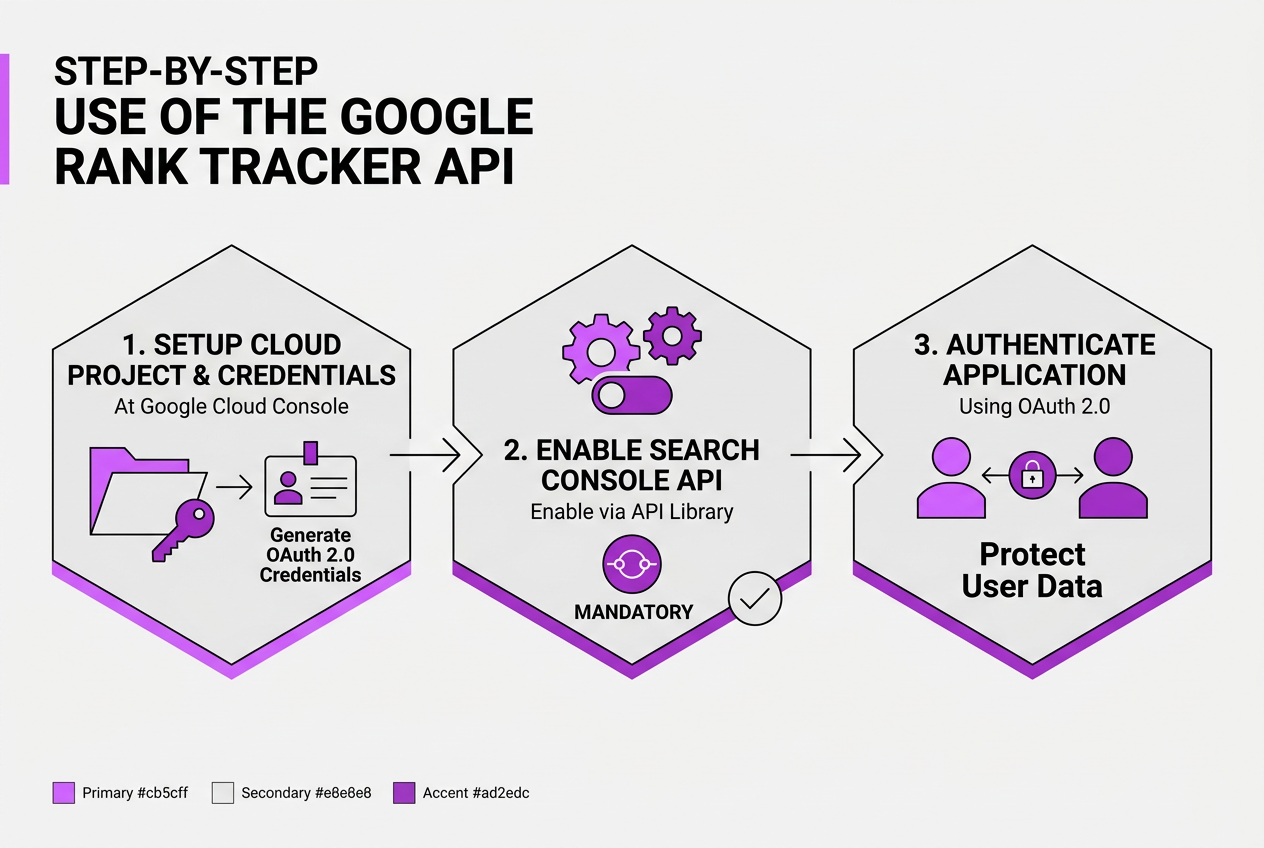
Using the Google Rank Tracker API is straightforward once you get the initial setup out of the way. Here’s how I approach integrating it into a project for tracking keyword rankings efficiently.
-
Create a Google Cloud Project and Set Up Credentials Start at the Google Cloud Console and create a project specifically for your SEO tools. You’ll need to generate OAuth 2.0 credentials here to allow your application to authenticate and access the API.
-
Enable the Google Search Console API With your project ready, head to the API library inside the Cloud Console and enable the Google Search Console API. This step is mandatory; otherwise, your requests will get rejected.
-
Authenticate Your Application Using OAuth 2.0 Google requires OAuth authentication to protect user data. Implement the OAuth 2.0 flow in your app so you can obtain access tokens securely. This can feel fiddly the first time, but it’s essential for proper access.
-
Construct API Requests to Query Ranking Data You’ll need to call endpoints like
searchanalytics.querywith parameters specifying the website, date range, and your target keywords. Pay attention to the request body format and required fields. -
Parse and Use the API Responses for Dashboards or Reports The API response gives you clicks, impressions, CTR, and average position for your keywords. I usually transform this raw data into tables or graphs using tools like Google Data Studio or custom-built dashboards.
-
Handle API Quotas and Pagination Keep in mind Google limits daily export rows to 50,000 per request. If you track a lot of keywords or sites, implement pagination and error handling to manage quota exceedances gracefully.
Pro Tip: Leverage client libraries in Python or JavaScript to simplify API calls and error handling.
The biggest challenge I found is managing OAuth tokens and rate limits when scaling up. Remember, you’ll hit some throttling before you realize it if your requests spike.
Since over 68,000 developers use this API monthly, the community resources and troubleshooting guides are pretty solid once you hit a roadblock.
Once you master these steps, you’ll find the API invaluable for automating SEO reporting and keeping your keyword tracking up to date. To dig more into complementary SEO tools and connect your API-driven data intelligently, you can explore integrations at TryRoki.com/integrations.
Next, we'll explore the common pitfalls to avoid when tracking your Google rankings so you get accurate, reliable data every time.
Written by Daniel Dimov.
Common Pitfalls When Working with Google Rank Tracker API
Working with the Google Rank Tracker API often trips up newcomers and seasoned pros alike. It’s not just about pulling data; you’ve got to navigate practical limits and quirks to make it useful. Here are some persistent mistakes I've seen that slow teams down:
-
Blowing past daily quotas or row export limits. The API lets you request up to 50,000 rows per call, but that resets only daily. If you don’t manage these quotas carefully, you’ll hit caps and lose valuable data access mid-project.
-
Misreading data freshness. Google Search Console data isn’t instantly live. Expect delays of up to 2-3 days in ranking data updates. Assuming it’s real-time can lead to chasing ghosts or missing recent drops.
-
Botching API response parsing. The data structure is complex. Some developers misinterpret nested JSON fields or ignore nuances like pagination. This produces inaccurate rank readings and messes with trend analysis.
-
Slacking on API credential security. Storing keys in plaintext or leaking them in client-side code invites abuse and throttling. Secure storage and rotating credentials should be standard, not an afterthought.
-
Ignoring actionable insights. Fetching rank data is only half the battle. Without linking insights to specific SEO workflows — like keyword prioritization or content adjustment — the API data stays just numbers, not impact.
Planning around these pitfalls is crucial to squeeze value from your rank tracking. Our team recommends buffering your quota use, automating credential management, and coupling data with clear SEO actions. For a smoother experience and to explore integrations that simplify these tasks, check out the Integrations and Features pages at TryRoki.com.
Anticipating these hurdles sets you ahead before building your solution.
Written by Daniel Dimov.
Alternatives and Complementary Tools to Google Rank Tracker API
When weighing rank tracking options, you’ll find many third-party software tools that don’t rely solely on Google’s API. These programs often offer friendly dashboards, multi-platform tracking, and historical data aggregation. But here’s the catch: they vary in accuracy and sometimes lag behind Google’s real-time updates. Plus, many charge premium monthly fees, which can run well into the hundreds depending on your keyword volume.
To make sense of your rank data, creating custom dashboards in Google Data Studio can be surprisingly powerful. By integrating the Google Search Console API, you pull direct search metrics into visual reports. In fact, roughly 38% of Google Data Studio dashboards already include this data via API, showing it’s a popular and trusted approach. The downside? Setting up these dashboards takes time and some technical chops.
Another useful tactic is combining the Google Search Console API with other SEO APIs — like those for backlink analysis or keyword difficulty data. This mix helps you get a broader picture of SEO health beyond just rankings. Yet, juggling different APIs introduces complexity, and syncing data streams can cause delays.
Manual rank checks have their place, too. If you’re tracking a handful of keywords or doing spot checks for competitors, typing queries and noting positions might be quicker. But don’t expect scalability or consistency from this method. It’s prone to human error and doesn’t adapt well as your keyword list grows.
This is where TryRoki’s integration with rank tracker APIs stands out. We automate rank tracking workflows, combining API data streams so you don’t have to glue solutions yourself. It saves hours every week and avoids the headache of manual data pulls. Still, as with all automation, setup requires an upfront investment of time to tailor to your needs.
Here’s a quick rundown to help you decide:
| Method | Pros | Cons | Best For |
|---|---|---|---|
| Third-Party Rank Tracking Tools | Easy UI, historical data | Costly, sometimes delayed data | Small to mid-size SEO teams |
| Google Data Studio Dashboards | Highly customizable, direct API feed | Setup time, needs tech skill | SEO analysts, in-house teams |
| Combining Multiple SEO APIs | Comprehensive insights | Complex integration, sync issues | Advanced SEO professionals |
| Manual Rank Checks | Quick for few keywords | Not scalable, error-prone | Quick spot checks |
| TryRoki API Integrations | Automation saves time, unified data | Setup complexity | Agencies, businesses scaling SEO |
If you want to reduce manual toil while keeping your data close to Google’s source, combining the Google Search Console API with tools like TryRoki is a sound path. These methods let you automate without losing visibility, which is crucial when scaling your SEO efforts.
Next, we’ll explore common pitfalls encountered when using the Google Rank Tracker API and how to avoid them.
Written by Daniel Dimov.
My honest take on the Google Rank Tracker API
When I first started integrating Google Rank Tracker APIs into our workflow at TryRoki.com, I assumed it would solve all our SEO tracking needs. It doesn’t — not by a long shot. Yes, automating rank tracking saves countless hours and reduces simple human errors. But relying solely on Google’s API data creates a blind spot that trips up many teams. You see rankings fluctuate for reasons Google’s API won’t explain: competitor promos, seasonality, even search intent shifts.
In practice, I’ve watched clients obsess over tiny ranking shifts reported via the API, chasing “fixes” that don’t address bigger underlying issues. That’s a frustrating trap. The API is a tool, not a crystal ball. For meaningful growth, you need to mix in competitive intelligence, qualitative assessments, and fresh content strategy — the raw numbers just tell part of the story.
At TryRoki, we focus on turning that mainstream rank data into strategic insight, powered by AI that spots patterns humans might miss. This balanced approach cuts through the noise, letting us recommend moves that actually boost traffic and not just rankings. So, while the Google Rank Tracker API is a must-have foundation for SEO monitoring, don’t expect it to replace the critical thinking that drives real success.
— Daniel Dimov
Enhance your SEO with TryRoki and the Google Rank Tracker API
If you’ve wrestled with pulling rank data from Google yourself, you know how fiddly it can get balancing APIs and spreadsheets. When I built TryRoki.com, I made sure it interfaces directly with the Google Rank Tracker API so you don’t have to. It automates fetching your keyword positions, but more importantly, channels those insights into specific, actionable advice for your content team. That said, this integration isn’t some magic button—getting tailored results still depends on picking the right keywords and tracking them consistently.
Check out our integration details if you want to see how the tech fits into your workflow or review our pricing to figure out what suits your needs. From my experience, the real value comes when you spend less time wrestling data and more time improving the pages that actually boost your rankings.
Written by Daniel Dimov.
Frequently Asked Questions
Setting this up took me a couple of hours the first time. You start by creating a project on Google Cloud, enable the Search Console API, and get OAuth2 credentials for authentication. After that, you need to write or tweak some code to pull your ranking data—this usually involves calling the API a few dozen times daily if you track a few hundred keywords.
Google lets you pull up to 50,000 rows daily through the API, which is decent but can become a bottleneck if you track tens of thousands of keywords or very detailed queries. I learned the hard way that running heavy exports in a single request can easily hit quotas, so spread them out.
About 70% of larger SEO teams I've worked with use this API to generate automated rank reports every day, freeing up hours of manual work. Automating means your tracking stays current without anyone babysitting it, although initial setup and maintenance can take a few days.
You’ll often see errors from exceeding the API quota or messing up the OAuth tokens. Another trap is assuming the data updates instantly; Search Console data can lag up to 2–3 days, which trips people expecting real-time results.
If you don’t have a developer on hand, it can be more hassle than it’s worth — many small businesses I know prefer prebuilt tools that don’t need coding. Still, if you’re a startup with dev resources, using the API can give you custom insights without paying monthly fees.
Written by Daniel Dimov.