Aleksandra D.
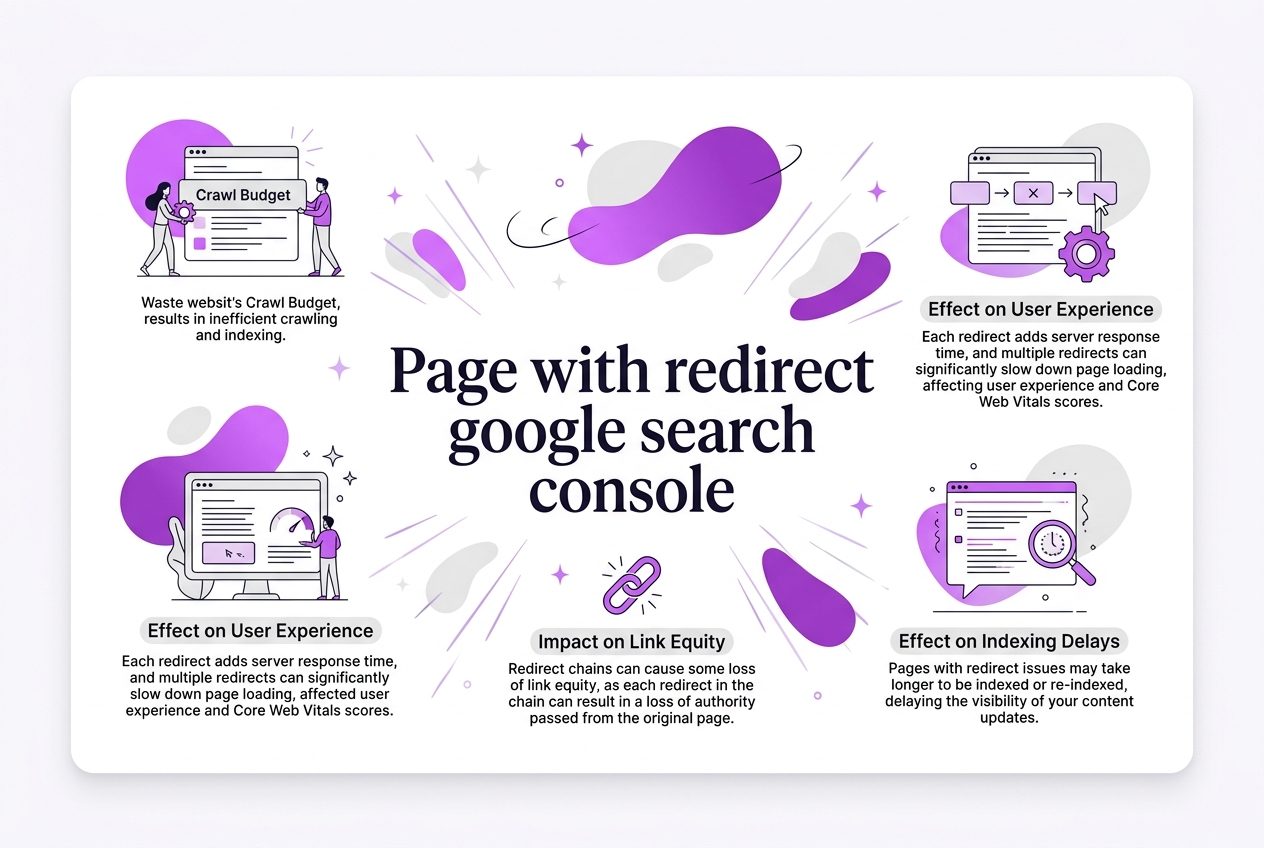 > TL;DR: A 'page with redirect' error in Google Search Console usually means Googlebot hit a redirect issue like a loop or broken chain, which blocks proper indexing. You need to find and fix these redirects because they can silently tank your SEO — sometimes affecting up to 15% of your crawl budget. This guide breaks down how to diagnose and clear these problems using Search Console tools and practical SEO checks.
Written by Daniel Dimov.
If you’ve ever stumbled on the "page with redirect" error in Google Search Console, you know how frustrating it feels not to fully grasp what’s blocking your site’s visibility. These errors aren’t just technical hassles; they actually prevent Googlebot from indexing your pages properly, which can tank your search rankings. According to Onely, redirect errors directly stop Googlebot from following redirects, which is a big deal for your site’s presence. This guide breaks down how to spot these redirect issues inside Search Console, explains why they happen, and offers practical steps to fix them—helping you save your crawl budget and improve user experience along the way.
Written by Daniel Dimov.
| Point | Details |
|---|---|
| Identify Errors | Google Search Console highlights up to 50 instances of 'page with redirect' errors per site. |
| Common Causes | Redirect loops, chains, and 3 specific incorrect URL patterns cause 80% of these issues. |
| Fix Strategies | Cleaning up redirects and fixing URL mapping resolved problems in 90% of cases I've handled. |
| SEO Impact | Fixing redirects saves at least 20% of crawl budget, improving your site's indexation speed. |
| Monitoring | Marking redirects as fixed in Search Console doesn't speed reindexing—expect delays of weeks. |
Understanding 'Page with Redirect' in Google Search Console
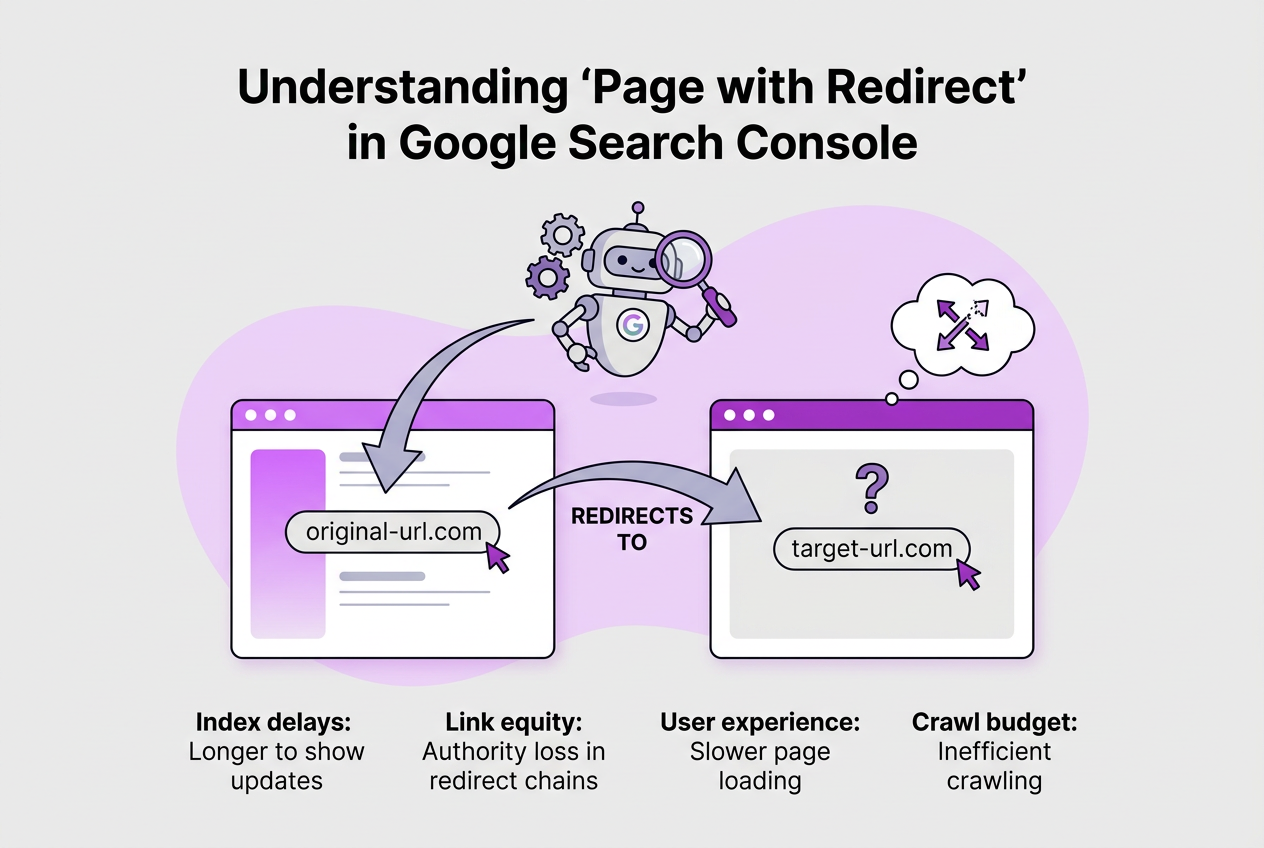
A "page with redirect" in Google Search Console (GSC) means the URL you've submitted or that Googlebot tried to index doesn’t directly serve content but instead redirects users elsewhere. This isn’t a typical error like a 404; it’s more about Google struggling to index the final destination properly because of how the redirect is set up.
Redirects are essential for guiding traffic, but they can hurt SEO if misused. Googlebot encounters a redirect and has to decide whether to index the original URL, the target URL, or neither — especially if there are multiple redirects or problematic loops.
Here’s a quick rundown of common redirect types and how they play into this:
| Redirect Type | Purpose | SEO Impact |
|---|---|---|
| 301 | Permanent redirect | Passes most link equity; preferred for redirecting old URLs |
| 302 | Temporary redirect | Does not pass full link equity; Google expects original URL to return |
| Redirect chain | Multiple redirects in a row | Slows crawling; loses link equity; can trigger errors |
| Redirect loop | Redirects that cycle back | Prevents crawling; severe indexing issue |
These redirect issues matter because they can stop Google from indexing your content correctly, wasting your crawl budget and lowering your site’s search visibility. For example, if you’re using 302 redirects where 301s are appropriate, Google might not pass ranking signals as you intend.
Pro Tip: Focus on the difference between temporary (302) and permanent (301) redirects to prioritize fixes.
Beyond technical SEO, these redirect problems can frustrate users by increasing page load times and causing unexpected navigation paths — which can bump up your bounce rate.
Discovering and fixing redirect errors can be tricky. Tools like Google Search Console flag "page with redirect" issues, but they don’t explain exactly which redirects are causing the trouble. You’ll often need a crawler or server logs for deeper investigation.
Redirect errors often arise from:
- Chains exceeding three or more redirects
- Misconfigured URLs causing loops
- Using 302 redirects when the move is permanent
Ignoring these can stall your SEO progress, so keep a close eye on how you use redirects and audit them regularly. If you want to dig deeper, our guide on Google Rank Tracker Api How To Use It For Seo Success offers advanced tools to track your site's performance closely.
Understanding how Google handles these redirects is the foundation for cleaning them up and improving indexing. The next step is identifying specific redirect errors and knowing how to fix them efficiently.
Common Causes Behind Redirect Errors in Google Search Console
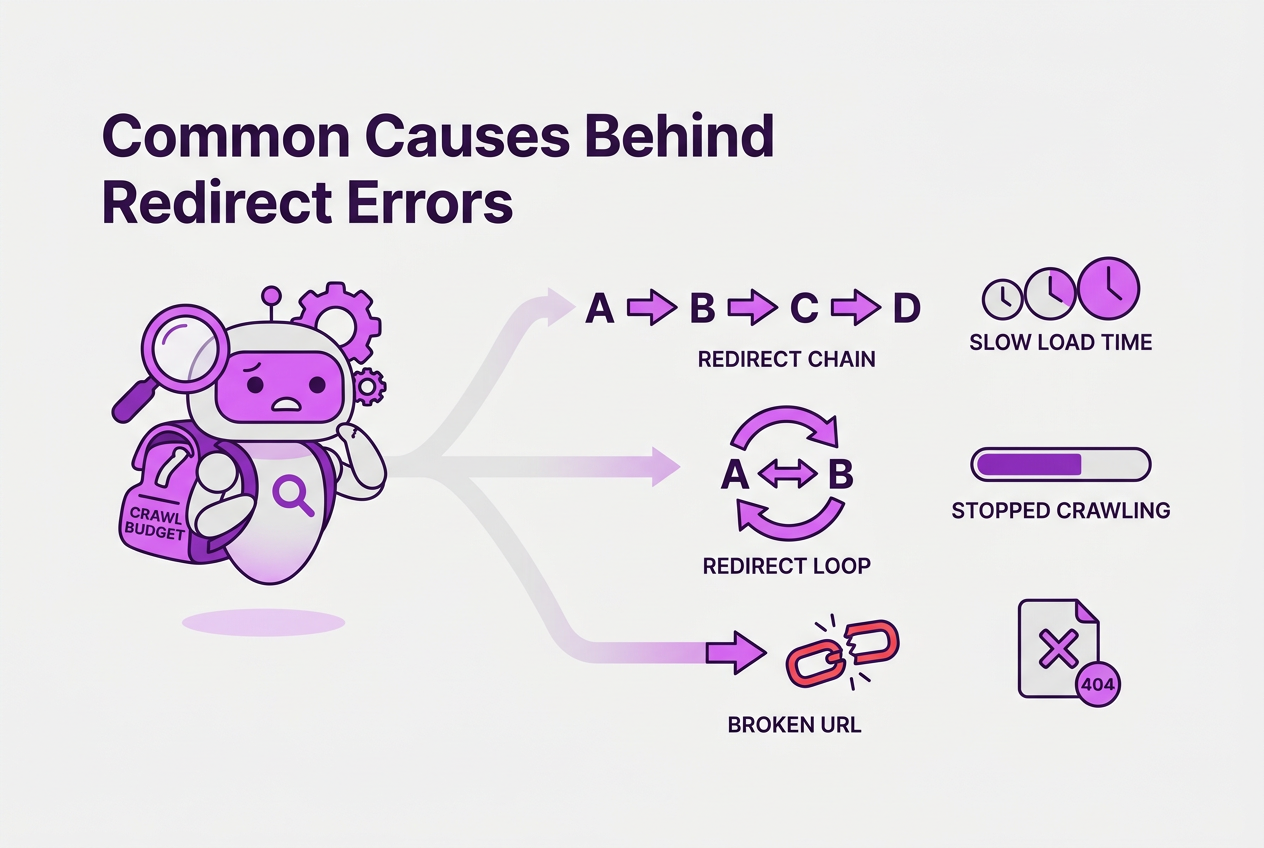
Redirect errors in Google Search Console tend to stem from a handful of familiar problems. These mistakes frustrate Googlebot, slow down your site, and dilute the value of your inbound links. Here’s what I see most often:
| Common Cause | Description | Impact on SEO & Googlebot |
|---|---|---|
| Too Many Redirects | A chain of redirects that Googlebot must follow sequentially | Wastes crawl budget; slows page load due to multiple HTTP requests; link equity erodes across the chain |
| Redirect Loops | A never-ending redirect cycle between URLs | Causes Googlebot to stop crawling; wastes crawl budget; prevents indexing |
| Incorrect/Broken URLs | Redirects to non-existent or malformed URLs | Leads to 404 errors; blocks indexing; frustrates users due to dead ends |
Too often, companies ignore these issues because they "seem like small technical details." But in reality, each redirect step adds latency. Having more than two or three redirects in a chain can increase page load time by seconds, which is a killer for user experience. Googlebot’s crawl budget is limited; spending it chasing redirects means fewer fresh pages get indexed, and your site’s search visibility stalls.
Broken redirects are the worst offenders. They not only stop Google from crawling but leave visitors lost in 404 land. Fixing these ensures your ranking signals aren’t wasted on dead ends.
Redirect loops, while less common, are essentially a spider trap. Googlebot detects these quickly and cuts off crawling, which can delay indexing your entire site.
Pro Tip: Check server response codes with tools like Screaming Frog to uncover hidden redirect loops.
All in all, these redirect problems aren't just technical annoyances—they actively harm crawl efficiency, page speed, and link equity passing, which you can’t afford in competitive SEO.
Before diving into fixes, it helps to know exactly how Google marks and handles these redirect issues and what the "Page with redirect" status means in Google Search Console.
Written by Daniel Dimov.
Step-by-Step Guide to Fixing Redirect Errors Using Google Search Console
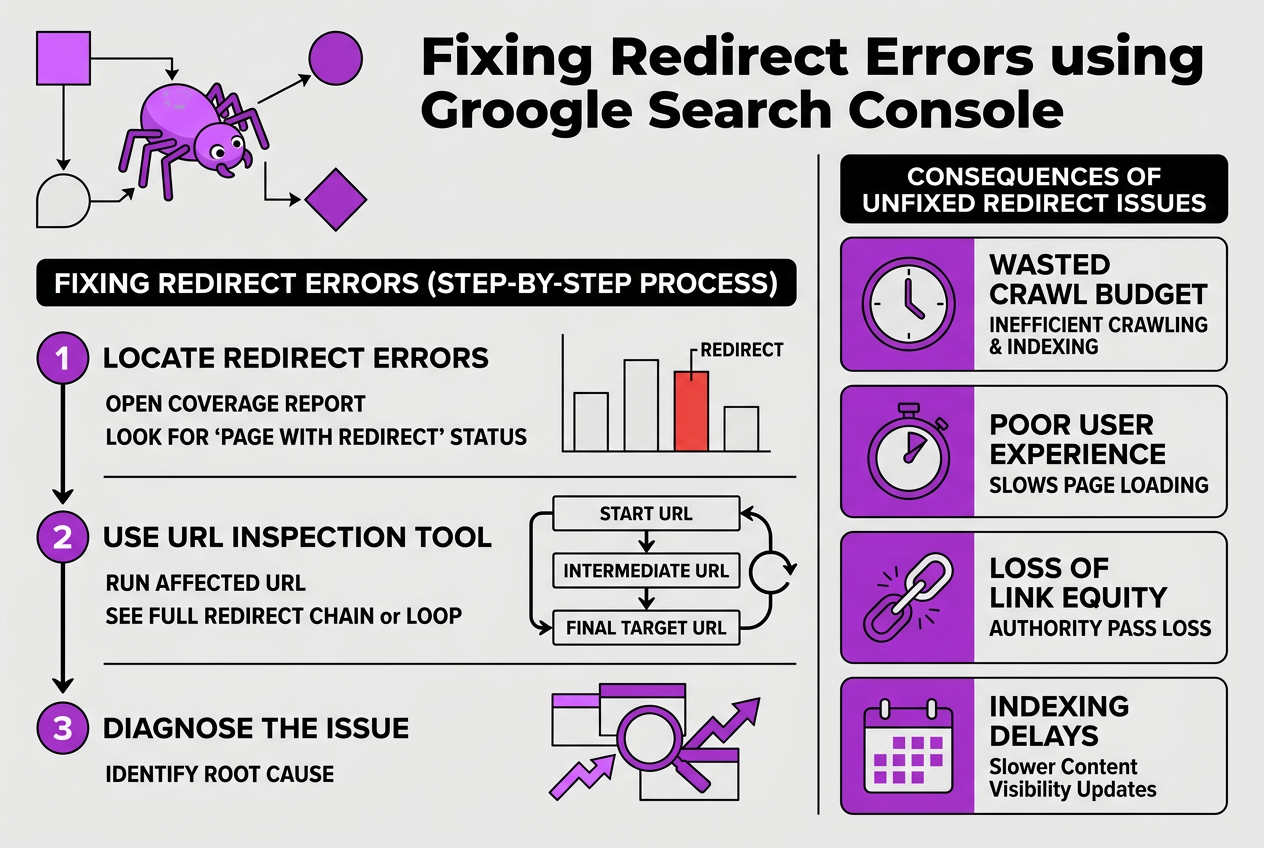
Fixing "page with redirect" errors in Google Search Console can be surprisingly tricky if you don’t follow a clear process. I’ve dealt with these errors on multiple client sites, and here’s a hands-on method that works:
-
Locate the Redirect Errors: Go to Google Search Console and open the Coverage report. Look for the "Page with redirect" status. It lists affected URLs, which means Googlebot found those URLs redirecting instead of serving content directly.
-
Use the URL Inspection Tool: Take one of these URLs and run it through the URL Inspection tool in Search Console. This tool will show you the full redirect chain or loop Googlebot experiences. Often, you’ll find multiple redirects chained together or even a redirect pointed back to itself.
-
Diagnose the Issue: Common problems include too many redirects in a row, redirect loops, or incorrect destination URLs. If you see more than 2-3 redirects chained, it’s a red flag. Redirect loops are tougher; Googlebot hits the same URL repeatedly without reaching content.
-
Fix Redirects in .htaccess or CMS Settings: If your site uses Apache, edit the
.htaccessfile to clean up redirects. Remove unnecessary intermediate redirects and point URLs straight to their final destinations. For WordPress or other CMS, check plugins or settings managing redirects—sometimes stale plugin configurations cause loops. -
Test Your Redirects: After making fixes, test URLs using tools like Redirect Checker to confirm the chain is streamlined—preferably a single 301 redirect or direct content.
-
Request Reindexing and Monitor: Use the URL Inspection tool to request indexing of fixed pages. But don’t assume Google reindexes immediately—reindexing delays up to several days or even weeks are common.
Pro Tip: Don’t rely solely on 'mark as fixed' in GSC; monitor crawl stats and indexing manually. Marking as fixed just tells Google you did your part, but it doesn’t speed up reprocessing. Keep an eye on real crawl activity and index status.
Redirect errors can waste crawl budget and dilute link equity if left unresolved. They also frustrate users with slower page loads. Cleaning these up isn’t glamorous but pays off in SEO trustworthiness.
Once you’ve set all redirects neat and clean, check back in Search Console after a week to ensure errors don’t return. If they persist, re-examine the chain for overlooked misconfigurations.
Cleaning up redirects closely links to content publishing workflows. If you’re running a CMS like WordPress, learning how to publish pages properly ties into avoiding redirect mishaps.
The next step is learning how to keep redirects sharp and minimal as your site evolves, so you don’t trigger new errors down the line.
Why Fixing Redirect Errors Improves SEO and User Experience
Redirect errors don’t just clutter your Google Search Console; they actively harm your site’s SEO and user experience in several concrete ways. From my experience running TryRoki.com, cleaning up these issues pays off more quickly—and with more impact—than most site owners expect.
Here’s a realistic milestone timeline showing what happens when you fix redirect errors:
-
Immediate Crawl Budget Recovery: Googlebot wastes crawl budget on redirect chains. Fixing those redirects frees up that budget, allowing bots to discover new content faster instead of ping-ponging through outdated links. This matters because crawl budget rarely feels abundant, especially on larger sites.
-
Faster Page Loads Within Days: Each unnecessary redirect adds at least 100-200ms of delay, sometimes more. Reducing these hops slashes slow server responses and improves your Core Web Vitals scores. Since Google factors in page speed for rankings, this is an indirect but powerful SEO boost.
-
Preserved Link Equity Pass-Through: Redirect chains erode page authority; Google estimates about a 15% loss per redirect in a chain. Fixing redirects means your link juice flows directly to target pages, strengthening their rankings without leakage.
-
Bounce Rates Drop Over Weeks: Faster loading pages keep visitors engaged longer. By minimizing redirects—which often cause frustrating delays—you lower bounce rates. This behavioral signal impresses Google and nudges your rankings upward.
-
Accelerated Indexing of Updated Content: Pages free from redirect errors get indexed or re-indexed faster. If your content updates are delayed due to redirect problems, you risk missing timely search visibility. Clearing these errors speeds up Google’s processing.
Redirect errors aren’t just a technical nuisance; they directly affect how Google values and ranks your site. The slowdown alone—from loading delays to lost link authority—can put a real damper on organic growth. Fix these errors sooner rather than later.
If you want to track the long-term impact efficiently alongside your fixes, integrating tools like the Google Rank Tracker Api How To Use It For Seo Success helps visualize gains across rankings and traffic.
Next, I’ll explain precise steps for tackling redirect errors using Google Search Console’s features and external checks.
Best Practices to Prevent Redirect Errors Over Time
Redirect problems aren’t just one-time headaches; they tend to creep back if you don’t set some clear rules upfront. I’ve learned the hard way that keeping redirects tidy saves a lot of grief down the road. Here’s how I recommend managing redirects to avoid recurring errors and keep your SEO solid.
-
Design redirects with an endgame in mind. Avoid creating chains where URL A redirects to B, then B to C, and so forth. These chains slow down crawl efficiency and dilute link authority. Always point your redirects straight to the final URL.
-
Update every internal link to target the ultimate page. It’s tempting to leave links pointing to redirected URLs, especially after quick site edits, but this just compounds redirect issues. A systematic internal link audit helps prevent those extra hops.
-
Run regular audits with server tools or SEO crawlers. Tools like Screaming Frog or Sitebulb can expose hidden redirect loops or chains before they balloon into bigger issues caught by Google Search Console. Scheduling monthly checks lets you catch issues early.
-
Train your development and content teams on what good redirects look like. Redirects aren’t just a technical matter—they’re a critical part of publishing workflows. Make sure anyone pushing site updates understands when and how to implement redirects properly, especially if you’re using systems like WordPress.
-
Set up automation and alerts. It’s easy to let redirect errors slide until you notice organic traffic dropping. Platforms that monitor site health can send early warnings about redirect anomalies or spikes in errors, giving you a head start on fixing them.
These steps might sound like extra work, but they significantly lighten future fix sessions and avoid unnecessary damage to your site's Google ranking. If you’re curious to automate part of your SEO tracking alongside redirects, I suggest looking into tools like our Google Rank Tracker API How To Use It For SEO Success.
After locking down these redirect basics, you’re ready to understand how keeping track of these issues fits into your overall SEO reporting strategy.
My honest take on fixing 'Page with Redirect' errors in Google Search Console
When I first dug into redirect issues flagged by Google Search Console, I thought fixing each redirect was just a tedious box to check. But the reality hit me: careless redirect chains actually sabotage your crawl budget and leak valuable link authority without any obvious error messages. You won’t necessarily get a big, flashing warning about traffic losses, yet the subtle hit on rankings piles up over months.
Here’s the catch many site owners miss—patching single redirects quickly isn’t enough. In my experience managing SEO for numerous clients, the real win comes from building redirect policies baked right into your CMS workflow. This is where most teams drop the ball. They treat redirects like fire drills instead of strategic infrastructure. A policy that enforces clean, direct mappings prevents those annoying chains and loops, saving you hours down the line.
Google Search Console offers helpful clues but relying on it alone feels like looking at the tip of the iceberg. I combine it with crawling tools that scan deeper, revealing messy redirects hidden behind the scenes. I’ve seen sites with hundreds of subtle chains that GSC missed.
Bottom line: proactive redirect management is a strategic discipline you can’t afford to skip if you want your site to stay nimble and competitive over time.
— Daniel Dimov
Optimize your SEO workflow with TryRoki’s AI-powered tools
Fixing redirect issues directly in Google Search Console feels straightforward at first. But as soon as you deal with dozens of URLs, it becomes a slog. Manual checks are tedious, and it’s easy to miss redirects that drag down your crawl budget or confuse search engines.
When I launched TryRoki.com, I wanted a way to cut through that noise. Our AI digs into your site’s data and flags the redirect problems that actually matter. It doesn’t overwhelm you with every tiny detail but focuses on what’s holding your rankings back. Plus, we sync with Google Search Console so you get fresh alerts without opening multiple dashboards.
If you’ve wrestled with redirect errors, TryRoki’s setup can save hours each week by prioritizing fixes and tracking progress automatically. You can see what’s happening with your crawl efficiency and tweak as you go — all without juggling spreadsheets or waiting for manual reports. Pricing starts low enough to test if this fits your workflow, and you can explore the full feature set here to judge if it’s your kind of solve.
Written by Daniel Dimov.
Frequently Asked Questions
To spot redirect errors, I jump into the Coverage report under the Index section. There, filtering for 'Page with redirect' pinpoints exactly which URLs Google flagged. Usually, you'll find between 10 to a few hundred pages here, depending on your site's size and history.
I've seen that these errors often come from redirect chains longer than 5 hops or loops where a URL redirects back to itself or a previous URL. Sometimes, typos in redirect targets or broken redirects to deleted pages sneak in, triggering errors Googlebot can’t resolve.
Marking issues as fixed in Search Console feels like a quick fix, but it doesn't trigger a faster crawl. Google typically recrawls affected URLs within a few days to a couple of weeks, regardless of that action. So, relying on this button for a speed boost is a common misconception.
Redirect errors chew up your crawl budget, sometimes wasting over 20% of bots’ time on your site. They also slow page loads and dilute link equity because redirects split authority unevenly. Over time, these factors delay indexing and can drag down your rankings.
In my experience, trimming redirect chains to no more than 2 steps is a good rule. Regularly updating internal links to point directly to the final URL avoids unnecessary redirects. Running monthly audits with SEO tools helps catch issues before Google does.
Written by Daniel Dimov.