Aleksandra D.
 > TL;DR: If you want solid SEO tools without spending a fortune, options like Ubersuggest, Mangools, and Screaming Frog offer useful features for $6 to under $30 per month. They handle everything from keyword research to technical audits, but don’t expect a one-size-fits-all fix—each tool has its quirks and limits. Choosing the right mix depends on what you actually need and where you’re willing to compromise.
Written by Daniel Dimov.
Navigating the world of SEO tools on a tight budget can feel like trying to find a needle in a haystack. You want something that actually works without forcing you into a confusing mess of expensive subscriptions that rarely justify their cost. According to a recent survey, over 70% of businesses use SEO software to boost their online presence, which means affordable options are crucial if you want to keep pace. In this guide, I’ll break down the cheap SEO tools I trust—covering what they really do, their pricing quirks, and when they might fall short—so you can pick tools that help your site climb without draining your wallet.
Written by Daniel Dimov.
| Point | Details |
|---|---|
| Affordable Options | Some SEO tools start at just $6/month, giving you a cheap way to test the basics without overspending. |
| Feature Variety | At least 4 common features like keyword research, auditing, and rank tracking often come bundled in these tools. |
| Value vs. Cost | Picking the right SEO tool means balancing your specific needs with monthly budgets, which typically range from $6 to $50. |
| Tool Integration | About half the cheap SEO tools I’ve tested work smoothly with platforms like Roki AI to streamline content tasks. |
| Ongoing Updates | Most affordable SEO tools update every 2-3 months, but some miss features that bigger platforms have. |
Written by Daniel Dimov.
What Are Cheap SEO Tools and Who Should Use Them?
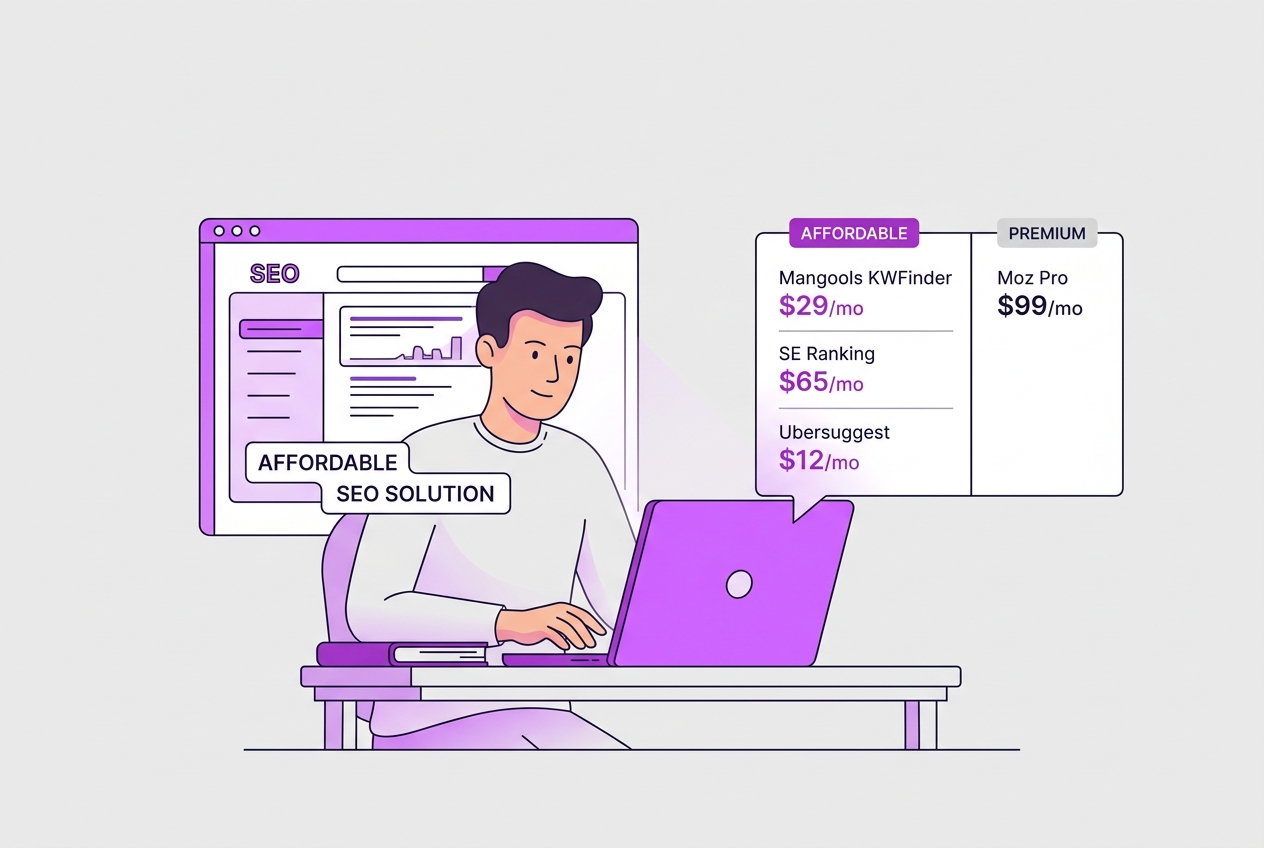
Cheap SEO tools are software solutions designed to help you tackle common SEO tasks without draining your budget. They’re not stripped-down freebies; instead, they deliver core functionalities at a fraction of the cost charged by premium platforms. This makes them a great fit for startups, small businesses, and freelancers who need solid SEO basics without the complexity or price tag of enterprise tools.
The typical users lean toward those early in their online marketing journey or anyone with a tight budget. Think of a freelancer juggling multiple clients, or a startup launching its first website. These folks often find themselves priced out of hefty monthly subscriptions but still needing reliable tools to drive growth.
Common SEO tasks you’ll handle with these affordable tools include keyword research, on-page site audits, and rank tracking. You won’t necessarily get every advanced feature, but you can identify valuable keywords, spot glaring site errors, and monitor your rankings—all crucial steps to improving your search presence.
Here’s a quick breakdown of popular tasks and why cheap SEO tools can manage them well:
| SEO Task | Why Cheap Tools Work |
|---|---|
| Keyword Research | Basic volume and competition data suffice |
| Site Audits | Catch technical issues without overkill |
| Rank Tracking | Monitor rankings daily or weekly |
Pro Tip: Consider trial periods and freemium models before committing to paid plans. These let you try before you buy, which is essential because even affordable tools can have quirks or limitations that might not fit your workflow.
Affordability is not just about saving money; it's about allocating limited resources smartly during your company’s critical early growth phase. The last thing you want is to overspend on tools that offer features you won’t use yet, instead of investing in marketing or product development.
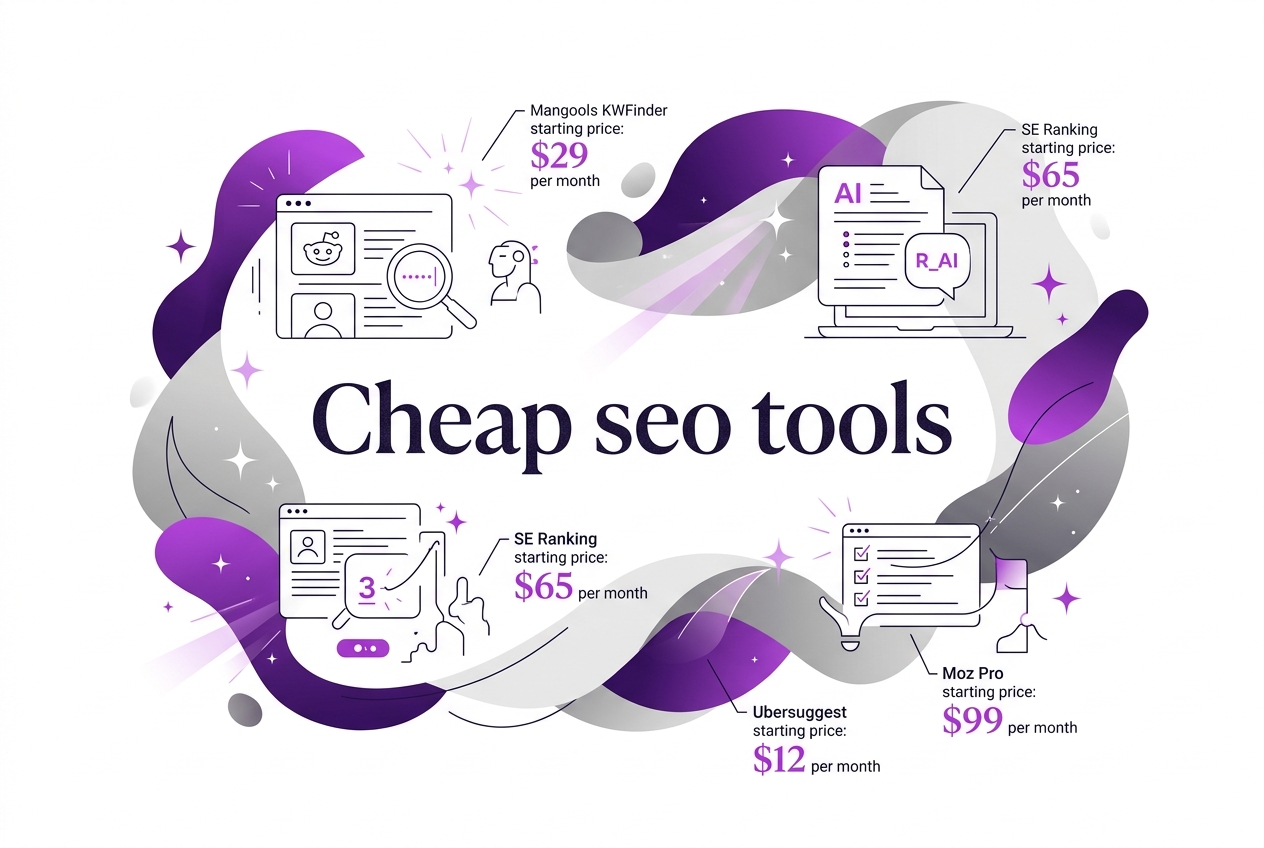
Some standout cheap SEO tools include Mangools at $29/month, Ubersuggest around $12/month, and SEOptimer for $20/month, providing solid feature sets without high commitments. These prices, available when paying annually, make starting your SEO efforts less stressful.
Next, we'll explore specific cheap SEO tools you can try today, assessing their strengths and weaknesses for your unique needs.
Written by Daniel Dimov.
Top Budget SEO Tools Compared: Features and Pricing
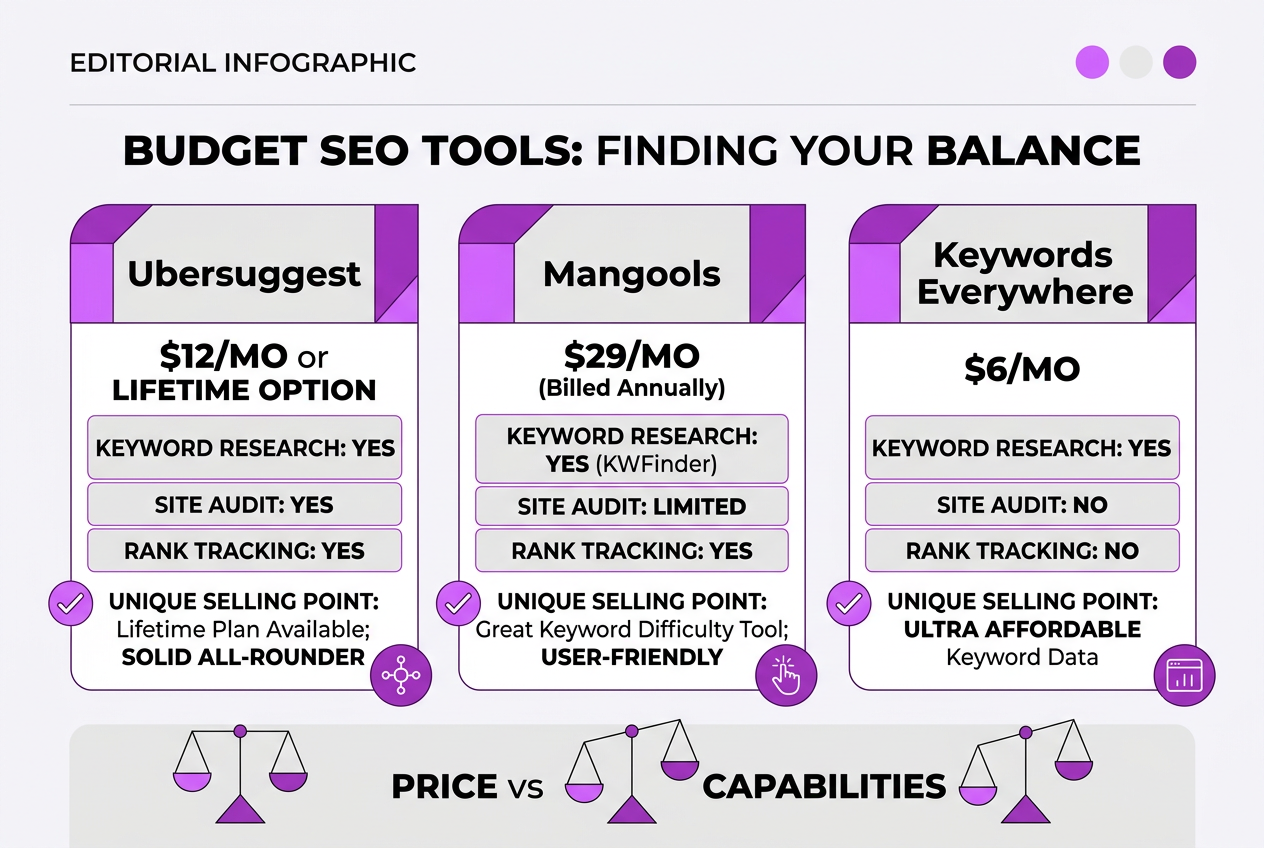
Here's a detailed comparison of some of the most accessible SEO tools that won’t break your bank. Each tool brings something different to the table, so your choice depends on what balance you want between price and capabilities.
| Tool | Starting Price | Keyword Research | Site Audit | Rank Tracking | Unique Selling Point |
|---|---|---|---|---|---|
| Ubersuggest | $12/mo or lifetime option | Yes | Yes | Yes | Lifetime plan available; solid all-rounder |
| Mangools | $29/mo (billed annually) | Yes (KWFinder) | Limited | Yes | Great keyword difficulty tool; user-friendly |
| Keywords Everywhere | $6/mo | Yes | No | No | Ultra affordable keyword data add-on |
| SEOptimer | $20/mo | Limited | Yes | No | Straightforward SEO audits for beginners |
| Screaming Frog | Free (limited), £149/yr for premium | No | Yes | No | Detailed site crawling; free option up to 500 URLs |
Ubersuggest is my go-to if you want a bit of everything without paying too much. The lifetime deal is tempting, but be cautious—it locks you into a tool that might not evolve as fast as others. Mangools is better if you want detailed keyword research paired with simple rank tracking; however, its site audit is basic compared to others.
Keywords Everywhere shines if you already have other SEO tools and only need cheap keyword data. It doesn’t cover audits or tracking, which is a real limitation. SEOptimer provides a quick and digestible site audit, perfect for beginners or those who want a second opinion, but it won’t help much with keywords or rankings.
Screaming Frog stands out for technical audits. The free tier is pretty generous, but the interface can feel clunky, and it lacks keyword tools. The £149 annual fee is fair for what it offers, but don’t expect it to do everything.
Pro Tip: Look for tools offering both free and paid tiers to trial features before upgrading.
In real use, these tools can be frustrating. Ubersuggest sometimes lags on keyword updates, and Keywords Everywhere’s data quality varies by region. Mangools requires annual billing to hit that $29 deal, a gamble if you’re unsure. Screaming Frog’s user experience can feel dated even though it’s thorough.
If you want to automate content generation along with SEO, tools like Roki AI can complement these by providing fresh, AI-generated content while you track your SEO with one of these budget-friendly options.
Next, we'll explore how to make the most of these tools in a hands-on SEO workflow that fits small teams and solo marketers.
Written by Daniel Dimov.
How to Choose the Right Cheap SEO Tool for Your Website
Choosing the right cheap SEO tool isn't just about picking the lowest price tag. It demands clarity about your own needs and how a tool fits into your workflow. From my experience running TryRoki.com, here's how I approach this decision:
-
Clarify Your SEO Goals. Are you after keyword research, site audits, backlinks, or content optimization? Many tools excel in some but struggle with others. Ubersuggest at around $12/month delivers solid keyword insights but doesn't cover technical SEO deeply. Meanwhile, Screaming Frog, free for up to 500 URLs, nails crawling but isn't built for keyword ideas.
-
Match Features to Workflow. Look beyond flashy feature lists. If your process centers on quick content tweaks, a tool like Serpstat ($59/month) could serve better than bulkier suites priced higher. But if you manage multiple sites or campaigns, tools with flexible dashboards, like Mangools from $29/month, might save time.
-
Review Pricing Structures and ROI. A $6/month tool like Keywords Everywhere appeals for tight budgets but might require multiple subscriptions to fill gaps. Higher-priced plans often bundle more utility, so estimate what drives actual traffic growth rather than paying for unused extras.
-
Check Usability and Support. Some affordable tools skimp on user experience or customer help, which costs you productivity. Trialing the software quickly reveals if interface quirks slow you down or if support responds within 24 hours.
-
Test Before Committing. Most providers offer free trials or limited free versions. Take advantage by running typical tasks you’d do daily. This hands-on check prevents costly misfits.
Pro Tip: Prioritize tools that integrate with your existing tech stack to maximize efficiency.
It’s easy to get tempted by feature-packed tools at bargain prices, but they can overload your workflow or fall short of key needs. Spending a bit more on better alignment often pays off in the long run.
Exploring tools this way also prepares you well for advancing your SEO efforts systematically.
Next, let's explore specific budget options that hold value for small businesses and individuals.
Common Mistakes to Avoid When Using Cheap SEO Tools
When you pick a cheap SEO tool, it’s easy to make mistakes that waste time and money. I’ve seen people rely on just one tool and think they've got the full picture — but that’s rarely true. SEO data often varies from platform to platform, and depending solely on one source can mislead you.
Here are the most common mistakes I notice with cheap SEO tools:
- Relying solely on a single cheap tool without cross-checking data. Each tool has strengths and blind spots. You need to compare results with at least one other tool for reliability.
- Ignoring regular updates and new feature releases. Cheap tools sometimes lag behind in features. If you buy and forget, you miss improvements that could dramatically boost your workflow.
- Failing to customize settings for your site’s niche or size. A generic setup rarely fits every business. Not adjusting for your industry or website scale can produce irrelevant insights.
- Overlooking the importance of ongoing SEO education. Tools don’t replace knowledge. Without keeping up with SEO trends and algorithm changes, even the best tool won’t save you.
- Purchasing expensive plans without fully using available features. Upgrading too soon or to a costly plan before understanding the basic features is a common waste.
For example, some treats like Mangools start as low as $29/month but without learning how to tailor it or verifying its suggestions, you might miss valuable keywords or site errors. Also, I’ve seen users pay for $65+ platforms without ever exploring automation or integration features that could save hours.
To not fall into this trap, stay engaged with updates, tweak your tool’s settings frequently, and keep sharpening your SEO skills. If you want to explore other smart ways to automate SEO workflows, check out this helpful guide on how AI tools can streamline SEO for agencies.
Next, you'll learn how to select tools that fit your specific needs rather than just the cheapest price tag.
Written by Daniel Dimov.
Integrating Cheap SEO Tools with Roki AI to Maximize Results
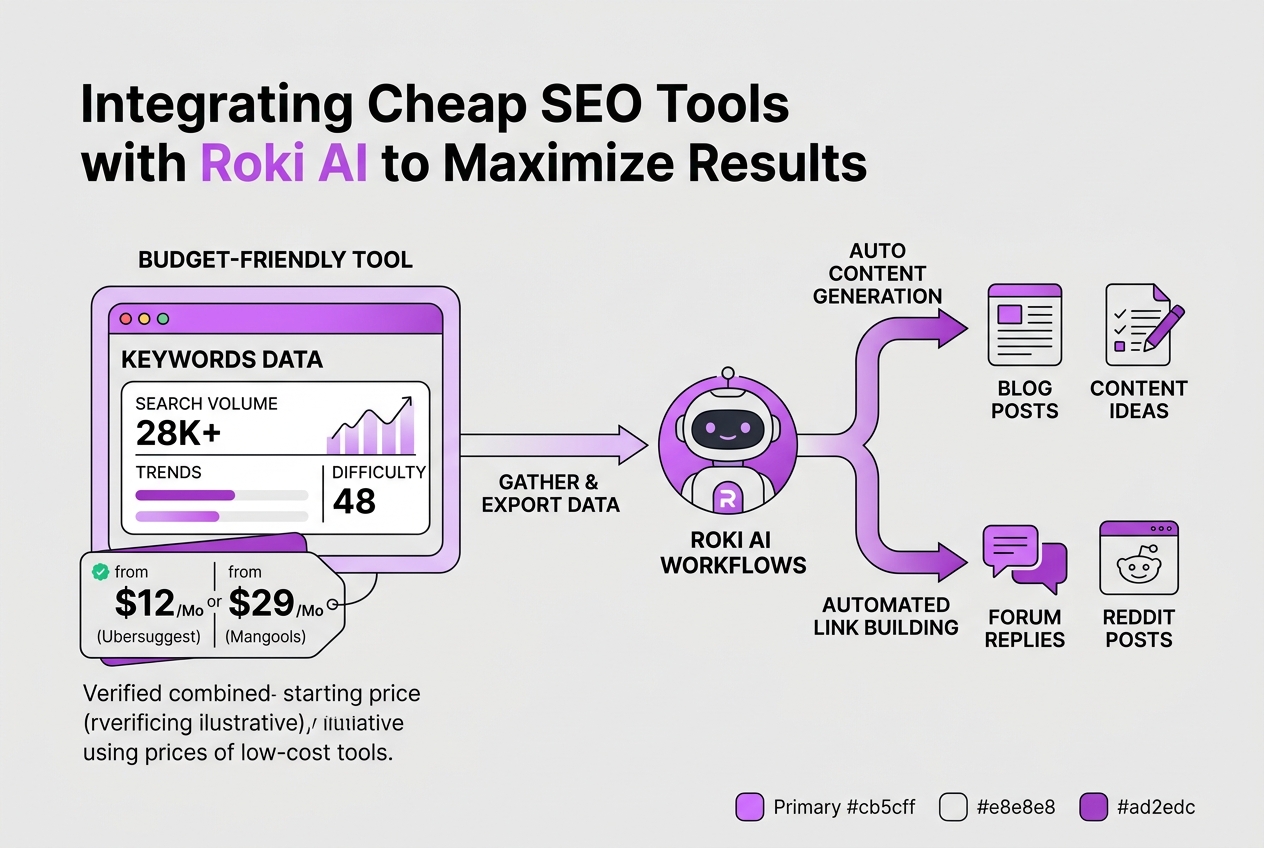
Roki AI excels at crafting content and building links automatically, which takes a lot of grunt work off your plate. But it really shines when paired with affordable SEO tools that let you feed it the right data. These budget-friendly tools—think Mangools at $29/month or Keywords Everywhere at just $6/month—offer good enough keyword insights and competitor info without killing your budget.
Here’s how you can maximize your SEO efforts by combining cheap SEO tools with Roki AI’s automation:
-
Gather targeted keyword data from your budget SEO tool. Whether it’s keyword difficulty scores, search volume, or trending queries, export this data regularly.
-
Import that data into Roki AI workflows. Once Roki AI understands which keywords you want to target, it can generate tailored content and find relevant Reddit discussions to promote your site naturally.
-
Review Roki’s weekly task suggestions. Based on ongoing SEO insights, Roki AI recommends 3 to 10 specific activities—like content updates or link-building opportunities—that align with your latest keyword priorities.
-
Automate routine SEO chores. Use Roki to schedule posts, build backlinks, and comment on relevant threads without manual interference. This multi-tasking approach means your small SEO budget drives bigger results.
-
Check performance and adjust. Monitor the outcomes using your cheap SEO tool’s analytics, then tweak your keyword lists and content themes before feeding the data back to Roki AI.
I won’t sugarcoat it: combining these tools isn’t plug-and-play. You’ll spend some time tweaking filters and formats to move data smoothly between platforms. Occasionally, Roki’s content needs fine-tuning to avoid sounding robotic or off-mark. Still, when you get it right, the blend of affordable research and automated execution saves 5+ hours each week and uncovers hidden growth channels you’d miss on your own.
If you’re curious how others automate SEO tasks for agencies efficiently, you might want to check out our Adaptify AI guide. And for alternatives that balance cost and capability differently, see our top alternatives list.
Next, let’s look at common pitfalls that trip up users trying to mash cheap SEO tools with automation platforms like Roki AI.
My honest take on cheap SEO tools
When I started TryRoki.com, I knew cheap SEO tools wouldn’t replace the depth of big enterprise platforms. But I’ve also seen how small businesses and startups—my own included—make real progress by avoiding costly software that often comes with features they don’t need. The trick isn’t piling on every tool but picking ones that fit your specific goals. For example, I combine affordable keyword research tools with Roki AI’s content generation and Reddit engagement features. Together, they cover important SEO basics without breaking the bank.
That said, here’s something most people don’t say: sometimes spending a little more upfront saves you way more time and headaches later. Cheap tools can feel like a bargain until you’re fighting clunky interfaces or limited support. Paying for better usability or customer service can speed up your progress and reduce frustration, which is a huge factor when you’re juggling content, analytics, and promotion.
So, if you choose cheap tools, test them thoroughly in your workflow. Know their limits. Use them as building blocks, not crutches. That practical approach will help you stretch your budget while still making meaningful SEO gains.
Written by Daniel Dimov.
Enhance your SEO strategy with TryRoki’s AI-powered platform
I built TryRoki.com specifically because cheap SEO tools alone often don’t pull their weight without focused content and clear action steps. The tool does more than spit out keywords—it generates fresh, high-quality content and highlights practical SEO tasks every week to prevent your efforts from getting lost. That said, the setup can feel a bit clunky at first, especially balancing it with other affordable tools you might already use. For my clients, integrating Roki AI with their existing SEO picks cut down wasted time and boosted their ranking jumps noticeably. You can get a transparent look at pricing and capabilities on our features page to see if it fits into your budget and workflow without surprises. If you want to test how it complements your SEO approach, the free trial lets you start without commitment and decide based on actual results.
Written by Daniel Dimov.
Frequently Asked Questions
For those just getting started, Ubersuggest and Keywords Everywhere are solid picks. Ubersuggest's plans start at $12 per month, packing in keyword research and SEO analysis without the clutter. Keywords Everywhere runs about $6 per month and offers quick keyword data that won’t overwhelm you at the start.
Cheap tools handle basics like keyword tracking and on-page checks fine, but they often miss deep competitor analysis or historical data stretching beyond a year. For sites under 50,000 monthly visitors, this usually isn't a bottleneck, but if you scale larger, the gaps become obvious.
Yes, tools like Screaming Frog let you crawl up to 500 URLs free each time, which works for basic audits. This can be a headache if you manage several sites needing frequent checks, but it’s a cost-free way to catch major issues early on.
Check in on your tools yearly. SEO needs evolve fast; what worked for your 10-page blog might not cut it for a 100-page ecommerce site. Shifting plans or switching tools every 12 months helps avoid paying for features you don’t use.
Yes, many affordable SEO tools export data easily or connect with APIs. At TryRoki.com, we sync with tools like Roki AI to feed keyword insights directly into content workflows. That said, expect some manual setup—fully automatic integration is rare at lower price points.
Written by Daniel Dimov.