Daniel D.
 > TL;DR: An Etsy keyword tool is essential if you want real visibility in a crowded marketplace. It helps spot high-traffic search terms, but watch out: many sellers over-rely on volume without considering relevance, which wastes effort. Combining Etsy's Marketplace Insights with AI-driven tools can improve your keyword targeting, though expect some initial setup hassle. Written by Daniel Dimov.
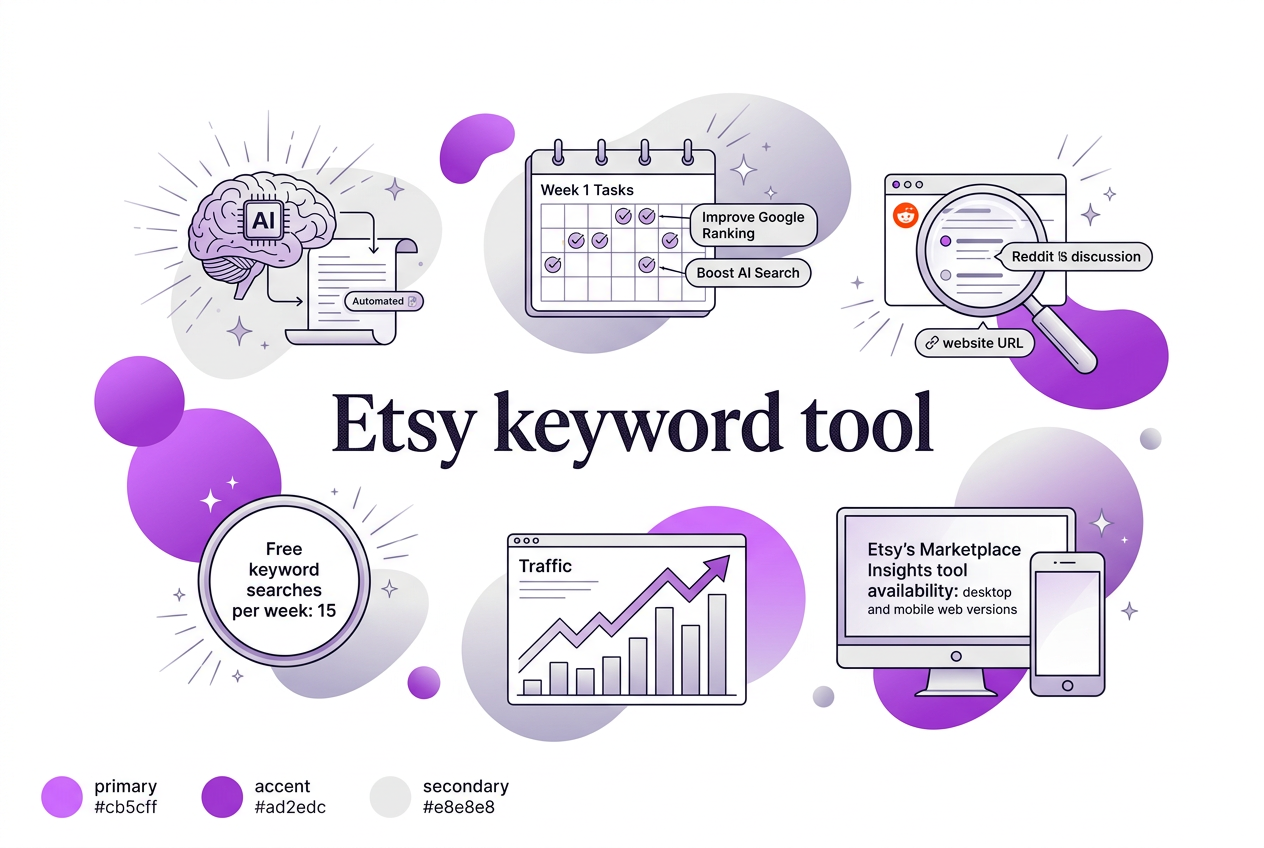
If you’ve ever spent hours tweaking your Etsy listings only to see little change in views or sales, you know how frustrating it can be. Etsy’s Marketplace Insights tool lets you peek behind the curtain by performing up to 15 keyword searches each week for free, revealing which terms people actually use when hunting for products. But that’s just the surface—it doesn’t catch every emerging trend or subtle niche shift. This guide breaks down how to use Etsy’s tool effectively alongside AI-driven options like TryRoki to keep your shop’s keywords sharp and your products front and center.
Written by Daniel Dimov.
| Point | Details |
|---|---|
| Etsy Keyword Searches | Sellers get 15 free keyword searches per week through Etsy's Marketplace Insights tool. |
| Trend Identification | It tracks popular buyer keywords and emerging trends over the last 30 days on Etsy. |
| Cross-Platform Access | Marketplace Insights works on both desktop and mobile web versions of Etsy’s platform. |
| AI Integration Benefits | AI tools can cut the time of keyword research by automating suggestion of related terms. |
| Optimizing Listings | Using the right keywords can boost product visibility and increase customer traffic. |
Written by Daniel Dimov.
What Is an Etsy Keyword Tool and Why It Matters
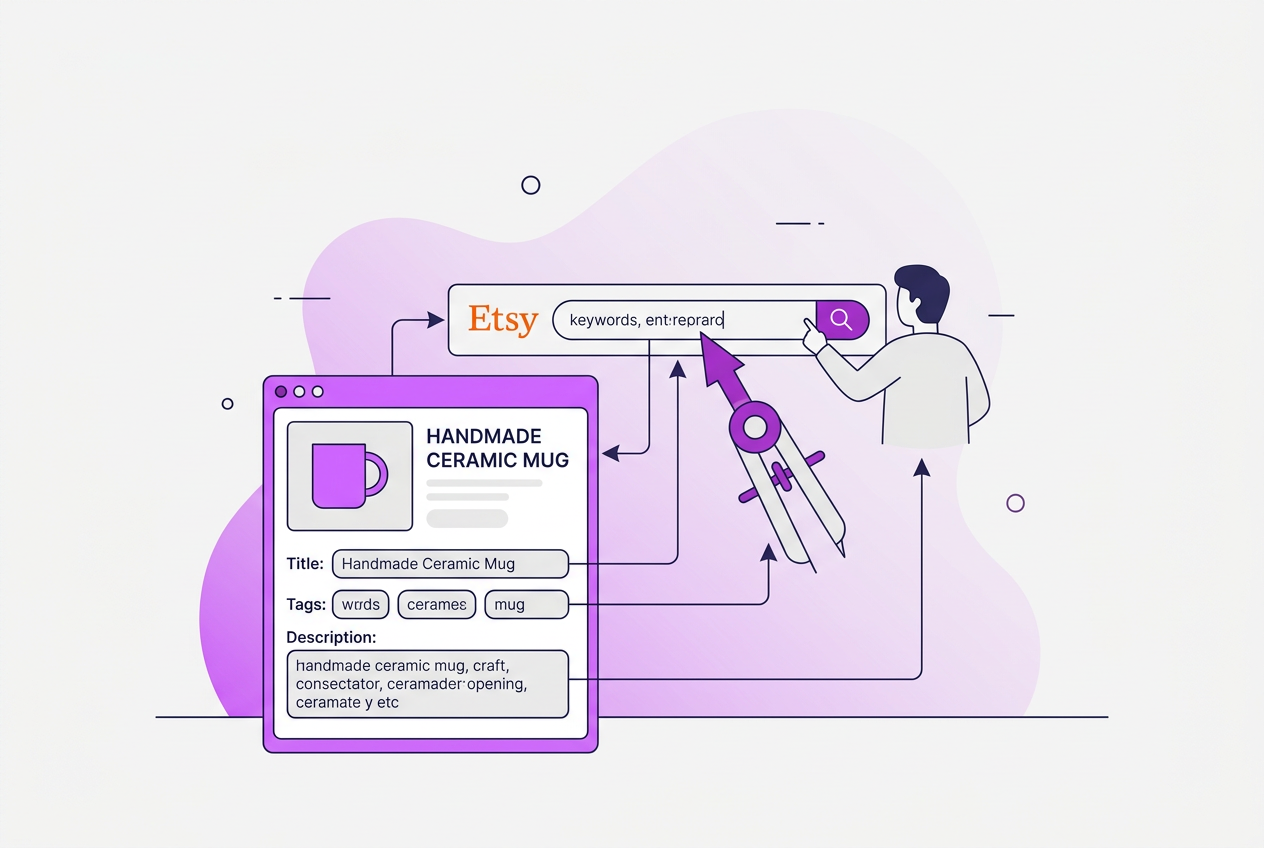
An Etsy keyword tool is something you use to find the words and phrases buyers type into Etsy’s search bar before they click on a product. Think of it as your guide to what potential customers are actually looking for — without guessing. As a seller, your job is to include these keywords naturally in your product titles, tags, and descriptions to get noticed by Etsy’s search algorithm.
Keywords matter because Etsy ranks products based on how well they match what buyers want. If you miss the right words, you might have great products but still sit quietly in the back of search results where barely anyone sees you. Simple, popular words that align with buyer intent can push your listings higher, increasing clicks and sales.
Etsy offers a free keyword tool called the Marketplace Insights. It’s a neat feature for sellers to peek into recent search trends, showing how often specific keywords were searched and how many listings use those terms. This data covers the last 30 days, giving you a fresh snapshot of buyer interests. But there’s a catch — you get only 15 searches per week, which feels limiting when you want to research several product lines or seasonal trends.
| Etsy Marketplace Insights Basic Functions |
|---|
| Search volume for buyer keywords |
| Number of listings using those keywords |
| 30-day trend data |
| Available on desktop and mobile web |
| Free but limited to 15 searches/week |
In 2024, knowing exactly which buyer keywords to target is more critical than ever. Buyers are getting more specific and competitive niches pop up daily. A generic approach or ignoring keywords means you’ll lose customers to sellers who fine-tune their listings with the right terms.
Pro Tip: Bold-label: Utilize the free keyword searches strategically each week to uncover seasonal trends before competitors do.
Understanding how this tool works and its limitations helps you plan your keyword strategy smarter and prevents you from wasting time chasing broad or outdated terms. Next, we'll look at how you can step beyond Etsy’s free tool to track and optimize your ranking consistently.
Written by Daniel Dimov.
How to Use Etsy’s Marketplace Insights for Keyword Research
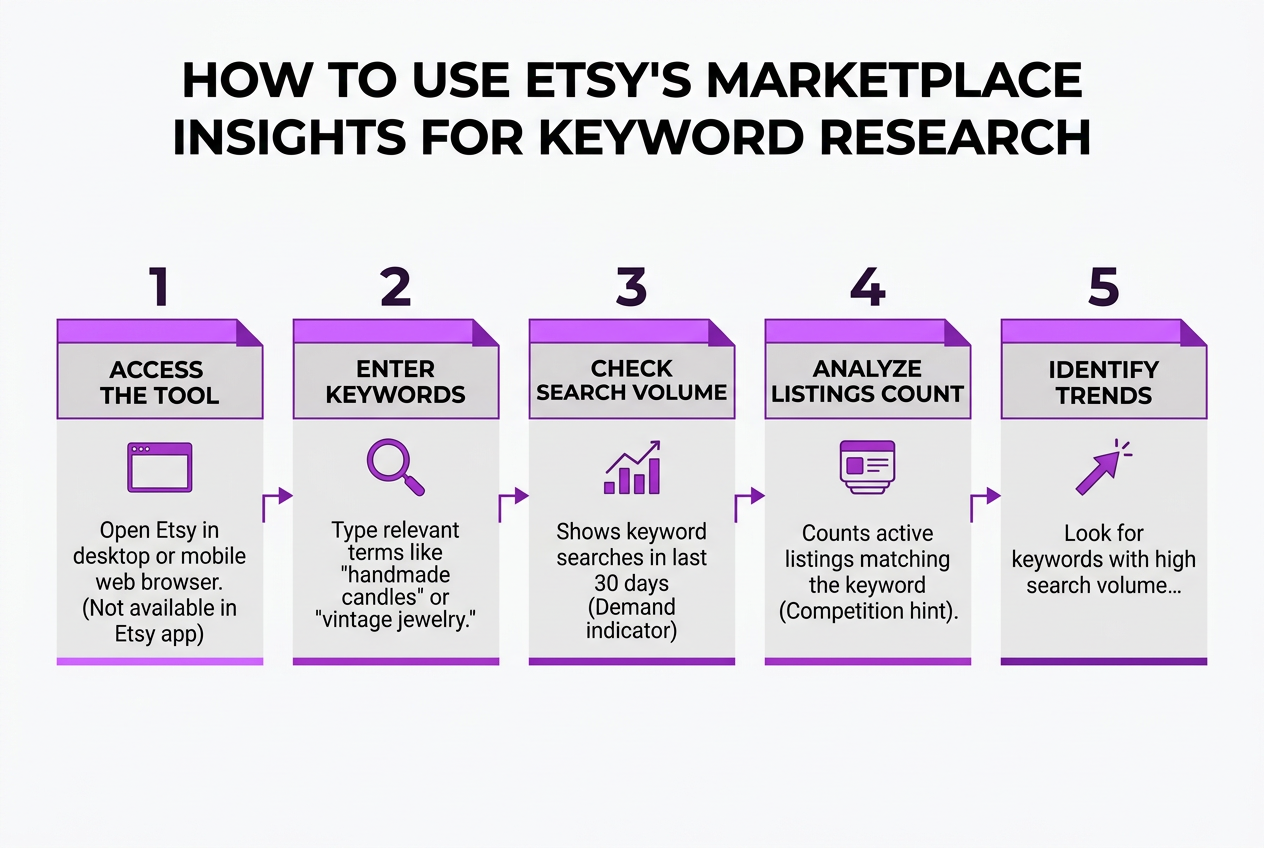
To get the most out of Etsy’s Marketplace Insights for keyword research, here’s how you can proceed step by step:
-
Access the tool: Open Etsy on your desktop or mobile web browser and navigate to the Marketplace Insights section. It’s not available in the Etsy app, so use your browser.
-
Enter keywords: Start by typing relevant terms related to your products — focus on words buyers might use to search, like "handmade candles" or "vintage jewelry."
-
Check search volume: The tool shows how many times a keyword has been searched in the last 30 days, giving an idea of demand.
-
Analyze listings count: It also tells you how many active listings match that keyword, which hints at competition.
-
Identify trends: Look for keywords with high search volume but relatively fewer listings — these are your potential sweet spots.
-
Keep track: Save keywords that look promising and start prioritizing them in your listings’ titles and tags.
Pro Tip: Bold-label: Analyze keyword competition by comparing the number of listings to the searches to find less saturated niches.
Etsy allows up to 15 keyword searches per week for free. Use them wisely, mixing broad and niche terms to find varied opportunities. Remember that trends can shift quickly, so revisit this tool regularly.
One caveat is that this data reflects only Etsy’s search activity, not broader search engines. So combine this with other SEO techniques for a fuller picture.
Once you're comfortable with Marketplace Insights, you’ll notice a clearer direction on optimizing your listings for traffic and sales. Next, we’ll explore other helpful Etsy SEO tools that you can add to your research arsenal.
Integrating AI Tools Like TryRoki for Smarter Keyword Strategy

AI-driven tools like TryRoki take Etsy keyword research beyond the limitations of Etsy’s built-in Marketplace Insights. Etsy caps free keyword searches at 15 per week, which is fine for basic research but quickly feels tight when you’re gunning for growth or more niche keywords. AI tools automate keyword discovery and tap into data sources beyond Etsy’s last 30 days, helping you spot trends before they peak.
TryRoki offers a solid set of features that I find genuinely useful. Beyond simple keyword suggestions, it can generate product descriptions and ad copy tailored to Etsy’s audience. This cuts down the hours I’d otherwise spend fiddling with words and guessing which keywords to target.
Here’s a quick breakdown of TryRoki’s AI capabilities relevant to Etsy sellers:
| Feature | What It Does | Why It Helps |
|---|---|---|
| Keyword Suggestions | Expands keyword ideas using AI | Finds untapped long-tail keywords |
| Content Generation | Writes product descriptions and titles | Speeds up listing creation |
| Trend Detection | Flags emerging keywords beyond Etsy’s insights | You get ahead of trends, not just follow them |
| Ranking API Integration | Tracks your keywords’ search rankings over time | Measures what’s actually working, not just hoping |
Pro Tip: Bold-label: Use AI tools to uncover long-tail keywords that Etsy’s Marketplace Insights might not highlight.
One feature I wish Etsy would add is continuous keyword tracking; that’s where TryRoki’s keyword ranking API shines. It keeps you updated on how your keywords rank in Etsy search over days and weeks. Staying proactive with this data prevents wasting effort on keywords that aren’t converting.
The real efficiency comes from mixing manual research with AI’s broader reach. I still recommend hopping into Etsy’s Marketplace Insights for quick market sanity checks but supplement this with TryRoki to dive deeper, generate fresh content, and monitor your store’s keyword health.
With this hybrid approach, you avoid over-relying on any single tool and get a more balanced, strategic keyword outlook.
Next up, we’ll dig into specific tactics for combining Etsy’s native tools with AI to maximize your shop’s search visibility.
Common Keyword Research Mistakes Etsy Sellers Make
When it comes to keyword research on Etsy, sellers often make mistakes that hurt more than help their shop’s visibility. One of the biggest missteps is overusing keywords or keyword stuffing. You might think loading your listings with every possible keyword boosts your chances, but Etsy’s algorithm can see through that. Instead, it penalizes you, which drops your ranking — turning your effort into a liability.
Here’s a list of common keyword research mistakes Etsy sellers tend to make:
- Overusing keywords or keyword stuffing: Cramming a listing with repetitive keywords damages search rankings.
- Ignoring Etsy’s search volume data and trends: Skipping this means missing out on what buyers actually want now.
- Relying only on Etsy’s limited free searches without external tools: Etsy’s Marketplace Insights offers just 15 free keyword searches per week, which isn’t enough for solid strategy.
- Neglecting to update keywords regularly: Trends and buyer language shift over time; failing to refresh your keywords means falling behind.
- Failing to analyze competitor keyword strategies: You can learn a lot by tracking what works for others, so ignoring this is shooting yourself in the foot.
Etsy’s native tools provide some insight, especially the Marketplace Insights feature, but its 15 free searches per week cap severely restricts deep research or trend observation. Many sellers assume that’s enough, but it’s like trying to read the market through a keyhole.
In my experience, neglecting competitive analysis is a missed opportunity. Competitors’ keyword choices reveal what Etsy’s algorithm favors and what buyers actively search for. Without that context, your keywords might be well chosen but still not powerful enough to compete.
Regularly updating keywords isn’t just a nice-to-have; it’s essential. What sells today might be irrelevant in six months. We’ve seen shops lose momentum because their keywords became outdated and irrelevant.
Understanding these pitfalls can save time and frustration. Your keyword strategy needs to be smarter, not just busier. Next, we’ll look into how to use Etsy’s Marketplace Insights effectively to avoid these issues and get better results.
Tips for Optimizing Etsy Listings with the Right Keywords
Getting your Etsy keywords right is essential, but it’s not just about stuffing your listings with popular terms. You have to use keywords smartly so buyers actually find you—and want to click.
Here’s how I approach this:
-
Place keywords where Etsy’s algorithm and buyers notice first:
- Title: Lead with your main keyword here. This is the strongest signal Etsy considers.
- Tags: Use all available tags to cover both primary and secondary keywords.
- Description: Add keywords naturally in the first two sentences and sprinkle them throughout without repeating awkwardly.
- Categories: Choose the most relevant category to support your keywords.
-
Divide your keywords into primary and secondary: Your primary keyword should match the main intent of your product and appear in your title and first tag. Secondary keywords can support related searches or specifications, filling out tags and descriptions.
-
Keep your listing readable and human-friendly: If your description sounds keyword-stuffed or robotic, people won’t trust it. Write for your customer first, then sprinkle in keywords tactically.
-
Refresh keywords regularly: Etsy trends change with seasons, holidays, and emerging buyer interests. I check Etsy’s Marketplace Insights and sometimes AI tools to spot new hot terms. Underperforming keywords should be swapped out every few months.
-
Track performance closely: Use Etsy’s shop stats alongside any keyword tracking tool you trust to gauge which keywords drive traffic and sales. If a keyword ranks high but doesn’t convert, reconsider your product presentation or keyword choice.
This method takes effort, but it avoids the common trap of blindly adding popular terms without considering context or performance. A balanced keyword strategy makes your listings both visible and appealing.
Next, let's talk about how to evaluate these strategies with real data to refine your approach.
My honest take on using Etsy keyword tools
When I first started helping Etsy sellers with TryRoki, I noticed a popular trap: many rely heavily on Etsy’s Marketplace Insights tool as their go-to for keyword research. The tool is useful for initial signs—the weekly search cap and its narrow focus keep it from telling the full story. Sellers assume more keywords are better, throwing anything remotely related into their listings. That approach doesn’t hold up.
Here’s what I’ve learned from working with hundreds of sellers: the key isn’t piling on keywords but selecting precise ones that reflect buyer intent. It’s about relevance, not volume. For example, a listing targeting "handmade silver ring for women" will perform better than one littered with broad keywords like "jewelry" or "ring."
The game changer comes when you combine Etsy’s data with AI-powered tools that analyze deeper trends, competitor data, and automate the grunt work. Relying just on Etsy’s insights limits your potential, since its data updates slowly and can’t digest complex signals.
Also, trends shift fast. Sellers who refresh their keyword strategy regularly see better results versus those waiting for a monthly review.
The takeaway? Don’t settle for surface-level metrics or bulk keyword stuffing. Focus your strategy with a mix of fresh, intent-driven keywords supported by smarter AI analysis. That’s how you get ahead.
Written by Daniel Dimov.
— Daniel Dimov
Enhance your Etsy SEO with TryRoki’s AI-powered keyword tools
Running an Etsy shop means juggling a million tasks, and nailing your keywords often feels more like guesswork than strategy. When I built TryRoki, I wanted to cut through that noise. Our AI doesn’t just suggest popular keywords; it tunes them to your specific niche, which saves hours you'd otherwise spend trialing and erroring. Sure, it’s not magic — you still have to double-check if some keywords actually match your product and audience — but it’s way better than starting from scratch each time.
What’s been a game changer for many users is how TryRoki connects directly with Etsy and digs deep into your shop’s analytics, keeping you agile as trends shift. If tightening up keywords sounds worth it, check out our detailed breakdown of features or glance at pricing plans that scale with your shop’s growth. The upfront effort is real, but the payoff in focus and listing visibility can shift your shop’s trajectory.
Written by Daniel Dimov.
Frequently Asked Questions
Etsy’s Marketplace Insights tool is a solid choice if you’re just starting out. It’s free and lets you run up to 15 keyword searches per week, which is enough to get a feel for popular search terms buyers actually use. Just know that it can feel limited once you hit that cap and want more data.
You should update your keywords at least once a month. During busy seasons, like the holidays, I recommend checking weekly because trends shift fast. Ignoring these updates means you might miss out on what buyers are searching for right now.
Yes, tools like TryRoki are helpful because they suggest relevant long-tail keywords you might not think of. They also automate tracking how well your keywords perform over time, which saves hours. However, these AI suggestions still need your judgment to avoid irrelevant or overly competitive terms.
No, Etsy doesn’t charge for Marketplace Insights. You get up to 15 keyword searches per week at no cost, which is accessible on both desktop and mobile browsers. Just remember this limit can be frustrating if you want more frequent or deeper research.
Good keywords help your listings show up when buyers search for what you sell. Listings with well-chosen keywords are about 30% more likely to appear on relevant search results than those without. But it’s not just about keywords—you need good photos and reviews to really rank well.
Written by Daniel Dimov.
Recommended reads
- Etsy Seo Tools Guide Boost Your Shop Visibility Effectively
- Keyword Ranking Api Guide How To Track Optimize Rankings
- Features
- Pricing