Aleksandra D.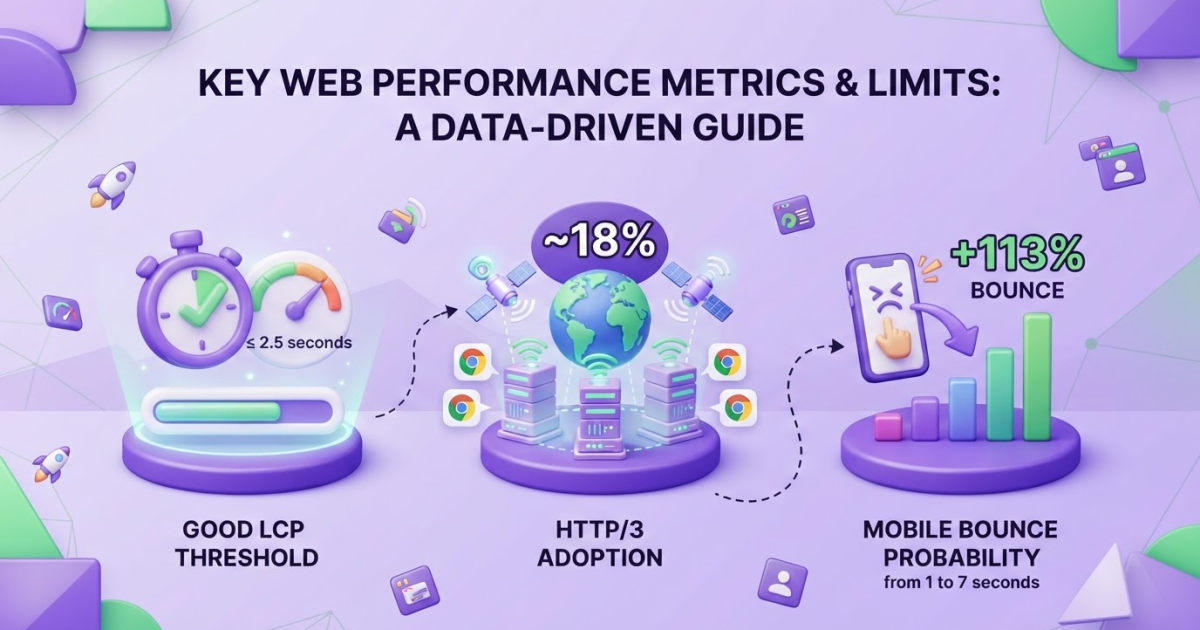
SEO and web hosting are connected through uptime, speed, security, crawlability, and server configuration, with 99.9% uptime and a Largest Contentful Paint under 2.5 seconds as practical targets. Choose hosting that keeps your site available and responsive, measure the impact in search and Core Web Vitals, and do not mistake hosting fixes for a replacement for useful content and consistent optimization.
If you are choosing a host while trying to grow organic traffic, conflicting advice makes the decision frustrating: some people call hosting irrelevant to SEO, while others sell it as a direct ranking shortcut. The truth sits between those extremes. Your host affects uptime, response times, server location, and how reliably search engines can access your pages, but it cannot rescue weak content or poor technical work. Google recommends keeping LCP at 2.5 seconds or less, INP below 200 milliseconds, and CLS below 0.1 for good Core Web Vitals performance at the 75th percentile of real visits. This guide covers hosting requirements, server location and resources, HTTPS and technical foundations, crawlability and speed testing, plus a repeatable monitoring workflow for content production and ongoing SEO tasks.
| Point | Details |
|---|---|
| Crawl Access Matters | Repeated outages, slow responses, or capacity limits can reduce how often Googlebot crawls your site. |
| Measure Core Web Vitals | Aim for LCP at 2.5 seconds or less, INP below 200 milliseconds, and CLS below 0.1 at the 75th percentile. |
| HTTPS Sets The Baseline | Google announced HTTPS as a ranking signal in August 2014, but it remains only 1 part of a broader SEO system. |
| Configuration Beats Claims | Choose reliable resources, caching, backups, and monitoring instead of trusting vague SEO promises on a hosting plan. |
| Content Drives Demand | Hosting provides the technical conditions for visibility, while useful content, internal links, and consistent publishing build search coverage over time. |
What Web Hosting Changes in SEO
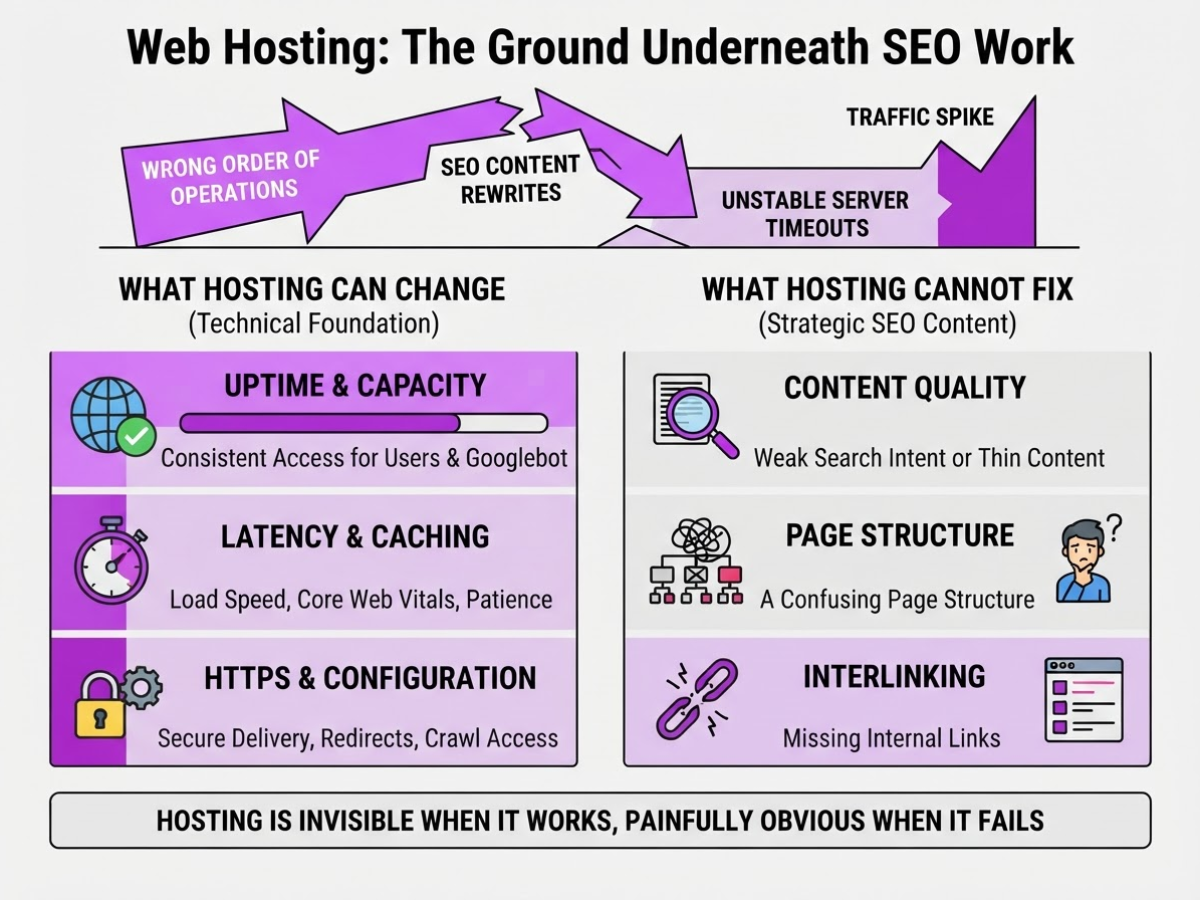
Hosting is not an SEO strategy by itself. It is the ground underneath your SEO work: usually invisible when it works, and painfully obvious when it fails. As an owner, I have seen teams spend weeks rewriting pages while their server timed out during traffic spikes. That is the wrong order of operations.
Hosting affects SEO through a few technical paths, plus several indirect business effects:
| Hosting factor | What it can change | What it cannot fix |
|---|---|---|
| Uptime and capacity | Whether users and Googlebot can access pages consistently | Weak search intent or thin content |
| Latency and caching | Load speed, Core Web Vitals, and visitor patience | A confusing page structure |
| HTTPS and configuration | Secure delivery, redirects, canonicals, and crawl access | Missing internal links |
| Support and observability | How quickly you find outages, errors, and bottlenecks | Poor topic choices |
Google notes that availability problems can reduce how much Googlebot crawls a site. A server that repeatedly reaches its capacity limit can also restrict crawling. HTTPS is a ranking signal, but Google originally described it as a lightweight signal that affected fewer than 1% of queries, so do not expect a certificate to rescue an irrelevant page.
Performance matters more through page experience and business results. Google recommends, at the 75th percentile, LCP of 2.5 seconds or less, INP below 200 milliseconds, and CLS below 0.1. Caching, adequate server capacity, sensible image delivery, and clean configuration help you reach those numbers. They do not make a bad page useful. A 200-millisecond improvement also means little if your checkout breaks on mobile.
When comparing hosts, judge availability, performance, security, capacity, support, and observability. Ask about regional response times, backups, incident communication, PHP or runtime limits, caching controls, and logs. Cheap hosting can be perfectly adequate for a small brochure site, but the support queue becomes expensive when a promotion brings unexpected traffic. You can also compare lower-cost domain and hosting services if budget is the main constraint.
Pro Tip: Ask a host for recent server-response and incident data for your target region instead of relying on a generic uptime percentage.
Roki AI sits above this infrastructure. It helps you execute ongoing content and SEO work, including weekly tasks, but it cannot repair downtime, weak information architecture, or missing internal links. Hosting keeps the site reachable; your SEO execution determines whether the reachable pages deserve attention.
The next step is separating hosting problems from the on-page issues that usually limit growth first.
Choose Hosting by Matching It to Your SEO Workload
Your hosting choice should match how your site earns attention, not the storage number in a pricing table. I have seen a five-page service business waste money on a VPS, while a busy WordPress publisher kept timing out on cheap shared hosting during traffic spikes. The right question is how much work your server handles, when that work arrives, and who will fix it.
| Hosting type | Usually fits | Watch for |
|---|---|---|
| Shared | Small service business or agency portfolio | Neighboring sites can consume shared CPU and memory |
| Managed WordPress | Content-led site with limited technical staff | Higher price and less server-level control |
| VPS | Ecommerce store or technical team needing predictable resources | You manage patches, security, and tuning unless support is included |
| Cloud | Fast-growing publisher with uneven traffic | Billing can become confusing during a sudden spike |
| Dedicated | High-volume store or publisher with strict isolation needs | Cost and administration rarely suit a small site |
For a local plumber serving one city, managed WordPress or good shared hosting is normally enough. A photographer’s portfolio may need more image delivery than database capacity, so a CDN and sensible image compression matter more than eight virtual CPU cores. An ecommerce store needs fast database queries, object caching, dependable backups, and support that understands checkout failures. A publisher releasing 20 articles a week needs staging, automated deployment, and a plan that can add CPU and memory before a news mention sends traffic upward.
Check the unglamorous details before you buy: guaranteed resources, database version and limits, CDN compatibility, staging access, backup frequency, restore testing, support response times, and migration terms. “Unlimited” storage is often less useful than a host that explains CPU throttling and gives you a clean exit. A difficult migration can cost more than a year of hosting.
Pro Tip: Choose the smallest hosting tier that meets measured demand, but confirm how quickly CPU, memory, database, and bandwidth limits can be upgraded without migration risk.
Place the server near your main audience when practical, then use a CDN for static files and global visitors. Do not guess. Compare real-user data by country and device, and target Google’s Core Web Vitals thresholds: LCP at or below 2.5 seconds, INP below 200 milliseconds, and CLS below 0.1 at the 75th percentile. Repeated capacity failures can also reduce how often Googlebot crawls your pages, as explained in Google’s crawl troubleshooting guidance.
Use that evidence to test reliability first, then tune the technical setup that supports your publishing plan.
Configure Your Host for Search-Friendly Performance
I set this up before touching titles or backlinks because a fast, reachable site gives every later SEO task a fair chance. The annoying part is that one careless domain setting can create four versions of every page.
-
Choose one canonical host. Point the primary domain to your production server, then redirect HTTP to HTTPS and choose either
wwwor non-www. Use permanent redirects, keep each redirect to one hop, and update canonicals, internal links, and sitemap URLs to match. Check DNS records and confirm that your TLS certificate covers the exact hostname and renews automatically. Google has treated HTTPS as a ranking signal since 2014, although it is not a substitute for useful content. -
Remove test-site accidents. Search for staging subdomains, temporary hostnames, and development copies that respond publicly. Password-protect them or block access at the server, and remove
noindexfrom production only after launch. A staging site left crawlable can leak duplicate pages, unfinished copy, and thin URLs into search. -
Tune delivery at the server. Turn on server-side page caching for anonymous visitors, browser caching for static files, Brotli or gzip compression, and responsive image formats such as WebP or AVIF. Add a CDN when visitors are spread across regions or your origin server is far from them. Purge caches after deployments, because stale headers and old HTML are common sources of confusing debugging.
Pro Tip: Test a fresh page in an incognito session after every caching change; an administrator’s warm, authenticated session can hide the experience real visitors receive.
-
Test the crawl path. Confirm that important navigation and contextual links are real HTML
<a href="...">elements, not click handlers ondivelements. Google generally requires this anchor-and-href pattern for crawlable links. Crawl the site to find redirect chains, broken links, mixed-content warnings, and inconsistentwwwusage. -
Publish the sitemap. Generate an XML sitemap containing canonical, indexable URLs and submit it in Search Console. A single file supports up to 50,000 URLs or 50 MB uncompressed; larger sites need several sitemap files and a sitemap index. Do not include redirected, blocked, or duplicate URLs.
-
Monitor what visitors and bots experience. Connect Search Console and analytics, configure uptime alerts, and retain server logs so you can investigate spikes in 5xx errors or crawling. Check Core Web Vitals monthly, aiming for LCP at or below 2.5 seconds, INP below 200 milliseconds, and CLS below 0.1 at the 75th percentile. I also use free SEO tools for quick spot checks, but logs and real-user data should decide what you fix first.
Once these controls stay clean through a deployment, you can evaluate hosting performance against the rest of your SEO workflow.

Run an SEO Hosting Audit Before You Blame the Server
Start with the symptom, not the hosting plan. When I investigate an SEO drop, I first mark the date and ask what changed: downtime, slow templates, crawl anomalies, traffic loss, indexing gaps, or weak mobile performance. A ranking decline after a content edit is not a server problem just because the homepage feels sluggish.
I compare four sources before changing anything: Search Console’s Crawl Stats report, web-server logs, uptime history, and field Core Web Vitals. Availability problems can reduce how often Googlebot crawls a site, especially when the server repeatedly reaches its capacity limit. Look for rising 5xx responses, connection failures, long response times, and crawl volume falling at the same time. For real-user performance, use the 75th percentile targets of LCP 2.5 seconds or less, INP below 200 milliseconds, and CLS below 0.1.
A Lighthouse score is useful for finding clues, but it is not a verdict. One synthetic test can catch a cold cache, a blocked third-party script, or a slow test region. I care more when several templates show poor field data and the server logs also show high time to first byte.
These mistakes create false hosting diagnoses:
- Shared-resource overload that causes intermittent 503 errors during traffic spikes.
- A newly installed plugin that runs expensive database queries on every page.
- Oversized hero images blamed on the server, when compression and responsive sizing would fix them.
- Redirect loops, blocked JavaScript or CSS, and accidental noindex rules that look like crawl failures.
- No disaster-recovery plan, leaving you unable to restore the site after a bad update or outage.
Use a canonical link check when indexing gaps affect selected URLs, rather than assuming the host caused them. If logs show repeated 5xx errors, capacity alerts, or outages exceeding 99.9% uptime commitments, contact the host with timestamps and request an incident report. If responses are healthy, optimize templates, media, plugins, and redirects first. Upgrade resources when CPU, memory, or connection limits stay high under normal traffic. Migrate only after documented incidents continue, support cannot explain them, or a controlled test on another provider produces materially better results.
Once the evidence identifies the bottleneck, you can choose the right technical fix instead of paying for a migration you never needed.
Turn Reliable Hosting Into a Repeatable SEO Operating System
A reliable host only becomes an SEO advantage when you turn it into a routine. I have seen teams fix speed once, publish for three months, then lose track of broken URLs, full disks, and failed backups. That is not an SEO system. It is a temporary cleanup.
Use this operating rhythm:
-
Every week, protect momentum. Review new queries, unanswered customer questions, content briefs, internal-link opportunities, and pages that need refreshing. Roki AI gives you 3 to 10 weekly tasks across content generation, SEO improvements, and relevant Reddit participation. I treat those tasks as a working queue, not an automatic ranking promise. You still need to check the facts, add first-hand judgment, and avoid dropping promotional comments into conversations where they do not belong. The guidance in balancing human and AI in SEO writing reflects that distinction.
-
Every month, run a technical review. Check uptime and host incident logs, crawl errors, indexation changes, Core Web Vitals, backup completion, database size, CPU and memory usage, and sudden traffic or bandwidth spikes. Compare indexed pages with your content inventory. A page count that rises by 40% while impressions stay flat often signals thin, duplicated, or accidentally indexable pages rather than progress.
-
Every quarter, test before you expand. Publish or refresh a small content group, inspect organic impressions and clicks, then connect those visits to qualified conversions. Track indexed pages, crawl anomalies, page experience, content output, and conversion quality together. Google’s recommended good thresholds at the 75th percentile are LCP of 2.5 seconds or less, INP below 200 milliseconds, and CLS below 0.1. Do not hide a slow mobile experience behind a strong desktop score.
Good hosting gives your team room to publish, refresh, run experiments, and add useful internal links without taking the site offline. It also gives crawlers a fair chance: repeated server capacity problems can reduce how often Googlebot requests pages. The annoying part is that resource pressure often appears during your best traffic days, when a cheap plan has the least margin.
Once this rhythm is working, the next decision is how to expand content without letting quality and technical control drift apart.
My honest take on SEO and web hosting
I would not choose a web host because it promises better rankings. Hosting is infrastructure, not an SEO strategy, and many teams upgrade servers too early when the real problem is oversized images, bloated plugins, weak templates, or a publishing process that produces little useful coverage.
My contrarian view is simple: fix the bottleneck before buying more capacity. I would first establish a baseline for uptime, server response time, field Core Web Vitals, crawl behavior, and conversions. If the evidence points to image weight or a slow plugin, a server upgrade is an expensive way to avoid the real work. I have seen teams spend heavily on hosting while their templates quietly create poor pages at scale.
The right host should make the basics boring. Pages should stay available, HTTPS should work, backups should restore properly, and support should respond when something breaks. Once that foundation is stable, your advantage comes from publishing useful content, improving internal links, studying search data, and revising pages consistently.
That is where I see TryRoki fitting the operating model. Its weekly 3 to 10 tasks can turn SEO and content work into a regular routine, including finding relevant Reddit discussions, but the suggestions still need human judgment. Automation can keep the work moving; it cannot decide whether a page deserves to exist.
— Daniel/Aleksandra
Build the SEO workflow your hosting makes possible
Reliable hosting gives your site a stable place to work, but it does not choose your next topic or tell you which page deserves attention. I have seen site owners spend days fixing servers and plugins, then publish nothing for six weeks because the SEO decisions stayed in someone’s head.
After you complete the technical hosting checklist, Roki AI can act as an execution layer alongside analytics and human review. It helps you create website content, spot practical SEO improvements, find relevant Reddit discussions where a useful comment can mention your site, and receive 3 to 10 weekly tasks. That rhythm is useful, although it can feel demanding when the tasks expose neglected pages or require judgment you cannot automate.
See how Roki AI supports an ongoing SEO content workflow, then decide which recommendations fit your strategy. It will not replace your judgment or guarantee rankings, but it can make consistent search-focused work easier to manage.
Frequently Asked Questions
Changing hosts can improve SEO indirectly if your current provider causes downtime, slow responses, or capacity problems. A host change alone will not guarantee higher rankings, since Google still weighs content relevance, links, technical SEO, and user satisfaction.
There is no single hosting type that suits every website. Choose a plan that gives your site reliable resources, strong security, caching, responsive support, and enough capacity for traffic spikes, then monitor whether pages load consistently in under 2 to 3 seconds.
Server location can affect latency for visitors, particularly when your site lacks an effective CDN. A server within roughly 100 milliseconds of your main audience can help, but real-user data matters more than choosing a location based on theory alone.
Compare field Core Web Vitals, server response timing, uptime records, waterfall tests, and performance during busy periods across at least 3 to 5 URLs. Test both mobile and desktop devices, because one quick homepage can hide slow product pages, checkout screens, or blog templates.
Yes, hosting problems can interfere with crawling and indexing through outages, capacity limits, incorrect status codes, blocked resources, or inaccessible pages. Review Search Console crawl data and server logs for the previous 30 days before blaming a ranking change on your host.
Written by Daniel/Aleksandra.
Recommended reads
- How Roki Ai Streamlines Your Seo Content Workflow
- Boosting Seo With Automated Content Generation Tips
- Free Seo Tools
- Amp Wordpress Plugin Setup Modes And Seo
Sources
- Understanding Core Web Vitals and Google search results
- Troubleshoot Google Search Crawling Errors
- HTTPS as a ranking signal
- HTTP | 2024 | The Web Almanac by HTTP Archive
- Build and Submit a Sitemap
- SEO Link Best Practices for Google
- The State of Online Retail Performance | Spring 2017 | Akamai
- Mobile Page Speed New Industry Benchmarks
- AVM Cloud