Daniel D.
Organic search results are typically displayed as unpaid listings with 1 title link and 1 snippet, though some pages also receive sitelinks or enhanced features such as review stars, images, or FAQs. To improve how your result appears, identify each element, track clicks and impressions, and strengthen the page signals Google uses to build the listing.
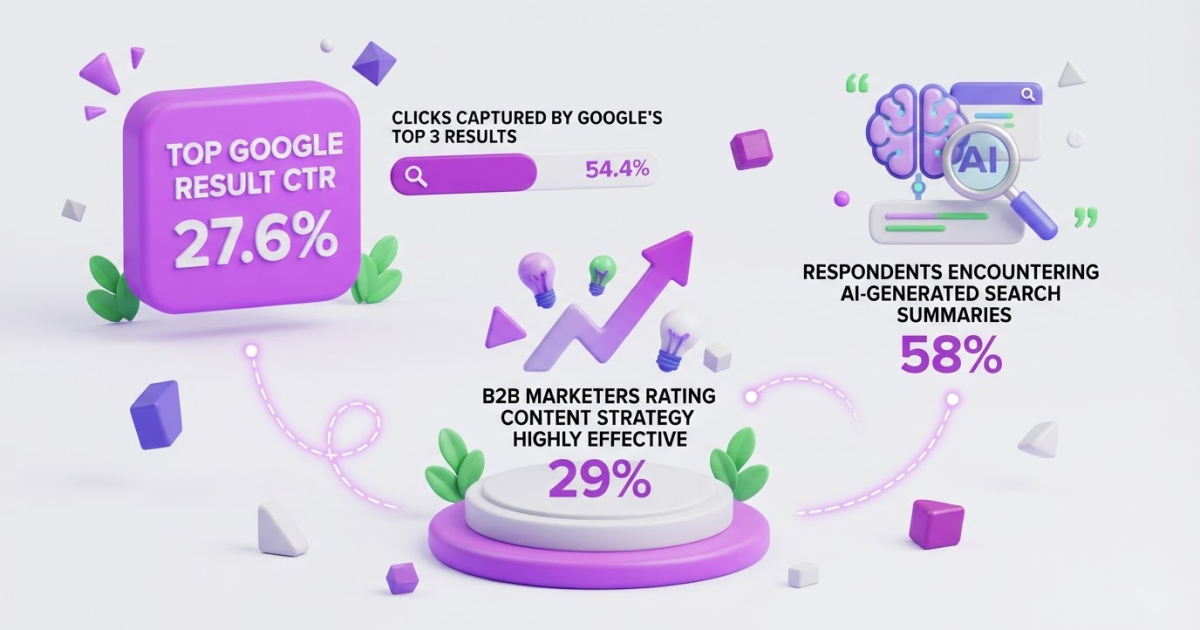
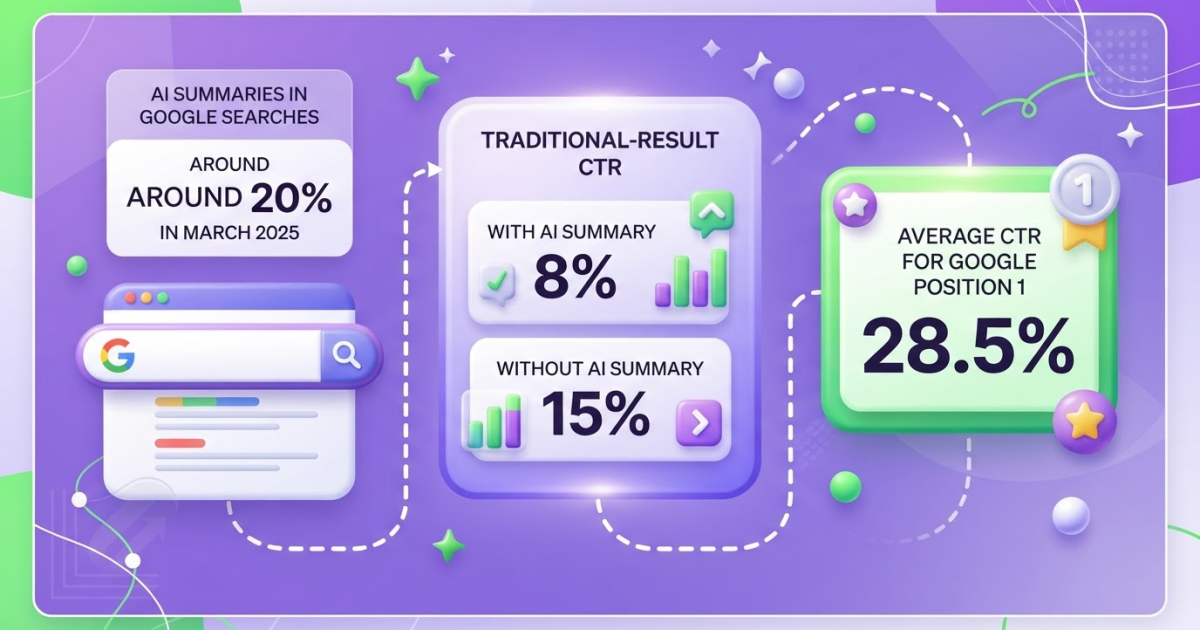
When you search your own page and see a different title, snippet, or layout on your phone, it is easy to wonder whether Google changed your ranking. I still see this confuse site owners: an organic listing can look different by query, device, and the search features shown around it. Position matters too: SISTRIX found that average click-through rate falls from 28.5% in position one to 11% in position three, so a small ranking shift can hurt. This guide gives you a visual, step-by-step way to identify title links, snippets, sitelinks, and rich appearances, separate organic listings from ads, and use Search Console to improve visibility without expecting a guaranteed format.
| Point | Details |
|---|---|
| Core result elements | A typical organic result includes a title link and a snippet describing the linked page. |
| Query-based snippets | Google can display different snippets for the same page across 2 different searches. |
| Enhanced appearances | Sitelinks and rich results can add visibility, but structured data never guarantees a richer display. |
| Performance metrics | Search Console reports clicks, impressions, average click-through rate, and average position across organic results. |
| Relevance signals | Clear titles, useful content, descriptive headings, and strong internal linking can improve how your pages appear in search. |
What an Organic Search Result Typically Contains
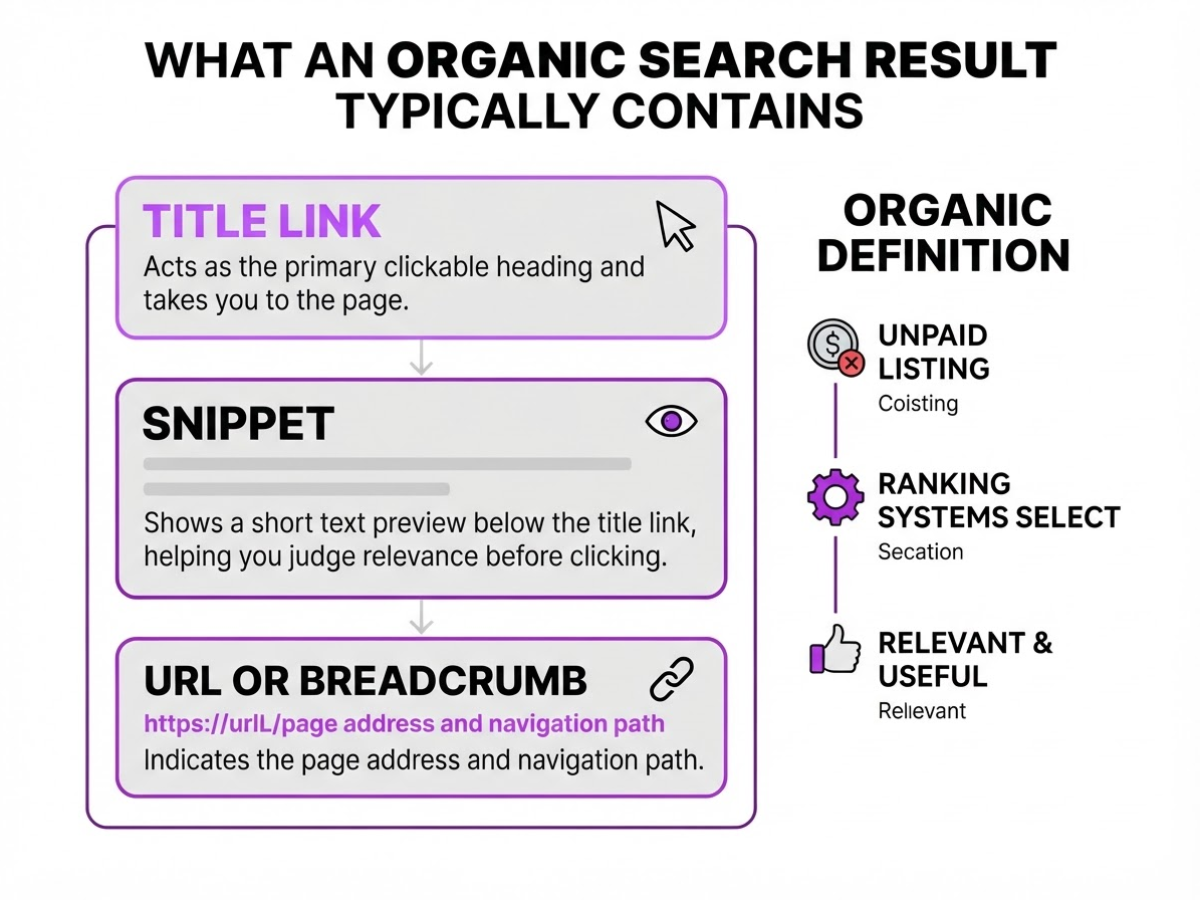
When I review a Google results page, I first look for the unpaid listings between the ads and other search features. An organic search result is an unpaid listing selected by Google’s ranking systems because the page appears relevant and useful for the query. You do not buy that placement, although SEO work can influence whether your page qualifies and where it appears.
A standard organic result usually has two main parts. Google describes these as the title link and the snippet, but the surrounding display can change:
| Element | What it does |
|---|---|
| Title link | Acts as the primary clickable heading and takes you to the page. |
| Snippet | Shows a short text preview below the title link, helping you judge relevance before clicking. |
| URL or breadcrumb | Indicates the page address or its position within the site. |
| Date or other details | Adds context when Google considers it useful, especially for news or time-sensitive pages. |
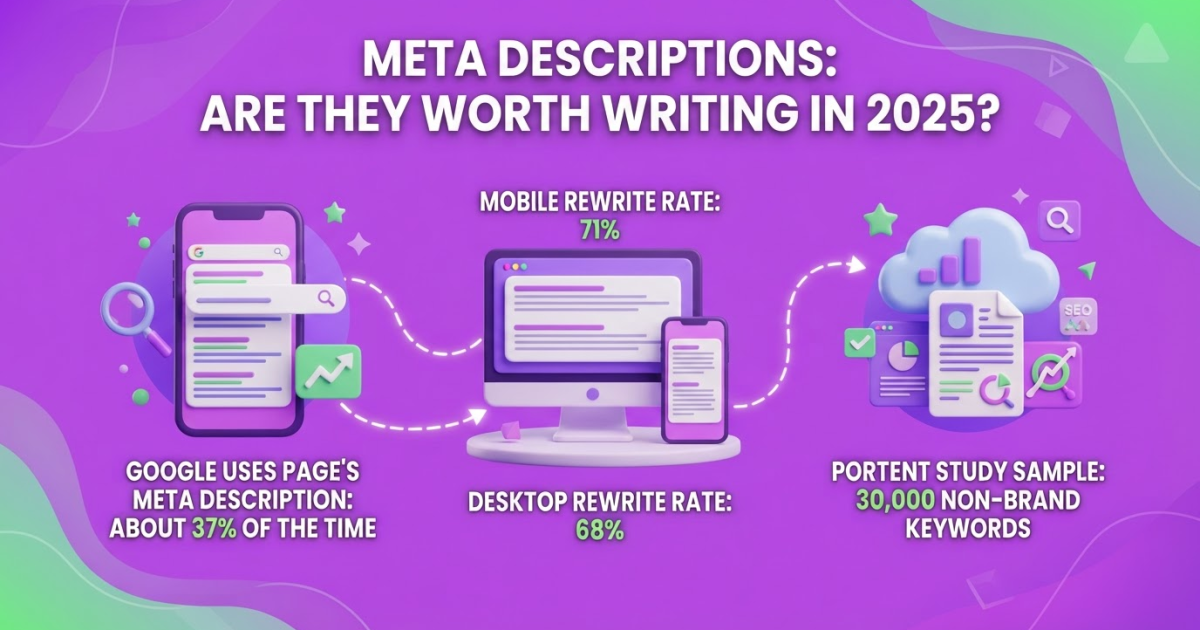
The title link is not always copied exactly from the page’s HTML title tag. Google can use the visible page heading, prominent text, links pointing to the page, and other signals. The snippet also deserves caution: Google primarily draws it from page content, can use the meta description, and can show different wording for different searches. That is why a carefully written description can still be replaced.
Pro Tip: Treat the title link and snippet as separate optimization surfaces because Google can generate them from different page signals.
Do not confuse these listings with advertisements. Ads normally carry a “Sponsored” label and occupy paid placements, while an organic result has no payment label tied to its ranking. A result can also include sitelinks, which are optional links from the same domain clustered beneath it. Google shows sitelinks when it considers additional pages useful to searchers, but you cannot force them to appear.
The next step is learning how these elements fit into the broader search results page.
Organic Listings Compared With Ads and Rich Results
When I audit a live Google results page, I separate who paid for visibility from how much space a listing occupies. That distinction prevents a common mistake: assuming the largest result is automatically the most relevant organic result. A typical unpaid listing has a title link and a snippet, while a paid listing carries an “Ad” or “Sponsored” label.
| Feature | Unpaid organic result | Paid search ad |
|---|---|---|
| Cost per click | No direct charge for the click | Advertiser pays when eligible clicks occur |
| Label | Usually no ad label | Marked “Sponsored” or “Ad” |
| Placement | Often below ads, though layouts vary | Frequently near the top or bottom of the page |
| Selection | Ranked by Google’s systems and query relevance | Influenced by bid, ad quality, relevance, and targeting |
| Intent clues | Often informational, navigational, or commercial | Commonly tied to a conversion or purchase goal |
Labels matter more than position. A commercial query such as “project management software pricing” can show several ads before the first organic result, but the ad label identifies the paid placements. On another query, Google can show no ads at all. Location, device, query wording, and available features can change the layout.
A standard organic result usually shows one blue title link, a URL or breadcrumb, and descriptive text. An enhanced result can add sitelinks, review details, images, prices, dates, or other visual elements. Sitelinks connect users to useful pages on the same domain, but Google decides when they help. They are not a prize you can switch on.
Structured data can make a page eligible for a richer appearance, but correct markup cannot force Google to display that appearance. I see teams waste time trying to “unlock” a rich result when the query, device, or Google’s own testing simply does not support it.
Pro Tip: Use a real target query from Search Console when comparing displays; generic searches often trigger features that do not appear for your audience.
Use this quick inspection checklist on a live page:
- Identify every “Ad” or “Sponsored” label.
- Count ads above and below the unpaid listings.
- Check whether the organic result has sitelinks or another enhancement.
- Record the device, location, signed-in state, and exact query.
- Compare the result with your own organic traffic growth data instead of judging visibility from one search.
Once you separate placement from appearance, you can interpret the rest of the page more accurately.
How to Improve the Way Your Result Appears
Pick one query at a time. Trying to improve every page and keyword together makes it hard to tell what changed, and it usually produces vague edits. I use this workflow when reviewing pages for TryRoki and deciding whether a weak listing needs better copy or simply a stronger position.
-
Inspect the current result. Search the query in Google and record the title link, snippet, URL, and any sitelinks or other search features. Then open Search Console and filter the Performance report by that query and page. Note impressions, clicks, click-through rate, and average position. A low CTR with many impressions points to a presentation problem, while low impressions indicate that the page does not yet match the query well enough.
-
Compare the page’s main signals. Put the HTML
<title>, visible page title, H1, and first paragraph next to one another. They should communicate the same search intent, not four slightly different promises. Google can build a title link from the title element, visible title, headings, prominent text, anchor text, and other signals, so inconsistent wording gives Google room to choose an awkward version. Google documents these title-link sources here. -
Rewrite the opening directly. Answer the query in the first paragraph, then add the qualification, example, or steps that make the answer useful. If someone searches “how to check organic traffic,” do not begin with your company history. State where to find the metric and what it means. Google primarily creates snippets from page content, and it can show different snippets for different queries, so write for the reader rather than trying to force one permanent description.
Pro Tip: Write the first 150 characters of the page as if they were the answer to the searcher’s question, then let the rest of the introduction add context.
-
Add a concise meta description. Treat it as a fallback, not a command. Summarize the page in roughly 150 to 160 characters, include the practical benefit, and avoid repeating a keyword mechanically. Google can use that description when it is more accurate, but it can choose page content instead. This meta description guide can help you draft alternatives.
-
Improve discovery and markup. Add internal links from related pages using descriptive anchor text, such as “track organic traffic in Search Console,” rather than “click here.” Connect a broad guide to narrower supporting pages and link back where it helps readers. Add structured data only when it accurately describes visible page content and follows Google’s rules. It can make a page eligible for a richer result, but it cannot guarantee one.
Recheck the result after meaningful changes, then allow time for crawling and reprocessing. Do not judge a rewrite a few hours later. Compare the same query and page in Search Console after several days or weeks, because title and snippet updates are not instant and rankings naturally fluctuate. With the listing improved, the next question is how searchers interpret its position among competing results.

How to Check Organic Search Display and Performance
I validate organic visibility in Search Console before I trust what I see in a browser. A manual search is useful for checking the general presentation, but it shows one location, device, account, and moment. It cannot represent every user’s result page, especially when Google changes layouts, localizes results, or shows different features for different searches.
-
Set the reporting window. Open the Performance report and choose a date range long enough to reveal a pattern. I usually start with the last 28 days, then compare it with the previous period. Filter by query, page, country, or a combination of them. A page can perform well in the United States but barely appear in Canada, while one query can hide weak performance across hundreds of others.
-
Read impressions and clicks together. Impressions count opportunities for your result to appear in search. Clicks count visits that came from those appearances. Google lists clicks, impressions, average CTR, and average position as the core Search Console performance metrics. If impressions rise from 1,000 to 2,000 but clicks stay flat, visibility increased without producing more visits.
-
Use CTR to inspect the listing. Average CTR is clicks divided by impressions, expressed as a percentage. Pages with high impressions and low CTR deserve a closer look at the title and snippet. Tighten the promise, match the search intent, and remove vague wording. A free SEO title generator can help with variations, but do not replace judgment with suggestions from a tool.
-
Treat position as a clue, not a verdict. Average position reflects the topmost position occupied by your result across impressions, not a single fixed rank. That definition means a page appearing in positions 2 and 28 can produce a misleading average. Google explains how Search Console calculates average position, so compare the metric with query and page filters before declaring a ranking win.
-
Annotate every change. Record the update date, then check performance after 7, 28, and 90 days. Separate ranking movement from search-demand changes by comparing impressions, clicks, CTR, and the query mix. A traffic drop with stable position can reflect lower demand, while rising impressions with falling CTR often points to a crowded results page or a weaker presentation.
This evidence gives you a firmer basis for deciding which organic result improvements deserve attention next.
Common Mistakes When Reading Organic Results
The most expensive SEO mistakes usually start with a reasonable-looking assumption. A page appears in Google, the owner checks one search, sees a short description, and treats that view as a complete report. It is not.
- Assuming Google will use your exact meta description. Google primarily builds snippets from the page itself and can use your meta description only when it better explains the result. The same page can show different snippets for different searches, so rewriting the description every time the wording changes is usually wasted effort. I would rather make the page’s opening copy clear and useful first.
- Treating one manual search as universal evidence. Location, device, search history, language, timing, and query wording can all change what you see. Use repeated checks and Search Console data instead of declaring a page “ranked” or “missing” from one browser tab.
- Changing the title every few days. A new title needs enough impressions and time to judge fairly. Constant edits create noisy comparisons, and Google can build title links from headings, visible page text, links, and other signals, not only the HTML
<title>element. - Assuming structured data guarantees a rich result or higher ranking. Correct markup can make a page eligible for a richer appearance, but Google does not promise to show it. Structured data is helpful housekeeping, not a shortcut to position one.
- Confusing visibility with business value. Impressions and average position do not equal clicks, leads, sales, or qualified visits. I have seen pages gain impressions while producing almost no useful traffic, which is why I check clicks, conversions, and revenue alongside rankings.
- Optimizing for the phrase instead of the intent. Repeating “organic search results are typically displayed” will not fix a page that fails to answer what the searcher actually wants. Match the format, depth, and next action to the query, even when that means using fewer exact-match phrases.
A single page can also earn different snippets for closely related searches, so evaluate patterns across queries before you change the page again. The next step is to turn those observations into a practical review process.
My honest take on organic search result displays
I have watched teams spend hours rewriting a meta description by a few words while the page itself still answers the customer’s question poorly. That is backwards. Organic search results are typically displayed from signals Google chooses, not from a layout you can control pixel by pixel, so I focus first on the promise the page makes and whether the page delivers on it.
My contrarian view is that obsessing over the exact snippet is often less valuable than fixing the answer underneath it. A clearer section structure, useful internal links, and a shorter path from search visit to signup usually matter more than winning a preferred sentence in the results. The snippet can change anyway, which makes perfection there a frustrating use of time.
That does not mean I ignore titles and descriptions. I test them deliberately, especially when a page receives impressions but few clicks. I also separate visibility from business results: a higher position or more impressions can look impressive while producing no qualified leads. At Roki AI, I would rather see a modest traffic increase that brings the right readers than chase a vanity metric with no conversion path. SEO changes can improve those odds, but I never promise Google will display them exactly as written.
— Daniel/Aleksandra
Turn Search Visibility Into a Weekly Workflow
If you want organic search improvement to become a weekly habit rather than a once-a-quarter project, Roki AI can help structure the work. I built it to generate useful website content on autopilot, while also finding Reddit discussions where a relevant, genuinely helpful mention of your site can fit.
Each week, Roki AI assigns 3–10 tasks tied to creating pages, spotting improvement opportunities, and supporting visibility in Google and AI search engines. That rhythm is useful, but it still requires judgment. A generated draft needs fact-checking, and a Reddit comment should answer the question first instead of forcing a promotion.
You can explore Roki AI’s features and decide whether this workflow suits your site, team, and publishing capacity.
Frequently Asked Questions
An organic search result is an unpaid Google listing that usually shows a clickable title, a URL, and a short snippet from the linked page. For example, a page ranking for “how to bake bread” can also display breadcrumbs, sitelinks, or other search features alongside its standard listing.
Check whether the listing has a “Sponsored” or “Ad” label, then compare it with the paid listings that can appear above or below it. An organic result is selected by Google’s ranking systems and does not require payment for a specific position, even though SEO work can influence its visibility over time.
Google can create the snippet from a passage on your page instead of using the meta description when that passage better matches the search. As a result, one page can show 2 different descriptions for 2 different queries.
Average position is the mean topmost position of your site’s result across all recorded impressions, not a ranking that every searcher sees. A page with an average position of 4 can appear in several different places, so review that number with impressions, clicks, and click-through rate.
You do not pay for each click on an organic listing, unlike a pay-per-click advertisement. Still, publishing and maintaining content can require hours each month, plus spending on SEO tools, writers, technical work, or professional help.
Written by Daniel/Aleksandra.
Recommended reads
- Meta Description Generator Write Better Seo Snippets
- Organic Traffic Growth A Strategic How To Guide
- Seo Roadmap Template A Practical 90 Day Plan
- Free Online Seo Title Generator
Sources
- SEO Starter Guide: The Basics | Google Search Central | Documentation | Google for Developers
- How to Write Meta Descriptions | Google Search Central | Documentation | Google for Developers
- Influencing Title Links in Google Search | Google Search Central | Documentation | Google for Developers
- Learn About What Sitelinks Are | Google Search Central | Documentation | Google for Developers
- General Structured Data Guidelines | Google Search Central | Documentation | Google for Developers
- An improved way to view your recent performance data in Search Console | Google Search Central Blog | Google for Developers
- What are impressions, position, and clicks? - Search Console Help
- Do people click on links in Google AI summaries? | Pew Research Center
- Google’s AI Overviews are hurting clicks: Pew study
- These are the CTR's For Various Types of Google Search Result - SISTRIX