Aleksandra D.
A web content plan template turns business goals, audience needs, search intent, topics, owners, and deadlines into one working document. Give every page one primary job, review results every 30 days, and use the plan to build a focused content library instead of publishing disconnected articles.
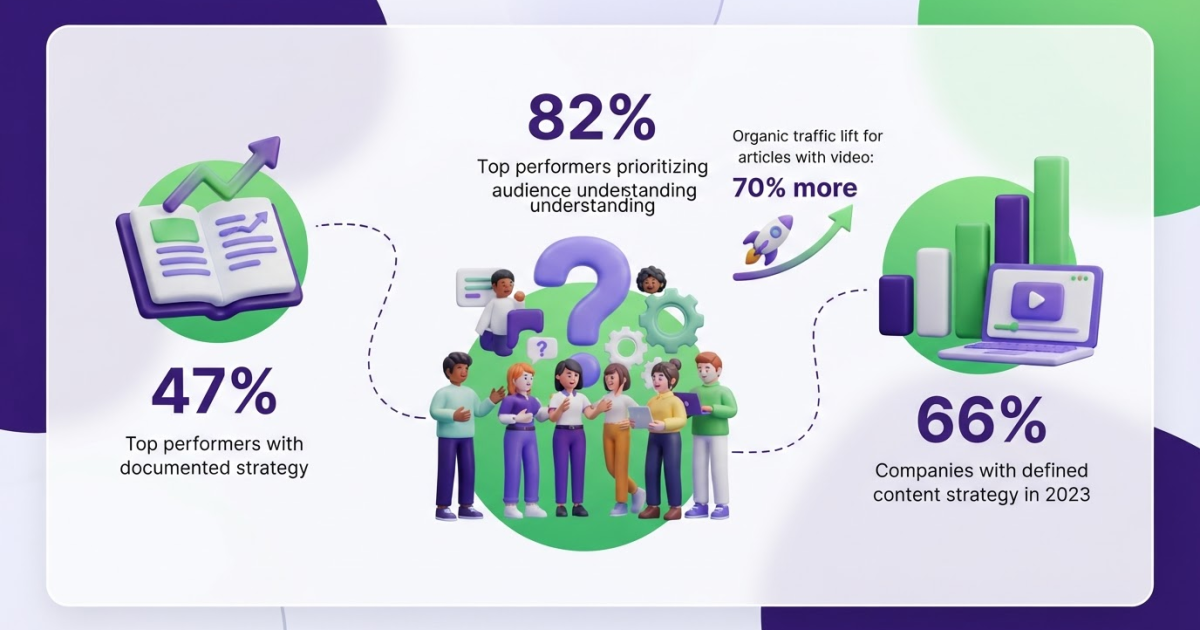
Teams often publish every week and still cannot explain which audience, business goal, or search opportunity each page serves. I have seen this create a crowded site, rushed briefs, and content nobody revisits after publication. Only 47% of top-performing B2B content marketers reported having a documented content marketing strategy, so the problem is more common than it looks. This reusable web content plan template gives you a working system for defining goals, mapping audiences and search intent, assigning production tasks, publishing useful content, and reviewing results. Use it for human-led work or AI-assisted workflows, but keep judgment with your team.
| Point | Details |
|---|---|
| Start With Goals | Assign each planned page 1 primary outcome, such as qualified traffic, leads, product education, or retention. |
| Map Audience Needs | Record the audience problem, buying stage, and search intent before choosing a topic or format. |
| Use Clear Columns | Build a content plan with at least 10 fields for the topic, keyword, format, owner, deadline, CTA, status, and results. |
| Prioritize Deliberately | Score each opportunity for business value, audience relevance, effort, and realistic ranking potential before committing resources. |
| Review Every Month | Use a 30-day review cycle to update weak pages, expand successful topics, and remove low-value ideas. |
What belongs in a web content plan template?
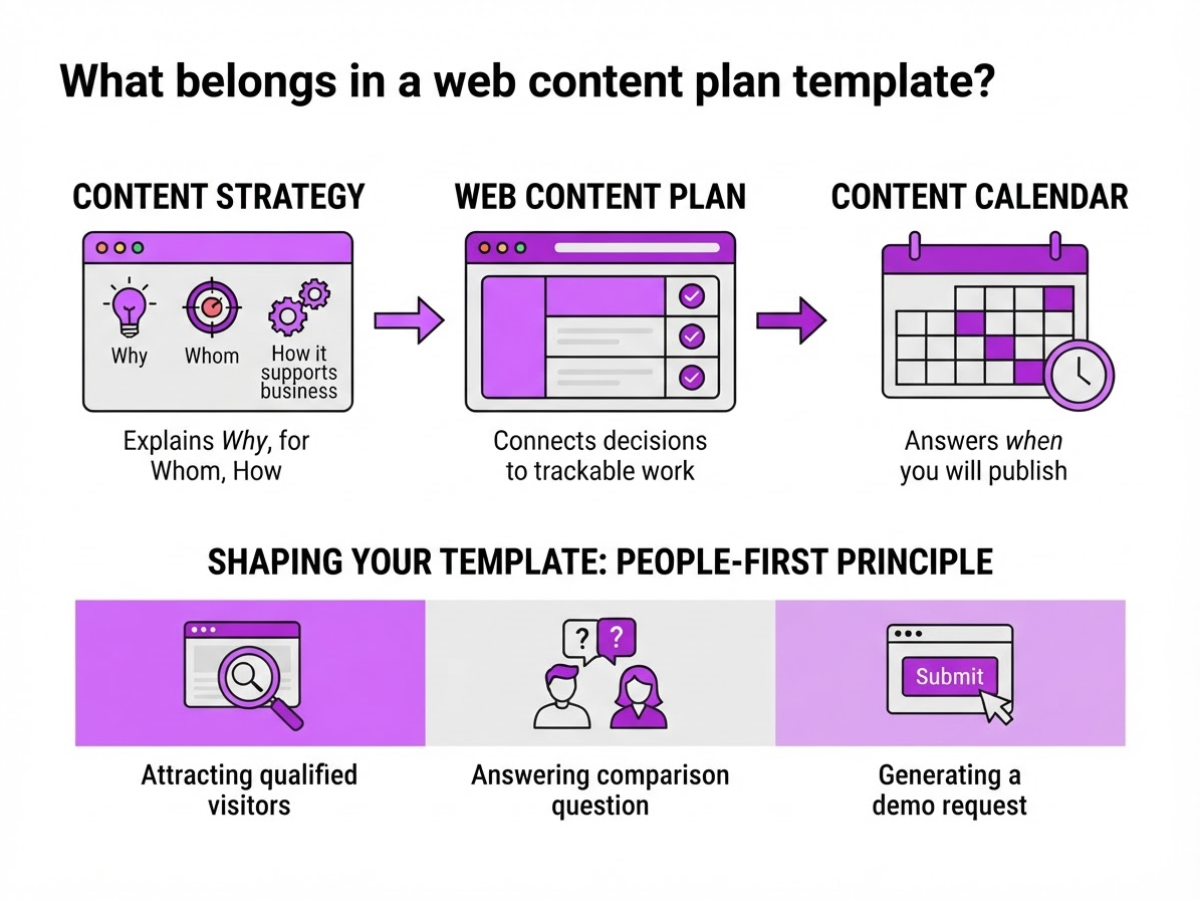
When I review a web content plan, I look for decisions, not a pile of blog ideas. A content calendar answers when you will publish. A content strategy explains why, for whom, and how content supports the business. The web content plan connects both: it turns those decisions into assigned, trackable work for every page, email, landing page, or video.
Google recommends people-first content that serves an existing or intended audience and has a clear primary purpose. Each row needs one content asset with one job, such as attracting qualified visitors, answering a comparison question, or generating a demo request. “Write about SEO” is not ready. “Publish a 90-day SEO roadmap for startup founders, then invite readers to download the checklist” gives the team something it can execute.
| Required field | What to record |
|---|---|
| Business goal | Revenue, leads, retention, or another outcome |
| Audience | The specific person or segment |
| Funnel stage | Awareness, consideration, decision, or retention |
| Search intent | Informational, commercial, navigational, or transactional |
| Topic and primary keyword | The subject and main query |
| Format and URL | Article, landing page, video, and planned address |
| Owner and deadline | One accountable person and a date |
| CTA and measurement | The next action and success metric |
For search-focused pages, put the primary keyword where it fits naturally in the title, heading, and supporting copy. Google’s Search Essentials also identifies titles, headings, alt text, and link text as prominent locations for words people search for.
With limited resources, keep the required fields above and skip extras such as content score, estimated traffic, backlink target, distribution channels, reviewer, image brief, and update cadence. Those fields help larger teams, but they become busywork when nobody maintains them. Store approved images, logos, and other files in a central asset library instead of burying them in chat threads.
Pro Tip: Add a ‘reason to believe’ field so each planned page must contain an original insight, experience, example, or data point.
A practical SEO roadmap template can connect these rows to a publishing sequence. The next decision is which assets deserve your team’s limited time.
Is a web content plan worth creating for your business?
A content plan earns its place when publishing creates confusion instead of momentum. I have seen businesses post three articles in one week, abandon the blog for two months, then discover that two pages target the same search and neither leads readers toward a sale.
You probably need one if:
- topics overlap or nobody knows who owns the next draft;
- traffic arrives from the wrong audience;
- useful pages have no clear call to action;
- publishing depends on whoever remembers to suggest an idea;
- your team cannot explain which content supports revenue this quarter.
Do not size the plan by headcount alone. A solo consultant publishing twice a month may need one page with topics, audience, search intent, owner, deadline, and next action. A five-person marketing team publishing three times a week needs status fields, briefs, review stages, distribution channels, conversion goals, and a refresh schedule. An agency needs those details plus client approvals and reporting rules. More people add coordination, but frequent publishing creates the real planning burden.
| Business type | Useful planning emphasis |
|---|---|
| Service business | Map each service page and article to a problem, location, or consultation action. |
| SaaS company | Connect educational content to use cases, product comparisons, trials, and activation. |
| Ecommerce brand | Tie buying guides and category content to products, stock, margins, and seasonal demand. |
| Publisher | Track topic coverage, formats, authors, update dates, and audience retention. |
The framework stays the same: audience, purpose, topic, format, owner, date, and measurement. You change the commercial destination. For a small site, a content gap review often reveals more value than a 50-article backlog.
Pro Tip: If your site has fewer than 30 important pages, prioritize a clear page-to-goal map before building a large editorial backlog.
Audience understanding should determine how much research you document. In CMI’s 2025 benchmark, 82% of top-performing B2B marketers attributed success to understanding their audience. That matters whether you are a one-person business or a department of twenty. If you cannot name the reader’s problem, buying stage, and next question, publish less and investigate first.
Once you know the right planning depth, define the fields your template must contain.
How to build your web content plan step by step
I build plans around decisions I can defend, not a long list of keywords. The template works when each row answers three questions: why this piece matters, who owns it, and what happens after publication.
-
Choose one to three business goals. Set goals for the planning period, such as generating 40 demo requests, increasing sign-ups by 15%, or supporting a product launch in March. More than three usually means you have a wish list, not a plan. Write the metric, baseline, and target directly into the template.
-
Define priority audiences. Name the audience, then record its main problem, likely objection, and buying stage. A founder comparing tools needs cost and setup details, while a marketing manager may need proof that the workflow saves review time. Audience understanding matters: 82% of top-performing B2B marketers attributed success to understanding their audience.
-
Collect topic ideas from real evidence. Review customer calls, sales objections, support tickets, existing pages with weak coverage, competitor topics, and search behavior. A gap is not automatically an opportunity. I would rather publish one useful comparison that answers a repeated sales question than five broad posts nobody requested. Use this content gaps guide for a structured audit.
-
Complete the search and content fields. Assign search intent, format, primary keyword, supporting questions, and relevant internal links. Keep the keyword natural, but place the words people use in the title, main heading, and link text where they fit. Do not force a tutorial into a commercial query because the keyword volume looks attractive.
-
Score each idea. Rate impact, confidence, effort, and urgency on a simple 1-to-5 scale. Prioritize high-impact, high-confidence ideas with manageable effort, then move time-sensitive topics ahead of them when a launch or seasonal deadline makes delay expensive. Scores reduce arguments, but they do not replace judgment.
Pro Tip: Add a ‘next action’ column beside status; it prevents rows marked ‘in progress’ from hiding the exact task blocking publication.
-
Assign the production details. Add an owner, brief, deadline, review stage, CTA, and distribution action. Specify whether the owner must interview a customer, add screenshots, request legal review, or share the finished piece through email, LinkedIn, or sales follow-up. Vague ownership is where plans quietly stall.
-
Close the loop after publication. Record the live URL, publication date, and a 30-, 60-, or 90-day review date. At review, check organic impressions, clicks, conversions, assisted pipeline, and whether readers reached the intended CTA. Then update, consolidate, promote, or retire the page instead of letting the row disappear into an archive.
With those fields complete, your template becomes a working editorial system rather than a static spreadsheet. The next section deals with the habits that make even a well-designed plan fail.

Five mistakes that make content plans unusable
The fastest way to ruin a content plan is to make it look complete before anyone has made a real decision. I have seen teams fill a spreadsheet with 100 keywords, assign dates, and still have no clear reason for publishing any of the pages.
Common mistakes to remove from your web content plan template:
- Mistaking a keyword list for a strategy. Keywords show possible demand, not who you need to reach, what problem they have, or which business outcome matters. Add the audience, funnel stage, format, internal links, and success measure for every topic.
- Giving one page three primary jobs. A page cannot equally generate qualified leads, explain a beginner topic, and close a sale. Choose one dominant outcome, then use supporting goals only when they do not weaken the page.
- Skipping the existing-content check. Before commissioning a new article, review your current URLs, search results, intent, and unanswered questions. Your “new” topic may already exist as a weak page that needs updating, merging, or redirecting. A focused content gaps guide can help you find what is actually missing.
- Setting dates without ownership. “Publish by Friday” is not a workflow. Name the writer, subject expert, editor, approver, and review date. Define done too: fact-checked, internally linked, formatted, approved, and published.
- Letting AI manufacture generic drafts. AI can speed up outlines and first passes, but it cannot supply your customer conversations, product limitations, original data, or judgment unless you add them. Google recommends unique viewpoints and first-hand experience, not pages that merely rephrase the top results.
- Using Reddit as a link warehouse. Helpful answers come before promotion. Reddit’s spam guidance warns businesses to be thoughtful about links to sites they own or benefit from, and each community may set stricter rules. A pasted company URL can damage trust faster than it earns a visit.
These failures also make measurement useless. Clear goals matter: 42% of B2B marketers with only moderately effective or worse strategies cited a lack of clear goals. Fix the planning decisions first, then choose the metrics that show whether the work deserves another month.
How to measure and improve the plan after publishing
A published plan is useful only when each page has a job and a review date. I track impressions and clicks for discovery pages, engaged visits for educational pages, conversions for demand pages, and assisted revenue for content that influences commercial decisions. Pageviews alone usually create more noise than insight.
Before publishing, record the baseline: current impressions, clicks, click-through rate, average position, engaged sessions, conversions, and assisted revenue where available. Choose a review window based on authority and traffic. A mature site often shows a useful signal in 30 days; a new site often needs 60 to 90 days before you judge visibility.
Use this operating timeline:
- Before launch: Save the baseline, target query, intended audience, page job, primary CTA, and internal links. A practical SEO roadmap makes the review date harder to forget.
- After 30 days: Check indexing, impressions, rankings, clicks, and obvious technical issues. Do not rewrite a page because of one quiet week.
- After 60 to 90 days: Compare performance with the baseline and choose one specific action. Monthly reviews handle execution; quarterly reviews decide whether the topic still deserves investment.
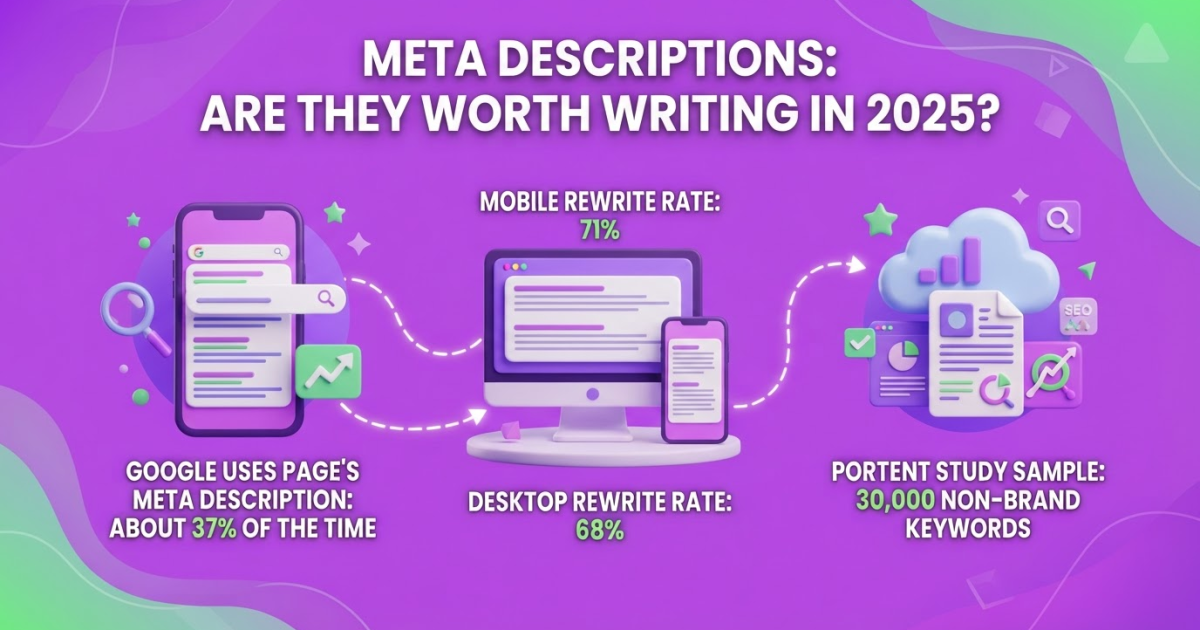
The pattern points to the fix. If impressions rise but clicks stay weak, rewrite the title and meta description, sharpen the search intent, and test a clearer promise. If traffic rises but conversions do not, inspect the CTA, offer, form, and page-to-product path. Test one CTA change at a time. If visibility never develops, improve depth and first-hand detail, add relevant internal links, consolidate overlapping pages, or retire the URL rather than endlessly polishing it.
Refresh outdated examples, statistics, and screenshots. Repurpose a strong page into email, social posts, or video. Semrush reported that articles with at least one video received 70% more organic traffic than articles without video, so repurposing is a sensible test, not just extra production work.
Roki AI helps me turn recurring content and SEO opportunities into weekly tasks, including refreshes, internal-link updates, and new page ideas. I still review every task before it becomes a brief or publication decision. Automation finds the work; human judgment checks accuracy, overlap, brand fit, and whether the recommendation is worth the time.
The next section brings those decisions back to the template itself.
My honest take on web content plans
I treat a web content plan template as a decision tool, not a filing cabinet for ideas. As an owner, I want to answer five questions without hunting through a spreadsheet: who is this for, which problem does it solve, why publish it now, who owns the next step, and what result will count as success? If the template cannot answer those questions in a few minutes, it is creating admin work rather than improving judgment.
Here is my contrarian view: most teams do not need a bigger content backlog. They need fewer ideas, tougher prioritization, and a review loop that someone actually runs. A list of 80 possible topics feels productive, but it often hides the fact that nobody has chosen the three pages worth briefing this month.
AI can speed up research, briefs, drafts, and opportunity discovery. It cannot take editorial responsibility off your plate. I have seen teams publish generic pages on schedule, then wonder why traffic, leads, or search visibility barely move. The calendar was tidy, but the decisions behind it were weak.
I would rather publish one useful page with a clear audience and a distinctive point of view than ten interchangeable articles. Use the template to expose trade-offs, protect focus, and decide whether each piece has earned its place on your website.
- Keep: a clear audience, one page job, an owner, a deadline, and a review date.
- Cut: duplicate topics, vanity metrics, and fields nobody checks.
- Expect: the template to improve decisions, not guarantee rankings or leads.
— Daniel/Aleksandra
Turn your content plan into consistent SEO actions
Your completed content plan should not sit untouched in a spreadsheet. Use it as the operating brief for Roki AI’s weekly content workflow, which gives you 3 to 10 tasks tied to website content, publishing opportunities, optimization work, and off-site discovery.
Roki AI can create website content on autopilot and surface Reddit conversations where a thoughtful, relevant contribution may fit. That does not mean publishing every suggestion. I still review the angle, check facts, match the brand voice, and make sure any Reddit response follows the community’s rules. The first setup can feel fiddly if your plan lacks clear priorities, so vague rows produce vague tasks. For teams willing to keep those fields specific, Roki AI’s planning features help turn a static template into consistent weekly progress toward better visibility in Google and AI search.
Frequently Asked Questions
A content plan sets the direction for your website, including goals, audiences, topics, formats, search intent, owners, and success measures. A content calendar mainly arranges publishing dates, so it is one part of the wider plan rather than a replacement for it.
Review execution and performance at least once every 30 days, then reassess strategic priorities every 90 days. The monthly check catches stalled assignments, while the quarterly review gives SEO and conversion trends enough time to show whether your decisions are working.
Start with 15 fields: goal, audience, funnel stage, topic, primary keyword, search intent, format, proposed title, owner, status, deadline, CTA, internal links, published URL, KPI, and review date. That is a practical starting point, but remove columns nobody uses to make a decision because an overloaded spreadsheet becomes a chore.
For many small businesses, 1 well-researched page per week is more sustainable than several thin pages. Choose a schedule your team can maintain while leaving time for research, editing, promotion, and performance review. Rushed publishing usually creates more cleanup than growth.
AI can speed up topic discovery, clustering, briefs, and task creation, but people still need to set business priorities, validate audience needs, add first-hand expertise, and approve every publication. A useful plan contains evidence and decisions that an automated system cannot reliably infer, so treat AI as a planning assistant rather than the final editor.
Written by Daniel/Aleksandra.
Recommended reads
- Seo Roadmap Template A Practical 90 Day Plan
- Content Gaps A Practical Seo Guide
- How Roki Ai Streamlines Your Seo Content Workflow
- Future Proofing Your Content Planner In An Ai World
Sources
- B2B Content Marketing: 2025 Benchmarks & Trends
- B2B Content Marketing: 2025 Benchmarks & Trends
- [Global Report] Semrush Reveals Content Marketing’s Six Biggest Trends for 2023
- Creating Helpful, Reliable, People-First Content | Google Search Central
- Google's Guide to Optimizing for Generative AI Features on Google Search
- Spam – Reddit Help
- Google Search Essentials (formerly Webmaster Guidelines)
- Cocoon