Daniel D.
Blog entry examples include 8 practical formats: how-to posts, listicles, comparisons, case studies, opinion pieces, checklists, original research, and curated resources. Choose the format that matches the reader’s question, buying stage, and the evidence you can support, rather than copying a format because it ranks.
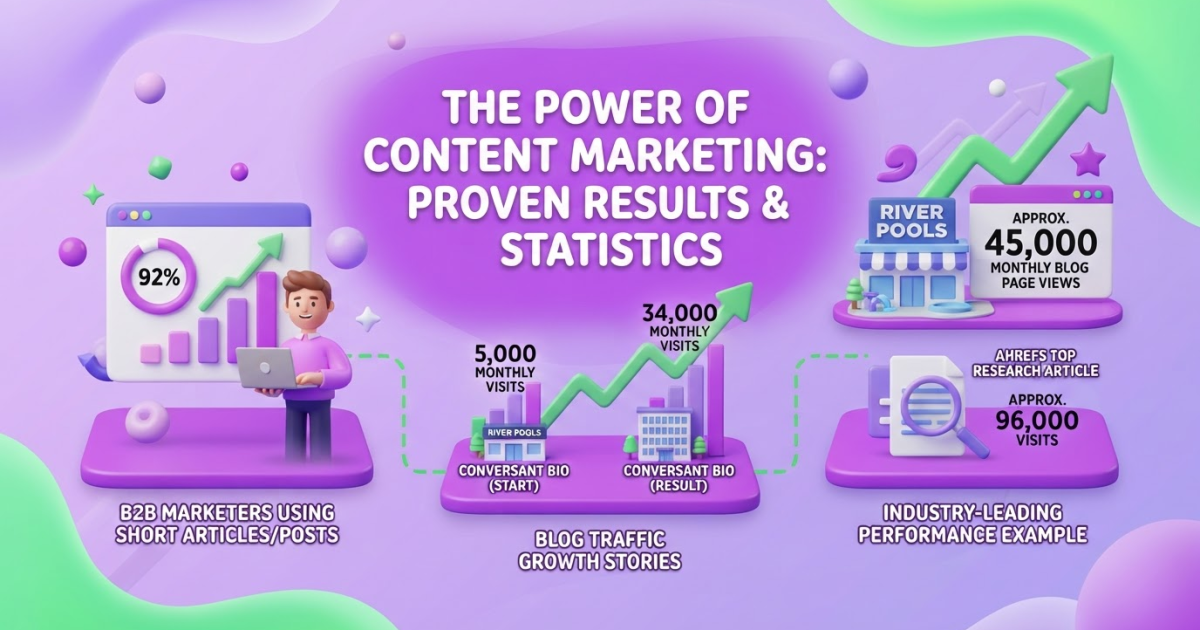
Choosing between teaching, comparing, explaining, and storytelling is one of the hardest parts of planning a blog entry. The 2025 B2B benchmark found that 92% of marketers used short articles or posts in the previous 12 months, but that figure does not tell you which format to use. The right choice depends on what your audience needs to accomplish. The examples below cover 15 formats, selection criteria, practical outlines, quality checks, and a repeatable publishing system.
Table of Contents
- What Is a Blog Entry? Format, Purpose, and Anatomy
- 15 Blog Entry Examples Organized by Reader Intent
- How to Choose the Right Blog Entry Format
- What Strong Blog Entries Have in Common
- Blog Entry Mistakes That Make Examples Feel Generic
- My honest take on blog entry examples
- Turn the Best Blog Entry Formats Into a Consistent Workflow
- Frequently Asked Questions
- Recommended reads
| Point | Details |
|---|---|
| Match Search Intent | Choose a structure based on whether readers need instruction, evaluation, proof, inspiration, or a decision shortcut. |
| Narrow Your Angle | Focus each entry on 1 audience and 1 problem instead of forcing 5 unrelated questions into one post. |
| Make Scanning Easy | Use descriptive headings, paragraphs under 4 sentences, bullets, and clear visual hierarchy so readers can find answers quickly. |
| Add Original Evidence | Include at least 2 forms of original evidence, such as firsthand observations, screenshots, data, or customer outcomes. |
| Build Weekly Habits | Follow a weekly publishing process that turns selected formats into consistent output and gives you 3 to 10 clear tasks to improve search visibility. |
What Is a Blog Entry? Format, Purpose, and Anatomy
A blog entry is one published piece within a blog. It might answer a question, explain a process, share an opinion, tell a customer story, or present original research. It has no required word count, layout, or publishing schedule.
People use “blog entry,” “blog post,” and “blog article” interchangeably. That is usually fine. “Blog post” is the broadest everyday term, while “article” often suggests a more formal, researched piece. The useful distinction is that an entry is one complete unit, not the entire blog or content strategy.
A strong entry usually contains six working parts:
| Part | Job it must do |
|---|---|
| Reader problem | Identify the situation, question, or decision that brought someone to the page. |
| Specific promise | Tell the reader what they will understand, decide, or complete. |
| Logical structure | Move from context to explanation, steps, examples, or conclusions without making the reader hunt. |
| Evidence | Add firsthand experience, data, demonstrations, expert input, or clearly labeled opinions. |
| Useful title | Set accurate expectations and make the subject clear at a glance. |
| Next step | Give the reader a sensible action, such as trying a method, comparing options, or reading a related guide. |
The format can be educational, commercial, narrative, opinion-led, or research-based. A product comparison needs different proof from a founder story, while a data study needs more sourcing than a short troubleshooting answer.
Pro Tip: Treat the format as a delivery system for the reader’s question, not as a decorative template chosen before the question is clear.
Length should follow the problem, not an arbitrary target. Google’s guidance favors people-first content for a specific audience and states that it has no preferred word count. In practice, a 700-word entry with a tested solution beats a padded 2,500-word page that repeats itself. That padding is one of the most common frustrations I see when teams chase SEO instead of usefulness.
The 15 blog entry examples in different formats represent different reader intents, not 15 cosmetic layouts. The next section matches each format to the job your audience needs done.
15 Blog Entry Examples Organized by Reader Intent
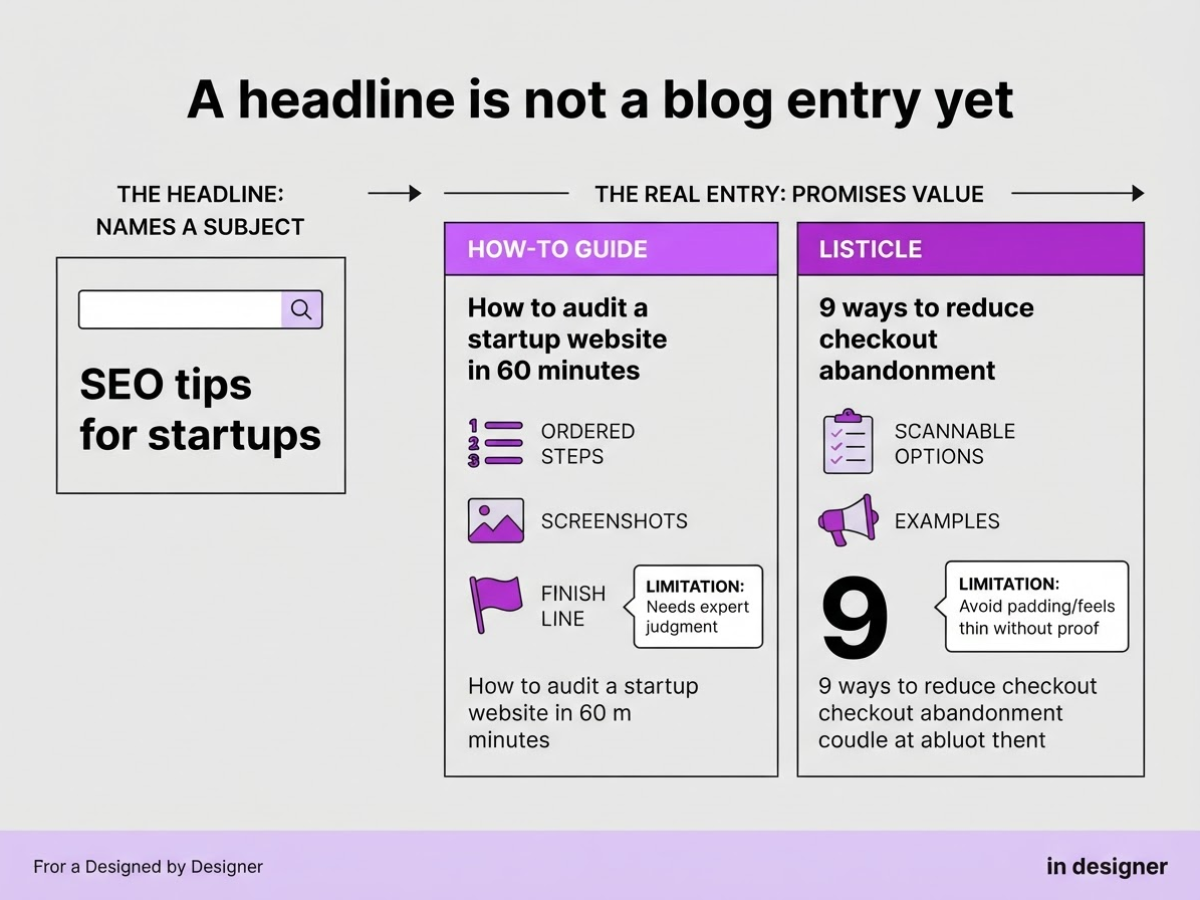
A headline is not a blog entry yet. “SEO tips for startups” names a subject; a real entry promises a route, evidence, and an outcome. I use the reader’s job to choose that route first because a format built for learning rarely closes a purchase by itself.
| Reader job | Blog entry example | Structural promise, useful assets, and limitation |
|---|---|---|
| Learning | How-to guide: “How to audit a startup website in 60 minutes” | Gives ordered steps, screenshots, and a finish line. Do not use it when the task needs expert judgment at every step. |
| Learning | Listicle: “9 ways to reduce checkout abandonment” | Offers scannable options with examples. It feels thin without proof, so avoid padding it with nine minor variations. |
| Learning | Beginner explainer: “What keyword difficulty means for a new site” | Defines terms, removes jargon, and uses a simple example. It does not suit readers already comparing advanced tactics. |
| Learning | Checklist: “The pre-publish checklist for a service page” | Turns a broad task into tick boxes and supports a downloadable template. It cannot explain complex trade-offs well. |
| Learning | Tutorial: “Build a weekly content brief in Google Sheets” | Shows the exact sequence, screenshots, and perhaps a copyable file. Skip it if you cannot demonstrate the process yourself. |
| Evaluating | Comparison: “Roki AI vs. manual Reddit prospecting” | Sets decision criteria, compares workflows, and states who should choose each option. Avoid false precision when prices or features change often. |
| Evaluating | Review: “Our 30-day test of an AI writing workflow” | Covers setup, daily use, results, and annoyances. Readers expect firsthand evidence, not a disguised sales page. |
| Evaluating | Glossary: “SEO terms founders hear in agency meetings” | Gives short definitions plus when each term matters. It supports discovery but rarely satisfies a reader ready to buy. |
| Trusting | Case study: “How one local firm turned service questions into leads” | Follows problem, intervention, numbers, and lessons. Include customer quotes and data, but do not hide weak results. |
| Trusting | Original research: “What 500 small-business pages reveal about title tags” | Presents a method, dataset, charts, and limits. It takes real analysis, so do not invent a survey to fill a calendar slot. |
| Trusting | Interview: “A content director explains why briefs fail” | Uses expert quotes, concrete stories, and opposing views. Editing is time-consuming, and one interview cannot represent an entire market. |
| Trusting | Opinion post: “Stop publishing three posts a week before fixing conversion paths” | Makes a defensible claim and supports it with experience or evidence. It should not present personal preference as research. |
| Discovering | Curated resource list: “17 free tools for a first SEO audit” | Groups resources by task and explains each choice. Add brief evaluations, or the page becomes a bookmark dump. |
| Discovering | Trend analysis: “What AI search changes for small publishers in 2026” | Connects current signals to likely actions, using dates and data. Do not chase a trend without explaining its practical effect. |
| Acting | Problem-solution post: “Your blog gets traffic but no demos: three fixes” | Names symptoms, diagnoses causes, and ends with a clear call to action. It fails when the problem is vague or the CTA arrives too early. |
Pro Tip: When brainstorming, write the reader’s desired outcome beside each format; discard any format whose outcome cannot be stated in one sentence.
Choose the format before polishing the headline. The next section turns these structural promises into specific blog entry ideas.
How to Choose the Right Blog Entry Format
Before drafting, force the topic through five decisions. This prevents the common mistake of choosing a format because it looks interesting rather than because it answers the searcher’s need. In content plans I review, “listicle” is often the first answer even when the reader needs a comparison, tutorial, or buying guide.
-
Start with the searcher’s question and intent. Write the question in plain language, then label it informational, comparative, transactional, navigational, or exploratory. “How do I write a blog entry?” is informational. “Blog entry examples for SaaS” is exploratory. “Best AI writing platform” is comparative, while “TryRoki pricing” is navigational or transactional. The label matters because a sales pitch frustrates someone seeking a definition, while a basic explainer underserves someone ready to choose.
-
Identify the reader’s awareness stage. Place the audience in one of five groups: problem unaware, problem aware, solution aware, product aware, or ready to act. A problem-unaware reader may need a story that reveals the issue. A product-aware reader usually needs proof, objections answered, and a clear next step. Mixing stages creates bloated posts that speak directly to nobody.
-
Inventory your proof before choosing the format. List what you can support: firsthand experience, customer outcomes, original data, expert input, screenshots, demonstrations, or other visual proof. Test results support a research-led post. Strong customer outcomes with little original data support a case study. Do not fake authority with ten generic statistics. Readers notice, and gathering evidence later creates a painful rewrite.
-
Match the format to the promise. Choose a how-to guide, comparison, case study, glossary, checklist, opinion piece, or another format that satisfies the query without padding. Google’s guidance favors people-first content created for a specific audience, not a target word count. Set the promised outcome and one primary call to action before writing. For more options, review these blog entry examples across 15 formats.
Pro Tip: If two formats seem equally suitable, choose the one that lets you demonstrate evidence your competitors cannot easily reproduce.
- Run the pre-draft test. Write one line for the audience, question, format, proof, structure, and success metric. Your metric might be an email signup, product trial, qualified lead, or a completed answer with no follow-up search. If any line feels vague, stop there. The draft is not ready.
That decision record gives you a usable outline, which makes the next quality check much easier.

What Strong Blog Entries Have in Common
The strongest blog entries make the reader work less. I look for a precise opening, a clear promise, and a progression that answers the next obvious question before the reader asks it. A post about pricing, for example, should move from typical costs to price drivers, comparisons, and a decision guide, not begin with a company history.
Use this quality check before publishing:
- Opening: State the problem or result in the first few lines. Tell readers what they will be able to decide, compare, or do.
- Progression: Arrange sections in a useful order, then remove anything that repeats the introduction. A clever anecdote rarely earns its space if it delays the answer.
- Proof: Add a real example, original observation, source, calculation, or customer pattern. Explain what you did not measure or where the advice fails. Transparent limits build more trust than inflated certainty.
- Scanning: Use descriptive subheadings, bullets, short paragraphs, tables, screenshots, diagrams, or other visuals when they clarify a choice. People scan web pages in recurring patterns rather than reading every word in sequence, so a dense wall of text is a usability problem, not a style preference.
- Next action: Link to the next useful page with words that describe its destination. Google says links help it discover new pages and recommends descriptive link text. For example, link “15 blog entry formats for different reader goals” to this collection of blog examples, not to vague text such as “click here.”
- Measurement: Judge the entry by qualified organic visits, engaged sessions, assisted conversions, email signups, or product actions. Pageviews can reward curiosity from the wrong audience and hide a post that brings fewer, better-fit visitors.
Review the post after 30, 60, and 90 days. Check search queries, scroll behavior, link clicks, and conversions, then improve weak sections instead of publishing a replacement by habit. Those measurements show whether the chosen format worked, leading to the mistakes that make otherwise useful examples feel generic.
Blog Entry Mistakes That Make Examples Feel Generic
I have reviewed many blog drafts that looked polished but solved nobody’s actual problem. The usual issue was not grammar. It was a weak decision behind the structure, topic, or promise.
Common mistakes include:
- Copying a competitor’s format blindly. A competitor’s comparison table, checklist, or tutorial answers a specific question for a specific audience. Your readers may need pricing context, implementation advice, or proof instead. Borrow the logic only after identifying the problem the format solves. Use blog writing examples as inspiration, not as a template to duplicate.
- Combining several search intents. An entry that defines a term, compares products, teaches setup, and answers a troubleshooting question usually does none of them well. Pick one primary outcome, then make the headline, introduction, sections, and conclusion support it.
- Making a promise the body cannot fulfill. “Complete guide” creates a high bar. If you cover three surface-level tips, call it a quick guide instead. Readers notice the gap, and editors have to repair the disappointment later.
- Opening with fog. Statements such as “In the modern digital landscape” waste the first lines. Start with the reader’s situation, a concrete question, or a useful answer. Add subheadings and bullets because people scan web pages rather than reading every line in order.
- Using claims without evidence or examples without relevance. A statistic needs a source, date, and meaning. An example needs to resemble the reader’s work. A fictional enterprise example will not help a solo consultant choosing a blog entry format.
- Publishing AI output as finished work. AI can produce a clean draft containing invented details, stale facts, and bland advice. I treat it as raw material: fact-check every claim, edit the structure, and add firsthand observations that a generic system cannot know.
Publishing three entries a week is not a strategy by itself. You still need a defined audience, a connected topic system, and measurements such as qualified visits, sign-ups, or assisted conversions. Google’s guidance on people-first content makes the central point: serve a real audience and help readers achieve their goal.
Remove those traps before judging an example by its surface format. The next perspective is the one I use when deciding whether a content plan deserves investment.
My honest take on blog entry examples
I do not start with a list of blog formats. I start with the customer’s unfinished job. Are they trying to understand a problem, compare two options, fix a mistake, or justify a purchase? The format should follow that job. A how-to guide fits a reader who needs a sequence, but it is a poor choice when they need proof, a comparison table, or a clear point of view.
Here is my contrarian view: content teams overvalue variety. Fifteen formats can look like a strategy while creating a disconnected library that nobody knows how to use. I would rather build four or five recurring formats for a narrow audience, then make each entry add new evidence or move the reader one decision closer.
At TryRoki, I have seen the friction that appears when production becomes the goal. Drafts arrive on schedule, yet they repeat the same advice, bury useful details, or force an editor to fact-check every paragraph. AI can speed up research, outlines, and first drafts, but ownership still means choosing what deserves publication, checking what is true, and adding experience a competitor cannot generate on demand.
The best blog entry example is not the cleverest one. It is the one that answers the reader’s actual question. That judgment matters more than format variety, and it also determines whether a workflow tool helps or simply produces more drafts.
— Daniel
Turn the Best Blog Entry Formats Into a Consistent Workflow
Choosing a blog entry format is the easy part. Keeping a useful publishing rhythm is where most plans break down. As a founder, I have seen teams collect dozens of ideas, then lose a week deciding what to write next or whether a draft is worth publishing.
TryRoki helps turn content goals into concrete weekly tasks, including 3–10 actions aimed at improving your visibility in Google and AI search engines. It can help shape drafts for review and surface Reddit discussions where a genuinely useful website mention may fit. The setup takes judgment, and the output still needs editing. You choose the audience, test the angle, remove weak claims, and publish only what earns trust.
If you want a more organized path from blog entry idea to repeatable execution, explore Roki’s content workflow.
Frequently Asked Questions
There is no universal ideal length. Your entry should solve one clearly stated problem without padding. Orbit Media’s 2026 survey reports an average of 1,312 words, yet a focused 700-word answer can outperform a longer piece that buries useful information.
In most publishing contexts, “blog entry” and “blog post” mean the same thing: one piece of content published on a blog. “Blog entry” sounds slightly more formal, while “blog post” is more common in SEO and content teams.
Start by defining 3 things: who will read it, what question they need answered, and what result the entry should deliver. Then choose a format, sketch an outline, collect evidence, and write an opening that makes a clear promise instead of wandering through background information.
AI can help with ideation, outlining, drafting, and revision, but you still need to check every factual claim and add original judgment. I treat AI as a first-pass assistant, not an editor, because a few unchecked details can make a useful entry look careless.
Publish on a schedule your team can maintain without sacrificing accuracy or usefulness, whether that means 2 entries per month or 4 per week. Track qualified visits, leads, engagement, and customer actions rather than assuming higher frequency produces better results.
Written by Daniel.
Recommended reads
- Blog Examples 15 Formats That Work
- Blog Post Examples 15 Formats That Work
- Blog Writing Examples How To Craft Effective Posts
- How To Write A Good Article 7 Practical Steps
Sources
- Creating Helpful, Reliable, People-First Content | Google Search Central | Documentation | Google for Developers
- B2B Content Marketing: 2025 Benchmarks & Trends
- Text Scanning Patterns: Eyetracking Evidence - NN/G
- SEO Starter Guide: The Basics | Google Search Central | Documentation | Google for Developers
- Case Study: How to Achieve
- How One Company's New Blog Strategy Increased Lead Flow by 700% in One Year
- Our Top 5 Blog Posts of 2025 (And What Made Them Work)
- Examples of blogs from every industry, purpose, & readership
- 2026 Blogging Statistics: Blogger Data Shows Trends and Insights Into Blogging