Aleksandra D.
To write a good article, choose 1 specific reader, make 1 clear promise, and support your answer with relevant evidence instead of padding the piece to hit an arbitrary word count. Research the topic, outline the reader’s questions, write plainly, optimize for search, edit hard, and measure whether the article earns clicks and helps readers take the next step.
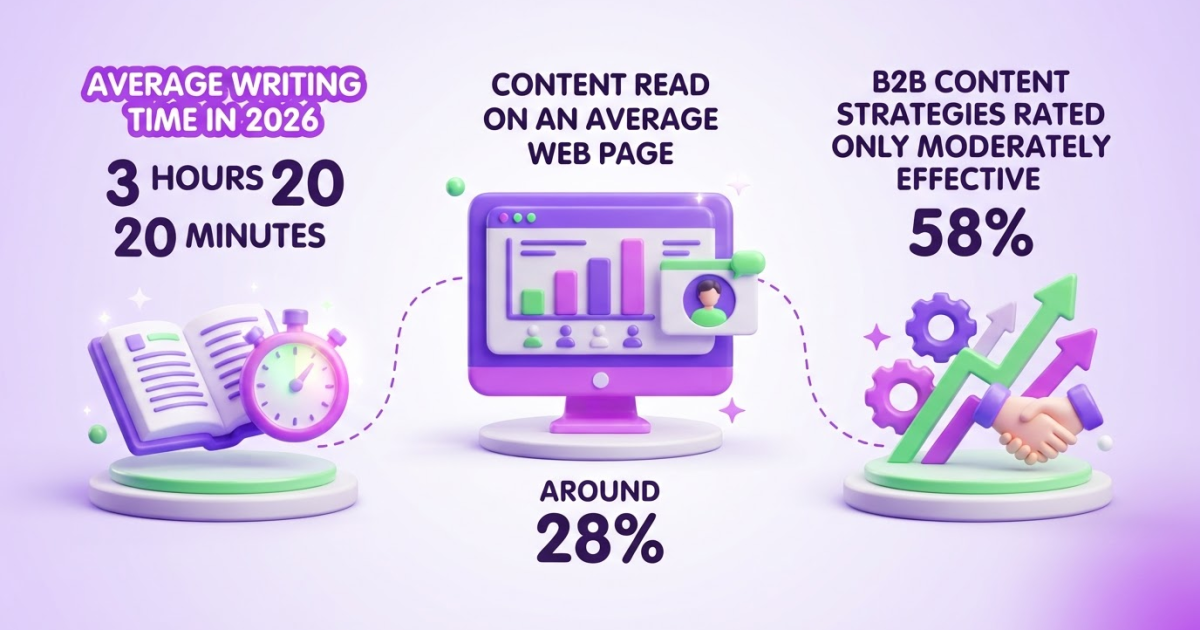
Writing an article that sounds polished but still misses the reader’s question is frustrating. You may publish consistently, study competing pages, and still watch readers leave because the useful answer sits too far down or the piece never gives them a clear next step. The Office for National Statistics reports that users read around 28% of the content on an average web page, so structure matters as much as prose. This guide gives you a repeatable editorial system for matching intent, researching, outlining, drafting, formatting for scanning, aligning SEO, editing, and measuring results after publication.
| Point | Details |
|---|---|
| Start With Intent | Define 1 audience, 1 problem, and 1 primary outcome before drafting your first paragraph. |
| Lead With Answers | Put the main conclusion and essential context near the beginning because 80% of mobile users do not scroll beyond the first quarter of a release. |
| Build A Useful Outline | Organize the article around 4 to 7 meaningful sections that answer the reader’s natural follow-up questions. |
| Edit For Scanning | Use short paragraphs, descriptive subheadings, bullets, examples, and evidence so readers can find value quickly. |
| Measure The Outcome | Review rankings, clicks, engagement, conversions, and reader feedback after at least 30 days instead of judging the article only on publication day. |
What Makes an Article Good in the First Place?
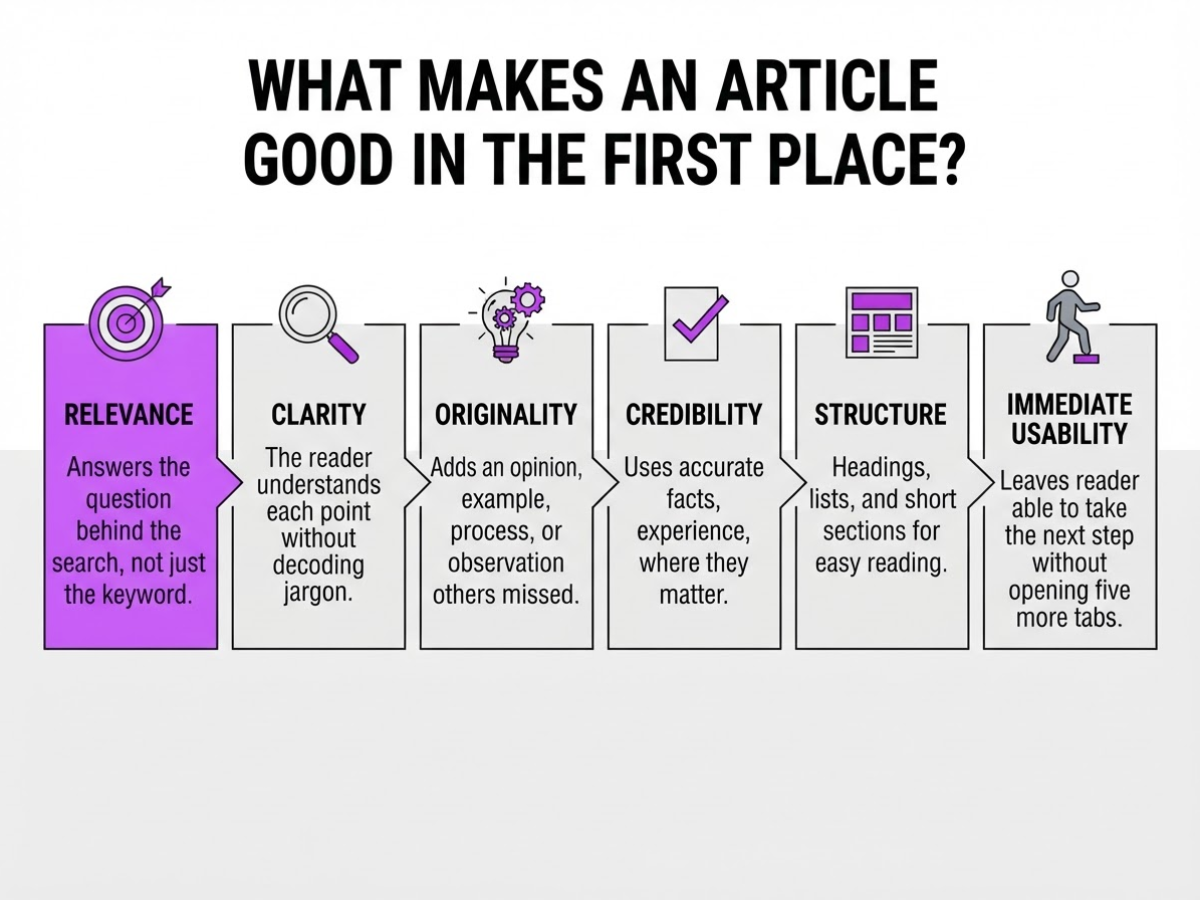
A good article does more than contain correct information. It matches a specific search intent, answers the reader’s real question, and leaves them able to take the next step without opening five more tabs. When I review content for TryRoki, I care less about how polished it sounds than whether a reader can use it immediately.
Quality usually comes down to six qualities:
| Quality | What it looks like in practice |
|---|---|
| Relevance | It answers the question behind the search, not just the keyword. |
| Clarity | The reader understands each point without decoding jargon. |
| Originality | It adds an opinion, example, process, or observation others missed. |
| Credibility | It uses accurate facts, experience, and sources where they matter. |
| Structure | Headings, lists, and short sections make the answer easy to find. |
| Practical usefulness | The reader can make a decision or complete an action. |
Your headline and introduction set the article’s promise. If the headline says “How to Write a Good Article in 7 Steps,” readers expect a usable process, not a history of blogging. The introduction should confirm that promise, identify who the advice fits, and show what the reader will be able to do by the end. Every later section then has a job: prove, explain, or apply that promise.
Here is the difference between a vague topic and a useful angle:
- Vague: “Article writing tips”
- Focused: “How to write a 1,000-word service article that answers one customer question and earns a next-step click”
The second angle gives you a reader, an outcome, and a boundary. It also makes weak sections easier to remove. A long article can still be thin if it repeats general advice, buries the answer, or pads every point with keywords. Google’s people-first content guidance recommends serving an existing or intended audience rather than writing mainly to manipulate rankings, and it does not set a preferred word count.
Pro Tip: Judge every section by asking what decision or action it helps the reader make, not by asking whether it adds more keywords.
If you want a practical comparison, these blog writing examples show how a clear angle changes the article’s shape. Next, turn this definition of quality into a workable writing plan.
Build the Article Before You Write It
Before I draft a paragraph, I turn the keyword into a brief that can survive a skeptical reader. For “how to write a good article,” I would not begin by listing generic writing tips. I would first decide what a beginner needs to do, in what order, and what a finished result should look like.
-
Read the keyword’s intent. Search the primary keyword and inspect the questions, featured results, videos, and page formats that appear. If most results are step-by-step guides, searchers expect a process. If they ask “how long,” “what makes it good,” or “what should I include,” your outline must answer those questions rather than force an unrelated opinion into the piece. I usually save five recurring questions and three competing formats before moving on.
-
Define the reader and result. Write down the reader’s current knowledge, immediate pain point, and desired outcome. A first-time blogger who cannot organize ideas needs a different article from an experienced marketer trying to improve organic traffic. Google’s people-first content guidance also stresses a clear purpose, first-hand expertise, and leaving readers able to achieve their goal.
-
Write one promise. Make it specific enough to decide what stays out: “By the end, a beginner can plan, structure, draft, and check a useful 1,000-word article.” If a proposed section does not support that promise, cut it. A broad promise produces a broad, forgettable article.
-
Gather evidence before prose. Collect first-hand observations, authoritative sources, examples, useful data, and real customer questions. I also note where readers commonly get stuck, because those awkward details usually make an article more credible than polished generalities. Research can become a time sink, so set a limit, such as 60 minutes, and record the source beside the claim.
-
Build the hierarchy. Sketch the introduction, core sections, examples, objections, and conclusion or next step. Add related terms where they clarify a section, not as a keyword checklist. For a practical model, compare this structure with a step-by-step article writing process.
Pro Tip: Draft the outline’s section headings as questions your reader would actually ask; weak or repetitive questions usually reveal a weak article angle.
- Run the quality gate. Every planned section must answer a reader question or support the promised outcome. Remove anything that merely repeats another heading, targets a related phrase, or sounds impressive without helping. This check feels strict, but it prevents the common frustration of finishing a long article that never reaches the reader’s real problem.
With the brief fixed, you can shape an opening that gives readers the answer quickly instead of making them hunt for it.
Write for Readers Who Scan, Not Readers Who Study
Most visitors do not read an article from the first sentence to the last. They look for a usable answer, scan a few headings, and leave when the page makes them work too hard. Put your direct answer, essential definition, or strongest insight near the top, before background and caveats.
That matters even more on phones. Around 80% of mobile users do not scroll beyond the first quarter of a release, so hiding the answer below a long introduction is a practical mistake. Users read only about 28% of the average web page, which is why I treat the opening screen as valuable space, not a warm-up lap.
Break the page into retrieval points rather than dense blocks. I usually check for:
- Paragraphs of two to four sentences, with one main idea each
- H2s that state the point, such as “Use a checklist for a simple recurring task”
- Bullets for options, warnings, and grouped details
- Numbered steps when the reader must complete actions in order
- A table when the reader needs to compare features, prices, or outcomes
- Examples immediately after an abstract explanation
A skimming reader should understand your argument by reading only the headings. Bold definitions, decisions, warnings, and meaningful distinctions, not every phrase you want noticed. Too much bold text becomes visual wallpaper. Vary sentence length, but keep the words concrete and the verbs active.
Choose the format that matches the job. A detailed guide earns its length when the reader faces several decisions, risks a costly mistake, or needs context. For a single fact, use a short answer. For repeatable actions, use a checklist. For competing products or methods, use a comparison table instead of burying differences in six paragraphs.
Pro Tip: Read only the headings, bold text, first sentences, and lists; if the article’s promise is still understandable, its structure is probably working.
Before publishing, check the reading level with a tool such as this practical reading-level guide, then preview the page on a narrow phone screen. Look for clipped tables, oversized headings, tiny text, slow-loading images, and paragraphs that fill the entire display. Fix those annoyances before you polish another sentence. Next, test whether each section earns its place and supports the article’s central promise.

The Editing Checks That Separate Useful Posts from Forgettable Ones
During final edits, I look for the small failures that make a competent article feel careless. Most are not grammar problems. They are broken promises, vague advice, and information the reader cannot verify or use.
Start with the opening. If the first paragraph begins with a cliché, a history lesson, or a claim such as “content is more important than ever,” cut it. State the answer, audience, or decision the article will address within the first few lines. Google’s people-first guidance also asks whether readers leave with enough knowledge to achieve their goal, not whether you reached an arbitrary word count.
I use this mistake list before publishing:
- Repeating the same point under three different headings. Keep the clearest version and delete the rest.
- Using filler transitions such as “as we mentioned” or “in conclusion” when the sentence can simply move forward.
- Calling a method “the best,” “the easiest,” or “guaranteed” without evidence, conditions, or a meaningful comparison.
- Giving advice like “be consistent” without showing the schedule, tool, example, or trade-off involved.
- Keeping a paragraph that sounds polished but does not answer a question, support a decision, or move the reader toward an action.
Fact-check every number, quote, product claim, and recommendation. Open the original source, check its publication date and method, and make sure your sentence does not claim more than the evidence supports. A vendor’s landing page may explain a feature, but it is weak support for a performance statistic. I have seen otherwise useful drafts lose credibility because one outdated percentage stayed in place.
Then test the article’s promise from four angles: headline, introduction, headings, and conclusion. If the headline promises a seven-step process but the article offers general principles, rewrite one of them. Replace generic advice with a concrete example, a constraint, a failed attempt, or a clear trade-off. That detail is often more credible than another paragraph of confident explanation.
Do not stop at the prose. Check internal links, the title tag, meta description, image relevance, and alt text. A useful guide to writing better alt text helps prevent descriptive images from becoming inaccessible filler. Review the call to action too. It should match the reader’s next likely step, not interrupt the article with an unrelated pitch.
Finally, give the draft to someone unfamiliar with it. In under one minute, can they name the answer, the next step, and the main limitation? If not, edit the structure before polishing sentences, then carry that same discipline into the next stage of publishing.
Publish, Measure, and Improve the Article
Publication is the start of the test, not proof that the article worked. I choose one primary success metric before publishing: qualified organic clicks for an awareness piece, sign-ups or leads for a comparison page, sales for a product article, assisted conversions for research content, or a completed action such as booking a demo.
I still track the supporting signals. Search Console shows impressions, queries, rankings, and click-through rate. Analytics shows engaged sessions, scroll depth, return visits, and conversions. The search queries often matter most because they expose questions the draft answered badly or ignored. For traffic context, I use this practical guide to monitoring website traffic, then compare the article with similar pages rather than judging one number in isolation.
Use a review schedule that gives the page enough time to produce evidence:
- At publication: Record the target query, intended action, baseline rankings, internal links, and conversion setup. Check that the page loads properly and that tracking fires. A missing form event can make a successful article look useless.
- After 30 days: Review impressions, clicks, average position, CTR, engagement, and early conversions. If impressions are low, investigate indexing, competition, internal links, and distribution. If impressions are healthy but clicks are weak, test the title and description. If clicks arrive but conversions stay near zero, inspect intent and the offer before blaming the writing.
- After 60 to 90 days: Make a deeper decision when the page has enough data. Keep it, update it, consolidate it with another page, or stop investing in it. Orbit Media’s 2026 blogging data found that only 13.9% of content marketers reported strong blog results, so publishing more posts is not a substitute for reviewing outcomes.
Update what changed: statistics, screenshots, product steps, links, examples, and recommendations. Do not rewrite a page blindly and erase the parts already earning clicks.
I also collect language from comments, sales calls, support tickets, and relevant Reddit discussions. A customer’s awkward question often makes a better subheading than a keyword tool. Feed those patterns into the next brief and keep a shared checklist for research, drafting, editing, publishing, and review. That workflow prevents quality from depending on one rushed evening.
The next editorial decision should follow the evidence, not the writer’s attachment to the draft.
My honest take on how to write a good article
I do not define a good article as the longest, most heavily optimized, or most polished result on the page. I define it as the clearest credible path from a reader’s question to a useful decision. That standard changes my process: I identify the reader and the outcome first, add evidence where it earns trust, then cut anything that delays the answer. A smooth introduction cannot rescue vague advice.
Here is the contrarian part: when content performs poorly, publishing ten similar articles is often the wrong response. If the existing piece fails to earn attention or action, more versions usually compound the problem. I would first change the angle, strengthen the evidence, restructure the page, and improve distribution. That work is less exciting than filling a calendar, but it reveals whether the idea deserves more investment.
At TryRoki, I use AI to organize research, shape outlines, draft working copy, and keep a team’s workflow consistent. It still creates friction. AI can flatten a sharp opinion, miss an important qualification, or produce confident wording that has not earned trust. The person responsible for the reader’s decision must own the final article. Our long-term aim is not content volume for its own sake, but a practical system for useful publishing, relevant conversations, and measurable learning.
— Daniel/Aleksandra
Turn a Good Article Process into a Consistent Workflow
Writing a good article is less about finding one clever prompt and more about publishing useful work consistently. As the owner of TryRoki, I built Roki AI’s content workflow to reduce the repetitive planning and execution that often causes teams to stall. It can generate website content, organize SEO work, and assign 3 to 10 weekly tasks aimed at improving visibility in Google and AI search engines.
It also surfaces relevant Reddit conversations where a genuinely helpful, non-spammy comment might reference your website. That opportunity requires judgment, and forced promotion usually backfires. Roki AI does not replace your editorial responsibility: you still need to check facts, improve thin sections, and approve everything before publication. The setup can take adjustment, and not every suggested task deserves your time. Explore the workflow, then decide whether it fits the way you already publish.
Frequently Asked Questions
A good article should be as long as necessary to answer the reader’s question without repetition, padding, or a forced word count. A 600-word article can work for a narrow question, while a complex guide may need 2,000 words or more, and Google does not recommend targeting a preferred length.
Choose a topic that addresses a real audience problem, matches a clear search intent, and leads to an outcome your company can credibly support. Review at least 3 sources of customer insight, such as support conversations, sales objections, and relevant search queries, before committing to the topic.
Begin by naming the reader, the problem, and the promised result in 1 clear sentence. Give the direct answer or essential context within the first 2 paragraphs, then guide beginners through the supporting steps without assuming specialist knowledge.
An article is a broad term for a structured piece of informational writing, while a blog post is usually an article published in a blog or editorial channel. The terms often overlap, so the intended audience, publishing purpose, and expected reading time matter more than the label.
Use a specific angle, concrete examples, useful evidence, and details from real experience instead of dramatic wording. During editing, mark at least 3 places where a reader could learn, decide, or act more easily, then replace vague claims with a scenario, number, or practical instruction.
Written by Daniel/Aleksandra.
Recommended reads
- How To Write A Perfect Article 7 Steps
- How To Write A Great Article A Step By Step Guide
- Blog Article Example How To Write One That Works
- How Roki Ai Generates High Quality Blogs On Autopilot
Sources
- Understanding your users: How people read online – Content style guide – Service manual – Office for National Statistics
- Text Scanning Patterns: Eyetracking Evidence - NN/G
- Creating Helpful, Reliable, People-First Content | Google Search Central
- B2B Content Marketing: 2025 Benchmarks & Trends
- 2026 Blogging Statistics: Blogger Data Shows Trends and Insights Into Blogging
- HubSpot's 2025 State of Blogging Report [Data from 500+ Marketers]