
Etsy Analytics Tool: How to Use One Well
TL;DR: An Etsy analytics tool connects traffic, listing performance, search visibility, ads, and revenue, so you can make decisions based on sales patterns instead of views alone. Use Etsy Stats alongside a supporting platform, review the numbers weekly, and turn each finding into a specific listing or marketing change.
You can watch Etsy views and favorites rise while sales fall, leaving you unsure whether the problem is pricing, search visibility, listing quality, or buyer behavior. I’ve seen sellers waste hours comparing dashboards that report activity without showing which decision to make next. The stakes are real: Etsy reported 86.5 million active buyers and 5.6 million active sellers at the end of 2025. This guide shows you how to choose an Etsy analytics tool, read core metrics, validate keyword and competitor data, and build a repeatable weekly process for improving the listings that deserve attention.
| Point | Details |
|---|---|
| Start With Etsy Stats | Use Etsy’s native data for visits, orders, conversion rate, and revenue before adding third-party estimates. |
| Define Each Metric | One Etsy visit can include multiple listing views, so never treat visits and views as interchangeable. |
| Match Tool To Job | Use separate data sources for keyword research, ad reporting, competitor estimates, and traffic attribution. |
| Review Four Weeks | Compare at least 4 weeks of consistent data before changing listings or judging a campaign. |
| Turn Data Into Actions | Make each weekly review produce a short list of listing, keyword, pricing, or promotion experiments. |
What an Etsy analytics tool actually measures
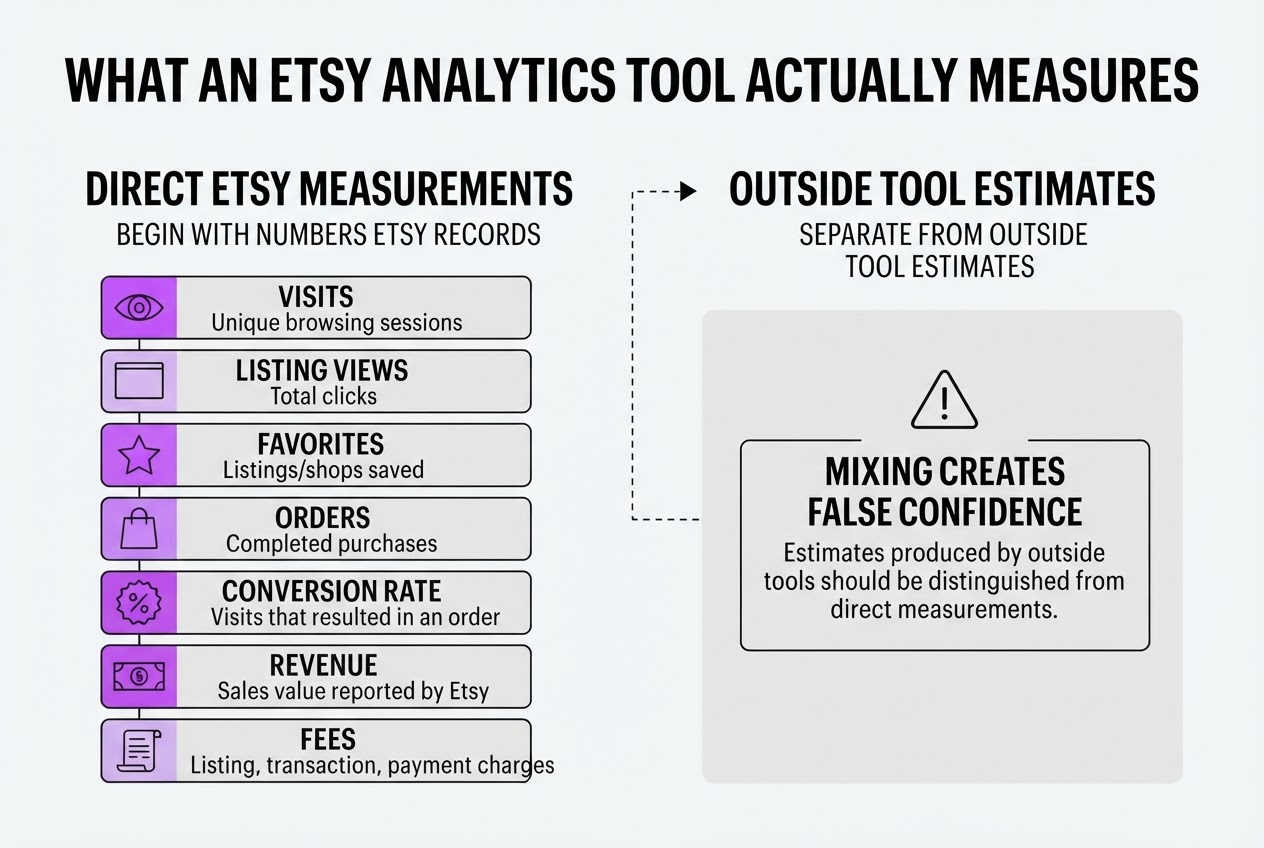
An Etsy analytics tool should begin with the numbers Etsy records about your shop, not with an attractive dashboard. When I review shop data, I separate direct Etsy measurements from estimates produced by outside tools because mixing them creates false confidence.
| Metric | What it tells you |
|---|---|
| Visits | Unique browsing sessions reaching your shop or listings |
| Listing views | Total clicks on your listings |
| Favorites | Listings or shops shoppers saved |
| Orders | Completed purchases attributed to the shop |
| Conversion rate | The share of visits that resulted in an order |
| Revenue | Sales value reported by Etsy, before or after selected deductions depending on the view |
| Fees | Listing, transaction, payment, advertising, or other charges shown in the available report |
The distinction between visits and listing views causes the most confusion. Etsy defines a visit as a unique browsing session, so one shopper can open five listings and still count as one visit. Etsy’s glossary explains how visits, listing views, and conversion rate relate. Conversion rate is not “views that turned into sales”; it is the percentage of shop visits that resulted in an order.
Etsy’s own Stats is the authority for your shop’s visits, orders, conversion rate, and revenue. A keyword tool can estimate search volume, competition, or ranking changes. It can also estimate competitor sales. Those figures help you choose what to test, but they are not your Etsy ledger. For keyword research, a guide such as this Etsy keyword tool comparison can be useful, provided you treat estimates as directional.
Data timing matters too. Etsy filters bot and spam traffic and refreshes redesigned Stats every three to five hours, so a quiet afternoon may reflect delayed reporting rather than weak demand. The delay is annoying when you are checking a new listing, but comparing identical reporting windows is more reliable than reacting to every hourly change.
Pro Tip: Record the date and reporting window beside every exported metric; Etsy’s redesigned Stats data may refresh every three to five hours rather than continuously.
With that measurement model in place, the next question is which Etsy analytics tools can turn these numbers into useful decisions.
Which Etsy analytics tool fits your shop?
The right choice depends on the question you need answered. I would not ask a keyword tool to explain falling revenue, or use Etsy Stats to judge traffic from a blog post. Each tool sees a different slice of the shop.
| Tool | Best question | What it tells you | Main limitation |
|---|---|---|---|
| Etsy Stats | Are my listings selling? | Visits, orders, conversion rate, and revenue | Little detail about outside traffic |
| Google Analytics | Where do visitors come from? | External sources and search keywords | Setup takes patience, and reporting can be noisy |
| eRank | Which keywords and competitors should I research? | Historical demand, rank changes, and competing listings | Search data is directional, not a promise of sales |
| Alura | Which keyword looks commercially viable? | Search volume, competition, conversion rate, and a 0–100 score | Estimates still need testing in your shop |
| EverBee | What might a competitor’s listing sell? | Algorithmic sales and revenue estimates | It does not reveal exact seller data |
| Etsy Ads | Are paid clicks producing profitable orders? | Spend, orders, revenue, ROAS, clicks, and search terms | Profit still depends on product and fulfillment costs |
Start with Etsy Stats for first-party performance. Etsy defines conversion rate as the percentage of visits that result in an order, so it is the cleanest place to check whether a listing attracts buyers. Its visits and listing views are different metrics, which matters when one shopper clicks through several listings in one session. The interface can also frustrate you because data does not update instantly.
Google Analytics is free for Etsy sellers and can show external traffic sources and keywords. Use it when you send shoppers from Pinterest, email, social posts, or a website. For a practical primer, this Etsy keyword tool guide is more useful than guessing from autocomplete alone.
For research, eRank is my pick when you need historical context. It offers 15 months of search data, Top 100 listing analysis, and 35 free weekly keyword searches. Alura adds a useful decision layer by combining volume, competition, conversion rate, and a 0–100 score. EverBee can help you spot product ideas, but treat its sales and revenue figures as algorithmic estimates, never as verified competitor accounts.
Pro Tip: Do not select a tool because it displays the most metrics. Select it based on the next decision you need to make: improve a listing, find a keyword, assess an ad, or validate external demand.
For a new shop, use Etsy Stats plus one keyword tool. A growing shop can add Google Analytics and eRank or Alura. If you run ads, keep Etsy Ads reporting in the stack and judge orders and ROAS against your full costs, not clicks alone. With that choice made, you can compare the numbers that matter for each listing.
How to build a weekly Etsy analytics workflow
Pick one reporting window and protect it. I use the same seven-day period each week, such as Monday through Sunday, then record the numbers on Monday morning. A scattered mix of dates makes ordinary seasonality look like a breakthrough or a collapse.
-
Capture the shop-level baseline. Record visits, orders, conversion rate, and revenue from Etsy Stats. Etsy defines a visit as a unique browsing session, so do not treat every listing view as a new visitor. Add the previous week’s figures beside this week’s figures and calculate the percentage change.
-
Split the results by listing. Sort listings by visits, orders, revenue, and conversion rate. A listing with 500 visits and two orders needs a different fix from one with 30 visits and five orders. The first may have a photo, price, or offer problem; the second may need more qualified search exposure. Many sellers rewrite a converting listing when the real issue is low traffic.
-
Keep discovery signals separate. Review Etsy search terms, keyword rank, and external traffic in different notes. Do not compress them into one score. Search terms show what shoppers type, rank shows where a listing appears, and external traffic shows whether Pinterest, Google, email, or another source is contributing visits. For keyword research, compare your findings with this Etsy keyword tool guide, but treat estimated search data as directional rather than exact.
-
Check quality before changing SEO. Review listing photos, title clarity, tags, attributes, description, shipping details, reviews, response habits, and unresolved cases. Etsy’s Search Visibility page evaluates shop quality, listing quality, and customer-service quality. Changing keywords while a weak thumbnail or late dispatch is depressing conversion is usually busywork.
Pro Tip: Use a two-column priority grid: potential impact and confidence in the diagnosis. Fix high-impact, high-confidence issues first, such as a listing with strong visits but weak conversion.
-
Run one clean experiment. Write one hypothesis, one change, and one success metric. For example: “Replacing the first photo will raise conversion from 1.8% to 2.5%.” Leave the rest of the listing alone, then observe for at least two to four weeks unless traffic is extremely high.
-
Document the result. Keep a simple log with the date, listing, change, baseline, observation period, and outcome. Note holidays, sales, stockouts, or ad changes too. Your next weekly review should use that log to decide which test to keep, reverse, or extend.

Common Etsy analytics mistakes that distort decisions
The fastest way to make a bad Etsy decision is to compare numbers that answer different questions. When I review shop data, I look for the measurement behind each number before changing a listing. Attractive charts often hide weak comparisons.
Common mistakes include:
- Treating listing views as unique visitors or purchases. Etsy defines a visit as a unique browsing session, while one session can include several listing views. A listing with 1,000 views may have far fewer visitors and even fewer orders. Check visits, orders, and conversion rate together in Etsy Stats, rather than celebrating views alone.
- Comparing a sale weekend with a normal month. A 48-hour promotion can bring a temporary spike from discounts, email traffic, and ad spend. Compare similar calendar periods, record your advertising cost, and separate seasonal demand from genuine improvement.
- Accepting competitor estimates as verified sales. Third-party tools can help you spot patterns, but EverBee says its sales and revenue figures use Etsy inputs and an algorithm to estimate performance, not report exact results. Treat those numbers as clues, not evidence.
- Changing everything at once. If you rewrite the title, replace the photos, alter tags, and cut the price on Monday, you cannot tell what caused the result. Test one meaningful change at a time and give it enough data to judge.
- Judging SEO from one keyword or one day. Search positions shift by query, location, personalization, and timing. Use a broader keyword set and a longer window. This Etsy keyword tool guide can help you structure that comparison, but no tool turns a single rank into a conclusion.
- Ignoring shop quality and service signals. Visibility is not only a keyword problem. Etsy evaluates shop quality, listing quality, and customer-service quality, so late dispatches, unresolved cases, or poor reviews may matter while you are editing tags.
- Calling rising traffic a win when profit falls. More visits mean little if conversion rate, average order value, or margin drops. Include fees, ad spend, discounts, refunds, and production costs before deciding that traffic helped.
Use cleaner comparisons first, then turn the surviving patterns into a repeatable weekly review.
How to turn Etsy analytics into measurable growth
A dashboard becomes useful only when it changes what you do next. I treat each Etsy metric as a question: do you have a traffic problem, a conversion problem, or a profitability problem? Etsy Stats gives you visits, orders, conversion rate, and revenue, so start there rather than chasing every number at once (see this Etsy keyword tool guide).
-
Weeks 1 to 2: classify the problem. If visits are low, investigate search terms, titles, tags, categories, and outside promotion. If visits are healthy but orders are weak, test the first image, product photos, description, reviews, price, delivery promise, and variations. If orders look fine but profit is poor, calculate fees, materials, advertising spend, shipping, and your time before changing keywords.
-
Weeks 2 to 4: choose the right listings. Give priority to listings with enough traffic to produce a useful signal. A listing with 300 visits and two orders tells you more about conversion than one with 12 visits and no orders. Use low-traffic listings differently: test a new phrase, product angle, or thumbnail there, but do not treat one quiet week as proof that the idea failed.
-
Weeks 4 to 6: connect visibility to the buyer experience. A search visibility issue requires clearer copy or stronger photos in some cases, but it can also point to pricing, delivery information, shop quality, or customer service. Etsy’s Search Visibility page evaluates shop, listing, and customer-service quality, so rewriting a title will not fix every weak result.
-
Weeks 6 to 8: measure the outcome. Etsy Ads reports views, clicks, orders, revenue, spend, ROAS, and search terms. Use those search terms to find listing gaps and content topics, then compare them with Google Analytics traffic sources and keywords. External posts, email, Pinterest, or a blog can bring qualified visitors, but label that traffic separately from Etsy search performance.
Set a success measure before each change: a higher conversion rate, 20 qualified visits, three orders, or $50 more profit. Raw impressions alone are usually vanity data. Next, turn those experiments into a repeatable weekly review.
My honest take on Etsy analytics tools
I would not start by buying the most sophisticated Etsy analytics tool. I would start with Etsy’s own shop data, write down the decision I need to make, and add one specialist tool only when Etsy Stats cannot answer that specific question. That keeps a seller from paying for charts they never use.
My contrarian view is that more keyword data often creates less clarity. Sellers collect search scores, rank changes, and competitor estimates, then change nothing in the listing because every dashboard points in a different direction. Those estimates can be useful, but they are not Etsy’s private data, and I would never treat them as facts. Use them to form a hypothesis, not to dictate your strategy.
I would rather see a shop review four meaningful weeks of data and run two controlled improvements than open five dashboards every morning. Change one title, thumbnail, price, or tag group, record the date, and give the listing enough time to produce a readable signal. The tedious parts matter: consistent reporting windows, clean definitions, and notes about what changed. Analytics only creates growth when it changes what you do next. If a tool adds another weekly report but does not lead to a clear action, it is probably noise, regardless of how polished it looks.
— Daniel/Aleksandra
Turn Etsy insights into an SEO growth system
Etsy analytics tells you which listings attract attention, where traffic drops, and what buyers seem to want. It does not turn those signals into articles, outside discussions, or a weekly visibility plan. That gap matters when you want customers to find your shop through Google or AI search, not only Etsy.
I built Roki AI’s content and search workflow for that next step. Use Etsy data to choose the questions and products worth pursuing, then let Roki generate supporting website content, surface relevant Reddit conversations, and assign three to 10 weekly tasks. It is not a replacement for Etsy Stats, and it will not provide exact Etsy sales data. You may also find the task list annoying at first, especially if your shop already keeps you busy. The point is to connect marketplace insight with a content system you can maintain, without checking another dashboard every day.
Frequently Asked Questions
Is there a free Etsy analytics tool?
Yes. Etsy Stats is a free starting point for tracking visits, listing views, orders, conversion rate, and revenue at shop level, while Google Analytics can show eligible external traffic sources and keywords. I would start there before paying for another dashboard, because many sellers need only 5 core metrics to make better weekly decisions.
Can Etsy analytics show who viewed my shop?
No. Etsy shows aggregated activity such as visits, listing views, orders, and conversion rate, not the identity of individual visitors. One visit can include 10 or more listing views if a shopper browses several products in the same session, so the numbers do not map neatly to individual people.
How often should I check my Etsy analytics?
Check once a week for normal planning, then look daily during a launch or active ad test. For organic listing changes, wait about 4 weeks before judging the result, since checking every few hours usually creates noise rather than useful insight.
What is a good conversion rate on Etsy?
There is no universal target because category, price, seasonality, traffic source, and buyer intent can change the result. Use your own recent baseline, such as the previous 8 weeks, and investigate a meaningful shift in the percentage of visits that produce an order instead of chasing an industry-wide number.
Does Etsy analytics show search keywords?
Etsy and connected tools can reveal some search-term information, but no single source captures the full path from a buyer’s query to a purchase. Use Etsy data for shop outcomes, Google Analytics for eligible external traffic, and specialist keyword tools for research and rank tracking, then compare the findings over at least 30 days.
Written by Daniel/Aleksandra.
Recommended reads
- Best Free Etsy Keyword Tool 2026 Guide
- Etsy Seo Tools Guide Boost Your Shop Visibility Effectively
- Measure Site Traffic Free A Practical Guide
- Ai Seo Agent
Sources
- How to Use Etsy Stats for Your Shop – Etsy Help
- Shop Stats Glossary – Etsy Help
- Introducing New Stats for Your Business
- How to Use Google Analytics for Your Etsy Shop – Etsy Help
- How to Use the Etsy Search Visibility Page – Etsy
- How to Review the Performance of Your Etsy Ads – Etsy
- Keyword Research Tools for Etsy Sellers — eRank
- Getting Started with eRank: Your First Steps
- Getting started with Keyword Research | Alura Help Center
- How does EverBee work?
- February 19, 2026 - 10-K: Annual report [Section 13 and 15(d), not S-K Item 405] - Etsy, Inc.