Daniel D.
To check backlinks in Google Analytics 4, open Reports > Acquisition > Traffic acquisition and review referral sources, landing pages, and conversions across at least 28 days. GA4 shows links that generated measurable visits, not every link to your site, so use Google Search Console’s Links report to discover backlinks and compare the two data sets.
You may expect Google Analytics to show every site linking to you, only to find a few referral visits and no complete backlink list. That confusion is understandable: backlink discovery and referral-traffic analysis answer different questions, and GA4 is better at showing who arrived than cataloguing every link. Search Console link exports can contain up to 100,000 rows, which makes it the more practical tool for backlink research. This guide shows how to check backlinks in Google Analytics by finding referral traffic, inspecting source and referrer dimensions, connecting Search Console, interpreting direct traffic, and turning the findings into a repeatable SEO workflow.
| Point | Details |
|---|---|
| Know the difference | GA4 measures visits generated by links, while Google Search Console is the dedicated Google report for discovering backlinks. |
| Use Traffic acquisition | Open Reports > Acquisition > Traffic acquisition and inspect Session source, Session medium, and Session source / medium across a 28-day or 90-day range. |
| Inspect referrers | The Page referrer dimension can show the URL associated with a visitor’s previous page, although the value is not always available. |
| Expect incomplete data | Search Console’s Links report is sampled, and GA4 may classify some referral visits as “(direct) / (none)”. Check trends over 7 to 14 days before drawing a conclusion. |
| Build one workflow | Use Search Console for link discovery, GA4 for visitor behavior, and UTM-tagged links for more precise campaign measurement across 3 data sources. |
What Google Analytics Can Actually Tell You About Backlinks
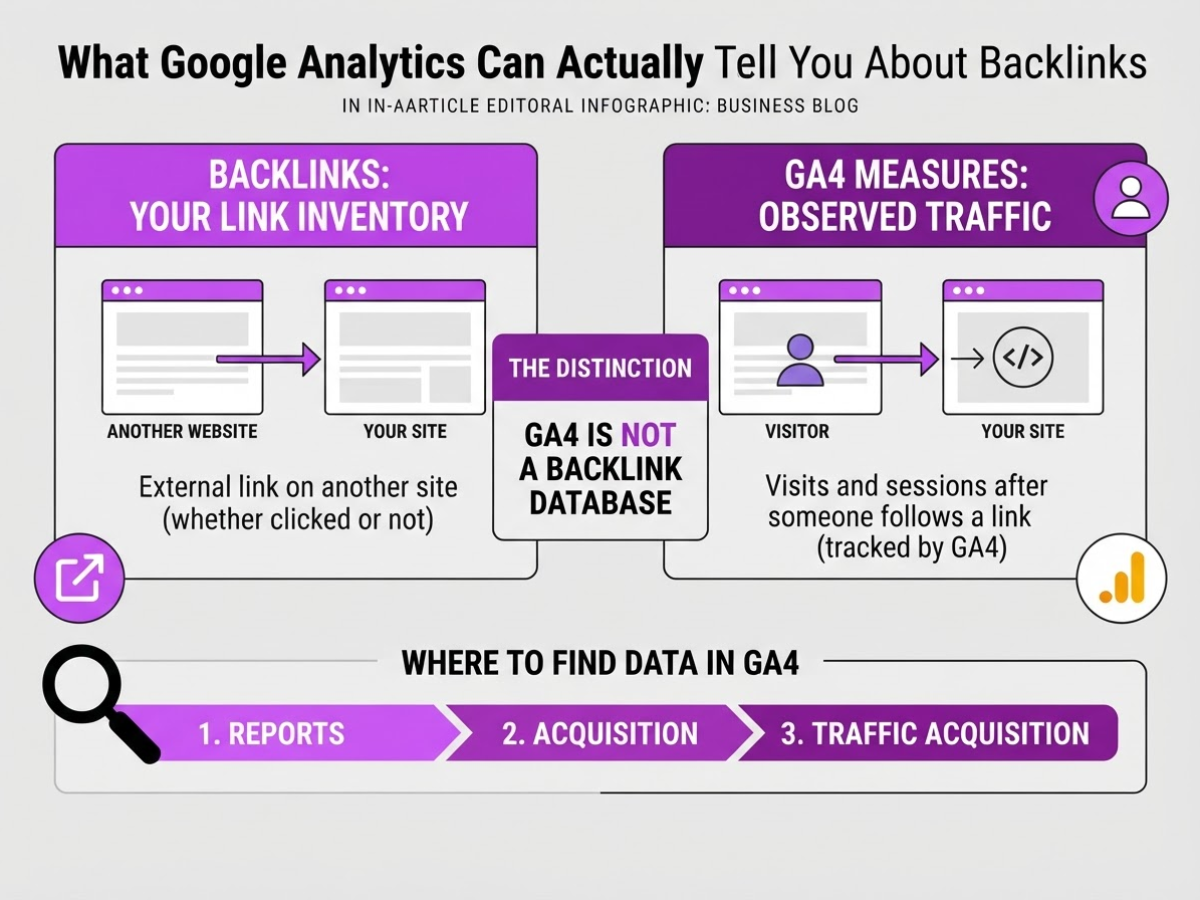
A backlink is an external link on another website that points to a page on your site. It belongs to your link inventory, whether or not anybody clicks it. GA4 measures a different thing: visits and sessions that arrive after someone follows a link and your tracking code successfully collects the visit.
That distinction causes most of the confusion when I review analytics with site owners. GA4 is not a backlink database. It is a record of observed traffic, and that record has gaps.
| What you want to know | The right signal |
|---|---|
| Which sites link to you? | Search Console’s Links report |
| Which linked pages receive visits? | GA4 landing pages and sessions |
| Where did a session come from? | Session source, medium, and source / medium |
In GA4, open Reports > Acquisition > Traffic acquisition. Start with these dimensions:
- Session source: the publisher or inventory source that started the session, such as a referring domain, Google, or YouTube. Google defines this dimension in its GA4 traffic acquisition documentation.
- Session medium: the broad channel classification, such as referral, organic, email, or none.
- Session source / medium: the combined view, such as
example.com / referral.
You can also inspect Page referrer, which shows the URL of the user’s previous page when GA4 receives the page_referrer value. In practice, that URL is often missing, shortened to a domain, or replaced by (direct) / (none). Redirects, privacy tools, ad blockers, copied URLs, and links inside offline documents can all strip referral information.
A backlink can therefore exist without a single GA4 session. The page may receive no clicks, the visitor may block analytics, or the referral may arrive without usable source data. That is why I would not judge a link only by its GA4 row, any more than I would judge your entire backlink requirement for ranking from one traffic report.
Pro Tip: Treat a backlink with no recorded referral session as an SEO asset to evaluate separately, not automatically as a failed link.
For the actual list of linking sites and linked pages, use Search Console’s Links report, not GA4. The next step is using GA4 to trace which of those links send real visitors.
How to Find Backlink Referral Traffic in GA4
Start in GA4 when you want to know which external links actually sent people to your site, not merely which links Google knows exist. The Traffic acquisition report is GA4’s primary report for identifying where visitors came from, although it shows visits rather than a complete backlink inventory.
-
Open Reports > Acquisition > Traffic acquisition. Set a date range long enough to avoid judging a source from three visits, such as the last 28 or 90 days. Check that your property is collecting data for the period you selected, because a missing tracking tag can make a good referral look invisible.
-
Review the Session source column first. A referring domain often appears here as the source, while Session medium commonly shows
referral. For example,industrysite.com / referralindicates that GA4 attributed a session to an external site. Use Session source / medium when you want both values together and need to distinguishexample.com / referralfrom paid or social traffic. -
Filter the table to referral traffic, then inspect individual sources. Depending on your report setup, use the search box, a comparison, or the dimension selector to isolate
referral. Click a source or change the primary dimension to see which landing pages received those visits. A source sending 400 sessions to a weak page may deserve less attention than one sending 35 highly engaged visitors to a product page.
Pro Tip: Sort referral sources by conversions or engaged sessions first; high-volume referral traffic is not automatically valuable traffic.
-
Investigate the referring URL, not just the domain. In an Exploration, add Page referrer as a dimension alongside Landing page, Sessions, Engaged sessions, and Key events, then filter for the relevant source. GA4 defines Page referrer as the referring URL associated with a user’s previous page, so it can reveal the exact article, directory listing, or page that sent the visitor. If the value is blank or truncated, do not treat the domain-level source as proof of a specific backlink.
-
Compare referral volume with landing pages, engaged sessions, and conversions. Sessions alone are a poor scorecard because a link can attract curious clicks without producing meaningful visits. I usually export the table or record the top sources monthly, then investigate whether the referring page still links to the site and whether its visitors complete the action that matters.
GA4 labels and available dimensions vary by property configuration, permissions, report customization, and the current interface. If you cannot find Page referrer in the standard report, use Explore or check whether your administrator has removed that dimension. For a broader traffic review, pair this process with a practical guide to monitoring website traffic, then separate referral performance from the backlink list itself.
GA4 vs. Search Console: Which Tool Should You Use?
The practical split is simple: GA4 tells you what visitors did, while Search Console shows which sites and pages are connected to your domain. I use both because a backlink can exist without sending a single visit, and a visit can arrive without revealing the full link behind it.
| Question you are asking | Use | What you can see | Main limitation |
|---|---|---|---|
| Did a link send visitors? | GA4 | Sessions, engagement, conversions, landing pages, and referral sources | Unattributed visits may appear as “(direct) / (none)” |
| Which sites link to me? | Search Console | External links, linking sites, and linked pages | The report is a sample, not a complete backlink database |
| Which linked pages deserve attention? | Search Console first, then GA4 | Pages receiving links, followed by sessions and on-site behavior | You must compare the reports manually |
In GA4, open Reports > Acquisition > Traffic acquisition to inspect sessions by source, medium, and landing page. A referring domain can appear as the session source, but redirects, missing tracking details, ad blockers, or copied URLs can hide the original referral. That makes GA4 the right tool for measuring outcomes, not for building a complete backlink inventory.
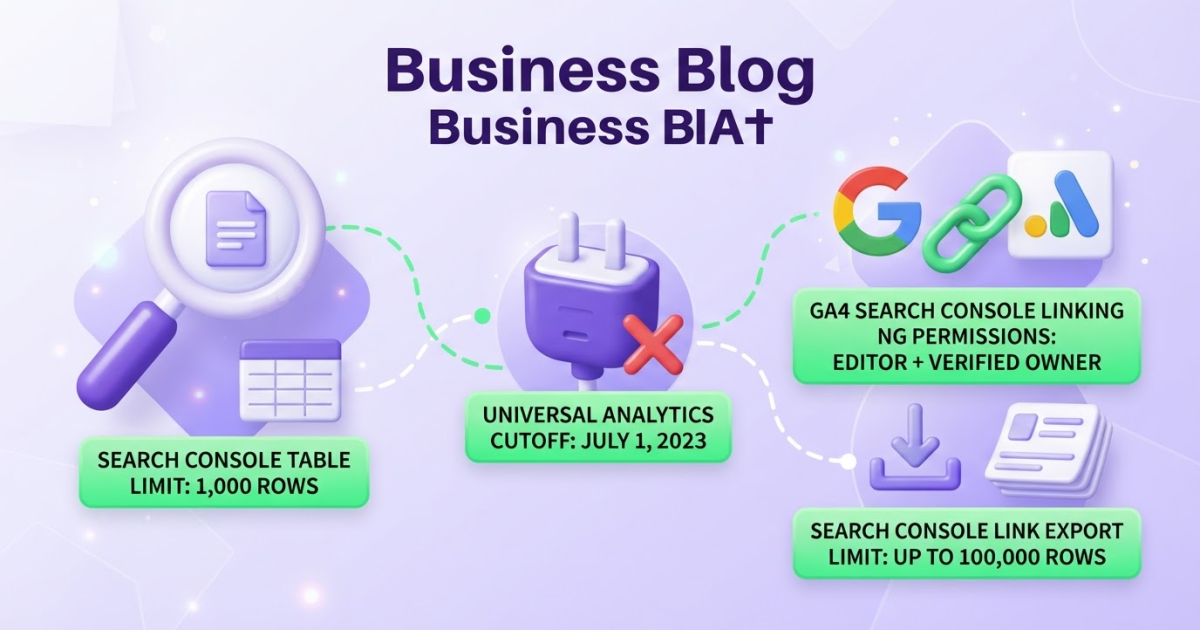
Search Console’s Links report is the better starting point for link discovery. It includes External links, Top linked pages, and Top linking sites. However, Google says the report shows only a sample, and each table can contain up to 1,000 rows. Treat it as evidence for prioritization, not a final count. For broader analysis, you can export certain link samples, with some exports containing up to 100,000 rows.
To connect the platforms, go to Admin > Product links > Search Console Links in GA4. You need Editor access to the GA4 property and verified-owner status for the Search Console property to create the connection. The setup is slightly fussy, especially when an agency controls one property and your team controls the other.
Pro Tip: Connect the properties before a link campaign begins so future referral behavior can be compared with the link profile you discover.
The connection does not merge the reports or replace either one. It simply helps you move from “this page has links” to “this page earns visits and assists business goals.” If your question concerns links, choose Search Console; if it concerns visitors, choose GA4. Use that distinction to trace backlink referrals inside GA4.

How to Interpret Missing or Misleading Referral Data
A missing referral row does not prove that a backlink failed. When I review traffic for TryRoki, I first separate two possibilities: nobody clicked the link, or someone clicked it and GA4 lost the context before the visit was recorded.
GA4 labels a session “(direct) / (none)” when it cannot identify a clear source. Google lists redirects, URL shorteners, offline documents, and ad blockers among the reasons referral information can disappear. Privacy-focused browsers and security tools can also strip or limit referrer data. A link inside a PDF, email, chat message, or copied URL may arrive without a usable referring domain.
Redirects create another nuisance. A publisher may link to an old URL, pass through a tracking service, or send visitors across several domains before they reach your page. Each handoff can weaken attribution. Check the exact destination URL, its redirect chain, and whether the final page loads correctly on mobile before blaming the referring site.
For links you control, add UTM parameters before publishing. Google recommends parameters such as utm_source, utm_medium, and utm_campaign to identify referral context in GA4. For example, use utm_source=partner-site&utm_medium=referral&utm_campaign=november-guide. Keep naming consistent, because partner-site, partnersite, and Partner Site become separate values in reports.
Use this monthly check instead of judging a backlink from one row in the report:
- Confirm the link exists. Open the publisher page and test the visible URL, including redirects and tracking parameters.
- Check the landing page. In GA4, compare landing-page views, engagement, and conversions for the suspected source and target page.
- Separate outcomes. No sessions means the backlink may have produced no measurable visit. Sessions under
(direct) / (none)suggest visits may exist but attribution is weak. - Record the result. Note the date, destination, source, sessions, engaged sessions, and conversions. Recheck after 7 to 14 days, since small referral volumes can take time to appear clearly.
Most teams overreact to one missing domain. Judge the backlink using repeated traffic patterns and business actions, then move to the next measurement question: whether those visits actually help your site.
A Better Backlink-Checking Workflow for Ongoing SEO
The workflow I use is not a one-time backlink check. I repeat it monthly, and I keep the discovery and outcome data together: Search Console shows which sites and pages link to you, while GA4 shows whether those links send visitors who do anything useful.
Run the process in three passes
- Discover links in Search Console. Open the Links report and review Top linking sites, Top linked pages, and external links. Treat the results as evidence, not a complete backlink inventory. Google says the report is a sample rather than a comprehensive list of every backlink it knows about, and each individual table can contain only 1,000 rows.
- Analyze visits in GA4. Go to Reports > Acquisition > Traffic acquisition. Filter or review Session source, Session medium, and referral traffic, then inspect Page referrer when you need the referring URL tied to a visit. A link can exist in Search Console and still send no measurable session, especially when users block tracking or the visit is classified as
(direct) / (none). - Prioritize pages and domains. Compare referral sessions with engaged sessions and conversions. A specialist publication sending 30 engaged visitors and two leads deserves more attention than a scraped directory sending 500 empty sessions. If you are still deciding what a “good” link means, backlink quantity is only one part of the ranking picture.
Keep a working sheet rather than relying on screenshots or memory. I use these columns:
| Referring domain | Linked page | Referral sessions | Engaged sessions | Conversions | Next action |
|---|---|---|---|---|---|
| example.com | /pricing | 42 | 19 | 3 | Thank editor, suggest case study |
Export the data when the site has a large link profile. Search Console’s Latest links and More sample links exports can contain up to 100,000 rows, although downloads from individual tables are limited to 1,000. The export is useful, but it still reflects Google’s sampled view, not a perfect census.
Use the findings to update content that earns qualified referrals, strengthen relationships with sites that send relevant readers, and promote pages that attract links but lack visibility. Do not chase raw totals. Relevance, editorial placement, engaged visits, and business impact matter more than another hundred low-value domains.
Your next review should turn these patterns into specific content and outreach decisions, rather than another passive backlink count.
My honest take on checking backlinks in Google Analytics
I would not call GA4 a backlink checker. That label sets the wrong expectation and causes teams to mistake referral sessions for a complete link profile. I use GA4 for a narrower question: which external links send people who engage, convert, or reach an important page? That answer is far more useful for deciding where to spend outreach time.
Search Console is better suited to discovering links, although I would not treat its report as a perfect database either. Data can be sampled, delayed, or incomplete, and the interface is frustrating when you need to compare referring domains over time. I keep two connected views: a link inventory from Search Console and a behavior report from GA4. Then I compare referring domains and destination pages against leads, sales, sign-ups, or other meaningful actions.
Here is the part many teams get wrong: a backlink that produces zero GA4 sessions is not automatically worthless. It may still support authority, help search engines discover a page, or contribute to rankings later. I would rather have ten relevant links with clear business context than chase 500 links because a spreadsheet makes the number look impressive. That distinction keeps reporting honest and makes outreach more strategic.
— Daniel/Aleksandra
Turn backlink insights into a consistent SEO workflow
Backlink data tells you where referral visits come from, but it does not decide what you should do next. I built Roki AI’s weekly SEO workflow for that gap: it gives you 3 to 10 practical tasks, such as creating supporting content, strengthening internal links, or finding relevant Reddit discussions where mentioning your site makes sense. The aim is not to spray links across the internet. That usually creates noise, weak comments, and wasted time.
Use your Analytics findings as the starting point. If one article attracts referral traffic, Roki AI can help you plan related content and promotion around it instead of generating random posts. The setup can take a little adjustment, and no tool replaces your judgment about which communities or topics fit your business. If you want a structured system rather than another isolated report, see how Roki AI organizes SEO content work.
Frequently Asked Questions
GA4 can show referring sources that generated measurable visits, but it cannot list every website linking to you. For a broader backlink view, use Google Search Console’s Links report, which may include links that sent 0 visits.
Open Reports > Acquisition > Traffic acquisition, then review Session source, Session medium, or Session source / medium. Filter for referral-related sources and compare sessions with engagement or conversions over a period such as 30 days.
A backlink may not appear because nobody clicked it, referral data was lost, or GA4 classified the visit as “(direct) / (none)”. Redirects, URL shorteners, offline documents, privacy tools, and ad blockers can each disrupt attribution, so one missing referral does not prove the link failed.
Open Search Console’s Links report, go to Top linked pages, and select the page you want to inspect. You can then review linking domains or URLs where available, but treat the results as a sample rather than a complete backlink database.
Yes, Search Console is the more appropriate Google product for discovering linking sites and backlinks, while GA4 measures what visitors do after arriving through a referring link. In practice, use Search Console to audit links and GA4 to evaluate results such as sessions, engagement, and conversions across 30-day periods.
Written by Daniel/Aleksandra.
Recommended reads
- How Many Backlinks Do I Need To Rank
- How To Monitor Website Traffic Practical Guide
- Seo Backlinks Software How To Use Tools To Boost Your Rankings
- How Roki Ai Streamlines Your Seo Content Workflow