Aleksandra D.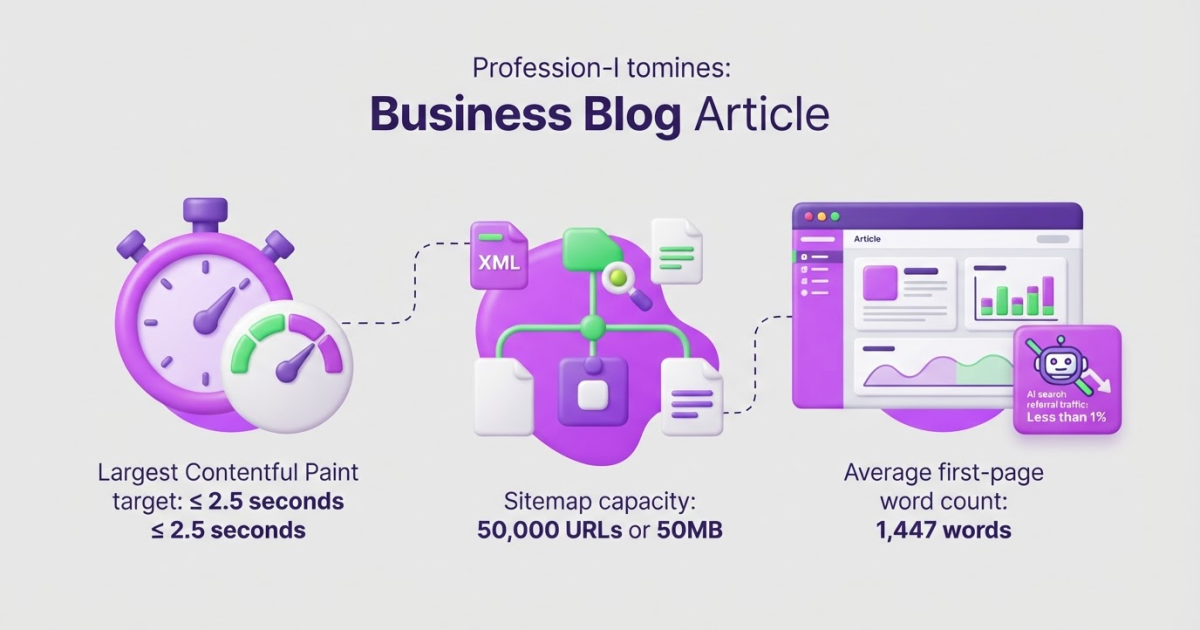
Integrating SEO means making search visibility part of your website, content, technical, analytics, and promotion workflows instead of treating it as a separate project. Start with one baseline audit, fix technical blockers, create content around search intent, connect performance data to weekly decisions, and automate only repetitive work that still protects originality and user value.
If your content team chases keywords while developers postpone fixes, analysts track different numbers, and promotion starts after publishing, SEO will underperform even when each person works hard. Integrating SEO means running those efforts as one operating system for growth, not ticking off isolated tactics. That matters because BrightEdge found AI search referrals represented less than 1% of referral traffic in its 2025 research, while organic search remained the primary conversion driver. The workflow below covers baseline measurement, technical foundations, content production, responsible AI use, and weekly improvement cycles.
| Point | Details |
|---|---|
| Unify the workflow | Connect technical SEO, content, analytics, and promotion through 1 owner, 1 backlog, and a weekly review. |
| Fix foundations first | Resolve mobile usability, Core Web Vitals, crawlability, indexation, and canonical signals before publishing at scale. |
| Match search intent | Map each target query to 1 search intent, 1 useful page, and 1 measurable business action. |
| Track meaningful signals | Review clicks, impressions, average CTR, and average position in Google Search Console at least once every month. |
| Automate with judgment | Use AI to speed up research and drafts, then add original expertise and complete 2 quality checks before publishing. |
What integrating SEO actually means
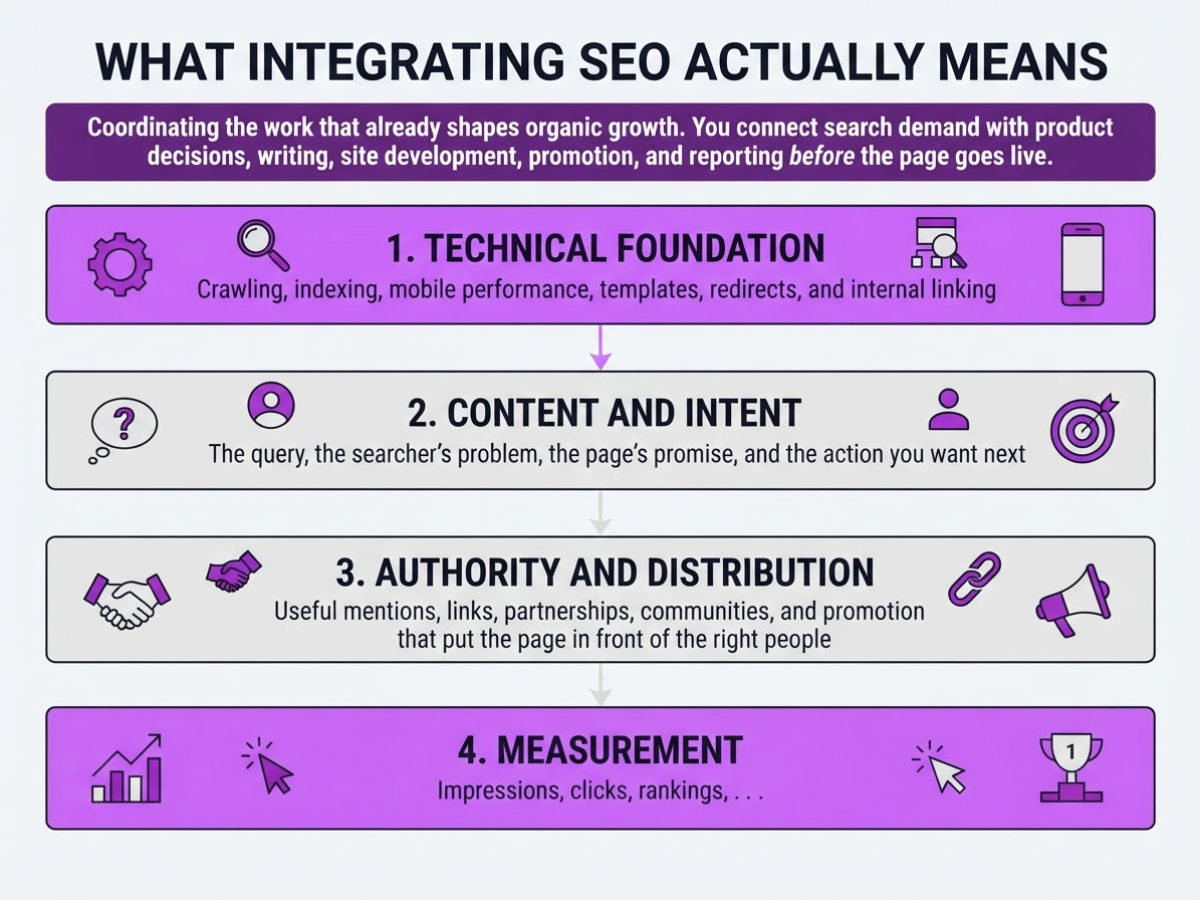
SEO integration means coordinating the work that already shapes organic growth. You do not hand a finished page to an SEO person and ask them to sprinkle in keywords. You connect search demand with product decisions, writing, site development, promotion, and reporting before the page goes live.
I use four connected layers when planning this work:
| Layer | What it covers |
|---|---|
| Technical foundation | Crawling, indexing, mobile performance, templates, redirects, and internal linking |
| Content and intent | The query, the searcher’s problem, the page’s promise, and the action you want next |
| Authority and distribution | Useful mentions, links, partnerships, communities, and promotion that put the page in front of the right people |
| Measurement | Impressions, clicks, rankings, leads, sales, and the decisions those numbers support |
A page can fail in any one layer. A well-written guide will not help much if your developers accidentally block it from indexing. Likewise, a technically clean product page can attract visits and still produce nothing if it answers an informational query while asking visitors to buy immediately. Google’s people-first guidance makes quality a human responsibility: original information, useful analysis, expertise, and factual accuracy cannot be checked by a keyword counter alone.
Integration is not the same as automation. Automation can collect queries, flag broken links, draft outlines, or remind someone to review a declining page. It cannot own the positioning, verify a claim, judge whether a page sounds trustworthy, or decide when a low-volume keyword has real commercial value. I have seen teams automate publishing too early and create more cleanup than progress.
Assign ownership plainly:
- Marketing: sets audience, offer, and business priorities.
- Writers: translate intent into accurate, useful pages.
- Developers: protect performance, indexability, templates, and links.
- Outcome owner: one person reviews results and resolves trade-offs.
For example, a small plumbing company might target “emergency water heater repair.” Research identifies urgent local intent; the writer explains response times and pricing; the developer adds the page to relevant service links; marketing places a clear call button; and the owner checks Search Console clicks, calls, and booked jobs after 30 days. Free SEO tools can support the research, but the team still decides what deserves publishing.
Pro Tip: Create one shared SEO backlog with a business impact, search opportunity, owner, and next review date for every task.
With that definition in place, the next step is to see how integrating SEO changes your planning process.
Build the SEO foundation before publishing at scale
Before I publish a large batch of pages, I make sure the site can actually deliver them to searchers. More content will not repair blocked crawling, duplicate URLs, broken templates, or a mobile layout that hides the main answer.
-
Record the baseline. Export indexed pages, organic clicks, impressions, average rankings, and conversions from Search Console and your analytics platform. Then list crawl issues, top landing pages, important query groups, and pages that attract impressions but no clicks. Without this snapshot, you can mistake normal fluctuation for progress.
-
Test the highest-value experience. Open your top landing pages on a real phone, not only in a desktop emulator. Google uses the mobile version of your content for indexing and ranking, so check menus, forms, text, images, pop-ups, and checkout flows at narrow widths. I have seen a desktop-perfect template turn into an awkward stack with the primary button below several screens of content.
Pro Tip: Test the highest-traffic template first; one fix to a shared template can improve hundreds of URLs at once.
-
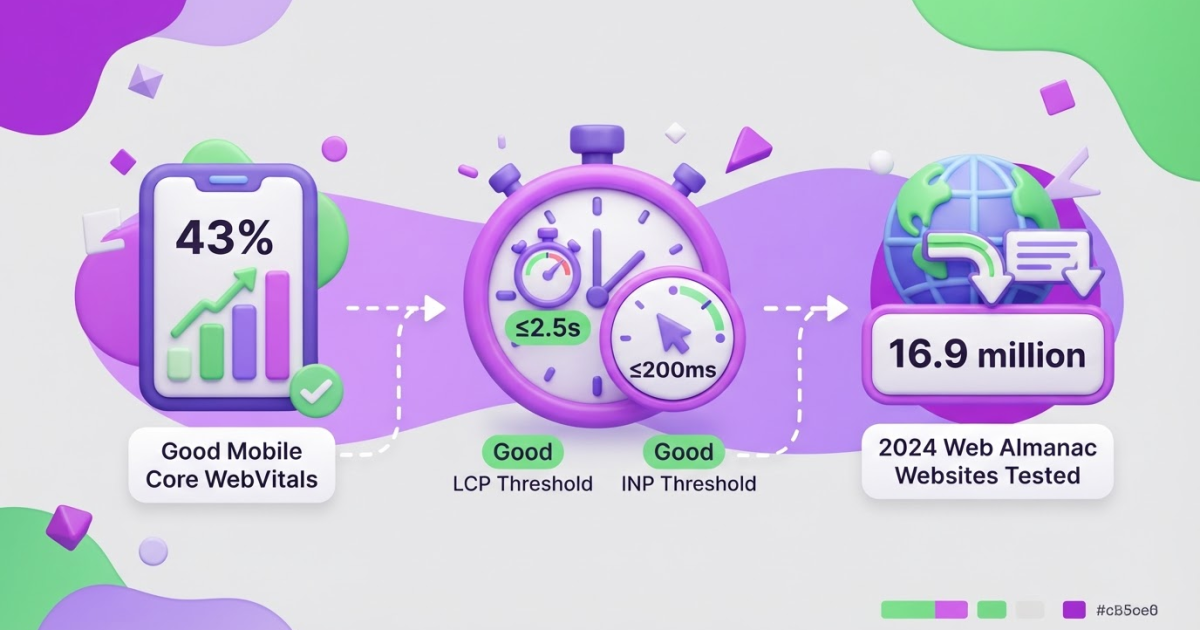
Measure page experience. Use field data where available and target Google’s Core Web Vitals thresholds at the 75th percentile, split between mobile and desktop: LCP of 2.5 seconds or less, INP of 200 milliseconds or less, and CLS of 0.1 or less. Start with oversized images, slow third-party scripts, and layout shifts from missing image dimensions. Chasing a perfect laboratory score is usually less useful than fixing the template your visitors actually use.
-
Audit the crawl and index rules. Review templates for one clear canonical URL, useful internal links, and consistent status codes. Confirm that robots.txt, meta robots directives, and canonicals do not contradict one another. A noindex tag hidden in a shared template can quietly remove an entire product or article category.
-
Clean up XML sitemaps. Include only canonical, indexable URLs that return a successful response. One sitemap supports up to 50MB of uncompressed data or 50,000 URLs; larger sites need multiple files, and a sitemap index keeps those files organized for submission and monitoring. Do not use a sitemap to disguise orphan pages or URLs you intentionally blocked.
-
Turn the audit into a 30-day queue. Fix crawl and indexing blockers first, then repair high-impact shared templates, then handle enhancements such as structured data, better breadcrumbs, or richer internal-link paths. I keep each task tied to an owner, affected URL set, expected outcome, and validation date; otherwise technical SEO becomes an endless spreadsheet.
Once these foundations are stable, you can connect them to the content workflow without multiplying technical debt.
Turn search intent into a repeatable content system
A content calendar is not a strategy if every assignment starts with “write something about SEO.” I have seen teams spend weeks polishing titles and headings while publishing three pages that answer the same question. Integrating SEO means choosing the right operating model for the problem in front of you.
| Workflow | Best use | Main risk |
|---|---|---|
| Page-by-page fixes | Existing pages with impressions, links, or near-page-one rankings | Endless tinkering without broader coverage |
| Topic clusters | A subject with several related questions and clear customer stages | Creating thin supporting pages that compete with each other |
| AI-assisted production | A consistent queue of drafts, updates, and weekly SEO tasks | Repetitive copy, factual errors, and no original point of view |
Start by mapping queries to four intent types: informational, commercial, navigational, and transactional. An informational query usually needs a guide, a commercial query needs a comparison or buying guide, a navigational query needs a clear brand or product page, and a transactional query needs a focused service, category, or checkout path. Do this before choosing a URL. Format should follow intent, not the other way around.
For every proposed page, I require a short brief with seven fields: audience, primary intent, supporting questions, evidence or first-hand examples, internal links, conversion action, and update trigger. The update trigger might be a product change, a ranking drop, a new customer objection, or a review date every six months. This prevents a cluster from becoming a pile of forgotten URLs.
Pro Tip: Before creating a new URL, compare its intended query and conversion action with your existing pages to prevent keyword cannibalization.
My rule is blunt: improve an existing page when it already has impressions or links. Create a new page only when the intent is genuinely distinct. Search Console’s clicks and impressions make that decision less subjective, although the data will not explain every ranking change.
Roki AI can turn an approved brief into a draft and assign three to 10 weekly tasks, which is useful when small updates keep getting postponed. I also use Roki AI’s SEO content workflow to keep production moving, but I do not publish untouched output. A subject-matter reviewer must add evidence, remove invented claims, and make the angle original. Google treats mass-generated pages without added value as scaled content abuse, so automation handles repetition, not judgment.
For teams automating connected tasks, AI workflow automation can reduce the handoffs around research and publishing, but ownership of the final page should stay with a human. That safeguard leads into the mistakes that make an integrated workflow look busy without making it useful.

Avoid the integration mistakes that quietly limit growth
The fastest way to make SEO look productive is to count output instead of outcomes. I have watched teams publish dozens of AI-written pages, then wonder why impressions stall. Volume cannot replace judgment, firsthand evidence, or an editor willing to delete weak sections. Google treats mass-generated pages without added user value as scaled content abuse, so avoiding common AI content mistakes is not just an editorial preference.
Common mistakes that quietly block growth:
- Publishing interchangeable AI pages. If five articles repeat the same advice, add no customer examples, and receive no subject-matter review, they create index clutter rather than authority. Use AI for research support or a first draft, then add original analysis, tested details, and a real point of view.
- Chasing rankings without a destination. A position-one page for an informational query can still produce no leads if it ignores the visitor’s intent, offers no relevant next step, loads poorly, or sends people to a generic product page. I care about qualified visits, completed actions, and returning users, not a screenshot of a ranking tool.
- Moving the measurement goalposts. Teams often change target queries halfway through the month, combine branded and non-branded terms, or treat average position as the whole story. Search Console reports clicks, impressions, CTR, and average position, but review those measures by query group, landing page, device, and conversion path.
- Leaving technical work ownerless. When developers assume marketers handle canonicals and redirects, while content teams assume developers manage schema and internal links, small errors survive for months. Put one named owner beside each item and test changes after deployment. A canonical link check can catch an issue, but it cannot fix a team that does not own the fix.
- Treating structured data as a guaranteed SERP upgrade. Correct markup can make a page eligible for a rich result, but Google does not guarantee that it will display one. Relevance, page quality, search context, and policy compliance still matter.
Fixing these gaps gives your integrated SEO work a cleaner base, which makes the next stage of measuring and improving performance far more useful.
Create a 90-day SEO improvement loop
I run SEO in 90-day cycles because shorter windows create noise, while longer ones let weak ideas consume a quarter. The plan is simple: establish a clean baseline, ship the work most likely to matter, then judge results against the starting point.
-
Days 1–30: measure and remove friction. Export the last 3–6 months of organic clicks, impressions, queries, landing pages, leads, and assisted conversions. Audit indexing, redirects, canonicals, templates, mobile rendering, and page speed, then record each technical blocker with an owner and deadline. Choose a small group of priority pages based on business value and search intent, not just traffic. I also document the content backlog with the target query, reader need, proposed page, internal-link targets, conversion goal, and evidence required. A vague list of “topics to write” is not a backlog. It is procrastination with a spreadsheet.
-
Days 31–60: publish, connect, and test. Improve the highest-intent pages first, especially those already receiving impressions but producing few clicks or leads. Add useful internal links from relevant pages, pursue mentions from genuinely related sites or communities, and test the conversion path from search result to form, call, checkout, or signup. I prefer three well-supported updates over fifteen thin pages. If you use free SEO tools during research, still have a person check the output, because automated suggestions often miss commercial context.
-
Days 61–90: compare and decide. Compare query groups, landing pages, clicks, impressions, CTR, average position, leads, and assisted conversions with the baseline. Google’s Search Console Performance report provides clicks, impressions, average CTR, and average position, but none should stand alone. High impressions with low CTR points toward a relevance or snippet problem; rising clicks without leads points toward the page or conversion path; better position with fewer impressions may reflect a narrower query mix.
Every week, assign small tasks, ship them, and log the change, date, page, and expected signal. Every month, review budget, priorities, stalled work, and pages that should be merged, refreshed, or pruned. At day 90, keep what produced commercial movement and change what only produced attractive charts. That review gives the next SEO cycle a sharper starting point.
My honest take on integrating SEO
I see integrating SEO as an operating decision, not another channel to bolt onto marketing. In practice, the biggest losses usually happen between teams: a writer misses a product change, a developer ships a template without the needed internal links, or nobody checks whether traffic led to a demo, trial, or sale. Those handoffs quietly drain months of work.
Here is my less popular view: most companies should not start with a large content calendar. Start with 10 or fewer important pages, the technical limits affecting them, the questions customers actually ask, and one commercial result you can measure. That smaller scope feels slow at first, but it gives you a feedback loop your team can maintain. I would rather publish three useful pages, strengthen their internal paths, and study the data than release 30 thin URLs that become maintenance debt.
AI can shorten research, drafting, and monitoring, including the weekly SEO tasks we build into Roki AI. It cannot decide whether a claim is credible, whether advice reflects customer reality, or whether a page deserves to exist. I have seen teams automate production before fixing those judgments, then spend more time cleaning up weak pages than creating useful ones. The lasting advantage goes to teams that include SEO in product, editorial, and measurement decisions.
— Daniel/Aleksandra
Make your SEO workflow easier to run every week
Integrating SEO usually fails in the handoff between strategy and weekly execution. You know which pages need work, yet content updates, internal research, and community opportunities keep slipping behind client work. I built Roki AI’s content workflow to handle part of that repetition while leaving the important calls to you.
Roki can draft website content on autopilot and surface Reddit discussions where a thoughtful, genuinely relevant mention of your site can help. The Reddit suggestions still need judgment; forcing a link into the wrong conversation is a quick way to look careless. Each week, Roki gives you 3 to 10 improvement tasks, turning SEO into a manageable operating rhythm instead of another occasional audit.
Start by setting your priorities and quality standards. Then use Roki’s free SEO tools to review opportunities, choose the useful tasks, and keep moving consistently without pretending automation can guarantee rankings.
Frequently Asked Questions
Yes. You can coordinate SEO with paid search, email, social media, product marketing, and conversion planning around the same audience research and goals. Keep technical search work and long-term organic reporting distinct, because treating SEO like a short-term ad campaign usually creates poor decisions.
A practical setup often includes Google Search Console, analytics, a crawler, page-speed testing, keyword research, content management, and task tracking, which is about 7 tool categories. Start with the smallest stack that helps you find problems, assign owners, and measure results, since buying 10 tools before defining the workflow usually adds noise.
Technical fixes and indexing improvements can appear within 2 to 4 weeks, but reliable traffic and conversion trends often take several months. Use a 90-day review window, compare results with a documented baseline, and track rankings, qualified visits, leads, and revenue instead of celebrating one early spike.
Both: before launch, set the architecture, templates, redirects, mobile experience, metadata, internal links, and measurement; after launch, monitor crawling, indexing, queries, performance, and conversions. Fixing a structural mistake before launch is usually cheaper than repairing 1,000 poorly indexed URLs afterward.
Yes, but use AI for research, outlines, drafts, and workflow support while a knowledgeable person checks the facts and adds firsthand insight. Before publishing, run at least 3 checks for accuracy, originality, and reader value, because a large batch of polished but interchangeable pages can weaken your site.
Written by Daniel/Aleksandra.
Recommended reads
- How Roki Ai Streamlines Your Seo Content Workflow
- Seo And Hosting A Practical Setup Guide
- Avoiding Common Ai Content Mistakes For Better Seo
- Free Seo Tools
Sources
- Web Vitals | Articles | web.dev
- Mobile-first Indexing Best Practices | Google Search Central
- Build and Submit a Sitemap | Google Search Central
- How are you performing on Google? - Search Console Help
- General Structured Data Guidelines | Google Search Central
- Spam Policies for Google Web Search | Google Search Central
- Creating Helpful, Reliable, People-First Content | Google Search Central
- AI Search Visits Surging in 2025—But Organic Search Remains the Cornerstone of Digital Growth
- We Analyzed 11.8 Million Google Search Results. Here’s What We Learned About SEO
- Search Activity Surges: AI Overviews Drive 49%+ Growth in Google Impressions
- Tivius