Daniel D.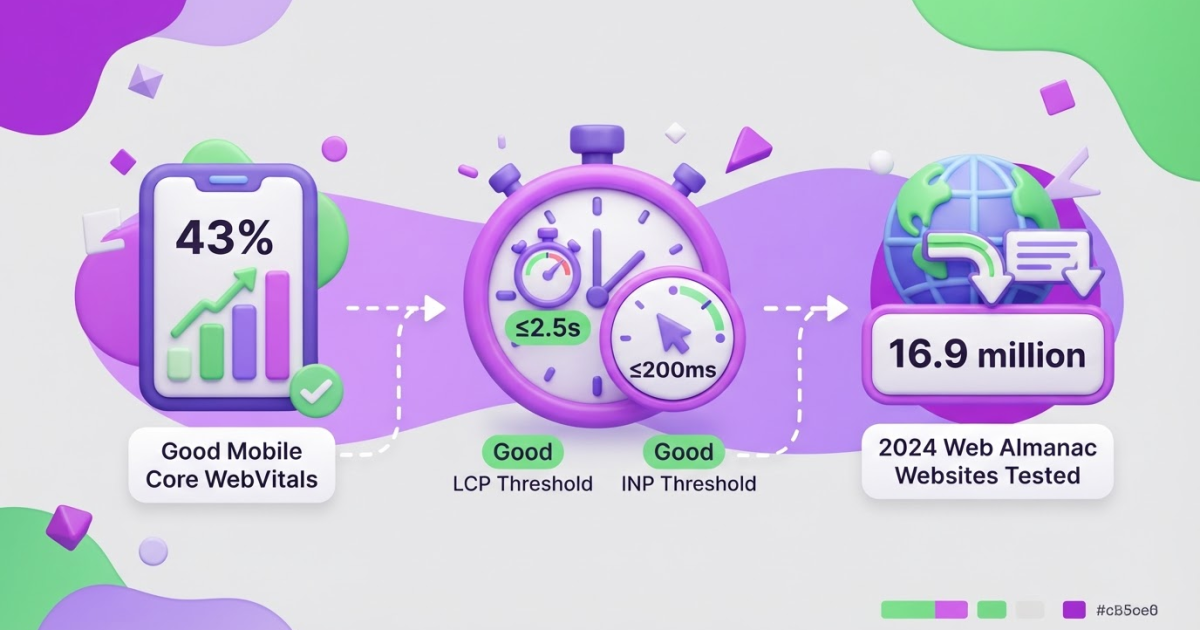
SEO and hosting connect through page speed, uptime, HTTPS security, mobile delivery, and crawlability, so choose reliable hosting, enable HTTPS and caching, and watch the 3 Core Web Vitals for performance problems. Check server errors and use Google Search Console to confirm that Google can reach, crawl, and index your site.
You can choose a reputable host and still watch organic traffic dip when slow responses, brief outages, failed crawls, or uneven mobile delivery go unnoticed. Hosting is not a ranking shortcut, but poor hosting can quietly undermine the work you put into content, links, and technical SEO. In the 2024 Web Almanac, only 43% of mobile websites had good Core Web Vitals scores when measured with INP, so performance problems are hardly rare. This guide shows you how to choose hosting, configure the technical essentials, test speed and crawlability, and decide when a migration is justified.
| Point | Details |
|---|---|
| Speed Supports SEO | Aim for Google’s good Core Web Vitals thresholds: LCP at 2.5 seconds or less, INP at 200 milliseconds or less, and CLS at 0.1 or less. |
| Uptime Protects Crawling | Repeated 5xx errors, 429 responses, timeouts, or DNS failures can reduce Google’s crawling of your site or block access to pages. |
| Mobile Delivery Matters | Google uses the mobile version of your site’s content for indexing and ranking under mobile-first indexing. |
| HTTPS Is Foundational | Google’s canonicalization systems generally prefer HTTPS over equivalent HTTP URLs, so every canonical site version should resolve securely. |
| Hosting Is Not Enough | Good hosting can remove technical friction, but it cannot replace useful content, clear information architecture, or sustained SEO work over 12 months. |
What does hosting actually change for SEO?
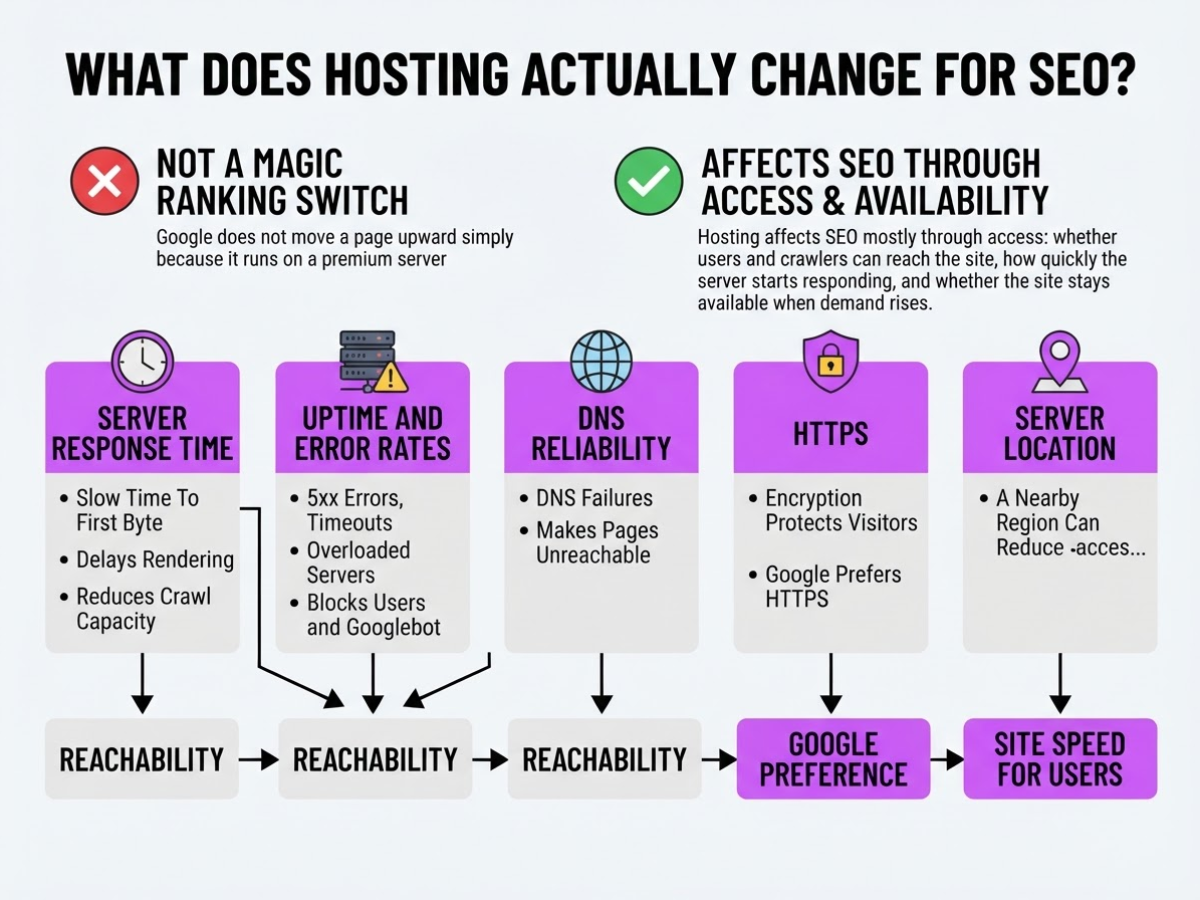
Hosting is not a magic ranking switch. Google does not move a page upward simply because it runs on a premium server. Hosting affects SEO mostly through access: whether users and crawlers can reach the site, how quickly the server starts responding, and whether the site stays available when demand rises.
| Hosting factor | SEO effect |
|---|---|
| Server response time | Slow time to first byte delays rendering and can reduce crawl capacity on large sites. |
| Uptime and error rates | 5xx errors, timeouts, and overloaded servers can block users and Googlebot. |
| DNS reliability | DNS failures can make otherwise healthy pages unreachable. |
| HTTPS | Encryption protects visitors, and Google generally prefers HTTPS over equivalent HTTP URLs. |
| Server location | A nearby region can reduce network delay for your main audience, although a CDN often matters more. |
Pro Tip: Diagnose the server’s time to first byte separately from front-end rendering speed so a theme or plugin problem is not misdiagnosed as a hosting problem.
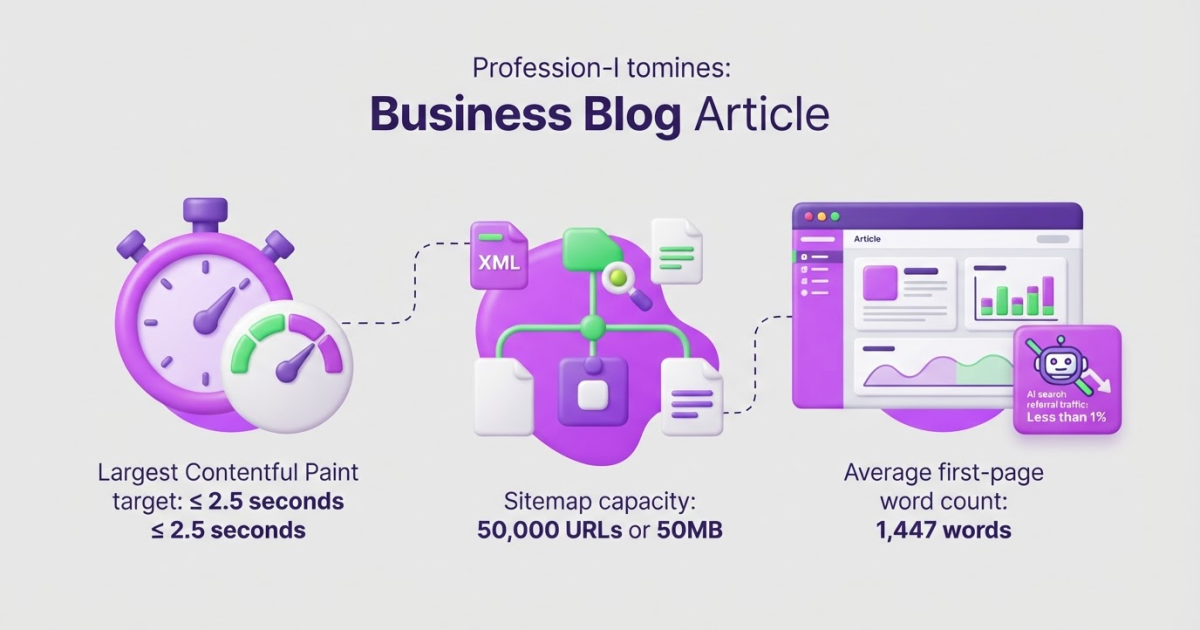
Core Web Vitals sit between hosting and page quality. Google includes them in page-experience evaluation, but passing Core Web Vitals alone does not guarantee top rankings. The recommended “good” thresholds are an LCP of 2.5 seconds or less, INP of 200 milliseconds or less, and CLS of 0.1 or less at the 75th percentile. A fast server cannot fix a bloated JavaScript bundle, unstable ads, or a badly built theme.
Hosting becomes more consequential when your site has thousands of URLs, database-heavy pages, frequent product changes, sharp traffic spikes, or regular crawler activity. A small brochure site may never notice the difference between ordinary shared hosting and a faster plan. An online store can lose crawl capacity and customer conversions during a brief outage. Google also reduces crawling when response times rise or servers return 5xx and 429 errors.
Do not blame hosting for weak content, poor search intent, thin internal links, or missing authority. A faster server will not make an irrelevant page rank. If you serve Indian customers, you can also compare lower-cost domain and hosting options for that market, but judge the provider by measured uptime and response data, not the cheapest headline price.
The practical question is whether your technical foundation is limiting discoverability, which leads to the specific hosting requirements your SEO setup should meet.
Shared, VPS, or managed hosting: which fits your SEO needs?
When I review a hosting plan for a new site, I ignore labels such as “premium” first. I check uptime history, response-time complaints, support response targets, backup restoration, staging access, PHP or runtime versions, CDN compatibility, and limits on CPU, RAM, workers, and database connections. These details affect whether visitors and crawlers can reach your pages reliably.
Shared hosting is usually enough for a small informational site with a few hundred visits a day, modest plugins, and predictable traffic. It costs less and requires little server knowledge, but one noisy neighboring site can still create slowdowns. If support takes 48 hours to answer, backups are untested, or the plan throttles you during a traffic spike, the low monthly price stops being a bargain.
A VPS gives you more control over server settings and reserved resources, but you also inherit updates, security work, monitoring, and troubleshooting. Managed WordPress hosting removes much of that maintenance and often includes staging, automatic backups, caching, and WordPress-focused support. You pay more, and some hosts restrict plugins or server configuration, which can frustrate experienced teams.
Cloud hosting suits uneven traffic, launches, and sites that need capacity across more than one server. Read the billing rules carefully: a traffic spike can create a surprisingly large invoice. Dedicated infrastructure makes sense for a high-traffic publication, complex store, or strict compliance requirement, not for a five-page brochure site.
| Site type | Sensible starting point | Move up when... |
|---|---|---|
| New site | Shared hosting | Slow tests persist or traffic becomes unpredictable |
| Growing content site | Managed WordPress or VPS | Publishing jobs hit limits or traffic spikes cause errors |
| Ecommerce site | Managed WordPress or cloud | Checkout slows, orders fail, or sales events exhaust resources |
| High-traffic publication | Cloud or dedicated infrastructure | You need isolation, custom caching, or guaranteed capacity |
Pro Tip: Ask hosts for documented resource limits and throttling rules before buying; advertised storage is less useful than knowing how CPU, RAM, workers, and database connections are constrained.
A move is justified when you see repeated 5xx errors, database timeouts, poor uptime, delayed support, or failed backups. Google says slower responses and 5xx or 429 errors can reduce crawl capacity, while faster responses may let Google crawl more pages. Still, Core Web Vitals are only one part of page experience, and passing them does not guarantee top rankings. A costly server cannot repair thin content, weak internal links, or poor search intent. Choose infrastructure that removes technical friction, then judge its effect alongside the rest of your SEO work.
The SEO hosting setup checklist
Start with the hostname decision, not the hosting dashboard. Pick one canonical version, such as https://example.com, and make every HTTP, www, and non-www variant return a permanent redirect to it. Google generally prefers HTTPS when it consolidates equivalent URLs, but inconsistent redirects still create duplicate crawl paths. This SEO and web hosting setup guide is useful if you want to document the choice for your team.
-
Lock down DNS and renewals. Confirm the A, AAAA, CNAME, and MX records point where you expect. Turn on domain renewal, SSL certificate renewal, and billing alerts. A forgotten card or stale DNS record can take down a site long after the original launch team has moved on.
-
Configure delivery at the server and CDN layers. Enable server-side page caching, Brotli or Gzip compression, HTTP/2 or HTTP/3 where your stack supports it, and sensible cache-control headers. Resize images, serve modern formats when practical, and minify assets, but do not lazy-load or block text, navigation, product details, or other content search engines need to see.
-
Check mobile parity before publishing. Compare mobile and desktop HTML, titles, descriptions, canonical tags, structured data, images, and internal links. Google uses the mobile version for indexing and ranking under mobile-first indexing, so a mobile template with trimmed content is not a harmless design shortcut. It is one of the most common migration mistakes I see.
Pro Tip: Run the checklist on a staging environment first, then repeat it after DNS propagation because a technically correct origin can still be undermined by an incorrect CDN or DNS layer.
-
Make recovery boring. Take automated backups, test that you can restore one, maintain a staging site, and set uptime alerts for both the homepage and key templates. Before a major theme, plugin, or server change, record the current release and define the exact rollback command or procedure.
-
Audit the live crawl surface. Fetch
robots.txt, submit the XML sitemap, inspect canonical tags, test redirect chains, and check representative URLs for 200, 301, 404, and 5xx responses. Use a canonical link check to catch templates that point every page at the homepage. Fix these issues immediately after a migration, not after rankings disappear. -
Connect Google Search Console. Verify the domain property, submit the sitemap, and inspect representative URLs from mobile and desktop perspectives. Review indexing, HTTPS, Core Web Vitals, and server-error reports for at least the first 14 days after launch.
Once this baseline is clean, you can judge hosting performance without confusing configuration errors with genuine SEO problems.

How to test hosting before it costs you traffic
A hosting test starts with evidence, not the provider’s speed score. I record a clean baseline for at least 14 days, then compare the same URLs after the change. That prevents one unusually quiet day from making a mediocre host look brilliant.
-
Days 1–14: capture the baseline. Track uptime, DNS failures, certificate warnings, server response time, TTFB, Core Web Vitals, indexed pages, crawl requests, and organic conversions. I also save the median and 95th-percentile latency, because a good average can hide painful slow periods. Use this SEO and web hosting setup guide to check the configuration before you start.
-
Test real templates, not just the homepage. Run the same checks on an article, category archive, product page, landing page, and internal search page. The homepage is usually cached and carefully tuned. A slow database query on product or search pages is where customers and crawlers often feel the hosting problem first.
-
Days 15–28: compare access after migration. Review Search Console’s Crawl Stats for server response issues, 5xx errors, crawl volume, and response-time changes before and after the switch. Google says slower responses and 5xx or 429 errors can reduce crawl capacity, while Search Console treats 5xx responses as availability warnings that need investigation. Check indexed-page counts and organic conversions too, but allow time for normal search volatility.
-
Use field data as the verdict. Real-user Core Web Vitals reveal what visitors experience on phones and slower networks. The recommended 75th-percentile targets are LCP of 2.5 seconds or less, INP of 200 milliseconds or less, and CLS of 0.1 or less, but passing Core Web Vitals does not guarantee top rankings. Treat Lighthouse and other lab tests as diagnostic clues, not ranking proof.
Set alerts before launch: downtime above 5 minutes, TTFB above 800 milliseconds for 10 minutes, any repeated 5xx burst, a certificate expiring within 14 days, or three consecutive DNS failures. I define success as fewer outages, fewer failed fetches, quicker access, stable indexing, and no conversion damage, not an automatic ranking jump. With that baseline in place, you can judge hosting options by risk rather than sales copy.
Hosting mistakes that quietly weaken organic growth
I have seen strong content lose traffic because a hosting change left one small technical door open. The frustrating part is that the homepage often looks fine in a browser while crawlers, customers, or analytics systems hit a very different version of the site.
Common mistakes include:
- Leaving staging and temporary domains indexable. A development hostname can expose duplicate pages, unfinished copy, or private customer data. Protect it with authentication, remove it from public DNS where possible, and use
noindexonly when the site must remain publicly reachable. Do not assume a robots.txt disallow hides it from search. - Using robots.txt as a security tool. A blanket disallow can block important resources or prevent Google from discovering pages that need a proper
noindexdirective. Authentication solves access problems; robots.txt controls crawling. They are not interchangeable. - Letting URL variants compete. HTTP, HTTPS, www, non-www, trailing-slash, and parameter versions should not each behave like separate sites. Choose one preferred format, redirect the others, keep internal links consistent, and check every canonical tag. A canonical URL check catches conflicts that a quick homepage review misses.
- Ignoring intermittent failures. A manual test at 10:00 a.m. proves very little if users and Googlebot later receive 5xx responses, 429 rate limits, timeouts, connection resets, or DNS failures. Google treats network and DNS failures much like 5xx errors, and a robots.txt fetch failure caused by 5xx errors can pause crawling for the first 12 hours.
- Treating a migration as a DNS switch. Before changing hosts, preserve URL paths, map redirects, regenerate sitemaps, retain analytics and log access, and monitor Search Console. Missing one redirect pattern can turn years of accumulated signals into a pile of 404s.
- Chasing scores at the expense of people. Passing Core Web Vitals does not guarantee top rankings. I would rather accept a modest benchmark score than hide product details, delay the main content, or bury the checkout path.
- Trusting backup promises without a drill. Restore a backup on a separate environment, record who can change DNS, and document rollback steps with TTLs and provider credentials. A backup you have never restored is only a hope.
Once these risks are controlled, the next section can focus on the hosting signals worth monitoring after launch.
My honest take on SEO and hosting
I treat hosting as operational infrastructure, not an SEO growth strategy. From an owner’s perspective, I want a site that stays available, responds predictably, handles HTTPS cleanly, creates dependable backups, and gives the team competent support when something breaks. I would pay for those basics before paying for premium server specifications.
Here’s the contrarian part: a modest shared plan can be the responsible choice for a small site if it remains stable. An expensive VPS can create more risk when nobody on the team knows how to patch it, monitor it, restore it, or troubleshoot a slow database. I have seen teams buy more capacity and then lose hours to configuration problems that their old plan never caused.
Hosting changes rarely create durable organic growth by themselves. Useful content, clear site architecture, accurate search intent alignment, and consistent publishing usually do that work. Better servers may remove a genuine bottleneck, but they will not make a thin page deserve a ranking.
I see hosting as the floor beneath SEO, not its engine. Before migrating, I would document uptime, response times, crawl errors, key rankings, conversions, and the dates of recent incidents. Without that baseline, you cannot prove the move solved a real problem.
— Daniel/Aleksandra
Turn hosting stability into a repeatable SEO workflow
Good hosting gives SEO a clean technical base, but it does not publish useful pages or decide what to improve next. Once your site is crawlable, secure, and free from avoidable server problems, Roki AI’s content workflow can help you keep the work moving without another spreadsheet to maintain.
Roki AI creates website content on autopilot and sends you 3–10 weekly tasks aimed at improving visibility in Google and AI search engines. It can also find relevant Reddit posts where a genuinely useful, non-spammy reply may mention your website. That distinction matters. Roki AI will not repair DNS, uptime, server errors, or Core Web Vitals, and automated drafts still deserve your review. But if hosting has stopped being the bottleneck, try Roki AI to turn missed content and visibility opportunities into consistent weekly actions.
Frequently Asked Questions
Changing hosts can improve rankings indirectly when your old provider caused slow responses, downtime, mobile delivery problems, or crawl failures. It will not fix weak content or poor search intent, and Google does not promise higher rankings simply because your Core Web Vitals improve.
Choose hosting with reliable uptime, responsive support, HTTPS, backups, caching, enough server resources, and a staging environment you can actually use. For many small WordPress sites, well-supported shared hosting is enough, while busy sites may need VPS or cloud resources, often at 2 or 3 times the monthly cost.
No single server-response time guarantees rankings, but consistent delivery helps visitors and gives Google fewer crawl problems. Aim for LCP of 2.5 seconds or less, INP of 200 milliseconds or less, and CLS of 0.1 or less at the 75th percentile.
Yes. Repeated 5xx errors, DNS failures, timeouts, connection resets, or blocked robots.txt requests can stop Google from crawling and refreshing your pages, and URLs that stay unreachable can leave the index within days.
If you can, move hosting separately from URL, platform, or domain changes so you can identify problems instead of debugging 2 major changes at once. Before changing DNS, create backups, test staging, preserve redirects and canonical signals, monitor Search Console, and prepare a rollback plan.
Written by Daniel/Aleksandra.
Recommended reads
- Seo And Web Hosting A Setup Guide
- Canonical Link Check How To Verify Optimize For Seo
- How To Check Canonical Url For Seo Success
- How Roki Ai Streamlines Your Seo Content Workflow
Sources
- Understanding Google Page Experience
- How the Core Web Vitals metrics thresholds were defined
- The 2024 Web Almanac
- Crawl Budget Management
- Troubleshoot Google Search Crawling Errors
- Mobile-first Indexing Best Practices
- How Google Interprets the robots.txt Specification
- Debug Network and DNS Errors for Google's Crawlers
- How to Specify a Canonical with rel="canonical" and Other Methods
- Crawl Stats report
- AVM Cloud