Daniel D.
The best SEO for Shopify combines search-focused product and collection pages, useful content, clean internal links, fast mobile performance, structured product data, and regular measurement. Shopify covers several technical basics automatically, but you still need to improve your copy, merchandising, visibility, and authority deliberately; tools such as Roki AI can provide 3–10 weekly tasks to keep that work moving.
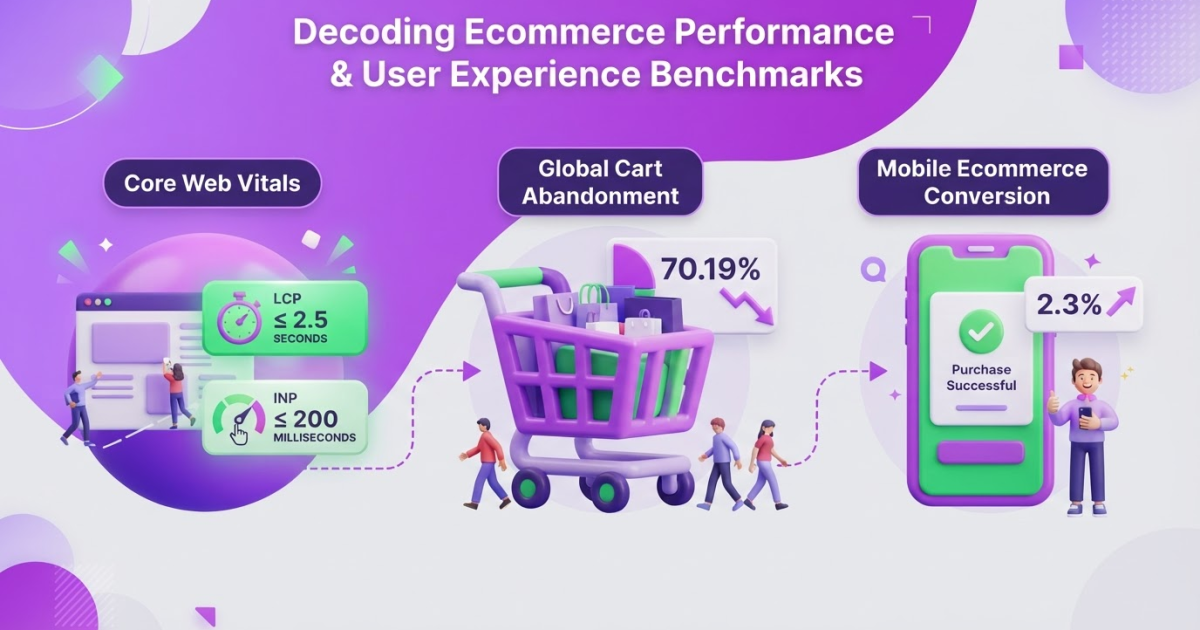
Running a Shopify store can feel unfair: the platform handles much of the technical setup, yet your products can still disappear beneath competitors with better pages, content, and customer experience. I’ve seen owners fixate on apps while overlooking slow mobile pages, vague product copy, and confusing navigation. That matters beyond rankings: Baymard reports a 70.19% global ecommerce cart-abandonment rate, so SEO gains mean little if shoppers cannot complete a purchase. This guide covers Shopify’s built-in SEO, keyword and page mapping, product optimization, content and links, technical checks, measurement, and responsible automation.
| Point | Details |
|---|---|
| Shopify Foundations | Shopify automatically adds canonical tags, sitemaps, robots.txt, and SSL, but you still need to review implementation and page quality. |
| Intent-Based Pages | Assign 1 primary search intent to each product, collection, and editorial page to reduce cannibalization and improve relevance. |
| Product Discovery | Combine product structured data with a Google Merchant Center feed to qualify for richer ecommerce appearances. |
| Mobile Performance | Target a 2.5-second LCP, 200-millisecond INP, and 0.1 CLS because slow mobile pages quickly lose shoppers. |
| Measure Before Scaling | Check Search Console impressions, clicks, queries, and pages every 7 days before publishing more content or adding another app. |
What Shopify SEO Includes—and What It Does Not
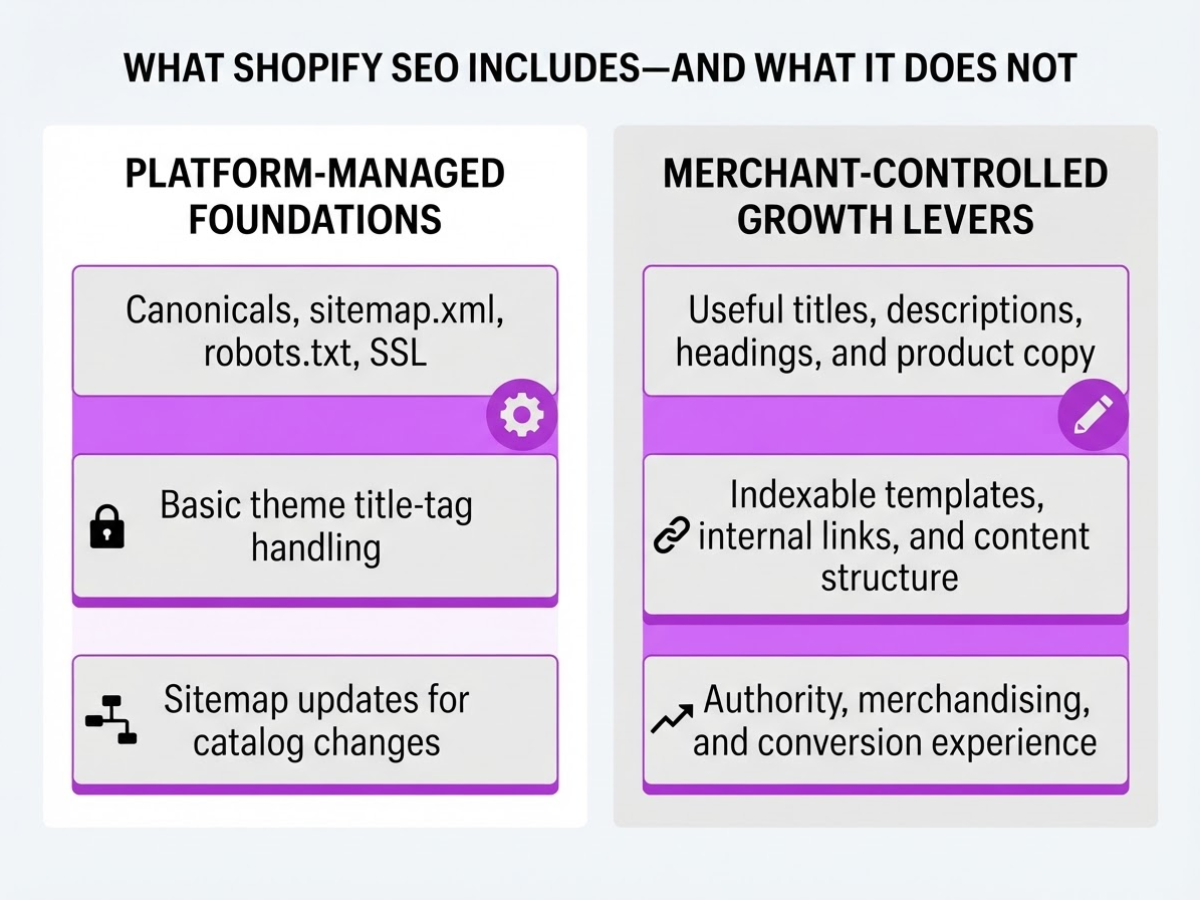
When I review a Shopify store, I separate what the platform handles from what the merchant must decide. Shopify automatically creates canonical tags, sitemap.xml, robots.txt, theme title tags, and SSL certificates. Its sitemap also updates as you add products, collections, images, pages, or blog posts. That removes several technical chores, but it does not make the store search-ready.
Here is the practical split:
| Platform-managed foundations | Merchant-controlled growth levers |
|---|---|
| Canonicals, sitemap.xml, robots.txt, SSL | Useful titles, descriptions, headings, and product copy |
| Basic theme title-tag handling | Indexable templates, internal links, and content structure |
| Sitemap updates for catalog changes | Authority, merchandising, and conversion experience |
The frustration usually starts when a store owner assumes automation wrote a good page. Shopify can publish a product URL with a generic title, a thin description, weak collection copy, and no useful links from related pages. It also cannot decide whether a filter page should be indexed, which search intent a collection should target, or why one product deserves a click over ten similar listings. Most teams overrate SEO apps here. An app may expose fields, but it cannot supply judgment.
I treat Shopify SEO as six connected jobs: technical SEO keeps pages crawlable and eligible for indexing; on-page SEO clarifies each page’s topic; content answers real buying questions; authority earns trust through relevant mentions and links; merchandising organizes products around demand; and conversion experience helps visitors buy once they arrive. A ranking that produces no qualified orders is not a win.
Pro Tip: Do not spend the first week buying SEO apps; first document which technical elements Shopify already manages and which page-level gaps remain.
AI search does not remove these fundamentals. Google says its generative search features rely on the same core SEO principles, so crawlability, indexing eligibility, useful content, and page experience still matter. I use Shopify SEO tools only after this audit, when I know which growth lever needs attention. Next, that audit starts with the pages Shopify creates and the pages shoppers actually need.
Build a Shopify SEO Map Before You Edit Pages
A keyword list is not an SEO plan until every query has a sensible home in your Shopify store. I have seen merchants put “running shoes” on a product page, then wonder why that page cannot compete with larger category results. Map the demand first, then edit the copy.
-
Inventory every target URL. Create one row for the homepage, each important collection, each product, blog posts, and supporting pages such as shipping, sizing, comparison, or buying guides. Add the live URL, its current indexation status, and the keyword you think it should own. This exposes thin pages and products that exist only because the theme made publishing easy.
-
Match intent to the page type. Give broad commercial searches to collections, such as “women’s waterproof jackets.” Give specific purchase searches to product pages, such as “black Gore-Tex hiking jacket size medium.” Use blog posts for questions and research, not as a shortcut around a weak collection page. Google’s product rich-result guidance also focuses product structured data on individual products or variants, not general listing pages, so do not force one URL to serve both jobs.
-
Complete the decision fields. For every row, record the primary keyword, search intent, three to five supporting terms, likely internal links, title direction, and the content gap. A title direction might be “Women’s Waterproof Jackets | Lightweight Rain Shells,” while the gap could be missing fit advice, material details, or original product photography. I keep this inventory in a spreadsheet because SEO tools rarely show the merchandising trade-offs clearly. Shopify SEO tools can speed up the checking work, but they will not decide which collection deserves the keyword.
-
Check overlap before publishing. Search each primary term and compare similar URLs. If two collections target “organic cotton t-shirts,” consolidate them, narrow one to a real subcategory, or assign distinct intent. Duplicate titles, near-identical copy, and several blog posts answering the same question usually signal competition you created yourself.
-
Use evidence to set the order. Review Search Console’s Performance report, which includes impressions, clicks, queries, and pages. Prioritize pages with impressions but weak click-through rates, then pages with declining clicks or average position. Fix money pages first: homepage, high-margin collections, and proven products. Publish supporting guides afterward and link them back to those pages.
Pro Tip: Prioritize pages already receiving impressions because a focused title, content, and internal-link revision can outperform launching an entirely new URL.
Once the map is clear, you can optimize each Shopify page without making the next section compete with the last.
Product Pages, Collections, and Content: Where to Invest
The page type should decide the SEO job, not the other way around. When I review a Shopify store, I often find one template copied across products, collections, and blog posts. That saves time during setup, then quietly attracts the wrong visitors and leaves buyers without the details they need.
| Page type | Search intent | What the page should accomplish |
|---|---|---|
| Product page | Specific purchase intent | Answer “Is this the right item for me?” and make buying straightforward |
| Collection page | Category-level discovery | Help shoppers compare options and choose a useful product path |
| Blog content | Education and problem-based searches | Solve a question, then guide readers toward a relevant category or product |
A product-page brief should include original, benefit-led copy rather than a supplier description with three adjectives changed. Add clear attributes, use images in context, and answer likely objections with FAQs where they genuinely help. Show availability, shipping information, returns, and descriptive title and meta-description text. “Blue jacket” is not enough when the shopper needs to know the fit, fabric, weather use, and delivery window.
Product structured data belongs primarily on a page focused on one product or its variants, not on a general listing page. Google recommends Product structured data for single-product pages or pages covering multiple variants of the same product. Keep your Merchant Center feed accurate as well, because Google recommends using both structured data and Merchant Center feeds for richer ecommerce appearances. For variants, use ProductGroup with hasVariant, variesBy, and productGroupID where your implementation supports it. Do not paste product rich-result markup onto every collection card and expect category pages to qualify.
Collections need a different brief. Give each one a unique introduction that explains who it serves, add filters shoppers can understand, keep useful category context indexable, and link prominently to priority products. Filters that create hundreds of near-duplicate URLs are a common nuisance, so review which combinations deserve crawling and indexing instead of leaving every parameter open.
Pro Tip: Treat collection pages as merchandising hubs, not thin containers for product grids; give each one a clear shopper question and a useful reason to exist.
Blog content should tackle questions such as “how do I choose a waterproof hiking jacket?” Then link naturally to the relevant collection and specific products with descriptive anchors, not “click here.” Our Shopify SEO tools guide can help you audit those page relationships, but judgment still matters more than another automated score.
Measure success by qualified visits, add-to-cart rate, assisted revenue, and product-page conversion, not traffic volume alone. A blog post that brings 10,000 curious readers but no buyers may deserve less attention than a collection bringing 300 shoppers who purchase. Next, those page decisions need to connect to the technical checks that keep Shopify’s indexable URLs clean.

The Shopify SEO Checks That Prevent Silent Losses
Silent SEO losses usually come from small changes nobody logged. A new theme, an app installation, or a rushed product import can alter what Google crawls without producing an obvious error in Shopify admin. I check the live HTML, not just the settings screen.
Use this short audit list after every significant release:
- Confirm important products, collections, pages, and blog posts are indexable. Check for accidental
noindexdirectives, blocked resources, missing canonical targets, incorrect canonicals, redirect chains, 404s, orphan pages, and broken internal links. - Compare titles, meta descriptions, and headings across templates. Shopify can generate the technical basics, but it cannot stop a theme from repeating the same boilerplate across 500 products.
- Review faceted navigation, internal search results, and tag pages. Filter combinations can create thousands of thin URLs, while low-value search and tag pages often waste crawl attention without helping shoppers.
- Inspect product descriptions for copied manufacturer text. If every retailer uses the same paragraph, add your own measurements, fit notes, testing details, care advice, photos, and answers from customer questions.
- Test mobile product templates after adding apps or changing theme code. Extra scripts, oversized images, review widgets, chat tools, and untested customizations can delay interaction or shift the buy button while the page loads.
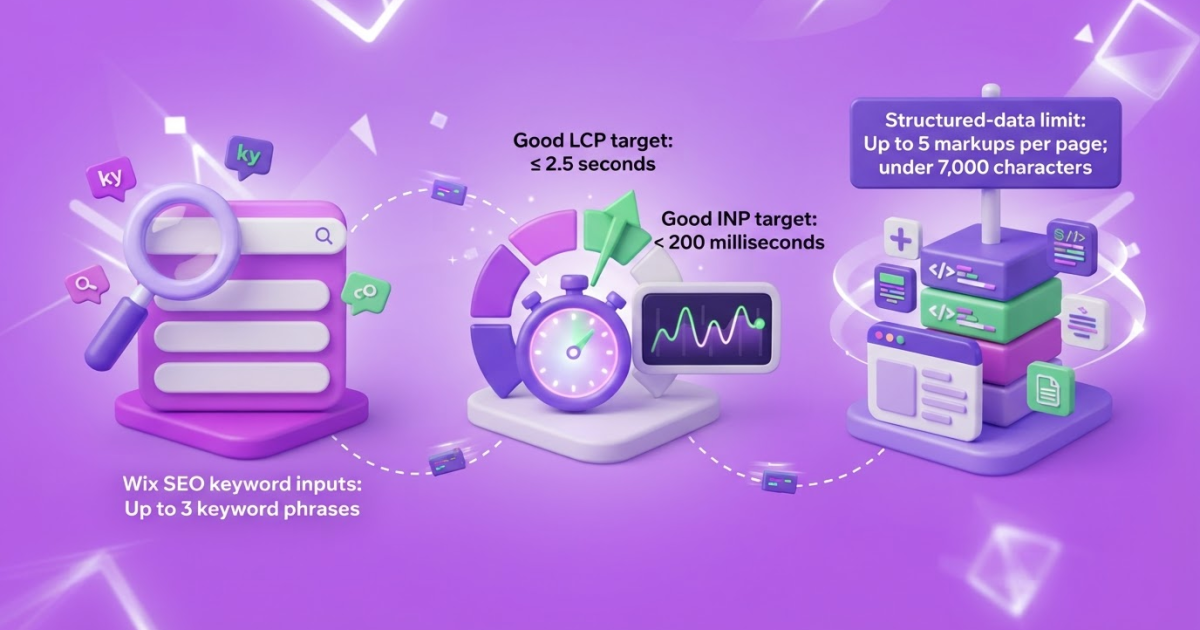
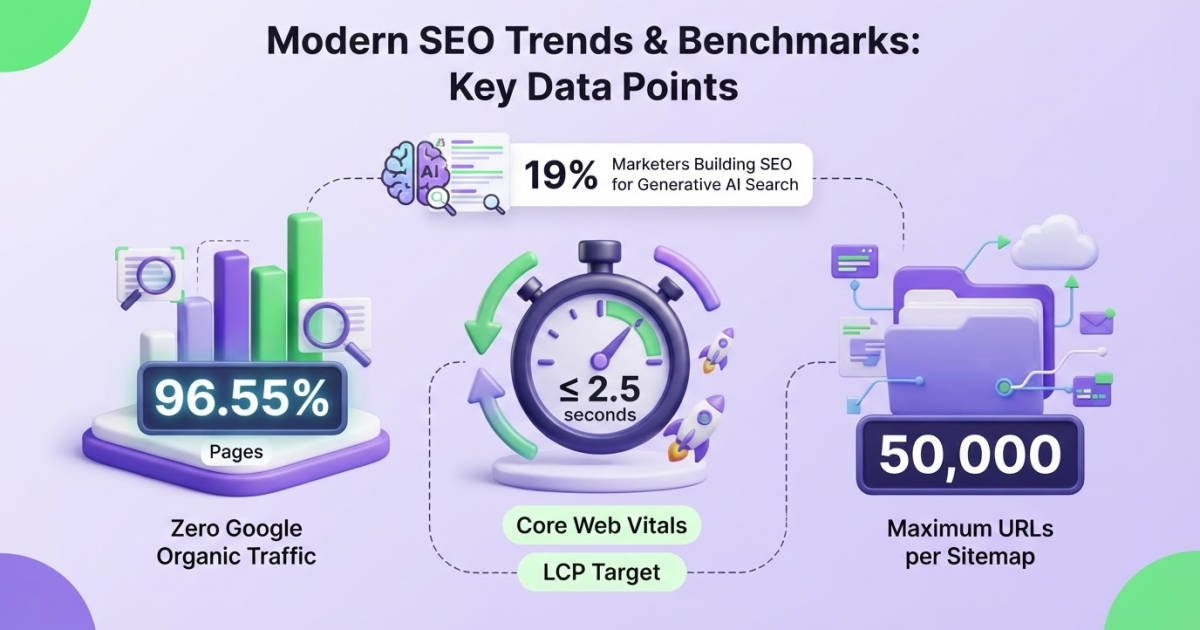
For performance reviews, I use Google's current Core Web Vitals at the 75th percentile: LCP should be 2.5 seconds or less, INP 200 milliseconds or less, and CLS 0.1 or less. Test real mobile product pages, not only the homepage. A score can look fine on a clean landing page while the variant selector, gallery, and reviews make the product template frustrating.
AI content creates a different trap. Google recommends people-first pages with first-hand expertise and warns against producing large volumes of automated summaries mainly for search traffic. That guidance matches what I see in stores: generic AI descriptions rarely explain why this merchant's product is worth buying. Use AI to organize notes, then add evidence only the merchant can provide.
Finally, keep a monthly change log with dates, theme versions, app installs, template edits, redirects, and major content releases. When rankings or conversions fall, that record beats guesswork. Once these checks are routine, the next SEO gains usually come from improving the pages that already attract demand.
Turn Shopify SEO Into a 90-Day Operating System
A 90-day plan works better than a permanent SEO to-do list because Shopify stores change constantly. I would rather see ten well-documented improvements than fifty edits nobody can connect to revenue.
-
Days 1–30: establish the baseline. Audit indexability, canonical behavior, templates, priority products, collections, page speed, analytics, and Search Console. Shopify automatically handles several foundations, including canonical tags, sitemaps, robots.txt, and SSL, but that does not prove every important page is indexed or presented correctly. Record indexed pages, impressions, clicks, rankings, organic revenue, assisted conversions, and page-level engagement before changing anything. Google recommends using the Search Console Performance report to compare pages and queries over time.
-
Days 31–60: fix commercial pages first. Improve the product and collection pages tied to real demand: clearer titles, useful copy, stronger images, accurate variant details, and better internal links. Publish only a small number of supporting articles that answer questions your buyers actually ask. A dozen thin posts will not beat two genuinely useful guides connected to the right products. Keep a short change log so you can compare each page against its own pre-edit data.
-
Days 61–90: earn evidence and remove friction. Pursue relevant mentions, partnerships, and links rather than dumping the store into generic directories. Rewrite underperforming title tags and descriptions, test clearer calls to action, and inspect checkout or shipping confusion that may turn organic visits into abandoned carts. Shopify reported a 2.4% overall conversion benchmark in December 2024, so treat small conversion gains as meaningful, not cosmetic. Refresh pages only when new search data, customer questions, inventory changes, or product evidence supports the edit.
Review the same date ranges before and after each major change. Annotate theme releases, app installs or removals, price changes, stockouts, promotions, and content updates in your analytics record. Rankings alone are noisy; a page moving up while clicks, revenue, or engagement fall is not a win.
Roki AI can help maintain recurring content work and surface weekly execution tasks, including drafts, refresh ideas, and opportunities to mention your site in relevant discussions. I use automation for repetition, not judgment. You still need to verify product facts, originality, customer relevance, and whether the task fits this quarter’s commercial priorities. For a broader tool review, see this practical guide to Shopify SEO tools.
After 90 days, keep the cadence, but let measured page and revenue evidence decide what earns the next investment.
My honest take on the best SEO for Shopify
I have seen Shopify merchants make SEO harder than it needs to be. They install six apps, publish daily, automate every product description, then wonder why organic traffic rises without producing more orders. My contrarian view is simple: for many stores, the best SEO move is to reduce complexity. Protect a small group of commercially important collection, product, and comparison pages, then make those pages genuinely useful before expanding the program.
Shopify already gives you a solid technical baseline. You get hosted infrastructure, sensible page structures, mobile support, and built-in controls that remove several old SEO headaches. It cannot tell you why customers hesitate, which product details matter in a buying decision, or what makes your offer meaningfully different. It also cannot supply editorial judgment or earn credible mentions for you. Those gaps still require someone who understands the customer and the category.
That is where I position Roki AI. It should create momentum and surface practical weekly tasks, not replace review or flood your store with generic pages. I would rather see a merchant improve five revenue-relevant URLs, monitor qualified clicks and product consideration, and learn from the results than chase a traffic chart. SEO succeeds when discovery leads to better decisions and measurable revenue, not when the analytics dashboard merely looks busy.
— Daniel
Put Your Shopify SEO Plan on Autopilot—With Judgment
If you know which Shopify collection needs work but cannot keep the weekly routine alive, Roki AI can act as an operating layer for your SEO work. It creates website content, surfaces relevant Reddit discussions where you can contribute a genuinely useful comment, and sends 3 to 10 improvement tasks each week.
That structure helps, but it is not a substitute for Shopify configuration, Search Console analysis, product knowledge, or editorial review. AI can suggest a weak topic or miss an important customer concern, so you still need to make the final call. I would start with one priority collection, one product cluster, and one recurring task cycle. After a few weeks, check whether the work improves search visibility and the customer experience. If it creates more noise than progress, adjust the brief or stop.
Frequently Asked Questions
Yes. Shopify gives you several technical basics automatically, including canonical tags, XML sitemaps, robots.txt, and SSL, so you do not need to build those systems from scratch. That foundation does not guarantee rankings: page quality, search intent, internal links, site speed, useful content, and authority still decide whether your store earns clicks.
Map each target keyword to the right product, collection, or informational page, then improve its title, copy, structured data, internal links, and mobile experience. Track the work in Google Search Console for at least 4 weeks, because one rank position can fluctuate while impressions and qualified clicks move in the right direction.
There is no universally best app, and many stores install 3 or 4 tools that edit the same metadata or theme files. Choose one that fixes a documented gap, such as keyword research, auditing, reporting, or content production, and test its changes on a small group of pages before applying them across the store.
You may see early movement within 4 to 8 weeks, but dependable organic growth usually takes several months of page improvements, useful content, links, and measurement. Competition, site history, crawlability, product demand, and execution quality can all speed up or delay the result, so avoid judging the entire strategy after 1 ranking check.
Yes, especially when you focus on a narrow product category and make 10 to 20 commercial pages more useful than the competing results. Start with a manageable group of URLs, study the evidence after one work cycle, and expand only when your pages earn impressions, clicks, or conversions rather than adding content for its own sake.
Written by Daniel/Aleksandra.
Recommended reads
- Shopify Seo Tools A Practical Guide For Stores
- Seo For Llms A Practical Optimization Guide
- Avoiding Common Ai Content Mistakes For Better Seo
- Seo Roadmap Template A Practical 90 Day Plan
Sources
- Shopify Help Center | How search engine optimization (SEO) works
- Shopify Help Center | Finding and submitting your sitemap
- How To Add Product Snippet Structured Data | Google Search Central
- Share Your Product Data With Google | Google Search Central
- Adding structured data support for Product Variants
- How the Core Web Vitals metrics thresholds were defined
- Creating Helpful, Reliable, People-First Content
- Google's Guide to Optimizing for Generative AI Features on Google Search
- How To Use Search Console | Google Search Central
- Reasons for Cart Abandonment – Why 70% of Users Abandon Their Cart (2026 data)
- How To Find and Fix a Leaky Sales Funnel (2026)