Aleksandra D.
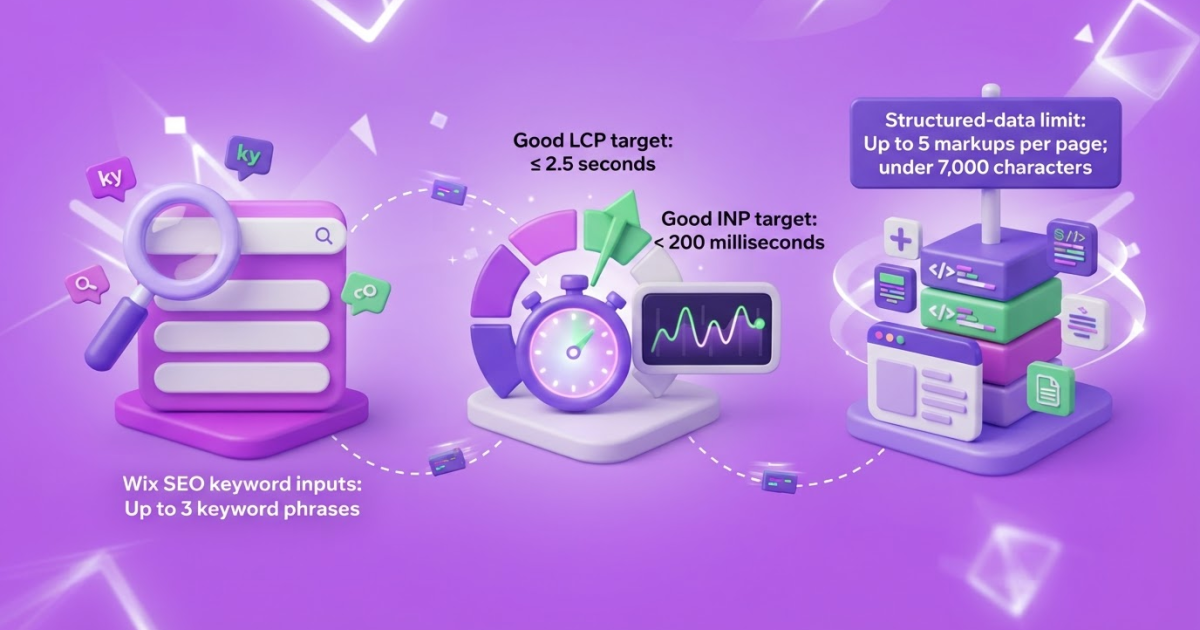
Wix SEO works when you target the right keywords, fix each page’s settings, publish useful content, check technical issues, and measure results in Google and AI search. Roki AI gives you 3–10 SEO tasks each week to help improve your Wix site’s visibility.
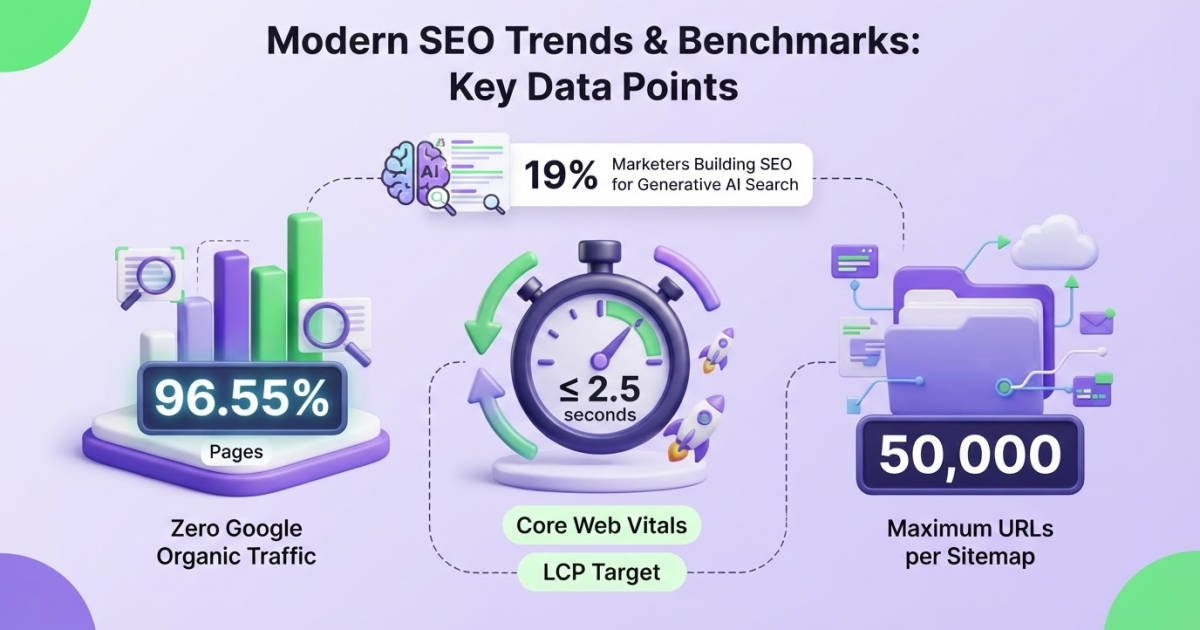
Publishing a polished Wix site feels like the finish line, but it rarely brings organic traffic on its own. I’ve seen owners spend days refining fonts and layouts, then wonder why Google barely notices the site. SEO works better as a repeatable operating system: clear pages, useful content, technical checks, and regular measurement. Google’s Core Web Vitals targets include LCP at 2.5 seconds or less, INP below 200 milliseconds, and CLS below 0.1. The work below covers Wix’s native SEO setup, page optimization, content, structured data, technical checks, measurement, and an ongoing workflow supported by Roki AI.
| Point | Details |
|---|---|
| Match Search Intent | Choose focused keyword phrases that reflect what customers want instead of optimizing every page for the same term. |
| Review Wix Settings | Check titles, descriptions, URL slugs, canonicals, indexing controls, and image metadata on each page before publishing. |
| Publish Useful Content | Build supporting content around customer questions and commercial topics rather than producing 20 thin pages that add little value. |
| Check Technical Health | Aim for an LCP of 2.5 seconds or less, INP below 200 milliseconds, and CLS below 0.1. |
| Treat SEO Systematically | Review performance every 7 days, improve pages that underperform, and maintain a steady flow of relevant content and authority signals. |
What Wix SEO includes and what it does not
When I review a new Wix site, I separate SEO into five jobs. Wix helps with the mechanics, but it cannot decide what your business should be known for or why a searcher should choose you.
| SEO area | What it covers | What you still need to decide |
|---|---|---|
| On-page SEO | Titles, headings, URLs, image alt text, and internal links | The search intent and message for each page |
| Technical SEO | Crawling, indexing signals, canonicals, mobile performance, and structured data | Which pages belong in search and which technical issues matter most |
| Content SEO | Helpful service pages, guides, examples, and keyword coverage | Your audience, expertise, topics, and publishing priorities |
| Local SEO | Location pages, business details, reviews, and local relevance | Your service area, offer, and reputation in that market |
| Off-page promotion | Links, mentions, partnerships, and community visibility | How you earn attention and authority outside your website |
Wix provides native fields and settings for many core tasks. It automatically creates a default canonical URL for each page, and you can change it in Advanced SEO settings. You can also edit page titles, descriptions, indexing settings, redirects, and structured data. None of that makes the decisions for you. A completed title field can still target the wrong phrase, promise something the page does not deliver, or sound exactly like ten competing businesses.
Start with the Wix SEO Setup Checklist. Wix’s own checklist lets you enter up to three keyword phrases describing your business and recommends phrases of two to four words. It helps configure foundational details and connect services such as Search Console, but it is not a content plan. Connecting Search Console also requires a Premium plan and connected domain, which catches some owners by surprise.
Pro Tip: Treat the Wix dashboard as an execution layer, not as the SEO strategy itself.
Google ranks pages based on relevance, quality, authority, and user experience, not because you built them on Wix. New sites usually need weeks or months of useful content, credible mentions, and repeated improvements before rankings become dependable. Indexing alone is not a win, and a sitemap does not guarantee indexing or higher positions.
Next, turn these broad SEO areas into specific Wix settings and page-level actions.
How to set up Wix SEO from the ground up
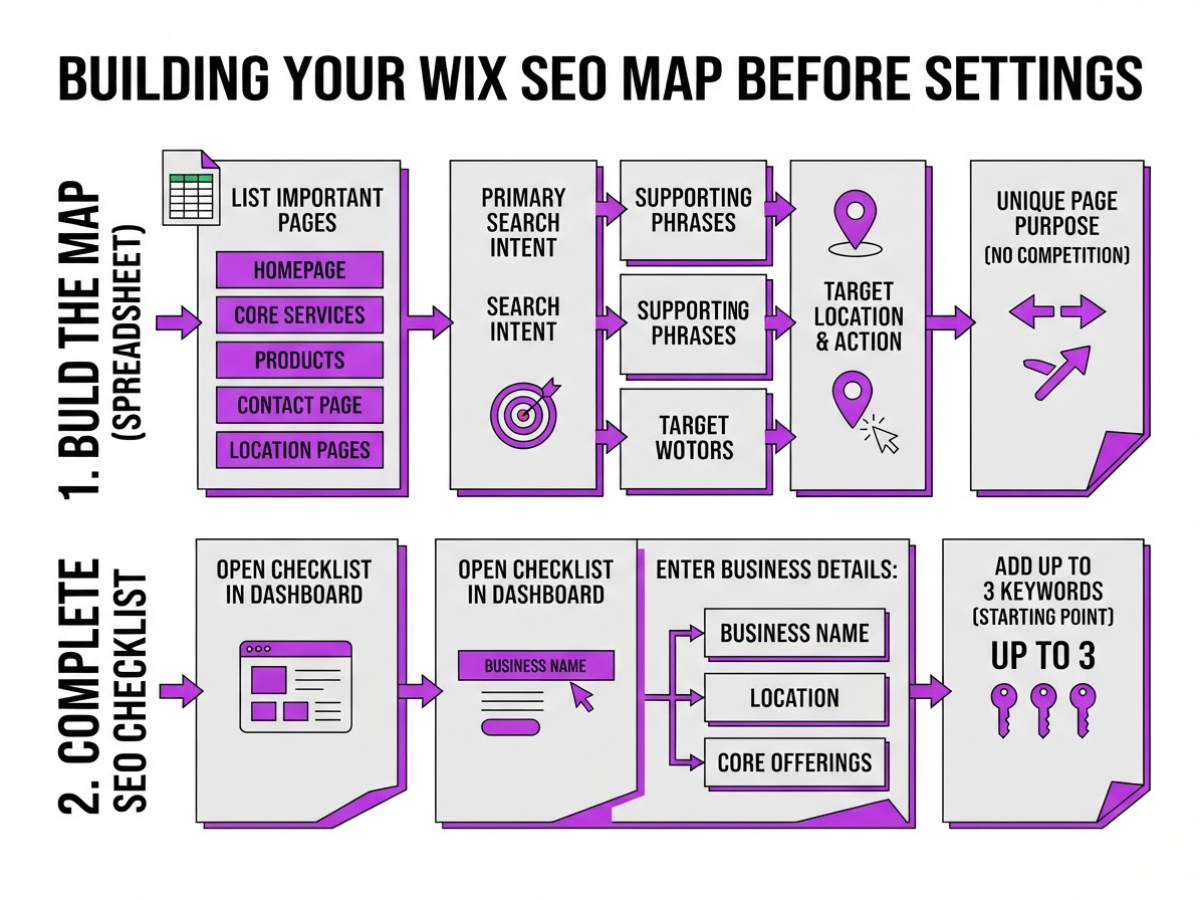
Build the map before you touch Wix settings. List your important pages in a spreadsheet, assign one primary search intent to each, and note the supporting phrases, target location, and desired action. A service page should sell that service, not compete with your homepage for the same query. I usually start with the homepage, core services, products, contact page, and location pages. Targeted keyword research keeps this step from becoming guesswork.
-
Complete the Wix SEO Setup Checklist. Open the checklist in your Wix dashboard and enter your business name, location, and core offerings. Wix allows up to three keyword phrases there, and its guidance favors phrases of two to four words. Treat those phrases as a starting point, not a complete keyword strategy.
-
Connect the real domain. Buy or connect your custom domain before you publish. A temporary Wix address makes testing awkward and can leave you changing URLs later. Connecting Wix to Google Search Console through the SEO Setup Checklist requires a Premium plan and a connected domain, as Wix documents here.
-
Set each page’s search elements. In the SEO panel, write a unique title tag and meta description for the homepage, every service or product page, and the contact page. Use one clear H1, descriptive subheadings, a short readable URL, and a call to action such as “Book a consultation” or “Request a quote.” Do not copy the homepage title across ten pages. It is one of the most common Wix SEO shortcuts, and it weakens relevance.
-
Build useful paths between pages. Link the homepage to your highest-value services, link related services to one another, and point blog posts toward commercial pages. Add specific image alt text that describes the image and its purpose. “Team photo” is acceptable; “Austin dental team providing emergency care” is useful only when it accurately describes the image.
Pro Tip: Finish the highest-value commercial pages before creating dozens of blog posts. Better foundations make every later content effort more useful.
-
Check the technical controls before publishing. Preview every page on a phone, test forms and buttons, confirm important pages are indexable, and remove accidental noindex settings. Review redirects after changing slugs. Wix creates a default canonical URL for each page, but you can check or change it in Advanced SEO settings when duplicates or migrations require it.
-
Verify and measure. Add the property in Google Search Console, inspect priority URLs, and submit the sitemap. Then create a baseline spreadsheet with impressions, clicks, indexed pages, rankings, and conversions by URL. Recheck it monthly, because rankings without leads can disguise a weak page.
With the foundation live, turn those page settings into content that earns clicks.
Optimize Wix pages for relevance, clicks, and trust
The mistake I see most often is treating every Wix SEO field as equally important. They are not. Prioritize what shapes relevance and the visitor’s decision first, then clean up the supporting signals.
| Page element | Main SEO role | Conversion priority | What to do first |
|---|---|---|---|
| Title tag | Defines the page topic and search result promise | High | Name the service, product, or outcome clearly |
| H1 heading | Confirms the page topic on the page | High | Make it match the visitor’s expectation |
| Visible copy | Demonstrates expertise and answers objections | Very high | Explain who you help, how, pricing factors, and next steps |
| Meta description | Earns the click; usually not a direct ranking lever | Medium | Add a specific reason to visit |
| URL | Provides a readable page identifier | Medium | Keep it short and descriptive |
| Images | Support understanding, accessibility, and context | Medium | Use useful filenames, alt text, and compressed files |
| Internal links | Guide users and distribute page importance | High | Link to relevant services, proof, and next steps |
Write titles for humans first. “Emergency Plumber in Austin | Same-Day Repairs” is better than forcing an exact-match phrase into a clumsy sentence. Google can build title links from the title element, headings, visible text, and other page signals, so keep those signals consistent rather than obsessing over one field. A free SEO title generator can help you test options, but do not publish its first suggestion without editing it.
Your visible copy does the selling. Show relevant experience, name the risks, answer common objections, and match awareness: a ready-to-buy visitor needs availability and a clear call to action, while an early researcher may need comparisons, process details, and proof. Thin copy stuffed with keywords usually fails both jobs.
Pro Tip: Write the page’s first visible section for a ready-to-buy visitor, then use supporting sections to answer the questions that prevent conversion.
For local Wix SEO, include the areas you actually serve, a real contact method, consistent business details, relevant reviews, and location pages with genuinely different information. Copying one service page into ten city URLs creates clutter, not local authority. The same warning applies to repeated titles, descriptions, and nearly identical service pages.
Wix creates a default canonical URL for each page, and you can change it in Advanced SEO settings. Use a custom canonical when duplicate or closely related URLs should consolidate signals, not as a shortcut for deciding which location page deserves unique content.
After these page-level priorities are set, technical checks become easier to judge.

Build a Wix content engine that compounds
Content starts paying off when every article has somewhere useful to send the reader. I build clusters around customer problems, comparisons, use cases, and buying questions, then connect each article to a relevant service, product, or lead-generation page with descriptive links such as “book a Wix SEO audit” rather than vague “click here” text.
A practical publishing timeline looks like this:
-
Weeks 1–2: Map the cluster. Choose one commercial page, then list the questions that stop people from buying. A Wix designer might publish “How much does a Wix redesign cost?”, “Wix versus WordPress for a small business,” and “How to improve local visibility on Wix.” Each article should answer a distinct question and point back to the right offer.
-
Weeks 3–8: Publish useful depth. More posts do not automatically create authority. A thin article that repeats search results adds little, whether Google finds it or an AI system summarizes it. Add screenshots from your own Wix site, client patterns, pricing ranges, test results, original survey data, named authors, and direct answers near the top. I would rather publish two pieces with real evidence than ten generic posts.
-
Every week: Improve the signal. Wix Blog supports AI-generated structured data for posts, and the markup can be refreshed after you edit a post. Keep the author, examples, dates, and conclusions accurate. Freshness means updating changed advice, not changing the date on an unchanged article.
-
Every 30–60 days: Review the misses. In Search Console, find pages gaining impressions but few clicks. Rewrite the title and opening answer, sharpen the search intent, add a relevant internal link, or merge overlapping posts. Do not delete a page simply because it had a slow first month.
I use Roki AI as a workflow assistant, not an editor. It can surface content opportunities, help draft a useful starting point, and send three to ten weekly SEO tasks. The awkward part remains human: checking claims, adding firsthand detail, and deciding whether a topic deserves your time. This SEO content workflow with Roki AI works best when you reject weak ideas instead of publishing on autopilot.
That content engine gives your technical Wix setup something worth ranking, citing, and recommending.
Audit performance, indexing, and technical signals
Technical errors rarely announce themselves. A Wix site can look polished while Google sees slow templates, blocked URLs, duplicate versions, or pages that should never have entered the index. When I audit a site, I check these signals before recommending more content or backlinks.
Start with Core Web Vitals in PageSpeed Insights. Large hero images, autoplay video, embedded maps, chat widgets, and app scripts often create the damage. Watch for slow Largest Contentful Paint, sluggish Interaction to Next Paint, and Cumulative Layout Shift when fonts, banners, or images jump after loading. Google’s Good targets are LCP within 2.5 seconds, INP below 200 milliseconds, and CLS below 0.1. All three must receive a Good result for the page to pass the assessment, not just the metric that looks worst.
Do not stop at speed. Open your sitemap, confirm it loads, and inspect Google Search Console for excluded or accidentally blocked pages. A sitemap helps Google discover URLs, but it does not guarantee indexing or rankings. Check robots.txt instructions, noindex settings, redirects, broken internal links, and whether each important page points to the correct canonical URL. Wix creates a default canonical automatically, but copied pages and manual overrides can still produce conflicting signals. This canonical link checking guide is useful when the source code does not match what you expect in the editor.
The Wix SEO mistakes I find most often are:
- Hiding important copy inside accordions, images, or design elements that users and crawlers cannot interpret well.
- Creating duplicate service, location, or blog pages with almost identical text.
- Leaving staging pages, search results, tag archives, or thin campaign URLs indexable.
- Fixing desktop layouts while ignoring cramped mobile sections and oversized media.
- Publishing new articles constantly while never refreshing pages that lost clicks or contain outdated details.
Use a monthly audit for a large site, an active store, or a business publishing weekly. A small brochure site can usually run the same checks quarterly, with an extra review after a redesign, app installation, or URL change. My practical Wix SEO setup guide covers the initial configuration, but recurring checks catch the problems setup screens miss.
With the technical baseline clean, measure whether your pages are earning the right clicks and improving their search visibility.
My honest take on Wix SEO
I have seen owners blame Wix for traffic problems that actually came from weak positioning, thin service pages, and internal links added as an afterthought. Wix can support serious SEO when you choose a clear topic, publish useful pages, connect them deliberately, and measure leads instead of obsessing over every ranking fluctuation. The editor has its annoyances, especially when you need fine control over templates or have to clean up settings across many pages, but those frustrations rarely explain a business’s lack of visibility.
My contrarian view is simple: changing platforms is often a less valuable SEO project than fixing the offer and the content. A migration can consume weeks, introduce broken URLs, and create a convenient excuse to avoid the harder work of deciding what customers should find and why they should trust you. I would choose another platform for highly customized technical requirements, international structures with unusual rules, or a publishing operation with hundreds of contributors and complex workflows.
My decision usually comes down to three checks:
- Can the current Wix site publish and connect the pages customers need?
- Are weak rankings caused by the platform, or by thin content and unclear positioning?
- Would a migration fix a measurable problem within the next 90 days?
For a Wix owner, Roki AI can act as a practical weekly execution layer by turning SEO into 3 to 10 concrete tasks, including content work and relevant Reddit conversations. I still make the strategic calls, review quality, and decide what fits the business. Automation can keep the work moving, but it cannot judge whether a page makes a credible promise or attracts the right customer.
I have found that consistent, modest improvements beat dramatic platform changes. Wix will not rescue a vague offer or thin page, but it also does not prevent a focused business from earning search traffic.
— Daniel/Aleksandra
Turn Wix SEO into a weekly growth workflow
If you understand Wix SEO basics but still lose track of what to do each week, that execution gap is usually the real problem. I built Roki AI for that stage: it can generate useful website content, surface relevant Reddit discussions where mentioning your site makes sense, and send you 3–10 weekly tasks focused on visibility in Google and AI search engines.
The process is not magic, and it can still suggest work you should review before publishing or commenting. That is a worthwhile trade-off compared with staring at an empty content calendar or chasing random SEO advice. Our SEO content workflow helps you turn those recommendations into a practical queue. Use Roki AI to choose and complete the next useful action, not to hunt for an instant ranking shortcut.
Frequently Asked Questions
Yes, Wix works well for many small businesses, creators, and service companies because it gives you control over page metadata, URLs, canonicals, structured data, sitemaps, and Search Console connections. In practice, those 6 controls only help when your pages match real searches, load reliably, earn relevant links, and offer better information than competing pages.
There is no fixed timeline, but a new Wix site should usually evaluate progress over 3 to 6 months rather than expect immediate rankings. Competition, site history, content quality, authority, and publishing consistency all affect how quickly impressions, indexed pages, clicks, and leads change.
Wix includes basic SEO controls, but the SEO Setup Checklist requires a Premium plan and a connected domain for its Google Search Console connection flow. You also need to budget for 1 or more domains, professional content, promotion, or SEO software in some cases, and those costs often matter more than the built-in settings.
Yes, you can connect a Wix site to Google Search Console when Wix’s requirements are met, including a Premium plan and connected domain for the SEO Setup Checklist flow. Search Console then lets you review at least 4 useful signals: search queries, clicks, indexing, and page performance.
Make important pages indexable, publish useful content for specific searches, improve internal links, check technical issues, and promote the site where it makes sense. You can inspect or submit priority URLs through Search Console, but submission only requests discovery and does not guarantee indexing or rankings.
Written by Daniel/Aleksandra.
Recommended reads
- Wix Seo Tools A Practical Setup Guide
- Seo Plan A Practical Guide To Better Rankings
- Ai Seo Content Generator A Practical Guide
- How Roki Ai Streamlines Your Seo Content Workflow
Sources
- Wix SEO Setup Checklist: Creating Your SEO Checklist
- Customizing Your Page's SEO Settings in the SEO Panel
- Adding Structured Data Markup to Your Site's Pages
- Understanding Core Web Vitals and Google search results
- Site Performance: Understanding PageSpeed Insights
- FAQ: Google Search Crawling And Indexing
- Influencing Title Links in Google Search
- Editing Your Site’s Robots.txt File