Daniel D.
Shopify SEO tools help you research keywords, improve product pages, find technical problems, and plan content that brings in qualified shoppers. For most stores, a focused three-part setup works better than a crowded app stack: Shopify’s built-in SEO features, one diagnostic or optimization tool, and a consistent content workflow.
Installing three or four Shopify SEO apps can feel like progress, especially when product pages still refuse to rank. I’ve seen merchants pay for overlapping features, edit the same metadata in different places, and create new problems before checking what their store already does. Shopify automatically generates sitemap.xml and robots.txt files, adds canonical tags, and includes theme-based structured data, so basic technical setup rarely needs another app. This guide shows you how to classify Shopify SEO tools, compare app types and costs, choose a lean stack, improve product and collection pages, and build an ongoing workflow with Roki AI for content and search visibility.
| Point | Details |
|---|---|
| Audit Before Adding | Shopify already covers several SEO basics, so check your store’s existing settings before installing another app. |
| Match Tools To Gaps | Choose tools for a defined need, such as keyword research, technical checks, schema, speed, or content production. |
| Prioritize Revenue Pages | Start with the 10 to 20 product, collection, and category pages most likely to attract qualified buyers. |
| Avoid App Overlap | One focused SEO app is often easier to manage than 3 tools editing the same metadata or theme code. |
| Review Every Week | Check rankings, content opportunities, and technical issues weekly instead of relying on a one-time optimization sprint. |
What Shopify SEO Tools Actually Do
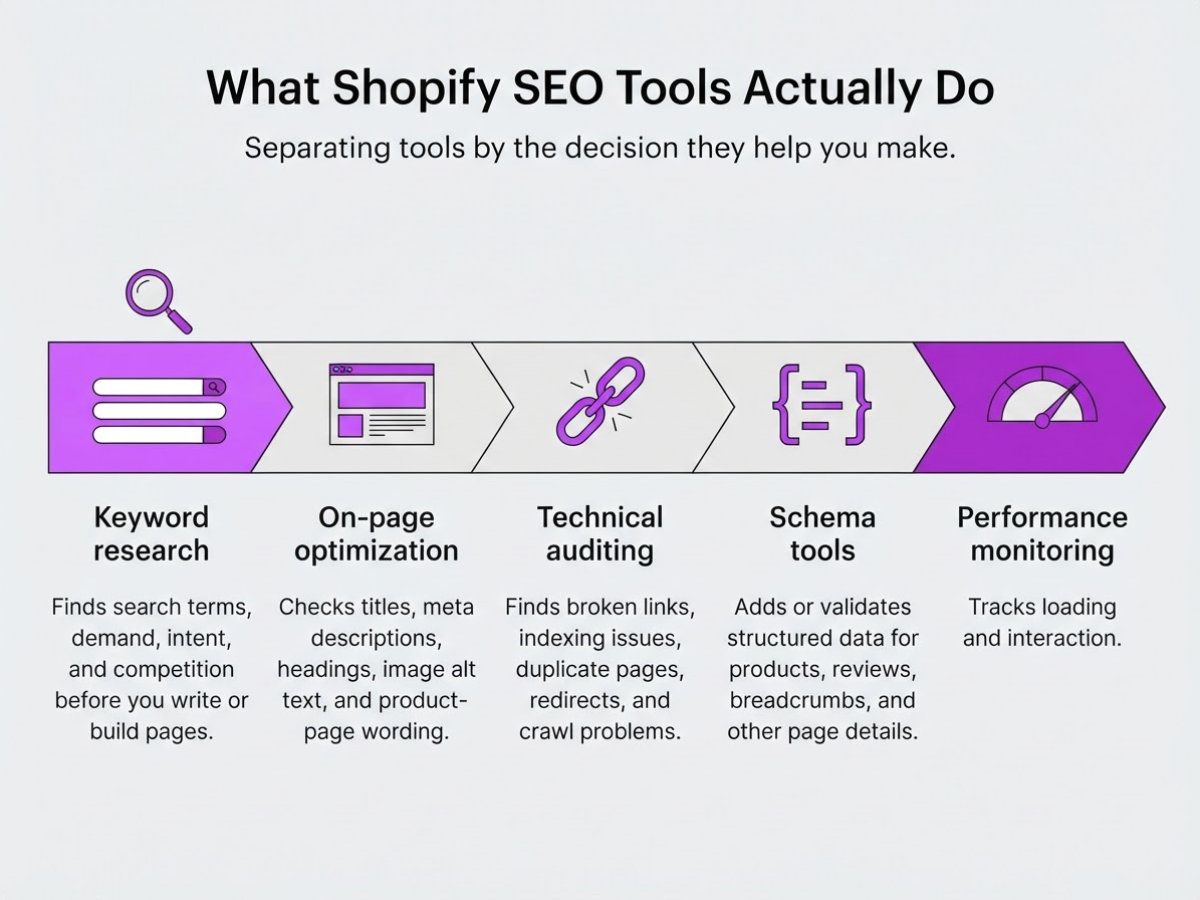
When I review a Shopify store, I first separate tools by the decision they help you make. Calling every app an “SEO tool” creates confusion, because a keyword database, a broken-link scanner, and an AI writer solve very different problems.
| Tool category | Problem it helps you solve |
|---|---|
| Keyword research | Finds search terms, demand, intent, and competition before you write or build pages |
| On-page optimization | Checks titles, meta descriptions, headings, image alt text, and product-page wording |
| Technical auditing | Finds broken links, indexing issues, duplicate pages, redirects, and crawl problems |
| Schema tools | Adds or validates structured data for products, reviews, breadcrumbs, and other page details |
| Performance monitoring | Tracks loading and interaction issues that can frustrate shoppers |
| Analytics | Connects organic visits with rankings, conversions, revenue, and landing-page performance |
| Content generation | Produces drafts for product descriptions, collection pages, blog posts, or briefs |
The important distinction is whether the tool changes your store. A Shopify app can edit titles, inject schema, create redirects, or alter theme code. An external tool, such as these free SEO tools, usually scans your site and reports recommendations. That report still leaves you with the risky part: deciding what to change and checking that the change did not damage a product template.
Shopify already handles much of the basic setup. It automatically creates sitemap.xml and robots.txt, adds canonical tags, and includes structured data through the theme, as Shopify explains in its SEO documentation. That makes an app promising “basic SEO setup” less attractive unless it fixes a specific gap. I have seen stores install three overlapping apps, then fight duplicate schema, conflicting edits, and unclear ownership of redirects.
Pro Tip: Before installing an SEO app, export or document current titles, descriptions, redirects, and theme settings so you can identify exactly what changed later.
Tools speed up research and expose mistakes. They do not make an irrelevant product desirable, replace clear copy, build useful internal links, or turn a thin page into a convincing one. Content generators save drafting time, but they often miss sizing details, buyer objections, and the wording customers actually use.
Use one rule: identify your current bottleneck first, then choose the smallest tool that addresses it. The next step is comparing Shopify SEO tools by the jobs they perform, not by the length of their feature lists.
Which Shopify SEO Tools Are Worth Paying For?
Price is only one part of the decision. I compare Shopify SEO tools by the work they remove, the control they give you, and whether they produce a measurable change in clicks, indexed pages, or revenue.
| Tool type | Best at | Where it falls short | Sensible choice when |
|---|---|---|---|
| Shopify’s native features | Sitemaps, robots.txt, canonical tags, basic theme structured data | Limited keyword research, auditing, bulk editing, and prioritization | You have a small catalog and someone can fix issues manually |
| Free tools | Keyword ideas, title checks, speed tests, and occasional diagnostics | Little Shopify context, no dependable automation, scattered reports | You are validating demand before paying for software |
| Focused Shopify app | Metadata editing, schema, broken links, scans, and recurring fixes | App overlap, theme conflicts, and uneven support | You need store-level fixes without adding a full SEO platform |
| Broader SEO platform | Competitor research, rank tracking, site audits, reporting, and content planning | Higher cost and more setup; Shopify changes still need hands-on work | You manage multiple stores, large catalogs, or an active SEO program |
Shopify already generates sitemap.xml, robots.txt, canonical tags, and some structured data, so paying an app to repeat those basics is usually wasteful. The real gap appears when you need to edit hundreds of titles, find broken internal links, research keywords, or turn a long issue list into a short work queue. Free resources such as TryRoki’s free SEO tools can cover early checks, but they rarely replace recurring monitoring.
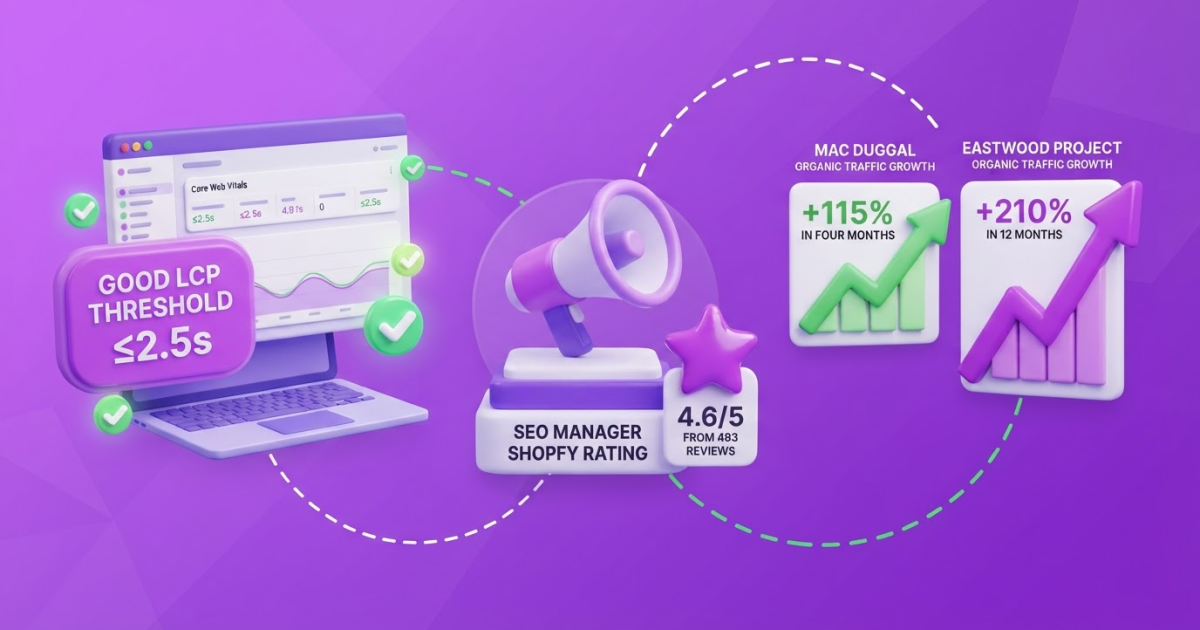
Current app pricing gives you a reference point, not a permanent truth. SEO Manager | venntov is listed at $9 per month with a 4.6 rating from 493 reviews, while Plug in SEO starts at $29.99 per month and is listed as Built for Shopify. Ratings, prices, trial terms, and feature limits can change, so check the live listing before installing. I would choose the cheaper app for a small catalog needing metadata control. A larger store can justify the higher fee if bulk editing, schema, broken-link fixes, and reporting actually save hours each month.
Pro Tip: Ask whether a tool can show the exact pages and revenue actions affected by each recommendation; generic health scores are less useful than prioritized work.
Before you pay, check six things: the exact problem solved, the number and type of pages affected, whether the need recurs weekly or monthly, overlap with existing apps, trial and cancellation terms, and your exit plan. Export settings and reports before uninstalling. Also confirm who owns the data and whether the app changes theme code that can remain behind.
Choose the smallest tool that gives you implementation control and clear output. Move to an external platform or specialist when prioritization, multi-store reporting, or technical changes exceed what your team can reliably maintain. The next step is matching that choice to the specific SEO tasks your store needs most.
How to Build a Lean Shopify SEO Tool Stack
I build tool stacks around decisions, not app counts. Start with the store’s existing evidence, fix pages closest to revenue, then add automation only where it removes recurring work. Otherwise, you end up paying for five scanners that all report the same missing alt text.
-
Inventory the store before changing it. Export products, collections, pages, blog posts, redirects, indexation status, and current organic landing pages. Pull impressions, clicks, rankings, and revenue from Search Console and Analytics, then mark pages that attract traffic but fail to sell. This baseline also exposes duplicate products, abandoned URLs, and collections nobody visits.
-
Match keywords to intent. Validate targets for priority product and collection pages by checking what currently ranks and what searchers expect. Do not assign “running shoes” to every shoe product. A collection can target a category, while a product page targets a specific model, material, or use case. I use a target keyword guide to keep the map explicit and avoid cannibalization.
Pro Tip: Prioritize pages that already receive impressions but rank between positions 5 and 20; they often need less effort than creating visibility from zero.
-
Improve the page people will actually land on. Rewrite titles and meta descriptions around the target and the reason to click. Clarify the H1, add useful product copy, describe images in their surrounding text, strengthen internal links from relevant collections and posts, and remove conversion friction such as unclear delivery details or missing reviews. Generic manufacturer copy is usually the first thing I replace because it gives shoppers no reason to choose you.
-
Run a technical pass. Check sitemap coverage, canonicals, structured data, broken links, mobile usability, and Core Web Vitals. Shopify automatically creates a sitemap with links to products, the primary product image, pages, collections, and blog posts, so inspect it rather than buying another sitemap app. For performance, Google defines good results as LCP of 2.5 seconds or less, INP of 200 milliseconds or less, and CLS of 0.1 or less. Large theme apps and uncompressed product images commonly get in the way.
-
Publish supporting content with a destination. Create buying guides, comparisons, care instructions, and answers to commercial questions. Link each article to the relevant collection or product page, not just to another blog post. Use free SEO tools for quick title and keyword checks, but edit every draft for firsthand product knowledge.
-
Make weekly work visible. Set Roki AI tasks for content opportunities, Reddit discussions worth contributing to, internal-link improvements, and other practical visibility fixes. Review the suggestions before acting, since a bad Reddit comment or thin AI article can waste trust. Track impressions, clicks, rankings, organic revenue, indexed pages, and completed fixes in one weekly dashboard. That list shows whether activity is producing progress, not merely more content.
Once this stack is working, you can judge which paid tools deserve a permanent place in it.

Common Shopify SEO Tool Mistakes to Avoid
The costliest Shopify SEO mistakes usually come from treating every app recommendation as an instruction. I have seen stores spend weeks correcting conflicts created by tools that were each “helping” in isolation. Keep an owner for every technical change, and record which app controls it.
- Installing overlapping SEO apps. Two apps can rewrite the same title tags, add competing Product schema, or edit theme files without telling you. Before installing another tool, check whether Shopify already covers the basics, including sitemaps, robots.txt, canonical tags, and theme structured data. Disable duplicate features, test the storefront, and keep a rollback copy of the theme.
- Chasing the SEO score. A score of 92 is not a ranking signal. It can distract you from a collection page that has no useful copy, weak internal links, or poor commercial intent. Fix revenue-driving product and collection pages before low-impact warnings such as minor keyword density suggestions.
- Publishing unedited AI content. Product descriptions assembled from manufacturer feeds often sound identical across competing stores. AI can help with a first draft, but add product expertise, original use cases, measurements, limitations, and an editor who understands the search intent. Thin blog posts will not become useful because they contain the target keyword.
- Changing URLs or market settings casually. A new handle, canonical, redirect, or international setting can remove pages from search or split signals between language versions. Check indexation before and after deployment, then inspect localized URLs. Shopify Markets connects market versions with canonical and hreflang signals, but that does not make an untested configuration safe. A canonical link check is a sensible second review.
- Ignoring speed because the design looks good. Large product images, review widgets, chat scripts, and heavy themes can hurt mobile shoppers while the desktop store looks polished. I use Google’s thresholds as a practical check: aim for LCP at 2.5 seconds or less, INP at 200 milliseconds or less, and CLS at 0.1 or less.
- Treating promotion as link building. Irrelevant comments, copied answers, and sales pitches in communities damage trust and rarely send qualified visitors. Contribute a useful example first, then earn mentions where your experience genuinely helps.
Avoid these traps before judging whether your Shopify SEO tools are improving the store, rather than merely producing cleaner dashboards.
How to Measure Whether Your Shopify SEO Tools Work
The first report I build after installing Shopify SEO tools is a baseline, not a list of app settings. Record organic sessions, clicks, impressions, average rankings, indexed URLs, organic conversion rate, and organic revenue for the previous 90 days. Save the date of every major change too, because otherwise a later sales lift becomes guesswork.
Break the report into page and query groups. I usually separate products, collections, blog content, branded queries, non-branded queries, and each market or language variant. A store can gain impressions from blog posts while product clicks fall, making the total traffic number look healthy when commercial performance is not.
Use this review cadence:
- Week 1: confirm execution. Check whether fixes were actually published, important URLs remain indexed, and redirects, canonicals, metadata, and internal links behave as intended. For Roki AI, I log each recurring task as completed only after the change goes live. Generated content is not progress by itself.
- Weeks 2 to 8: watch leading indicators. Better crawl coverage, more indexed priority URLs, rising impressions, and improved rankings for relevant queries show that search engines are finding and testing the work. They do not prove that shoppers will buy.
- Months 3 to 12: judge commercial results. Compare qualified organic clicks, product-page conversion rate, revenue, average order value, and repeat purchases with the baseline. Use a consistent attribution window, and mark promotions, price changes, stockouts, and redesigns so you do not credit SEO for every sale.
Expect uneven timing. Shopify reported a 115% organic traffic increase for Mac Duggal after four months, while another Shopify SEO case study reported 210% growth over twelve months, along with 137% more organic revenue. Those figures show what happened in specific businesses, not what your store should promise.
Review execution weekly, then make strategy decisions monthly. I pause or revise a tactic when it creates published pages, impressions, or tool activity without qualified traffic and sales. A monthly comparison using free SEO tools can keep the process affordable, but the spreadsheet must end with business outcomes, not app-generated counts.
With that measurement system in place, you can decide which Shopify SEO tasks deserve more time and which should be cut.
My honest take on Shopify SEO tools
I would not judge a Shopify store’s SEO maturity by the number of apps installed. In stores I have worked with, the strongest setup is usually small and accountable: Shopify’s native foundations, one tool that finds the most important technical or on-page gaps, a measurement layer, and a content process someone actually follows.
Here is my contrarian view: many merchants should stop comparing app ratings and spend that time improving the 10 pages already closest to commercial visibility. A product or collection page ranking on page two deserves more attention than another broad site audit. Fix its title, strengthen the copy, answer the buyer’s objections, improve internal links, and measure what changes. That work is less exciting than testing tools, but it usually has a clearer path to revenue.
Tools earn their place when they shorten diagnosis, remove repetitive work, or make a decision easier to execute. They become expensive distractions when they produce dashboards nobody owns. The annoying part is that even a good Shopify SEO tool cannot decide which product deserves your next two hours.
At TryRoki, I focus on the operating rhythm after the tool is chosen: useful content, practical weekly tasks, Reddit opportunities where relevant, and steady improvements that support both Google and AI search visibility. More software is rarely the answer. Better follow-through usually is.
- What I expect tools to do: surface problems, organize priorities, and reduce repetitive checks.
- What I do not expect them to do: choose your best offer, supply firsthand product knowledge, or guarantee rankings and revenue.
— Daniel
Turn Shopify SEO recommendations into weekly action
Shopify SEO tools can show you what needs attention, but the work still gets lost when it sits across spreadsheets, analytics tabs, and disconnected apps. We built Roki AI to turn SEO opportunities into a weekly working rhythm: it generates website content on autopilot, finds relevant Reddit discussions where a genuine contribution could mention your store, and sends 3 to 10 practical tasks each week for improving visibility in Google and AI search engines.
Roki does not replace Shopify, analytics, or specialist SEO tools. It helps you act on their signals without creating another messy project board. Start with a small group of priority pages, then review every recommendation before publishing content or commenting on Reddit. The setup takes some judgment, and automated suggestions are not always right. That trade-off is preferable to letting promising SEO tasks disappear in a spreadsheet.
Frequently Asked Questions
Yes. Shopify automatically gives you foundational features such as sitemap.xml, robots.txt, canonical tags, and theme-based structured data, but these cover only the technical baseline. You still need to choose target keywords, improve page content, build internal links, fix weak templates, and publish consistently, which is where many store owners underestimate the work.
Yes, particularly when an app adds scripts, widgets, tracking code, or duplicate schema to every page. Check Core Web Vitals before and after installation, and treat 2.5 seconds LCP, 200 milliseconds INP, and 0.1 CLS as the thresholds for good performance because a convenient app is not worth making product pages sluggish.
There is no single winner for every store, and most merchants overbuy before finding their actual bottleneck. Start with Shopify’s native settings, Google’s search and performance data, one crawl or audit tool, and a free keyword workflow, then pay only when a recurring problem requires bulk edits, monitoring, or automation.
Early indexing or impression changes often appear within a few weeks, but meaningful rankings and organic revenue usually take several months of steady work. I judge progress by page group and query type because a collection page, a product page, and a buying guide rarely improve on the same timeline.
Not necessarily. Shopify Markets already supplies canonical and hreflang signals for market-specific versions, but you still need to check localized copy, keyword targeting, product availability, internal links, and performance because technical signals cannot fix a poorly translated or mismatched page.
Written by Daniel/Aleksandra.
Recommended reads
- Free Seo Tools
- Target Keywords A Practical Seo Guide
- Seo Roadmap Template A Practical 90 Day Plan
- How Roki Ai Streamlines Your Seo Content Workflow
Sources
- Shopify Help Center | SEO overview
- Shopify Help Center | Finding and submitting your sitemap
- Shopify Help Center | International SEO for markets
- How To Add Merchant Listing Structured Data | Google Search Central
- Core Web Vitals report - Search Console Help
- SEO Manager | venntov - Boost SEO rankings on Google, ChatGPT, and Claude with ease. | Shopify App Store
- Plug in SEO - All-in-one SEO app to help stores increase organic traffic. | Shopify App Store
- Mac Duggal SEO Case Study | Shopify Growth Services
- Shopify SEO Case Study: +210% Organic Traffic | Raleigh Digital
- Erica Wilson - In just 3 Months We Drove 700% Organic Sales Growth