Aleksandra D.
Alternative search engines give you more control over privacy, independent indexing, sustainability, and ad-free results, even though Google remains the default for most searches. Compare the leading options, test them for a week, and keep the ones that fit your daily browsing or SEO research; Roki AI can add 3–10 weekly tasks to help improve your visibility in Google and AI search engines.
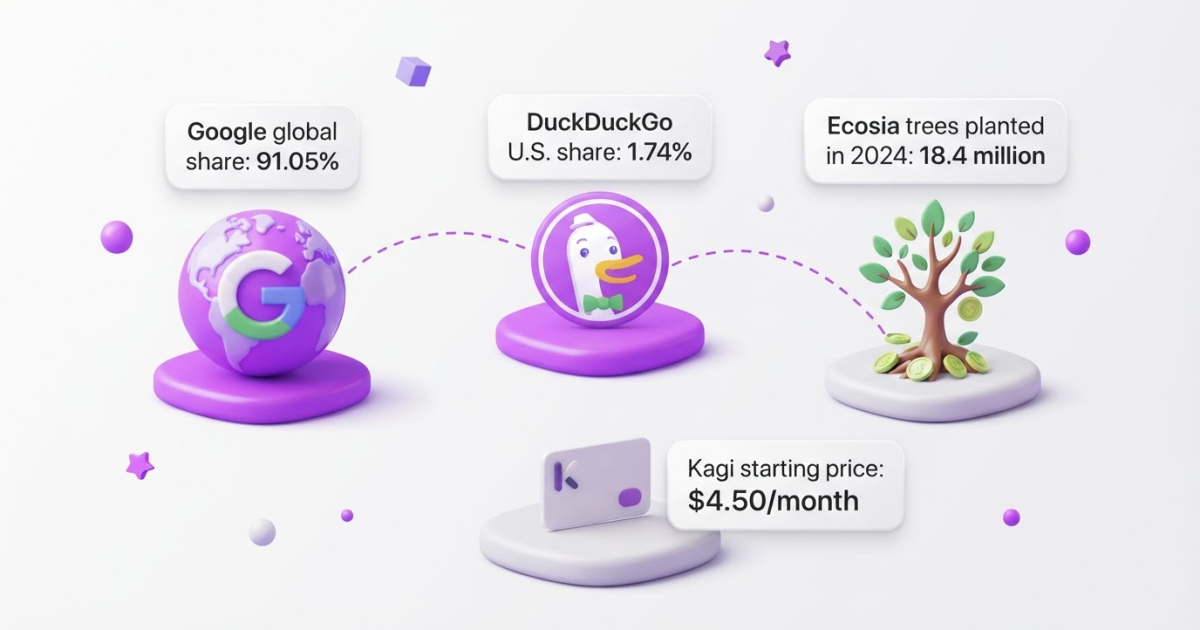
If you have searched for a product, source, or answer and felt buried under ads, repeated results, or uneasy tracking, you are not imagining the problem. Most people keep using the default search engine because switching feels like a hassle, even when it does not fit their privacy, research, or business needs. Google held 91.05% of worldwide search-engine market share in October 2026, compared with 4.8% for Bing and 0.64% for DuckDuckGo, but dominance does not make one engine right for every search. This guide compares the main types of alternative search engines, explains how DuckDuckGo, Brave Search, Ecosia, Startpage, Kagi, and Mojeek differ, and shows how to test them while monitoring your website across multiple search environments.
| Point | Details |
|---|---|
| Know the categories | Alternative search engines differ in privacy models, index ownership, business models, sustainability goals, and result customization. |
| Compare the index | Brave Search and Mojeek emphasize independent indexes, while DuckDuckGo says many traditional links and images come primarily from Bing. |
| Test before switching | Run a 7-day comparison using the same 10 recurring searches to assess relevance, speed, ads, and source diversity. |
| Separate privacy claims | DuckDuckGo and Startpage state that they do not retain identifying search data in the same way as conventional search products. |
| Track broader visibility | Website owners should review rankings, referrals, branded searches, and mentions across more than 1 search environment. |
What counts as an alternative search engine?
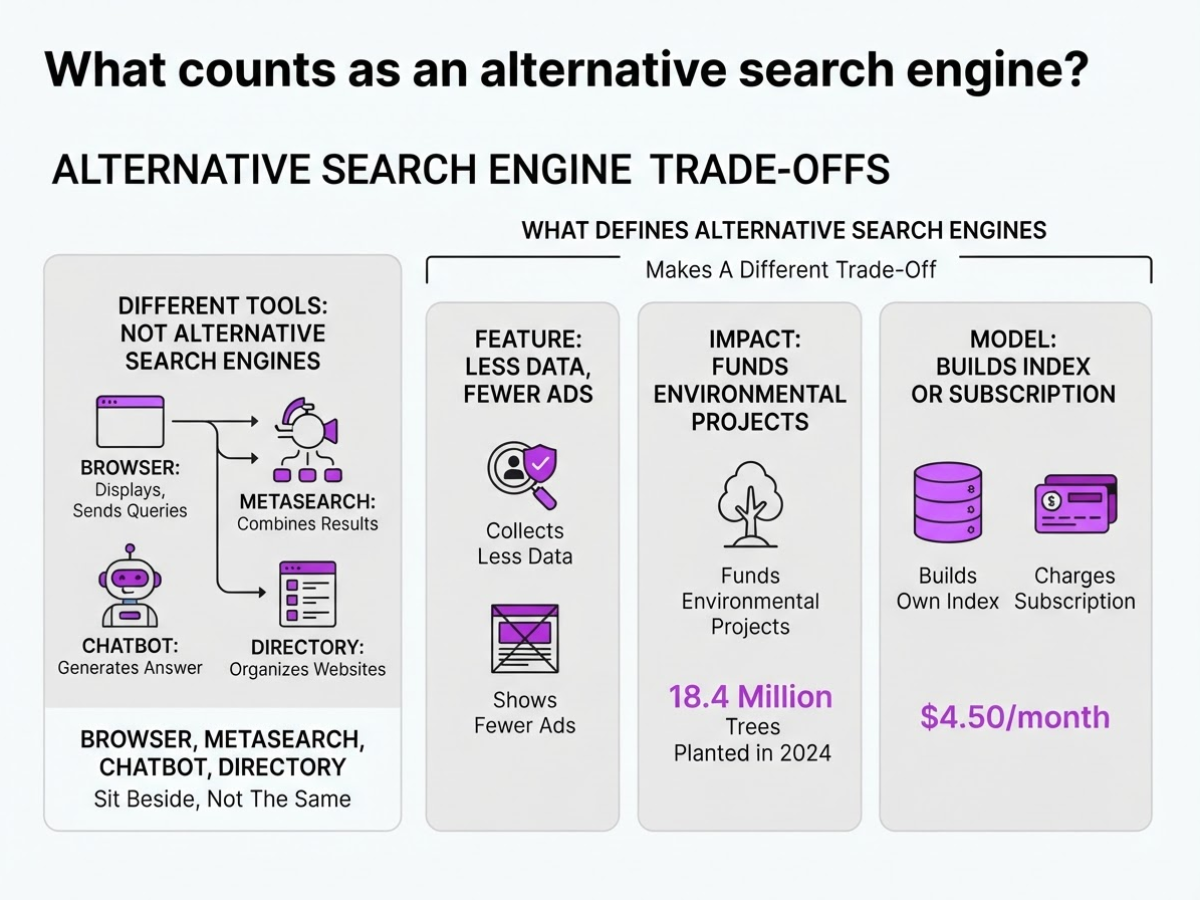
An alternative search engine is a web search service you use instead of Google or Bing, usually because it makes a different trade-off. It may collect less data, show fewer ads, fund environmental projects, build its own index, or charge a subscription. The category is about the search service, not simply a different way to open it.
A browser such as Chrome or Firefox displays websites and sends your queries to a chosen search engine. A metasearch tool combines results from several engines. A chatbot generates an answer from its model or connected sources, while a directory organizes selected websites by topic. Those tools can sit beside an alternative search engine, but they are not the same thing.
When I compare products, I check six practical dimensions before judging result quality:
| Dimension | What to ask |
|---|---|
| Index ownership | Does the company crawl and rank its own pages, or source results elsewhere? |
| Privacy | Does it retain queries, IP addresses, profiles, or tracking cookies? |
| Advertising | Are ads prominent, personalized, or absent? |
| Personalization | Can results reflect your history, location, or account? |
| Sustainability | Does the business direct money or infrastructure toward environmental goals? |
| Paid access | Do you accept a subscription for an ad-free or no-tracking experience? |
The index question causes the most confusion. Brave says its standard results come from an independent index, while DuckDuckGo says Bing supplies much of its traditional web links and images. Both can be useful, but they offer different kinds of independence. A smaller engine may also have thin coverage for obscure local searches, which becomes annoying when you need a very specific answer.
Worldwide, in October 2026, Google held 91.05% of search share, compared with 4.8% for Bing and 0.64% for DuckDuckGo, according to StatCounter’s market-share data. That gap makes alternatives smaller, not irrelevant. They matter when their rules fit your search better.
Pro Tip: Do not treat a smaller market share as proof of lower quality; evaluate the search engine against the task the user actually needs to complete.
Use this quick profile map:
- Privacy-first: choose minimal logging and limited personalization.
- Independent-index: prioritize a crawler-owned index, even if coverage varies.
- Eco-focused: inspect how profits and energy use support environmental work.
- Ad-free: consider paid services when clean results matter more than a free account.
- General-purpose: compare coverage, speed, maps, news, and everyday convenience first.
With those categories clear, you can compare individual engines without confusing a privacy promise with an independent index.
Which alternative search engine fits your priorities?
The right choice depends on what you are willing to give up. In my testing, privacy, result coverage, and independence pull in different directions. A private engine that misses a niche technical page wastes time, while a familiar index may quietly repeat the same ranking biases you wanted to avoid.
| Search engine | Privacy | Index model | Ads | Sustainability | Pricing | Best use case |
|---|---|---|---|---|---|---|
| DuckDuckGo | Strong privacy; it does not save or share search history or store IP addresses with searches | Its crawler and indexes support parts of the service, but Bing is a major source for traditional links and images | Yes, usually contextual | No standout environmental mission | Free | Everyday private searching with familiar coverage |
| Brave Search | Strong privacy controls | Independent index, built from Brave’s own crawling | Optional ad-supported results | No central environmental focus | Free; paid options may remove ads and add features | Independent discovery without paying |
| Ecosia | Privacy-focused, but read its settings and policy carefully | Uses a mix of search partners and its own technology | Yes, funds the business and environmental work | Environmental mission and tree-planting projects | Free | Searching while supporting a planet-focused company |
| Startpage | Very strong privacy; Google-style results without direct profiling | Anonymous access to Google results | Yes, contextual | No major sustainability angle | Free | You want familiar Google-like results with less tracking |
| Kagi | No ads and no tracking | Its own result-processing and source mix, with strong controls over ranking clutter | None | No primary environmental mission | From $4.50/month | Frequent searchers who want clean, paid results |
| Mojeek | Privacy-first approach | Independent global index with billions of pages | Limited or no conventional ad pressure compared with larger engines | Runs its data center and searches on green energy | Free; API pricing varies | Users who value independent indexing and a smaller alternative |
DuckDuckGo is often described as independent, but that needs a qualification: its own explanation of result sources says Bing supplies much of its traditional web and image coverage. That is not a deal-breaker, but it means DuckDuckGo is primarily a privacy choice, not the strongest answer to index concentration.
Brave Search and Mojeek fit better when independent discovery matters. Brave usually feels more complete for ordinary searches; Mojeek can surface different pages, though you will occasionally hit thinner results or irrelevant matches. That friction is the price of escaping the largest indexes.
Ecosia is the clearest choice when your search habit should support an environmental mission. Startpage suits you if changing result quality feels riskier than changing the company handling your query. Kagi is my pick for heavy users who search all day and hate ads enough to pay for them. Its plans start at $4.50 per month, and the absence of sponsored clutter is noticeable.
Pro Tip: Ask whether the user values private retrieval, independent discovery, or familiar result coverage before declaring one engine the best.
For a broader shortlist, compare these trade-offs with other search engines better than Google, then choose based on your searches rather than a feature checklist. Next, your priorities can guide a practical switch without abandoning the tools you still need.
How to test and switch to an alternative search engine
A fair test starts with a decision, not a download. Pick the result you want to improve: stronger privacy, more research diversity, fewer ads, less personalization, independent results, or a lower environmental footprint. Choose one primary goal and one secondary goal, because no engine wins every category.
-
Choose two or three candidates. Do not test every service in one afternoon. Pick candidates that match your priorities, such as Startpage for privacy, Brave Search for an independent index, or Ecosia if sustainability matters. If you need a quick comparison before choosing, this practical guide to alternative search engines can narrow the list.
-
Build a 10-query test set. Include one local search, one informational question, one product or service search, one news query, one technical problem, and one branded search. Add four searches you perform regularly. Keep the wording identical across engines. A vague test produces vague conclusions.
Pro Tip: Include three searches you already know well; familiarity makes it easier to spot missing context, weak results, or excessive personalization.
-
Score each result immediately. Use a 1-to-5 scale for relevance, source quality, result diversity, speed, advertising load, personalization, and useful features such as maps, filters, or instant answers. Write the scores in a spreadsheet. Memory will reward whichever engine felt pleasant last, not whichever returned the best evidence.
-
Repeat the test under controlled conditions. Run the queries while logged out, then repeat a few on another device or browser. Record changes in rankings, local results, ads, and recommendations. For a privacy-focused comparison, Startpage says it does not record IP addresses or search queries and does not use tracking cookies for search, but you should still inspect the actual results and settings rather than trusting a label.
-
Switch gradually. Set your leading candidate as the default search engine, create a browser shortcut for the runner-up, and keep your previous engine available for the seven-day trial. If you are unsure how address-bar searches work, this guide to using the browser address bar covers the setup. The extra click is mildly annoying, but it prevents a bad result from derailing your work.
-
Review after seven days. Total the scores, note recurring failures, and decide whether to adopt one engine fully. You may find that one works best for technical research while another handles local or shopping searches better. That split is often more useful than forcing one service to handle everything.
With your test results in hand, you can compare the practical trade-offs between the leading alternatives.

What alternative search engines mean for website owners
From an owner’s seat, I treat Google as a major reporting baseline, not the entire map. In October 2026, Google held 91.05% of worldwide search share, while Bing had 4.8% and DuckDuckGo 0.64%.1 That gap matters, but a smaller engine can still send the visitor who buys, signs up, or refers three colleagues.
Market share measures volume. It does not measure the value of one referral. A Bing visitor who requests a demo may matter more than 100 low-intent Google visits, so judge sources by revenue, qualified leads, assisted conversions, and repeat visits as well as sessions.
I use this rough rollout with our own content and customer sites:
-
Week 1: remove access problems. Check that important pages can be crawled and indexed, then inspect canonical tags, robots.txt, redirects, status codes, headings, structured data, and internal links. A page that works only after heavy JavaScript or hides its answer below clutter creates trouble across engines, not just Google. Our practical guide to Google search competitors is useful when this audit exposes gaps.
-
Weeks 2 to 3: build a source baseline. In analytics, separate referral traffic by engine where the platform supports it. Track branded searches, rankings, landing pages, conversions, and assisted conversions; annotate site changes so a ranking shift does not get mistaken for a campaign win.
-
Month 2: test real query groups. Search the same set of product, comparison, problem-solving, local, and brand queries across several engines. Record whether product pages, guides, local pages, and third-party brand mentions appear, then compare the result quality and click path. Do not optimize every sentence for one interface. Clear structure and genuinely useful answers travel better.
-
Ongoing: widen distribution carefully. Publish useful material, participate in relevant Reddit discussions without dropping promotional links, and make key facts easy for AI search systems to identify and cite. That can improve discoverability, but no tool or posting schedule guarantees an AI answer or ranking.
The next step is turning those measurements into a practical decision about where your search effort belongs.
Common mistakes when choosing a Google alternative
The most expensive mistake is choosing an alternative search engine from its homepage claims alone. I have seen people switch browsers, change their default engine, and then switch back after one frustrating search. A durable choice comes from testing what you actually do online.
Common mistakes include:
- Assuming “private” means fully anonymous. An engine may avoid storing your queries while your browser, device, Wi-Fi provider, employer, logged-in accounts, or websites still identify you. DuckDuckGo says it does not save search history or store IP addresses alongside searches, but that promise covers its service, not your entire browsing setup. A privacy-focused engine is one layer, not an invisibility cloak.
- Assuming privacy-focused engines own every result. DuckDuckGo says Bing supplies many of its traditional links and images, alongside its own crawler and indexes. That is not automatically bad, but it means “private” and “independent index” describe different product attributes.
- Picking the engine with the fewest ads. Fewer ads feel better, but they do not help if the engine misses a nearby plumber, obscure software fix, or product comparison you need. I would rather tolerate one relevant sponsored result than waste ten minutes opening weak pages.
- Testing one vague query. “Best laptop” tells you almost nothing. Use 15 to 20 searches across local services, shopping, news, technical documentation, recipes, and known websites. Record whether you found a useful answer in the first five results, how many ads appeared, and whether location changed the outcome.
- Treating every claim as the same benefit. A privacy policy, a tree-planting program, and an independently built index answer three different questions. Read the details instead of mentally merging them into “better.”
- Forcing a total Google exit. Google held 91.05% of worldwide search share in October 2026, so some local, Maps, shopping, and specialist queries may still work better there. That is a practical limitation, not a personal failure.
I usually recommend a primary engine for routine searches and one specialist alternative for privacy, technical research, or a cleaner results page. Save both in the browser, use a keyboard shortcut, and switch only when the task justifies it. This keeps friction low while you learn which engine earns more of your searches, a comparison approach also covered in this practical guide to search engines better than Google. Next, the real test is how these choices affect website owners and their visibility.
My honest take on alternative search engines
I do not think most people need a permanent “Google replacement.” That question is too tidy for how search actually works. I use one engine for broad coverage, another when privacy or independent discovery matters, and a simple measurement process for queries that affect revenue. The right setup is a search stack, not a single winner.
Here is the contrarian part: a smaller or privacy-first engine is not automatically better. I have seen users accept weaker results because an engine sounded more principled, then waste ten minutes finding a reliable source or completing a basic task. Google still has practical advantages in index depth, local results, maps, shopping, and sheer habit. Ignoring that creates bad advice, especially for businesses trying to understand how customers find them.
The smarter move is to compare results for your own important searches. Check relevance, source quality, freshness, and whether you can finish the task without bouncing through junk pages. That friction matters more than a brand’s privacy claims alone.
At TryRoki, we take the same view with visibility. Durable growth does not come from chasing one platform or one ranking trick. It comes from useful content and a credible presence across search environments, including Google and AI search, while you keep checking what real users can actually find.
— Daniel/Aleksandra
Turn search visibility into a consistent workflow
Trying alternative search engines is useful, but the hard part comes afterward: turning different results, ranking signals, and AI answers into consistent work for your site. As a company owner, I have seen teams collect insights from Google, Reddit, and AI search tools, then lose momentum because nobody knows what to do next.
TryRoki acts as an execution layer, not a substitute for judgment. Roki AI generates website content on autopilot and assigns 3 to 10 weekly tasks aimed at improving visibility in Google and AI search engines. It can also surface relevant Reddit posts where a genuinely helpful comment might mention your website. That requires restraint; thin promotional replies become spam quickly. The setup and review still take time, and automated drafts need your judgment. You can review Roki AI’s features or start with its free SEO tools before deciding whether it fits your broader search strategy.
Footnotes
Frequently Asked Questions
Safety depends on whether you mean privacy, malware protection, or result quality, which are 3 different concerns. DuckDuckGo and Startpage publish privacy policies, but you still need to secure your browser, device, and network because a private search engine cannot fix an infected laptop or unsafe Wi-Fi.
DuckDuckGo says it does not save or share your search, chat, or browsing history, while Startpage says it does not record your IP address or search queries. These are 2 different providers with different policies, so check the current wording before relying on either one for privacy.
No, DuckDuckGo is not owned by Google. DuckDuckGo says many traditional links and images come primarily from Bing, while its own crawler and indexes support other parts of the search experience.
Yes, using 2 or 3 search engines works well when each one serves a different purpose. You might use one for broad coverage, one for privacy, and one for independent-index research, then compare important results before making a decision.
A paid search engine may be worth the cost if removing ads and reducing tracking saves you time every week, but the subscription becomes wasteful if you search only a few times a month. Kagi lists plans starting at $4.50 per month, so compare that price with how often you search and how much cleaner results matter to you.
Written by Daniel/Aleksandra.
Recommended reads
- Other Search Engines Better Than Google A Practical Guide
- Google Search Competitors Practical Seo Guide
- What Search Engine Is Better Than Google
- Seo For Llms A Practical Optimization Guide
Sources
- Monthly Search Engine Market Share Worldwide | Statcounter Global Stats
- Search Engine Market Share United States Of America | Statcounter Global Stats
- Brave Search - API
- Brave Search Index & the Right to be Forgotten & to Object | Brave Search
- DuckDuckGo Privacy Policy
- Where do DuckDuckGo search results come from? - DuckDuckGo Help Pages
- Ecosia's 2024 roundup
- Our Privacy Policy
- Kagi - Better search results. No ads.
- Mojeek Search API