Aleksandra D.
Open source SEO uses publicly available, modifiable software for crawling, keyword research, rank tracking, technical audits, and content workflows, giving you more control and potentially lower licensing costs. It is not a set-and-forget solution: you still need technical skills, trustworthy data, ongoing maintenance, and a clear process, while tools such as Roki AI can provide 3–10 SEO tasks each week to keep work moving.
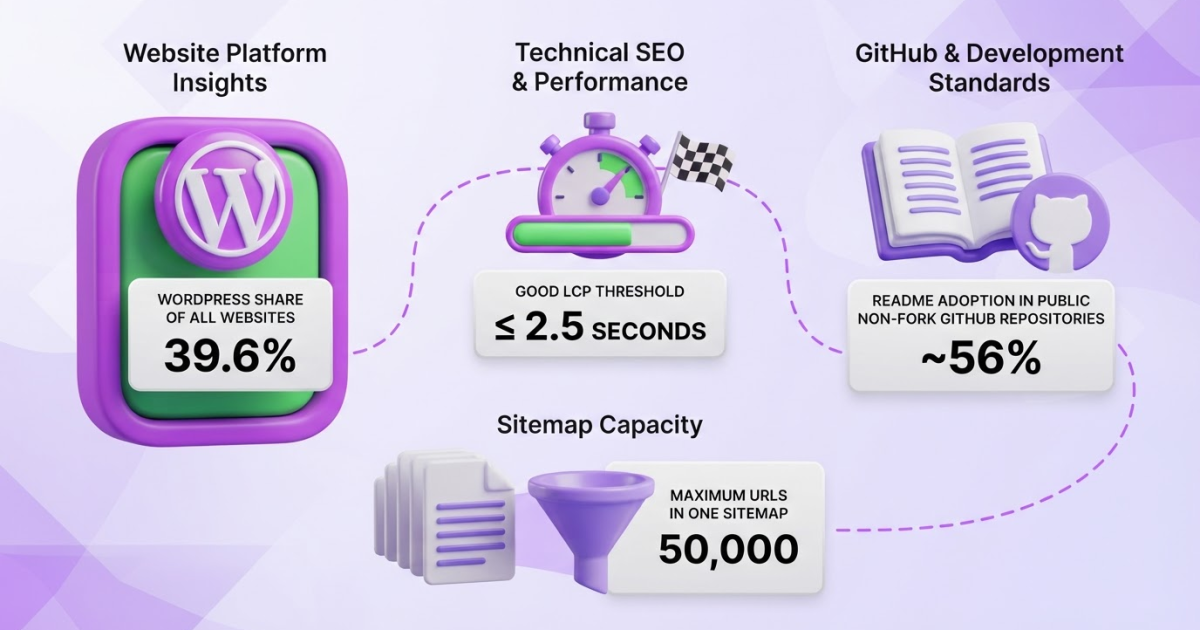
If you are weighing open source SEO, you are probably caught between lower software costs and the appeal of owning your data, and the tedious setup, maintenance, and questionable data quality that come with it. I have seen teams install promising tools, then lose weeks fixing crawlers, APIs, and undocumented workflows. That is why documentation matters: approximately 56% of public, non-fork GitHub repositories had a README on July 1, 2024, making it a useful, if imperfect, maturity signal. This guide covers tool selection, installation, technical configuration, workflow design, measurement, and when a managed option such as Roki AI from TryRoki becomes the more efficient choice.
| Point | Details |
|---|---|
| Control Has Trade-Offs | You can modify and self-host open source SEO software, but your team owns setup, security, updates, and troubleshooting. |
| Start With One Workflow | Begin with 1 repeatable task, such as technical crawling or rank monitoring, before adding more tools. |
| Data Determines Value | A free interface is not enough when keyword, backlink, crawl, or SERP data is incomplete, delayed, or tied to paid APIs. |
| Technical Basics Matter | Crawlability, indexability, structured content, XML sitemaps, and Core Web Vitals still affect SEO regardless of the software license. |
| Automation Needs Judgment | Use automation to surface and scale tasks, but keep human review for prioritization, quality, and brand safety. |
What Open Source SEO Actually Means
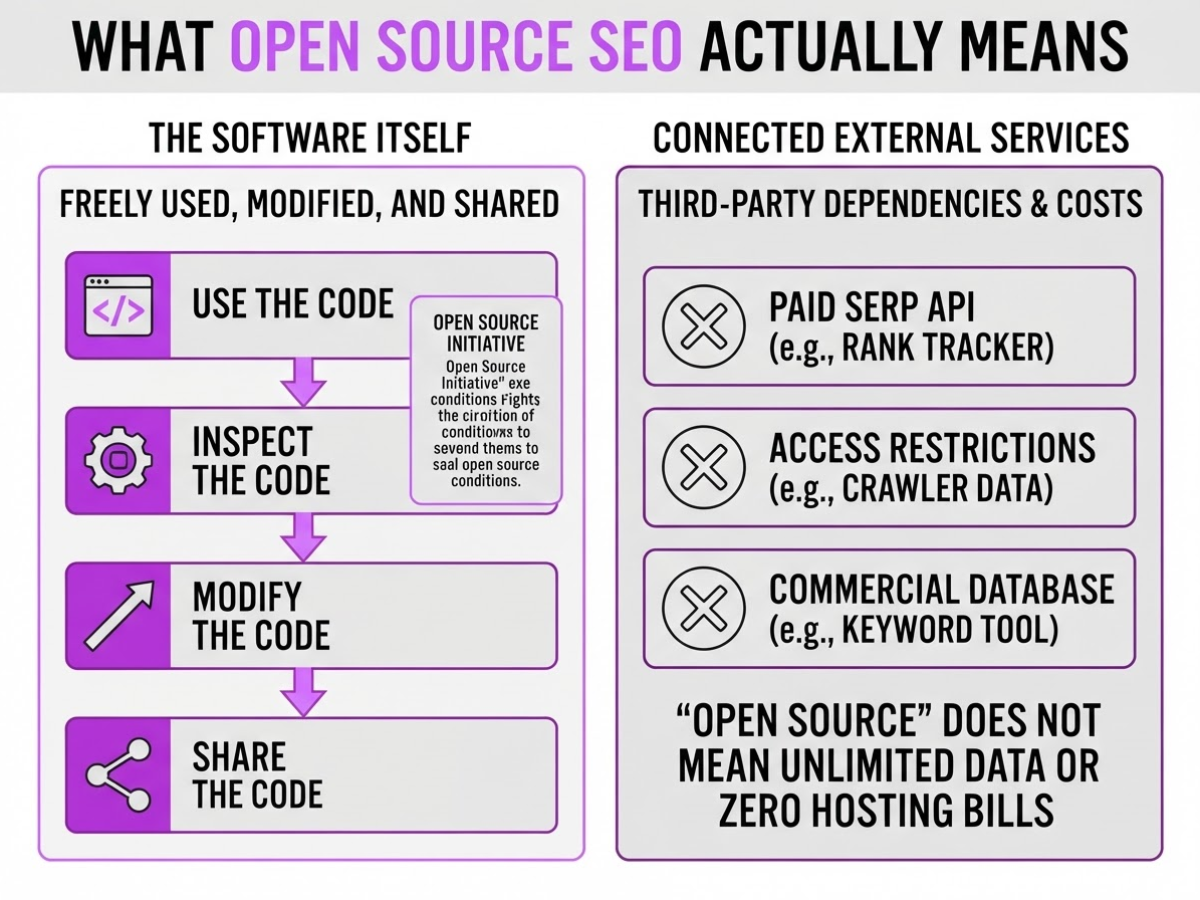
Open source SEO means the software’s code comes with rights to use, inspect, modify, and share it. The Open Source Initiative explains that software under an approved open-source license can be freely used, modified, and shared, subject to that license’s conditions.
That definition covers the software, not everything connected to it. A self-hosted rank tracker may still pay a SERP API for search results. A crawler can collect data from sites with access restrictions, and a keyword tool may depend on a commercial database. “Open source” does not mean unlimited data, zero hosting bills, or permission to ignore third-party terms.
I usually see open source SEO projects in these categories:
| Category | Typical job |
|---|---|
| Crawlers and technical auditors | Find broken links, blocked pages, redirects, and indexation problems |
| Rank trackers | Store positions across keywords, locations, and devices |
| Keyword systems | Organize queries, clusters, and search-volume inputs |
| Backlink tools | Record referring pages, anchor text, and link changes |
| Analytics dashboards | Combine traffic, search, and conversion data |
| Content workflows | Plan briefs, updates, internal links, and publishing tasks |
A free trial is not open source. It gives you temporary access to a commercial product. Freemium software may remain proprietary even when its basic plan costs nothing. An open-data project publishes datasets, not necessarily the code that processes them. A commercial platform with a public API or a WordPress integration is still commercial software.
Self-hosting is another point of confusion. Running an application on your own server can give you control over storage, updates, and access, but downloading a free hosted version does not give you that control. Self-hosting also creates chores: backups, database fixes, security patches, and uptime become your problem.
When I assess a project, I check its license, documentation, release activity, community, integrations, security history, data sources, and total operating cost. A neglected repository can waste more time than a monthly subscription.
Pro Tip: Treat documentation quality and release activity as buying criteria; a technically free tool with no upgrade path can cost more than a paid platform within one quarter.
The next decision is practical: which open source SEO tools are mature enough to trust with daily work?
When an Open Source SEO Stack Makes Sense
The right question is not whether open-source SEO software is free. It is whether your team can operate it without turning every ranking report into a small engineering project. I have seen self-hosted setups work very well for technical agencies, developers, privacy-conscious teams, and companies with repeatable SEO workflows that need custom fields, integrations, or data stored on their own infrastructure.
It is a poor fit when you need an answer in five minutes, have no developer or server support, or cannot maintain scheduled crawls and data pipelines. A solo operator may spend more time fixing a broken container, expired API key, or missing database row than acting on the SEO insight. That is not a bargain.
Budget for the whole operating cost, not just the license:
- Hosting, database storage, backups, logs, and uptime monitoring
- SERP, backlink, crawl, proxy, and keyword-volume data
- API calls, rate limits, and occasional vendor price changes
- Engineering time for upgrades, integrations, bug fixes, and security patches
- Internal support when a report fails before a client meeting
Pro Tip: Calculate the monthly cost of one engineer-hour spent maintaining the stack before calling an open-source option cheaper.
Maturity also varies sharply. A June 5, 2026 comparison lists OpenSEO at 2.1k GitHub stars, SerpBear at 2.0k, SEONaut at 717, LibreCrawl at 681, and SEOMachine at 7.1k. Those numbers do not prove quality, but they signal different community sizes and maintenance expectations. The same comparison notes that OpenSEO and SerpBear need third-party SERP or SEO data, while SEONaut and LibreCrawl are listed as free to run. The projects differ in scope, maturity, and operating cost, so do not treat “open source” as one product category.
I use this simple matrix before approving a deployment. Score each option from 1 to 5, then weight the criteria that affect your risk most.
| Criterion | Score 1 means | Score 5 means |
|---|---|---|
| Control | Limited access or customization | Full code and data control |
| Setup speed | Several days of engineering | Running in under an hour |
| Data coverage | Few metrics or manual imports | Complete, reliable sources |
| Automation | Manual exports and checks | Scheduled workflows and alerts |
| Cost predictability | Usage bills can swing sharply | Costs stay easy to forecast |
| Support | Forums only, slow replies | Maintained docs or paid help |
If privacy and customization score highest, self-hosting may justify the friction. If speed and support win, a managed tool or SEO hosting setup is usually the saner choice. Next, compare the stack’s core components before you commit.
How to Build an Open Source SEO Workflow
I build an open source SEO workflow around one business problem first, not around whichever repository looks interesting. That choice keeps the project useful when setup work starts eating into your week.
-
Define the first outcome. Pick one measurable target for the next 30 to 90 days: recover indexed pages, increase non-brand clicks, or find content gaps. For example, track valid indexed URLs and non-brand impressions instead of claiming that “SEO improved.” If content gaps are the issue, document the process with this practical content gaps guide before you select software.
-
Choose one primary tool. Check its license, recent commits, open issues, release history, documentation, and installation method. Confirm whether it needs a database, a paid SERP provider, browser automation, or access to sensitive site data. An approved open-source license generally allows software to be used, modified, and shared, but that does not mean the project is maintained or safe for production. I would rather run one boring, documented tool than five abandoned dashboards.
-
Deploy it like production software. Put authentication in front of the interface, store secrets in environment variables, restrict access by role, and grant only the permissions the tool needs. Schedule database and configuration backups, keep application logs, record who made changes, and write down how you will update or roll back each release. Self-hosting saves subscription fees, but you inherit patching, outages, and forgotten credentials.
Pro Tip: Create a rollback and backup checklist before the first automated change; SEO automation is safer when every action can be reversed and audited.
-
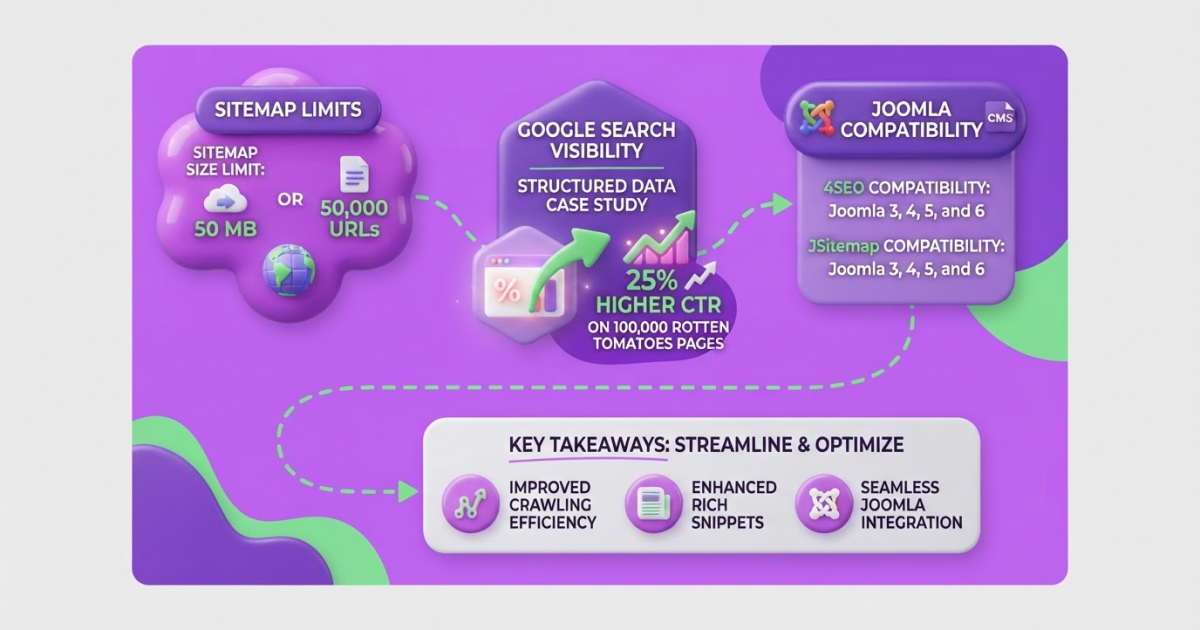
Connect the evidence. Add the website, analytics, search performance data, robots.txt, and sitemap. Connect third-party APIs only when their terms permit your use and the data adds a clear decision. A single XML sitemap supports up to 50 MB uncompressed or 50,000 URLs, so larger sites need multiple files or a sitemap index. Treat submission as a discovery hint, not proof that Google will crawl or index every URL.
-
Run the same weekly loop. Detect crawl, indexation, template, and content issues. Rank them by likely traffic or revenue impact, assign an owner, publish the approved changes, then compare clicks, impressions, rankings, conversions, and indexed-page counts with the previous period. Keep a change log; otherwise, a ranking shift becomes an argument rather than a diagnosis.
The operating principle is simple: Google recommends making pages easy to crawl, index, and understand, not chasing a collection of ranking tricks. Once the workflow is running, the next decision is which open source tools deserve a place in your stack.

Common Open Source SEO Mistakes to Avoid
A repository can save you licensing fees and still create an expensive SEO problem. I have seen teams install an impressive open source SEO stack, then discover that the last meaningful commit was months ago, the documentation stops at setup, or the crawler cannot work with their JavaScript-heavy storefront.
Watch for these mistakes:
- Choosing features over project health. Check recent releases, issue responses, security notices, documentation, license terms, and compatibility with your CMS, deployment process, and database. A long feature list means little if you cannot patch the tool or export your data.
- Treating “open source” as “free.” The license may cost nothing, but hosting, storage, reverse proxies, SERP APIs, residential proxies, backups, monitoring, and engineering time do not. Price the monthly bill and the hours needed to maintain it before replacing a paid platform.
- Crawling without guardrails. Aggressive requests can slow or crash a site, breach a third party’s terms, or trigger inaccurate conclusions when a server returns errors. Use rate limits, caching, clear user agents, crawl windows, and a staging environment where possible.
- Publishing unchecked AI copy. Drafts still need an editor to verify facts, add original examples, remove repetition, and match the searcher’s actual task. I would rather publish five useful pages than fifty generic ones that say the same thing as competitors. This guide to avoiding common AI content mistakes is a useful checkpoint before automation reaches production.
- Ignoring speed after adding tools. Dashboards, tracking scripts, plugins, and client-side audits can quietly add JavaScript and delay interaction. Google’s good targets are LCP within 2.5 seconds, INP below 200 milliseconds, and CLS below 0.1. Test important templates on real devices after every major integration, not only in a desktop Lighthouse run.
- Confusing technical signals with rankings. A submitted sitemap is only a hint, not a promise that Google will crawl, index, or rank every URL. Likewise, a green audit score proves that selected checks passed, not that the page satisfies search intent, earns links, or deserves visibility.
Once you remove these traps, you can judge an open source SEO stack by business results rather than repository excitement.
How to Measure Results From Open Source SEO
Before I let an open source SEO tool stay in a client stack, I record the starting point. Capture indexed pages, impressions, clicks, average rankings, organic conversions, crawl errors, Core Web Vitals, and the number of content pieces published each month. Without that snapshot, a busy dashboard can make weak progress look impressive.
I also separate activity from outcomes. Resolved technical issues, corrected canonicals, improved templates, and published pages are leading indicators. Qualified organic visits, sales-qualified leads, purchases, and revenue are lagging indicators. The first group tells you whether the team is doing the work; the second tells you whether that work matters.
Use a review schedule with a named owner for every tool. My practical cadence looks like this:
- Day 30: Confirm installation, data quality, crawl coverage, and the first completed fixes. The owner should document at least one action the tool prompted. If the data is unreliable or nobody uses the findings, pause it rather than keeping it out of habit.
- Day 60: Check whether updated pages show movement in impressions, clicks, rankings, and technical metrics. Compare them with a similar group of unchanged pages when possible. Record seasonality, promotions, site changes, and known Google algorithm updates so you do not credit the tool for every fluctuation.
- Day 90: Review qualified traffic, conversions, and revenue against the baseline. Continue the tool only if its recommendations produced repeatable work and that work has a plausible business return. Otherwise, remove it, simplify the workflow, or test a better option.
Do not treat a Lighthouse score as a complete SEO diagnosis. Lighthouse 10 uses five weighted performance metrics: First Contentful Paint at 10%, Speed Index at 10%, Largest Contentful Paint at 25%, Total Blocking Time at 30%, and Cumulative Layout Shift at 25%. A high score can coexist with thin content, indexing problems, or poor conversion paths.
For a repeatable process, a written 90-day SEO roadmap helps keep tool owners and decisions visible. My rule is blunt: retain a tool only when its insights lead to repeatable actions whose value exceeds maintenance cost. The next step is deciding which workflow changes deserve continued investment.
My honest take on open source SEO
I understand why open source SEO attracts serious teams. You get control over the data, visibility into how systems work, and the freedom to shape an internal operating system instead of renting every capability from a vendor. That matters when your workflows are unusual or your team needs to audit every decision.
Here is the contrarian part: free software is often the least important cost. For a small team, maintenance hours, broken data connections, security updates, and the lack of one accountable support person can cost more than a license. I have seen teams spend weeks stitching together tools, then discover nobody owns the weekly process. The stack looked impressive, but it produced very few useful decisions.
I would not assemble ten tools on day one. I would start with one measurable workflow, document who does what and when, then expand only after that system consistently changes priorities. Roki AI can sit beside an open source stack rather than replace it. Teams can keep their technical choices while using automation to turn SEO priorities into weekly tasks, content production, and relevant Reddit opportunities. The principle I use is simple: choose the level of control your team can responsibly maintain, not the level that sounds most independent.
— Daniel/Aleksandra
Turn SEO priorities into weekly execution
Open-source SEO gives you control, but control can become another backlog. I have seen teams spend days comparing crawlers, dashboards, and content scripts, then fail to publish the page or answer the discussion that mattered. The difficult part is usually not finding another tool. It is acting consistently on the right opportunities.
TryRoki helps with that execution layer. Roki AI can generate website content, find relevant Reddit discussions where you can mention your site appropriately, and send you 3–10 weekly tasks aimed at improving visibility in Google and AI search engines. It will not replace technical audits, measurement, or human review, and you still need to reject weak content and awkward Reddit replies. That trade-off is healthy.
Use Roki alongside your open-source stack when you want fewer loose ends, then explore the free SEO tools or see how the workflow fits your process.
Frequently Asked Questions
There is no single best option because a crawler, rank tracker, content planner, and technical auditor solve different problems. Choose the project that fits your data needs, documentation, maintenance capacity, and deployment environment, and do not treat GitHub stars as a buying decision.
Some SEO software is open source, while other products are proprietary, freemium, or open-core. Even when the application code is public, the search results, backlink, keyword, or proxy data may come from paid services, and a tool can still depend on 1 or more restricted APIs.
Yes, a small site can start with free search performance data, browser tools, spreadsheets, and open-source software. As the site grows past a few hundred pages, hosting, API access, large crawls, maintenance, and specialist time can introduce real costs.
Start with the project’s official documentation, then check its system requirements, license, security practices, backups, authentication, and update process before deployment. A basic installation may take less than 1 hour, but a production setup usually needs monitoring and recurring maintenance.
The main drawbacks include setup complexity, uncertain support, maintenance work, uneven data quality, and possible charges for hosting or third-party APIs. I would evaluate the tool as an operating system that someone must own, not as a free shortcut, because even a 10-minute configuration mistake can produce misleading reports.
Written by Daniel/Aleksandra.
Recommended reads
- Free Seo Tools
- Content Gaps A Practical Seo Guide
- Seo Roadmap Template A Practical 90 Day Plan
- How Roki Ai Streamlines Your Seo Content Workflow
Sources
- Licenses – Open Source Initiative
- SEO Starter Guide: The Basics | Google Search Central
- Build and Submit a Sitemap | Google Search Central
- Sitemaps FAQs | Google Search Central Blog
- Understanding Core Web Vitals and Google search results | Google Search Central
- Lighthouse performance scoring | Chrome for Developers
- Nuances and Challenges of Moderating a Code Collaboration Platform
- W3Techs - extensive and reliable web technology surveys
- open-seo/web/content/blogs/best-open-source-seo-tools.md at main · every-app/open-seo · GitHub