Daniel D.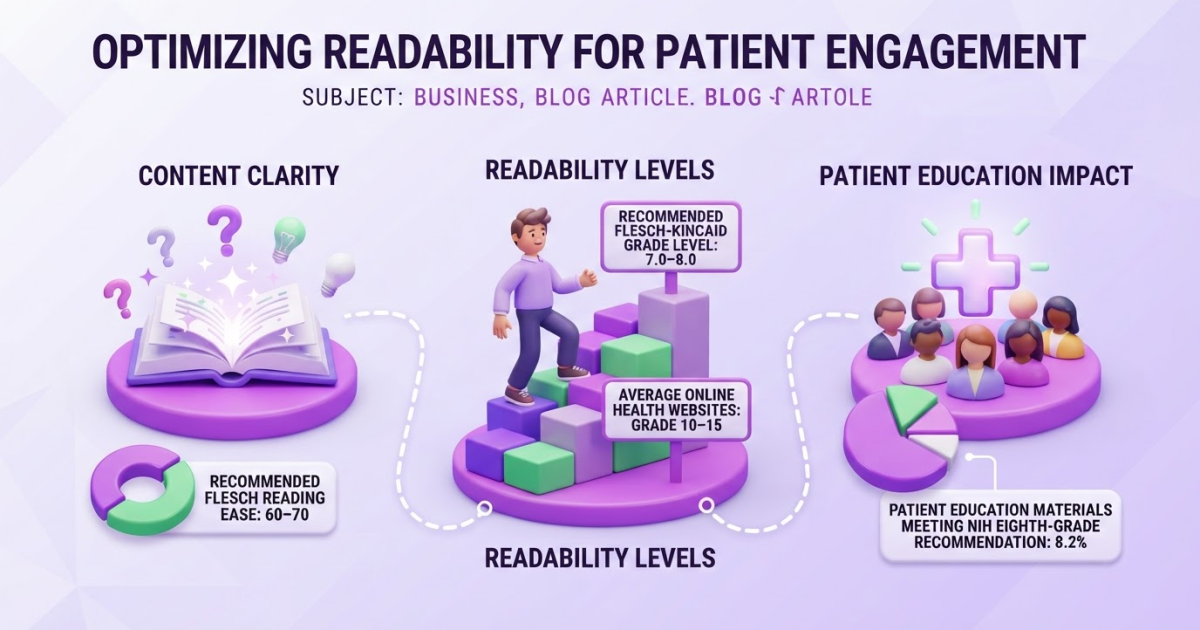
To check reading level, run your draft through a readability checker, then review the actual sentences, headings, and structure yourself. Use Flesch Reading Ease, scored from 0 to 100, and Flesch-Kincaid Grade Level as editing signals, not as replacements for knowing your audience or writing genuinely helpful content.
You can write an accurate page and still lose readers because the sentences feel too dense, the vocabulary is unfamiliar, or the next step is hard to spot. That is frustrating when you have already done the research and only need people to understand it. Microsoft recommends a Flesch Reading Ease score of 60 to 70 for most standard documents, but chasing one perfect number is usually a mistake. This guide shows you how to check reading level in Microsoft Word, interpret common scores, revise difficult passages, and use the same repeatable quality check for SEO content.
| Point | Details |
|---|---|
| Check Both Scores | Review both Flesch Reading Ease and Flesch-Kincaid Grade Level when your tool provides them. |
| Use Recommended Ranges | Microsoft recommends a Flesch Reading Ease score of 60–70 for most standard documents. |
| Edit for Clarity | Shorter sentences, clear headings, and familiar words usually improve comprehension more than chasing a specific score. |
| Match Your Reader | A technical audience can reasonably need a higher grade level than a general consumer audience, such as Grade 12 instead of Grade 8. |
| Ignore Ranking Myths | Google’s official documentation does not identify a standalone readability score as a ranking signal, so do not treat one as an SEO requirement. |
What “reading level” actually measures
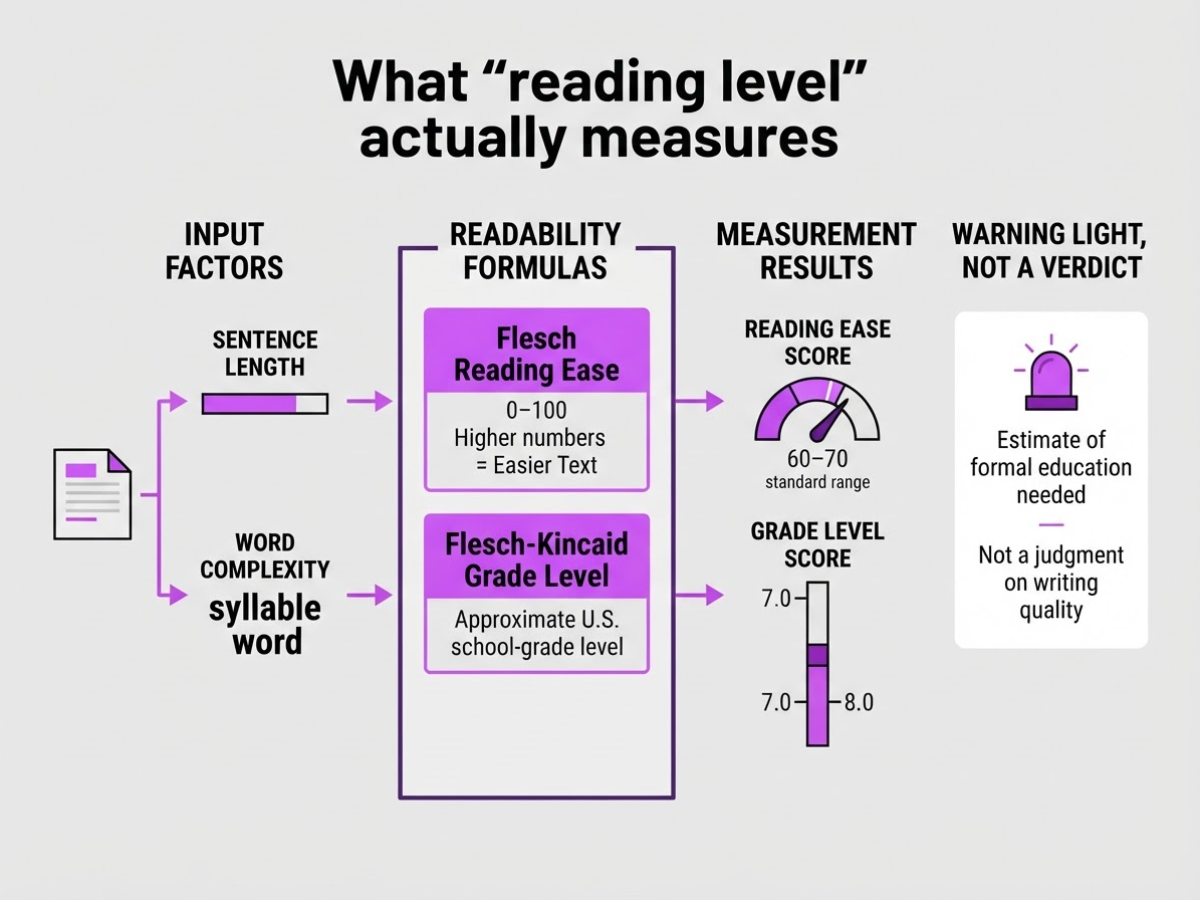
Reading level is an estimate of how much formal education someone may need to understand a passage. It is not a judgment about whether your writing is good. When we review copy, we use the score as a warning light, not as a verdict about the reader or the draft.
Two measures appear often in Microsoft Word’s readability statistics:
| Measure | What it tells you |
|---|---|
| Flesch Reading Ease | A 0 to 100 score. Higher numbers generally mean easier text. |
| Flesch-Kincaid Grade Level | An approximate U.S. school-grade level needed to understand the passage. |
Both formulas usually react to sentence length and word complexity. Longer sentences tend to lower the Reading Ease score. Words with more syllables often raise the Grade Level score. That makes these tests useful for spotting dense copy, especially when you check a page with free SEO tools before publishing.
Microsoft reports both measures in Word and suggests a Flesch Reading Ease score of 60 to 70 and a Flesch-Kincaid Grade Level of approximately 7.0 to 8.0 for most standard documents. Treat those figures as a general reference, not a universal rule. A legal notice, medical explanation, and technical API guide need different language even when they serve the same audience.
Pro Tip: Compare the score with a five-sentence sample from the page instead of relying on the score for the entire draft.
A formula cannot tell you whether your claims are accurate, your instructions are useful, or your tone fits the situation. It also cannot judge inclusivity. A short sentence can still confuse readers if it hides an important condition, uses unfamiliar jargon, or assumes everyone shares the same background.
That limitation causes real trouble. Writers sometimes delete necessary terms just to push a score higher, leaving the text vague. Others accept a “good” grade level while the page still fails because the headings, examples, or next steps make no sense.
The practical test comes next: compare the score with real reader needs and the page’s purpose.
How to check reading level in Microsoft Word
When I review a draft in Word, I record the score before changing a sentence. That gives me a baseline instead of relying on a vague feeling that the copy “sounds easier.” The labels vary slightly by Word version, but the workflow stays much the same.
-
Turn on readability statistics. In Word for Windows, open File > Options > Proofing, then select Check grammar with spelling and Show readability statistics. On supported Microsoft 365 and desktop versions, Word reports both Flesch Reading Ease and Flesch-Kincaid Grade Level. If you use Word for Mac, open Word > Preferences > Spelling & Grammar and look for the readability statistics option.
-
Run the check. Return to the document and choose Review > Editor or Spelling & Grammar, depending on your version. Work through the spelling and grammar suggestions until Word finishes. Do not skip errors just to reach the score. Uncorrected fragments and misspellings can distort the result.
-
Inspect and record both measures. When the review ends, Word opens Document Statistics. Write down the Flesch Reading Ease score and the Flesch-Kincaid Grade Level, along with the word count. For a general audience, Microsoft suggests a Reading Ease score of 60 to 70 and a grade level around 7.0 to 8.0, but your audience can justify a different target.
-
Check the whole draft, then key sections. Run the full document first. Then select and check the introduction, product explanation, and call to action separately. A polished body can hide a confusing opening or a jargon-heavy sales section.
Pro Tip: Check the first 150–250 words separately because a difficult opening can lose readers before the rest of the page has a chance to help them.
- Review the text manually. Automated scores miss context. Look for sentences longer than 25 words, unexplained acronyms, dense paragraphs, and pronouns such as “it” or “they” with no obvious referent. Word’s score is useful, but it cannot tell you whether a customer understands what “this” means in the previous sentence.
Use a small log so edits remain accountable:
| Checkpoint | Score | Target audience | Edits made | Final decision |
|---|---|---|---|---|
| Before editing | Ease 48; Grade 10.2 | General readers | None | Revise |
| After editing | Ease 67; Grade 7.8 | General readers | Split sentences, defined acronyms, shortened paragraphs | Publish |
Next, interpret what each score means and decide when a lower grade level is actually appropriate.
Which reading-level score should you trust?
A readability score can tell you where a draft may frustrate readers, but it cannot decide whether the draft works. I use the score as a warning light, not as a final verdict.
| Metric | What it shows | Practical use | Main limitation |
|---|---|---|---|
| Flesch Reading Ease | A 0–100 scale; higher scores mean easier text | Quick scanning across drafts | It can reward short, shallow sentences |
| Flesch-Kincaid Grade Level | The approximate U.S. school grade needed to understand the text | Setting an audience-based target | It can make necessary technical terms look like a writing failure |
Microsoft Word reports both measures when you enable readability statistics. For a general document, Microsoft suggests a Flesch Reading Ease score of 60 to 70 and a Flesch-Kincaid score of about 7.0 to 8.0. Those ranges make a useful starting point, not a universal rule.
Two drafts can land on nearly identical numbers and still feel completely different. One may use clear headings, familiar examples, and a logical order. The other may hide the answer under jargon, pack several facts into each sentence, or force readers to reconstruct the argument. The formulas mostly count words, syllables, and sentences. They do not judge organization, accuracy, factual density, or whether a reader knows what to do next.
Set your target from the situation. A consumer help article can aim for roughly grades 6 to 8. A specialist guide can reasonably score higher if its readers understand the terminology. For medical, financial, government, or contract content, plain-language review deserves more weight than chasing a low number. For example, the UK Consumer Rights Act 2015 requires consumer-contract terms and notices to use plain, intelligible language and remain legible.
Pro Tip: If the two scores point in different directions, trust the sentence-level review and a representative reader test before making large edits.
I recommend recording a score range, then reviewing four items: clarity, accuracy, actionability, and accessibility. Also keep readability separate from keyword difficulty, since a search target should not dictate language your audience cannot follow. Next, apply that rubric to the actual sentences in your draft.

How to lower reading level without weakening the content
The fastest way to lower a reading-level score is not to delete every long word. It is to find the places where readers must hold too many ideas in their heads at once. When I edit product and SEO copy, these problems usually matter more than a single difficult term:
- Stacked clauses: One sentence contains a claim, exception, cause, and example.
- Passive constructions: The action and the person responsible for it disappear.
- Abstract nouns: Words such as “implementation,” “optimization,” and “functionality” replace clear actions.
- Unnecessary introductions: Phrases such as “It is important to note that” delay the useful point.
- Unexplained specialist terms: Industry language appears before the reader knows what it means.
Split a long sentence when its ideas compete for attention, but preserve the connection between them. For example, replace “Because the crawler cannot access the page, the report excludes its links, which can make the site appear less connected” with “The crawler cannot access the page. As a result, the report excludes its links, so the site can appear less connected.” The shorter sentences still show cause and effect.
Choose familiar words only when they remain accurate. “Use” is usually better than “utilize,” but “estimate” can be less precise than “calculate” when a formula produces the result. Shorter is not automatically clearer. I have seen teams lower a score by replacing exact terms with vague ones, then create a second editing problem.
Do not strip out necessary technical language. Define “canonical URL” at first use as the preferred version of a page when several URLs show similar content, then give a concrete example. A definition plus an example helps more than pretending the term does not exist. You can also use free SEO tools during review, but treat their scores as clues, not editing instructions.
Protect nuance, caveats, evidence, and qualifiers. Removing “may,” “usually,” or “in some cases” can make a sentence easier to scan while making the claim false. That trade-off is not worth a better number.
Use this five-minute manual check after your score improves:
- Read the headings alone. Do they tell a logical story?
- Scan for paragraphs longer than four sentences and split them where the topic changes.
- Circle weak verbs and abstract nouns. Replace them with a person doing a specific action.
- Check that every specialist term has a definition or example nearby.
- Read each call to action aloud. State what the reader will do next and what happens afterward.
Once these edits are done, compare the new score with the reader’s actual task, not the score alone.
Where readability fits in an SEO content workflow
Readability earns its place after you know what the page must accomplish. I put it after the outline, search-intent review, and substantive edit, because polishing sentences before fixing the argument wastes time. A readable article that answers the wrong question is still a poor SEO asset.
My workflow looks like this:
- Define intent and structure. Identify the reader, query, expected answer, and useful next action.
- Write and edit for substance. Add original observations, accurate evidence, relevant examples, and subject-matter expertise.
- Check reading level. Look for dense paragraphs, unexplained jargon, passive phrasing, and sentences that make readers reread.
- Run the final quality gate. Confirm the page works for people and search engines before publishing.
That third step can improve usability and comprehension, especially when readers scan on a phone or need to make a quick decision. It does not mean you should flatten every topic to a low grade level. A tax guide, medical explanation, or developer tutorial often needs precise terms, and replacing those terms with vague simple words can make the advice less accurate.
Google’s official ranking guidance does not identify a standalone readability score as a ranking signal. Lowering a score will not automatically move a page higher. Search intent, originality, expertise, factual reliability, and the experience after the click matter more than chasing a particular number.
At Roki AI, I treat the process as a loop: create a focused draft, review it as a person would, improve clarity, then use ongoing tasks to refine performance. Our weekly tasks can point you toward content updates, search improvements, or places to build visibility. The score is one diagnostic, not the verdict. You can also review how Roki AI streamlines an SEO content workflow for the wider process.
Before publishing, check factual accuracy, internal links, headings, examples, accessibility, and the reader’s next action. Broken links and buried conclusions frustrate people far more than a grade-level score of 9 instead of 8. For internal-link checks, I use a separate pass such as creating and checking Google links.
With that quality gate in place, the next step is applying the score without letting it dictate your voice.
My honest take on checking reading level
I use a reading-level score as a quality-control signal, not as the goal of the writing. A number can flag a paragraph that makes readers work too hard, but it cannot decide whether the wording fits the customer, respects the subject, or matches the search intent. I have seen teams chase a lower score and remove the exact terms their buyers use.
Here is the contrarian point: making every page simpler can make it less trustworthy. A technical buyer can expect terms such as “rate limiting,” “canonicalization,” or “gross margin,” and replacing them with artificially basic wording can sound evasive. The real problem is usually a tangled sentence or an unexplained idea, not the presence of precise language. The annoying part is that a score often treats both problems alike.
My workflow has three checks. I run the numeric reading-level test, edit difficult sentences one at a time, then ask someone who resembles the intended reader to review the page quickly. That last step catches mistakes a formula misses. At TryRoki, I want content created at scale to remain understandable, useful, and accountable, not merely easy to score well. A reading-level result can reveal friction; only human judgment can tell me whether the page helps someone complete the next task.
— Daniel/Aleksandra
Make readability one step in your content workflow
Roki AI can keep your content queue moving without pretending that editorial judgment is optional. As a team, you can use it to create structured drafts, improve existing website content, and receive recurring SEO tasks each week. The useful part is the momentum. The frustrating part is that a draft can still sound generic or miss the point, so you need to check it before publishing. See how Roki AI supports a repeatable content workflow, then apply the reading-level process to every draft that matters.
Start with one existing page. Check its reading level, revise the passages that demand the most effort from readers, and review the result aloud. From there, use Roki AI to maintain a steady improvement process rather than chasing a large content batch you cannot properly edit. Clearer writing comes from repeated checks, not automation alone.
Frequently Asked Questions
For general website content, start with a Flesch Reading Ease score of 60 to 70 and a Flesch-Kincaid Grade Level of about 7.0 to 8.0. Treat those numbers as a useful baseline, then adjust for your audience, subject, and technical vocabulary.
Copy the PDF text into a readability checker or editable document, then preserve its headings, lists, and paragraph breaks as closely as possible. Tables, footnotes, and scanned pages can distort the result, so clean the text before trusting a score from a 1-page PDF or a longer report.
A grade level of 8 estimates that a typical eighth-grade reader can understand the text, based mainly on sentence length and word complexity. It does not confirm that the writing is accurate, useful, or clear to every reader in that age group.
Google does not list a standalone readability score as a ranking signal. Clear writing can still help visitors understand a page, stay focused, and take the right next step, so review readability alongside accuracy, usefulness, and search intent.
Define necessary technical terms, choose direct verbs, split overloaded sentences, add concrete examples, and remove filler without cutting essential nuance. After editing, compare the meaning sentence by sentence because chasing a score like 60 can make precise writing sound vague.
Written by Daniel/Aleksandra.
Recommended reads
- Free Seo Tools
- Creating High Quality Seo Content With Roki Ai
- Avoiding Common Ai Content Mistakes For Better Seo
- Optimizing Ai Content For Google S 2026 Algorithms
Sources
- Get your document's readability and level statistics in Microsoft Word.
- Readability of Online Health Information: A Meta-Narrative Systematic Review
- Readability of Patient Education Materials Available at the Point of Care
- Readability of Patient Education Materials From High-Impact Medical Journals: A 20-Year Analysis
- Assessing the Readability of Anesthesia-Related Patient Education Materials from Major Anesthesiology Organizations
- Readability of publicly available mental health information: A systematic review
- A Guide to Google Search Ranking Systems
- Consumer Rights Act 2015