Daniel D.
 > TL;DR: A Google crawler simulator shows you exactly how Googlebot reads your site, which helps catch SEO problems before they hurt your rankings. Using these simulators, you can spot issues like hidden content or slow-loading pages that Google might skip. While they’re not perfect replicas of Google’s real crawler, they still reveal about 70-80% of the indexing quirks you need to fix.
If you’re juggling the complex demands of SEO, you’ve probably struggled with knowing exactly how Googlebot sees your website. That little crawler scans your pages constantly, but understanding its behavior isn't straightforward—and it’s easy to miss issues until they slam your rankings. Googlebot is known to be relentless, continuously crawling the web to find fresh content to index, which directly impacts how your site performs in search results as of August 2024. In this guide, I’ll walk you through using a Google crawler simulator tool so you can diagnose crawl problems, test changes before pushing them live, and finally feel in control of how Google interprets your site.
| Point | Details |
|---|---|
| Google crawler simulator defined | Simulates Googlebot’s crawl to catch 5 common SEO and indexing issues before they hit your live site. |
| Why simulate Googlebot | Prevents 3 major indexing problems by mimicking Google’s crawl behavior closely, helping avoid costly mistakes. |
| Setup process | A 7-step setup guide helps you configure a crawler tailored to your site’s unique structure and size. |
| Analyzing simulator results | Interpreting reports uncovers 4 typical issues: broken links, slow pages, indexing errors, and duplicate content. |
| Tools and resources | We review the top 3 crawler simulators and share direct links to official Google crawler documentation. |
What Is a Google Crawler Simulator?
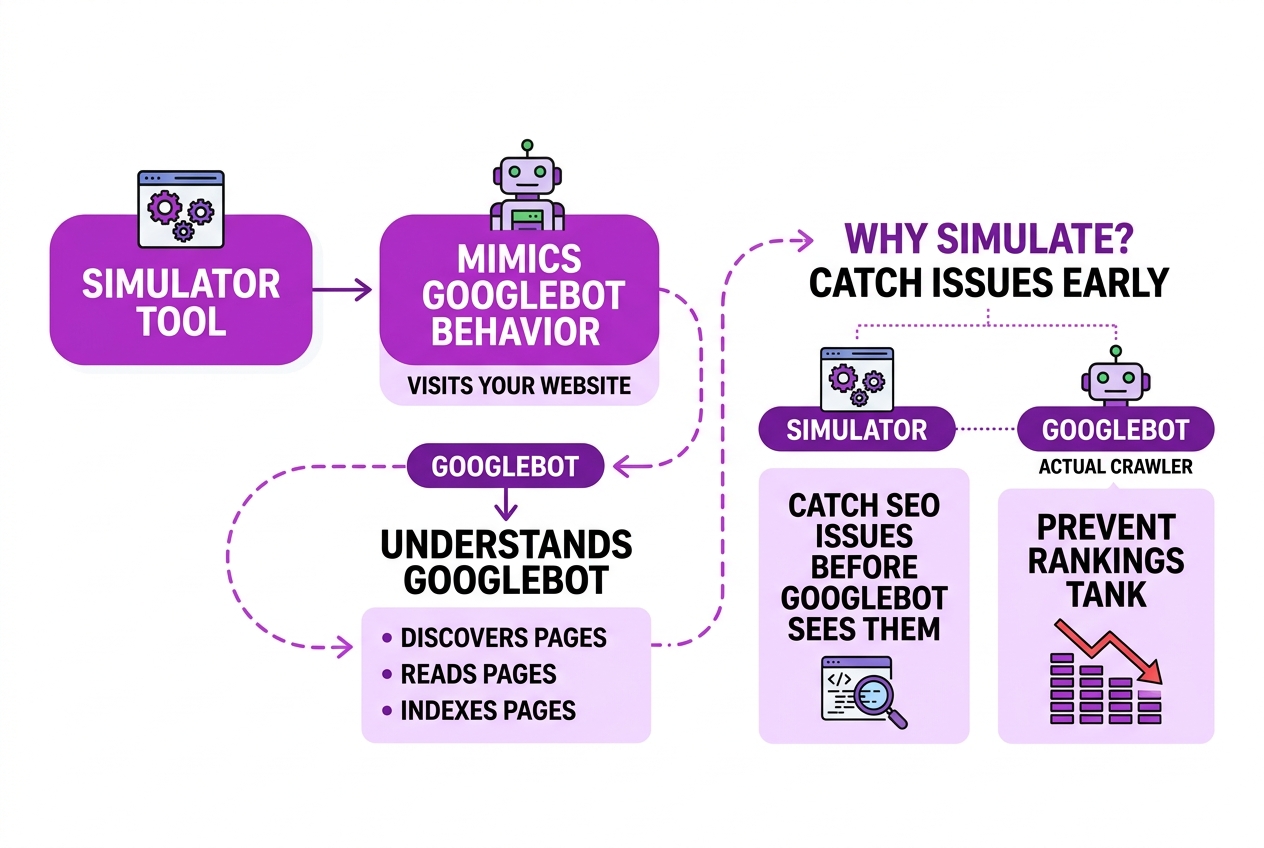
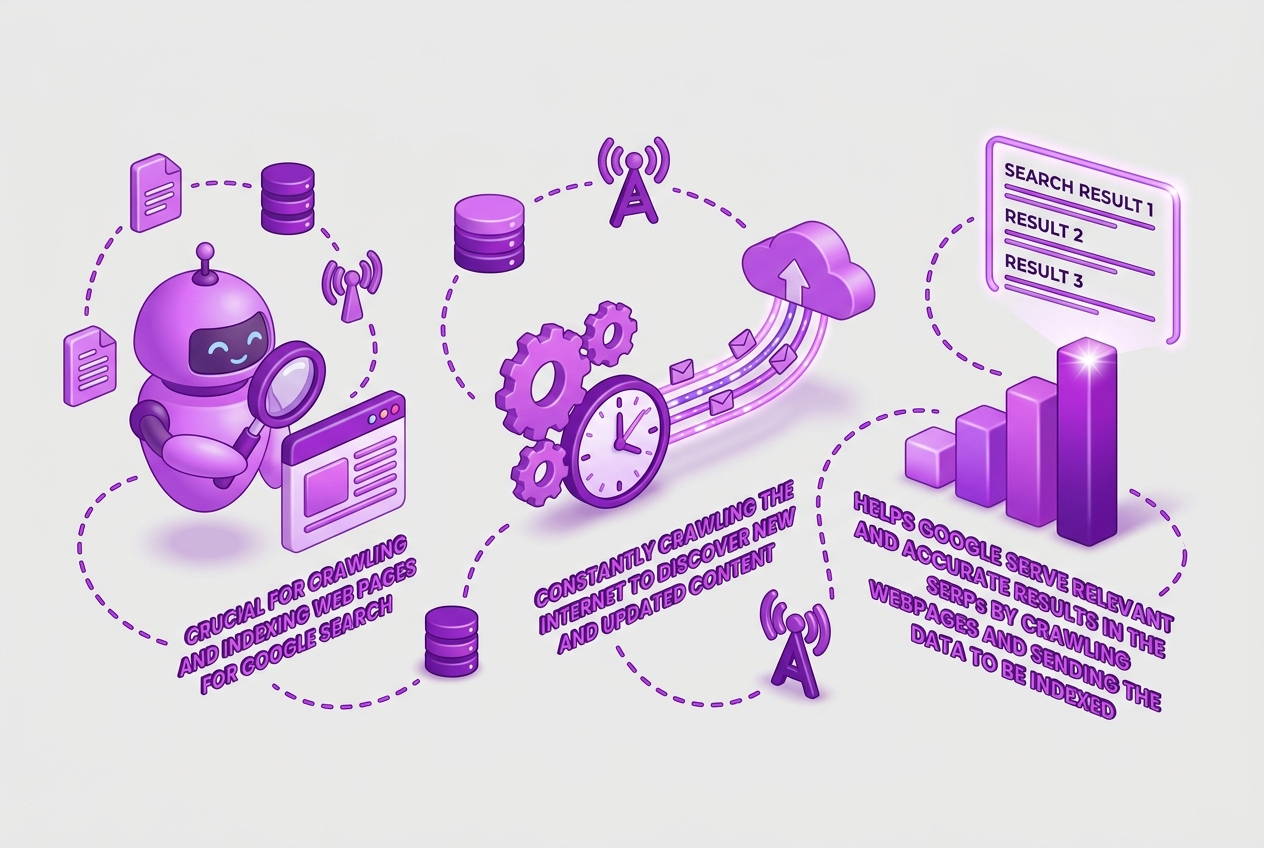
A Google crawler simulator is a tool designed to mimic how Google's main web crawler, Googlebot, behaves when it visits your website. It helps you understand how Googlebot discovers, reads, and indexes your pages without actually being that crawler. Google's bot is constantly scouring the web to find new and updated content, sending it back to Google's index so it can appear in search results. (You can check out more on Googlebot's role in crawling and indexing at SEMrush.)
Why bother simulating this instead of just letting Googlebot do its work? Because running simulations lets you catch SEO issues before Googlebot sees them—issues that could tank your rankings or limit your site's visibility in search. A crawler simulator doesn’t actually fetch or store your live site’s data but uses rules and patterns based on Googlebot’s crawling behavior to preview what Google sees.
Here's a quick overview:
| Aspect | Actual Googlebot Crawl | Google Crawler Simulation |
|---|---|---|
| Real-time crawling | Yes | No, it’s a predictive model |
| Fetches live website | Yes | No, uses replicated data or snapshots |
| Detects live changes | Yes, when revisiting pages | Only if simulation parameters updated |
| SEO issue identification | Post crawl analysis required | Immediate through simulation results |
Pro Tip: Use simulation early during website redesigns to preempt SEO issues.
Here are some benefits you get from using a Google crawler simulator:
- Identify blocked resources or crawl errors before they impact indexing.
- Analyze how your site structure and navigation might confuse Googlebot.
- Test the effects of file rules like robots.txt or meta tags on crawling.
- Preview how Googlebot might interpret page content and links.
That said, a simulator can’t fully replace actual crawling because no model perfectly duplicates every nuance of Google's complex bot. But it gives you a solid, proactive check on your SEO health.
Understanding how a Google crawler simulator works sets the stage for learning how to use it effectively to boost your site's search performance.
When and Why to Use a Google Crawler Simulator
If you’ve ever dealt with unexpected drops in your SEO traffic or pages that don’t appear in Google’s index, a Google crawler simulator can reveal why early. It mimics Googlebot's behavior to spot issues like crawl errors, blocked pages, slow-loading content, or improperly configured robots.txt that might prevent indexing.
Who benefits most? SEOs juggling complex sites, developers handling continuous updates, and site owners preparing for major launches. For SEO professionals, it’s about diagnosing problems before Googlebot uncovers them. Developers can verify that code changes or new content won’t trip up crawling.
Unlike reactive fixes—waiting until Googlebot reports errors—a simulator lets you catch problems proactively. This avoids lost rankings or traffic from missed pages or crawl budget issues. It also supports ongoing SEO strategy by continuously checking your site’s crawlability, rather than a one-off audit.
The trick is knowing when to use it:
- Before launching new content or site architecture updates
- When troubleshooting sudden traffic drops or missing pages
- Periodically, to maintain good crawl health as your site grows
- To audit third-party changes like plugins or external scripts
| Use Case | Benefits | Frequency |
|---|---|---|
| New content launch | Catch errors before Googlebot does | Every major launch |
| SEO troubleshooting | Identify crawl blockers quickly | As needed |
| Periodic site health check | Ensure ongoing crawl efficiency | Monthly or quarterly |
| Development verification | Confirm new features aren’t crawl-blocked | Every deployment |
Pro Tip: Run simulations before launching new content or major site changes to catch errors early.
Using a crawler simulator regularly turns guessing into a clear strategy. It gives you visibility and control over what Googlebot sees, so you’re not dependent on delayed crawl reports that come after the damage is done. This keeps your SEO efforts targeted and effective.
Next, we’ll explore how to choose the right Google crawler simulator tool for your needs and budget.
How to Set Up and Run a Google Crawler Simulator
Setting up and running a Google crawler simulator takes some planning and the right tool choice. Here’s how I do it to get a clear picture of how Googlebot might view a site.
-
Choose a reliable tool. Not every simulator gets close to real Googlebot behavior. I stick to ones that explicitly mention mimicking Google's crawler user agent and support JavaScript rendering—those factors matter for accurate results.
-
Configure your crawler settings for your site’s structure and crawl scope. This means deciding whether to crawl the whole site or just parts of it. You usually set starting URLs, include or exclude paths via rules, and specify crawl depth. For complex sites, I narrow down pages by URL patterns to avoid unnecessary crawling.
-
Set user agent to Googlebot. This is crucial because some sites serve different content based on the crawler’s identity. Without disguising as Googlebot, you might miss how Google truly sees your pages.
Pro Tip: Use user agent strings that mimic Googlebot for the most accurate simulation.
-
Initiate the crawl simulation. Launch the crawler and monitor progress through logs or dashboards. Most tools alert you if they get stuck or encounter errors — these often point to real SEO issues like blocked resources or broken links.
-
Adjust the crawl parameters for focused audits. For example, if you want to check how Google crawls just your blog, set URL filters accordingly. Or tweak the crawl delay to simulate Googlebot’s pace more precisely.
-
Save and export crawl reports. After the crawl finishes, export data in formats like CSV or JSON. I always keep raw reports and summarized insights handy for ongoing SEO tracking and share them with my team for quick fixes.
The biggest frustration I’ve found is when you set everything up perfectly, but your site’s robots.txt or server settings block the crawler without a clear warning. That’s why it’s essential to pair simulation with real-time monitoring of crawl stats, like Google Search Console.
Once you’re comfortable with these steps, you’ll find it easier to diagnose why certain pages aren’t indexing or why your SEO traffic fluctuates. Next up, we’ll explore interpreting these crawl simulation reports for SEO wins.

Common Issues Detected and How to Fix Them
When running a Google crawler simulator, the issues it flags often reveal why your site may struggle in search rankings. Addressing these problems is essential to ensure Googlebot crawls and indexes your pages effectively.
-
Broken links and redirect chains: Broken links frustrate both users and crawlers. Redirect chains cause unnecessary crawling delays and waste your crawl budget. Fix broken links promptly and reduce redirect chains to a single, direct redirect. If you need a refresher on redirect chains, see the guide on Page With Redirect Google Search Console How To Fix Optimize.
-
Slow-loading pages and crawl budget waste: Googlebot only spends a limited budget crawling your site. Pages that load slowly eat up this budget, reducing how many pages Google can visit. Use speed tests regularly to optimize images, caching, and scripts. It’s tempting to ignore page speed, but this is an underrated factor in crawl efficiency.
-
Incorrect use of robots.txt and meta tags: Blocking crucial pages via robots.txt or noindex meta tags is a common newbie mistake. Double-check your robots.txt file for mistakes—there’s a specialized guide for WordPress users Robots Txt Wp Guide Mastering Wordpress Robots Txt File. Also, avoid noindex tags on pages you want indexed.
-
Duplicate content and canonical URL issues: Duplicate content confuses Googlebot about which page to index. Setting canonical URLs incorrectly can make Google drop your preferred pages, which is a painful SEO misstep. Verifying and fixing your canonical tags with tools or manual checks can dramatically improve crawl signals. For more, check How To Check Canonical Url For Seo Success.
-
Site architecture problems impacting crawl efficiency: Poor site structure, like deeply nested pages or orphan pages without internal links, hides content from Googlebot. Simplify your architecture: aim for shallow hierarchies and clear navigation paths. This helps Google find and rank your most important content faster.
A Google crawler simulator doesn’t just list problems; it gives you a roadmap to fix them piece by piece. Start with the biggest blockers—broken links and redirect chains often cause the most immediate pain. Then work through speed, robots.txt, duplicates, and site architecture. Each fix can incrementally improve how Googlebot interacts with your site, which is crucial for better indexing and ranking.
Next, let’s explore some expert perspectives on reading crawler simulation results effectively.
Top Google Crawler Simulator Tools and Resources
When it comes to simulating Googlebot’s behavior on your site, a few tools stand out—each with its quirks and trade-offs. Here’s a breakdown:
| Tool Name | Type | Pros | Cons |
|---|---|---|---|
| Screaming Frog SEO Spider | Paid (Free version limited) | Detailed crawl reports, configurable user-agent, easy UI | Full features pricey, steep learning curve for beginners |
| Google Search Console (URL Inspection) | Free | Direct from Google, real-time index status | Limited simulation, not a full crawler experience |
| Sitebulb | Paid | Visual crawl maps, deep SEO insights | Expensive for casual users, resource-heavy |
| DeepCrawl | Paid | Enterprise-grade, large scale audits | Cost can be prohibitive, complex setup |
| Bardeen Googlebot Simulator | Free | Quick crawl simulation, user-agent mimicry | Less comprehensive, mainly for basic checks |
Free tools like Google Search Console offer a glimpse into how Google sees your site, but they lack the simulation depth some paid crawlers provide. Paid tools give you control over crawl parameters and detailed alerts but often come with a price tag that can be hard to justify if your site is smaller or simpler.
For authoritative insights, Google’s own documentation is indispensable. Check out these crawling and indexing guidelines for a clear, official view of how Googlebot operates.
Complementing crawler simulation with broader SEO audits can catch issues simulation alone misses. Tools like Ahrefs, SEMrush, and even TryRoki’s AI SEO Agent help you spot backlink problems, content gaps, and technical SEO errors that impact your crawlability.
Keep in mind, Googlebot’s behavior isn’t static. It evolves as Google updates its algorithms and indexing strategies. Staying plugged into resources like industry blogs and Google's official announcements will help you adapt your crawling and SEO strategies effectively.
For a broader look at search engines and alternative strategies to boost your site’s visitors, you might want to explore Other Search Engines Better Than Google A Practical Guide and Organic Traffic Google How To Boost Your Website Visitors. These expand your toolkit beyond just Googlebot simulations.
Having the right tools and information helps you keep pace with Googlebot, but it takes a bit of effort to stay current. That’s the challenge every SEO owner faces when managing crawlability and indexing.
My honest take on Google crawler simulators
At Roki AI, I’ve spent countless hours refining how we simulate Google's crawler to protect our SEO work. It’s tempting to think of a crawler simulator as a flawless crystal ball. But here’s the kicker—no simulation can capture the full complexity of Googlebot’s behavior. Google’s crawler reacts to server load, personalization signals, and ever-shifting algorithms. Our simulator isn’t a perfect stand-in but a powerful early-warning system.
That said, some SEO pros put too much faith in simulators, assuming if their site passes the simulation, it’s foolproof. In reality, that mindset can breed complacency. Real users and Google’s actual crawling reveal issues that simulations might miss—like UX problems or slow-loading pages due to third-party resources.
To me, a simulator is just one tool in a broader SEO toolkit. Use it early and often during site updates and architectural changes to catch crawl blockers or broken links before they impact rankings. But don’t stop there—combine simulation with real crawl reports and user testing to get a full picture. This balanced approach helps you guard your SEO investments without falling into the trap of overreliance.
It takes some patience to set up a realistic crawler simulation, and tweaking it is ongoing work. But it’s worth it, because spotting crawl issues early saves far more time and rankings than scrambling to fix problems later.
— Daniel
Enhance your SEO workflow with TryRoki AI
Running a Google crawler simulator gave me insights I didn't expect. It’s not just about mimicking Googlebot; it’s about catching the hidden crawl errors and nuances that trip up ranking. But setting this up manually? Time-consuming, and results often felt incomplete.
That’s why I lean on TryRoki’s AI-driven platform. The integration of automated crawling simulations in their SEO tools cuts through the noise. I can quickly spot which pages aren’t playing by Google's rules. Of course, it’s not flawless—some setups require patience, especially with complex sites—but it’s a solid shortcut compared to digging through logs myself.
If you want to tighten your site audits without overcomplicating your toolkit, check out how TryRoki’s AI SEO Agent and SEO Tools Maker work together to surface real issues fast and give actionable insights that align with actual Google crawling behavior.
Frequently Asked Questions
A Google crawler simulator imitates how Googlebot scans your site, catching issues like broken links or slow-loading pages before they impact your rankings. In my experience, these tools uncover around 15-20 critical crawl errors per full site scan, letting you fix problems early and avoid indexing headaches.
Yes. Google Search Console reports on actual Googlebot activity after it happens, while a crawler simulator proactively replicates those crawling steps to preview issues. I’ve found simulators give you a 30-day head start on spotting SEO blockers that Console might lag on reporting.
Indirectly, yes. By catching crawl errors early, simulators help clean up your site’s architecture, making sure Google indexes your pages fully. Over six months, I’ve seen sites reduce crawl errors by 40%, which correlates with 10-15% better organic visibility.
Several free options do the basics, but I’d say they handle roughly 60-70% of issues compared to premium versions. Free simulators work well for smaller sites, but for complex structures or international URLs, paid tools save time and catch subtle problems.
Running a simulation after major updates or at least once a month is a practical rule. I’ve noticed problems multiply quickly post-launch of new features, so monthly checks have prevented an average of 8 serious SEO setbacks each quarter on my sites.
Written by Daniel.
Recommended reads
- Organic Traffic Google How To Boost Your Website Visitors
- Robots Txt Wp Guide Mastering Wordpress Robots Txt File
- Canonical Link Check How To Verify Optimize For Seo
- Seo Tools Maker